

关于
Please follow the steps below to create a Column / Sub-column
请按照以下步骤创建栏目 / 子栏目
Step 1 (步骤 1)
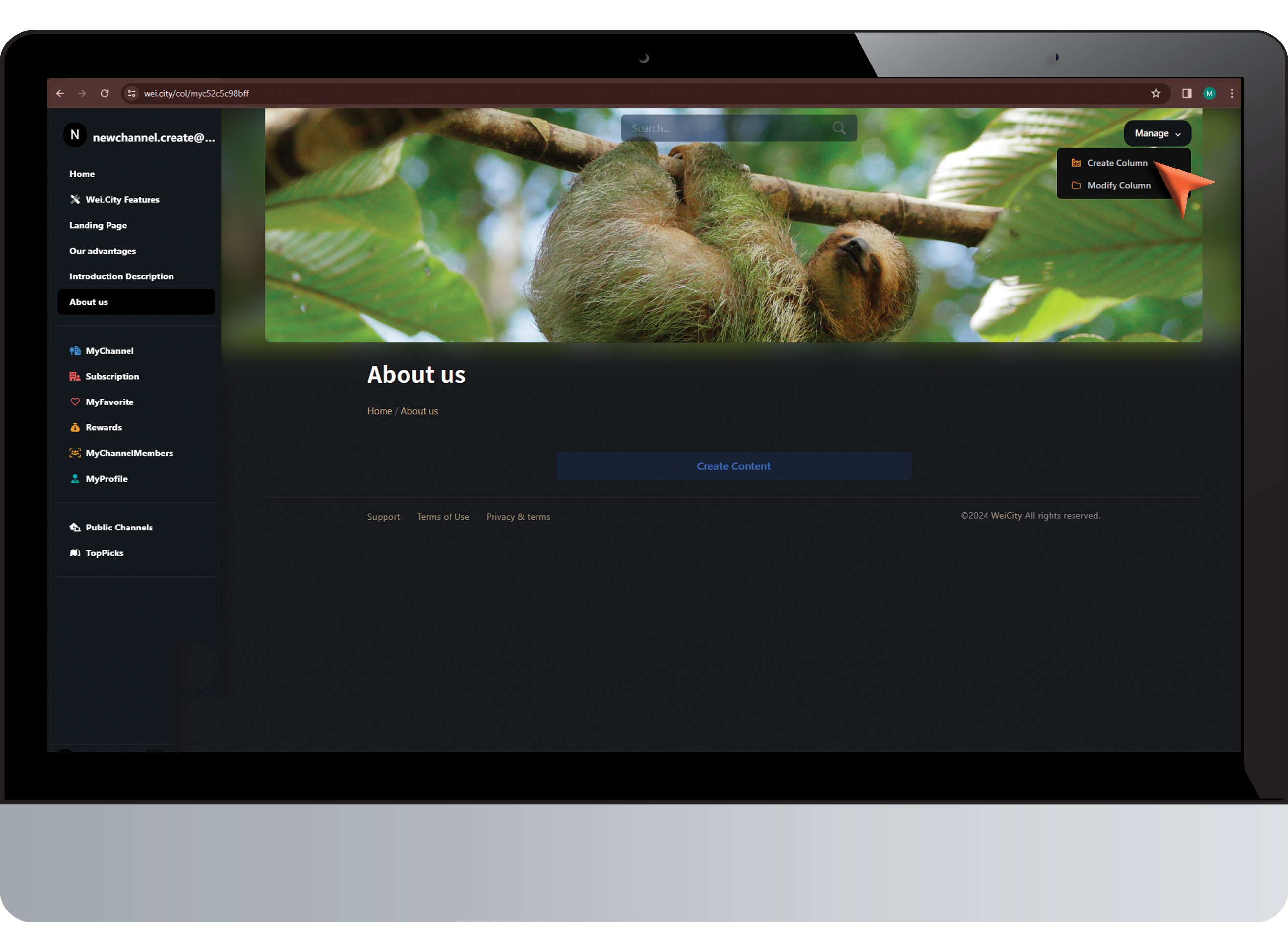
Click on "Create Column"
点击 “创建栏目”
Step 2 (步骤 2)
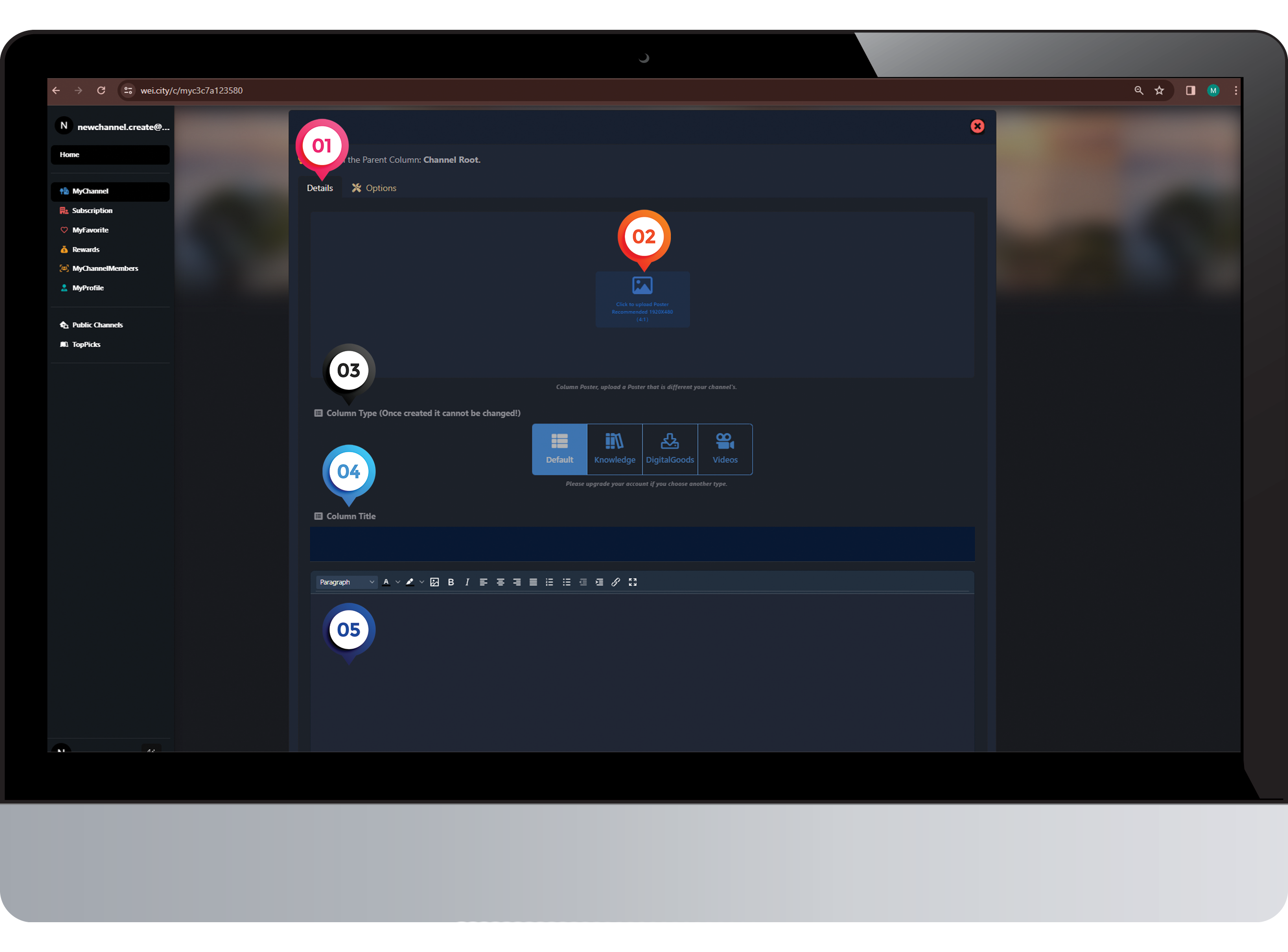
1️⃣ Click: "Details"
点击 :内容“
2️⃣ Upload a "poster"(1920x480)
上传海报 (1920x480)
3️⃣ Select "ColumnType"
选择”栏目类型“
4️⃣ Enter "Column Title"
输入”栏目标题“
5️⃣ Enter "Content" and "Submit"
输入"内容" 后提交
Step 3 (步骤 3)
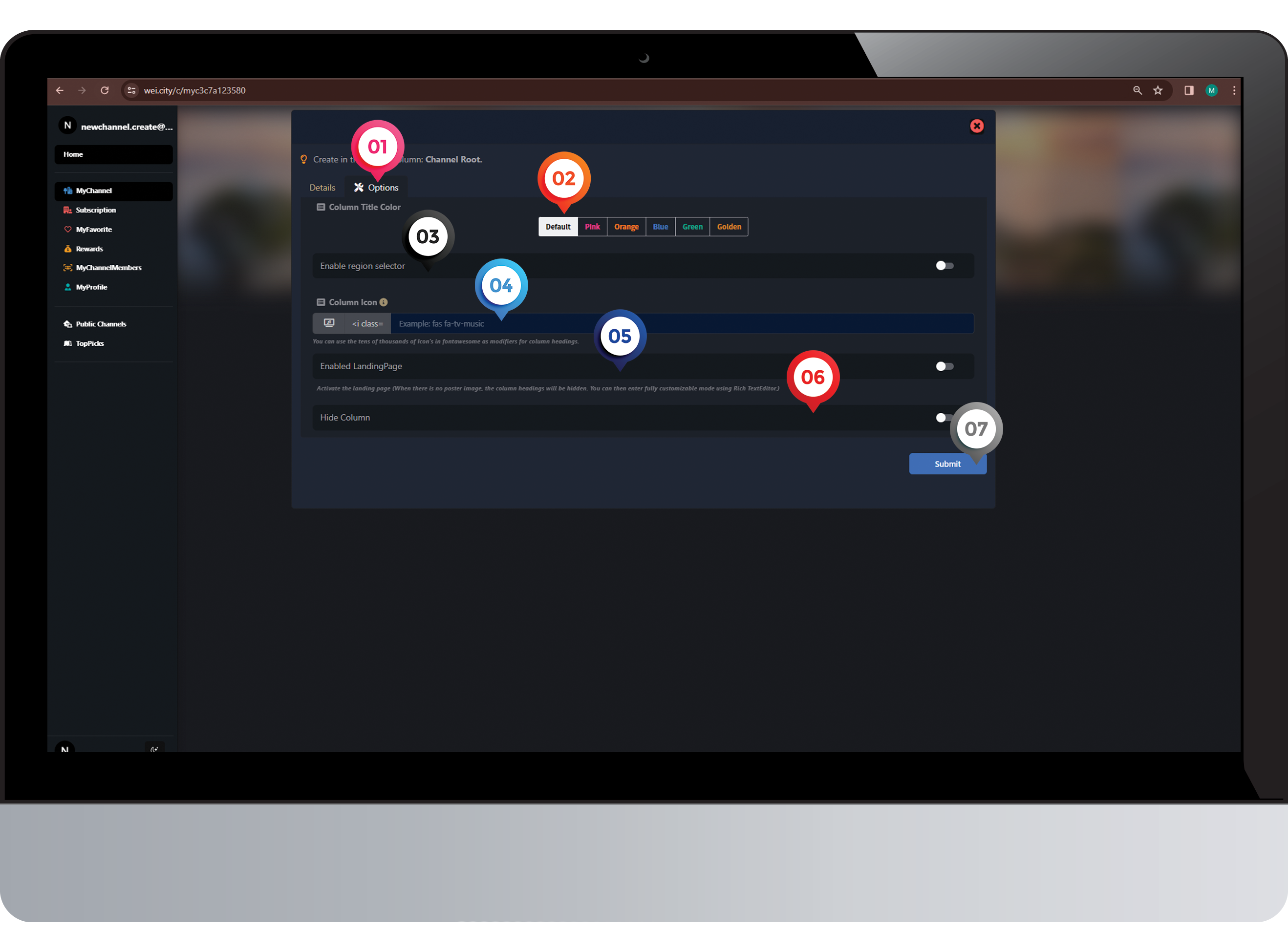
1️⃣ Click: "Options"
点击 :设置“
2️⃣ Column Title Color ℹ️(Choose the color for the title according to your personal preference)
栏目标题颜色ℹ️(可根据您个人喜好选择的颜色标题)
3️⃣ Click on "Regional Selector"
点击 "区域选择器"
4️⃣ Column Icon ℹ️ (Choose an icon based on your personal preference)
栏目图标 ℹ️ (可根据您个人喜好选择图标)
5️⃣ Click "Enable Landing Page"
点击“启动落地页”
6️⃣ Select "Hide Column" or "Unhide Column"
选择“隐藏栏目”或“公开栏目”
7️⃣ Click on "Submit"
点击“呈交”
Step 4 (步骤 4)
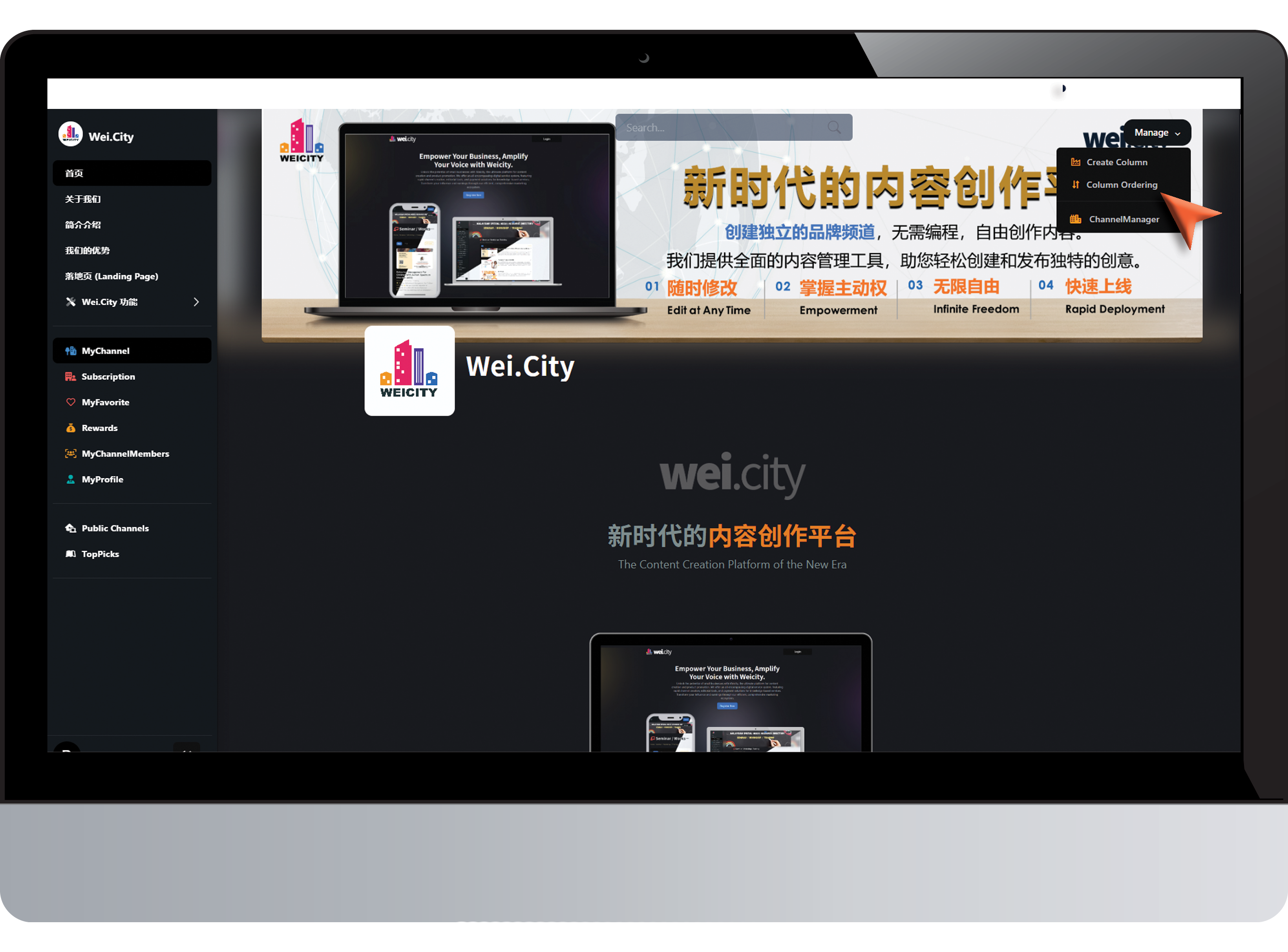
Click on "Column Ordering "
点击 “排序栏目”
Step 5 (步骤 5)
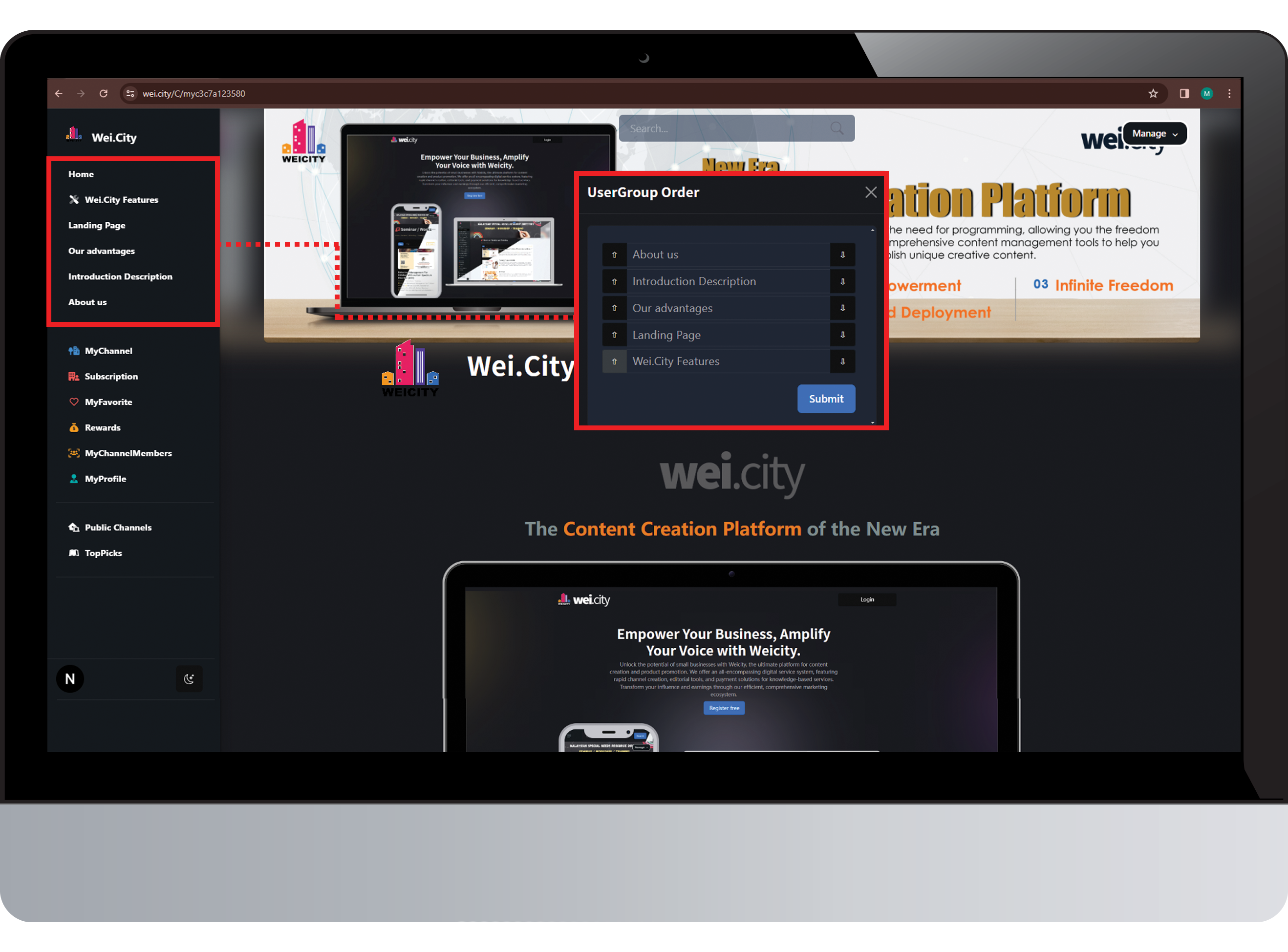
Column Ordering- Arrange based on your selection
排序栏目 - 根据您的选择排序