
20 浏览
关于
Please follow the steps below to create a new account
Step 1
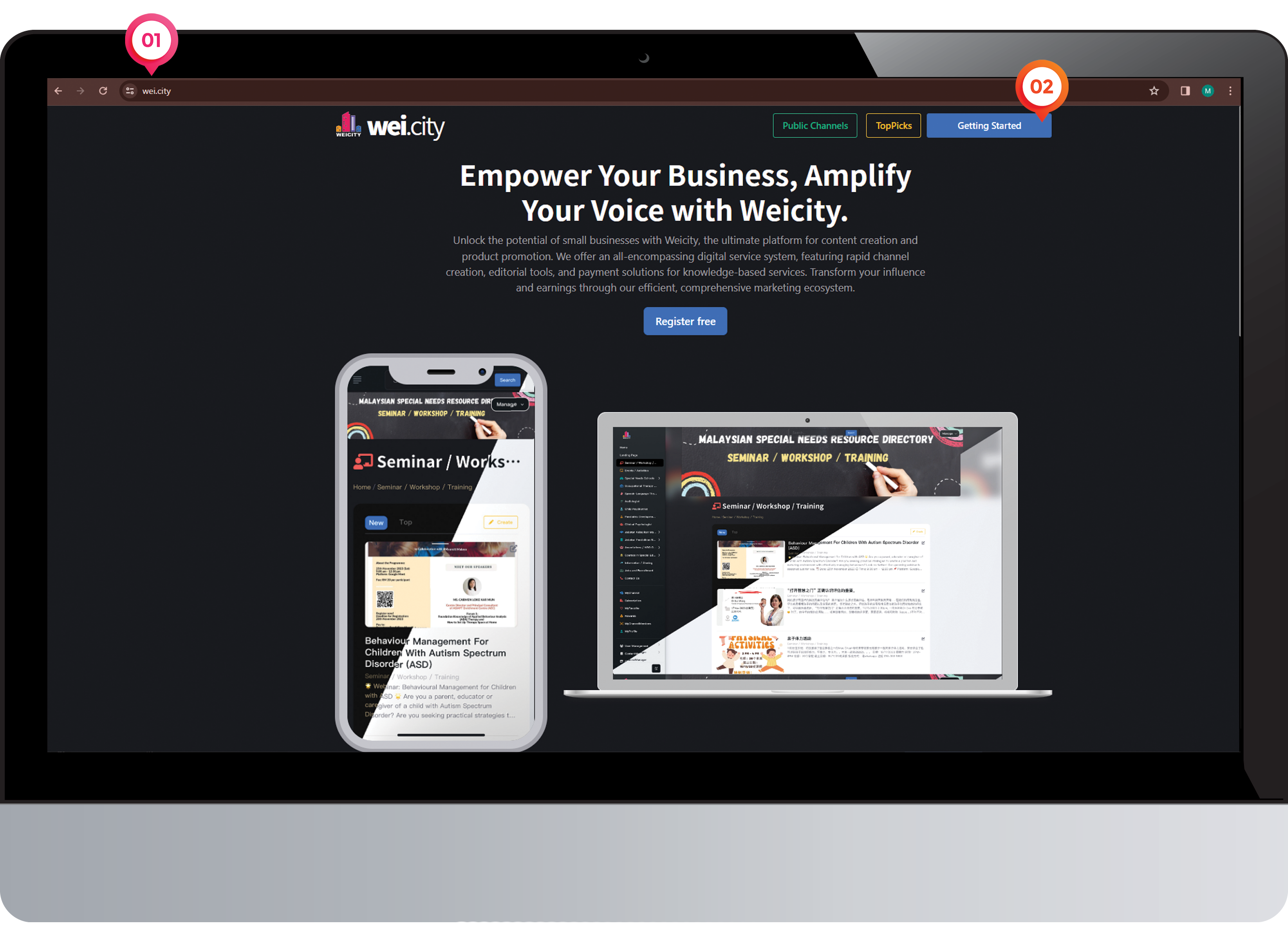
1️⃣ Enter the website address for "Wei.City"
2️⃣ Click on "Getting Started"
Step 2
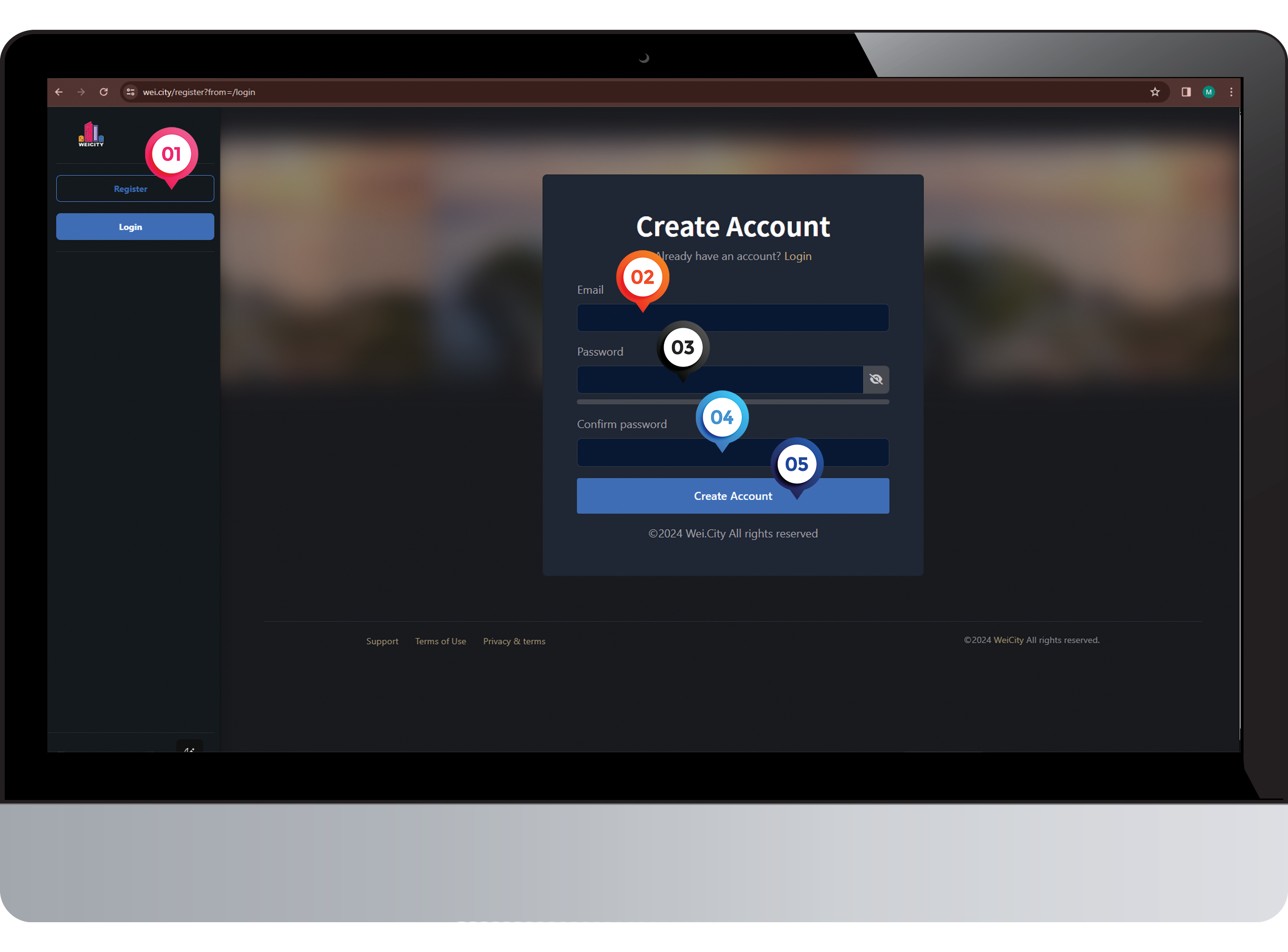
1️⃣ Click on "Register"
2️⃣ Enter "Email Address "
3️⃣ Enter "Password"
4️⃣ Confirm“Password”
5️⃣ Click on "Create Account"
Step 3
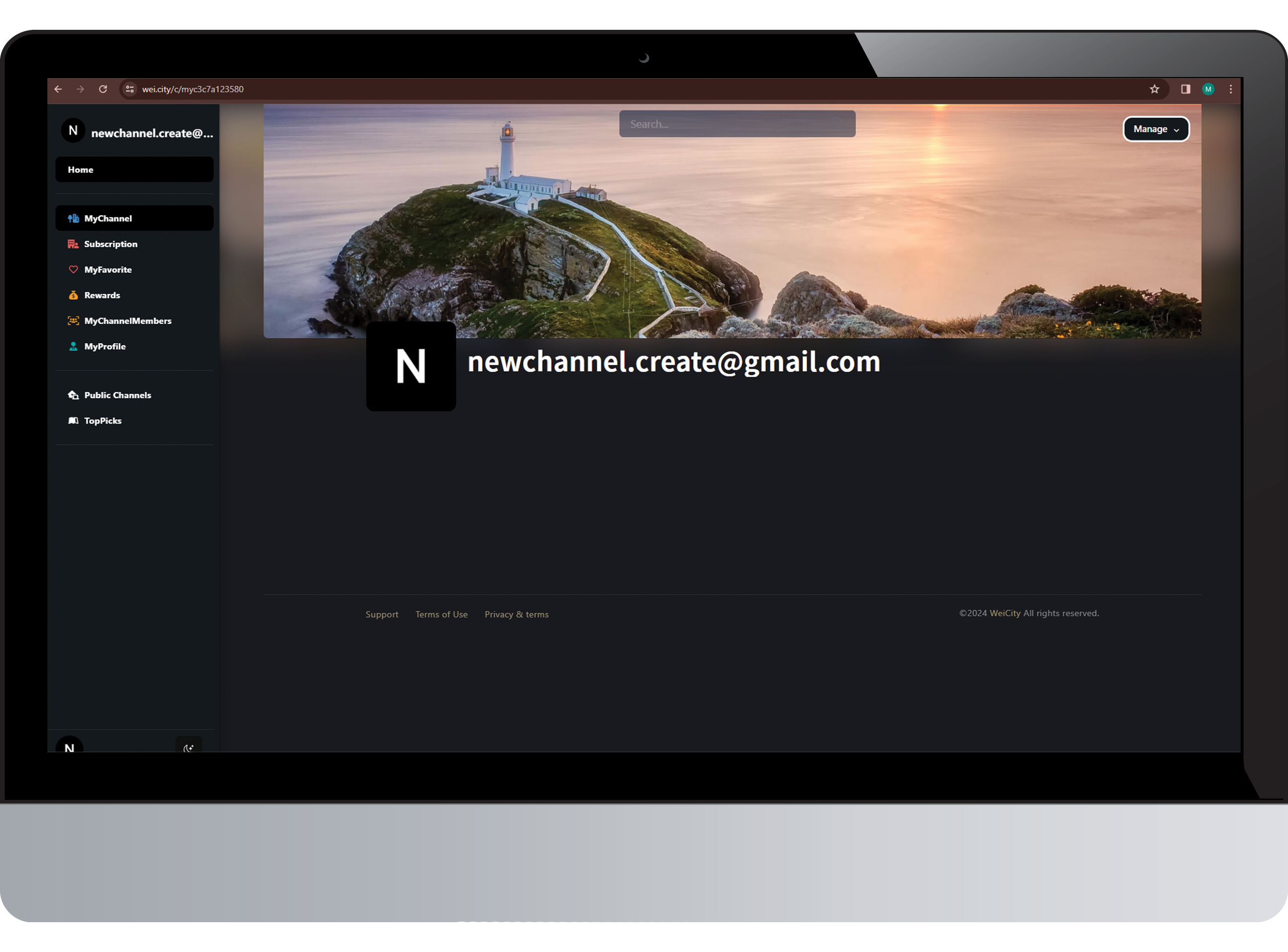
Congratulations! The new account has been successfully created.
Step 4
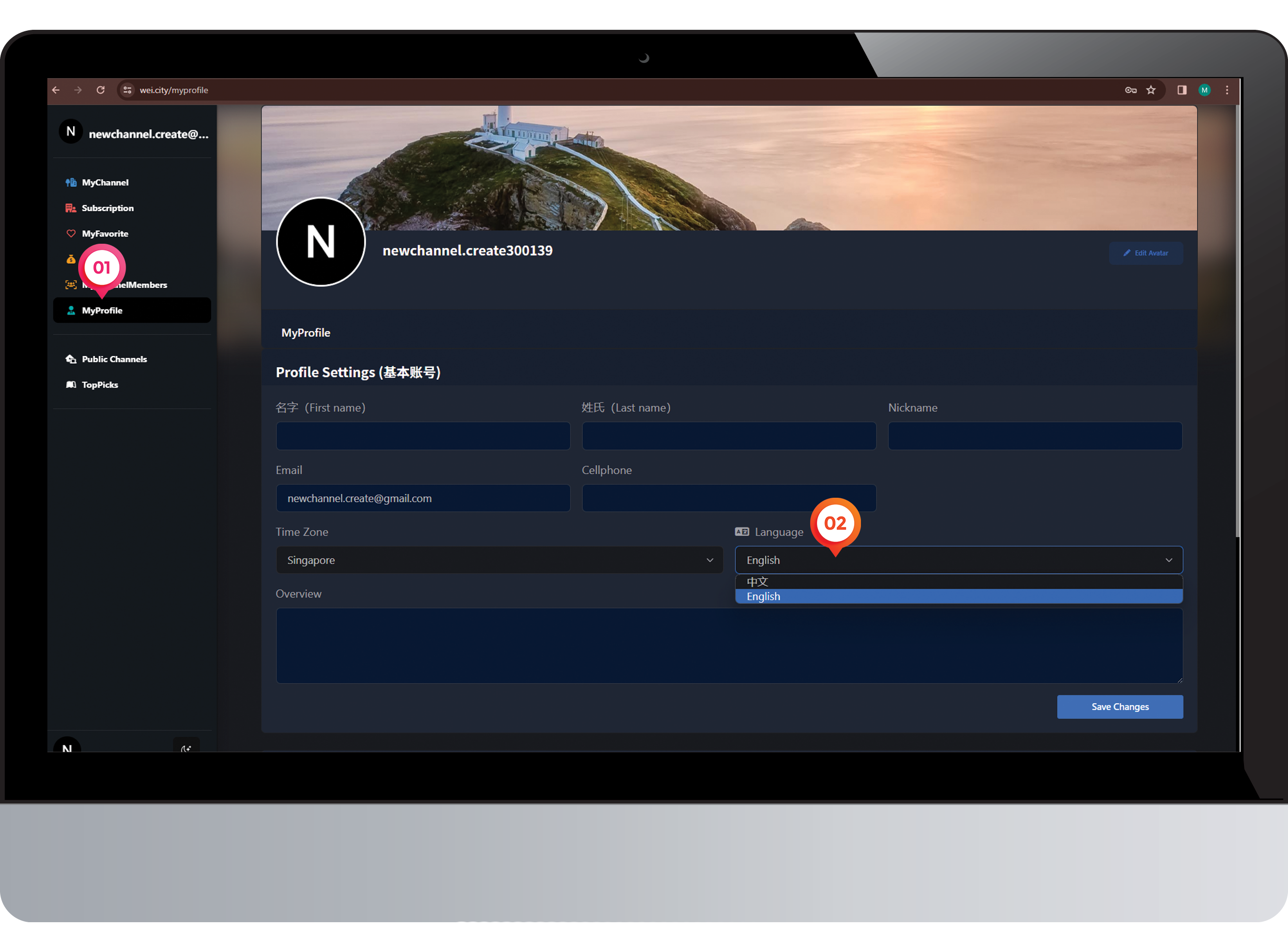
1️⃣ Click on "Profile"
2️⃣ Select "Language"
Step 5 (步骤 5)
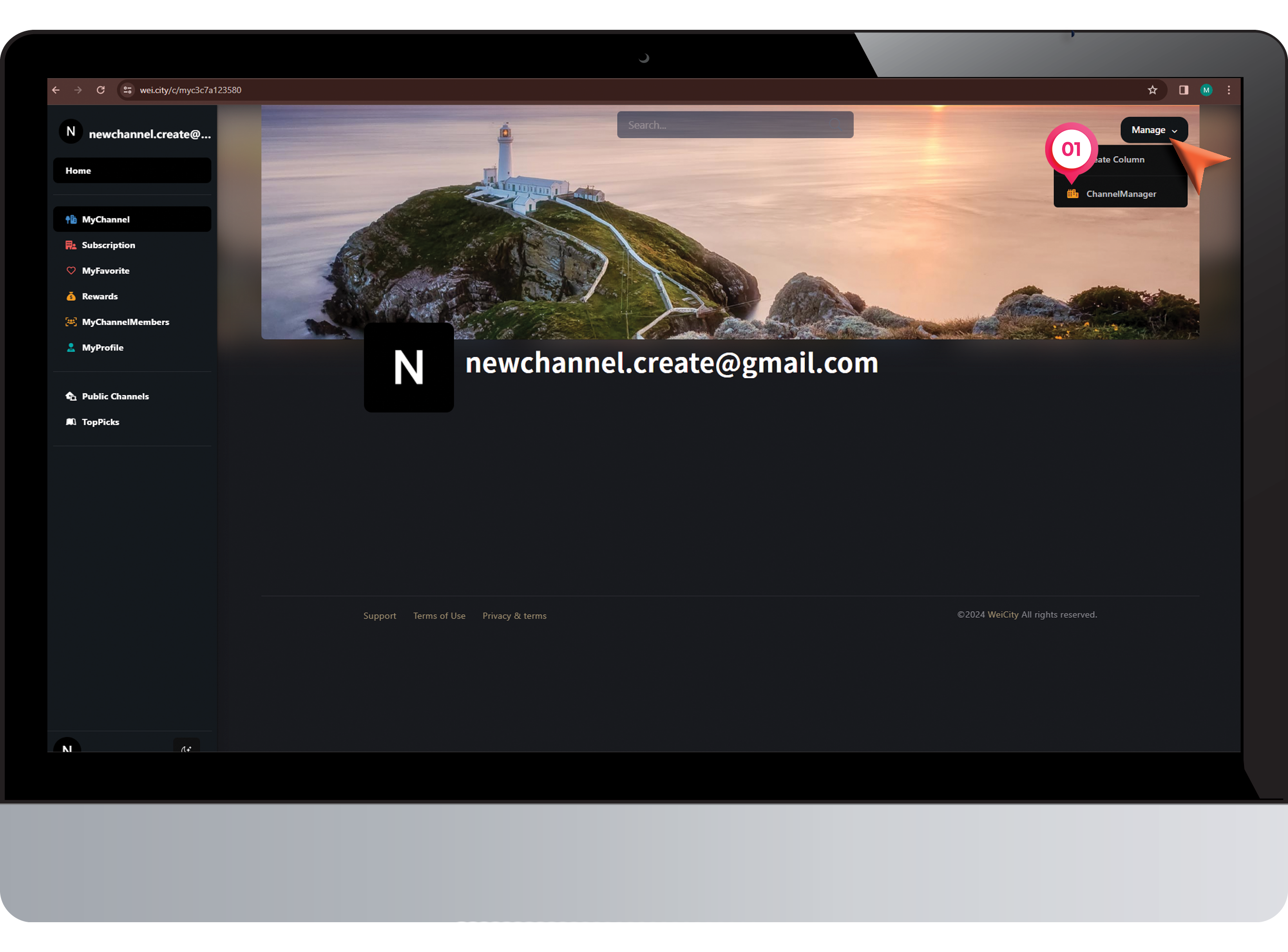
1️⃣ Click on "ChannelManager"
Step 6 (步骤 6)
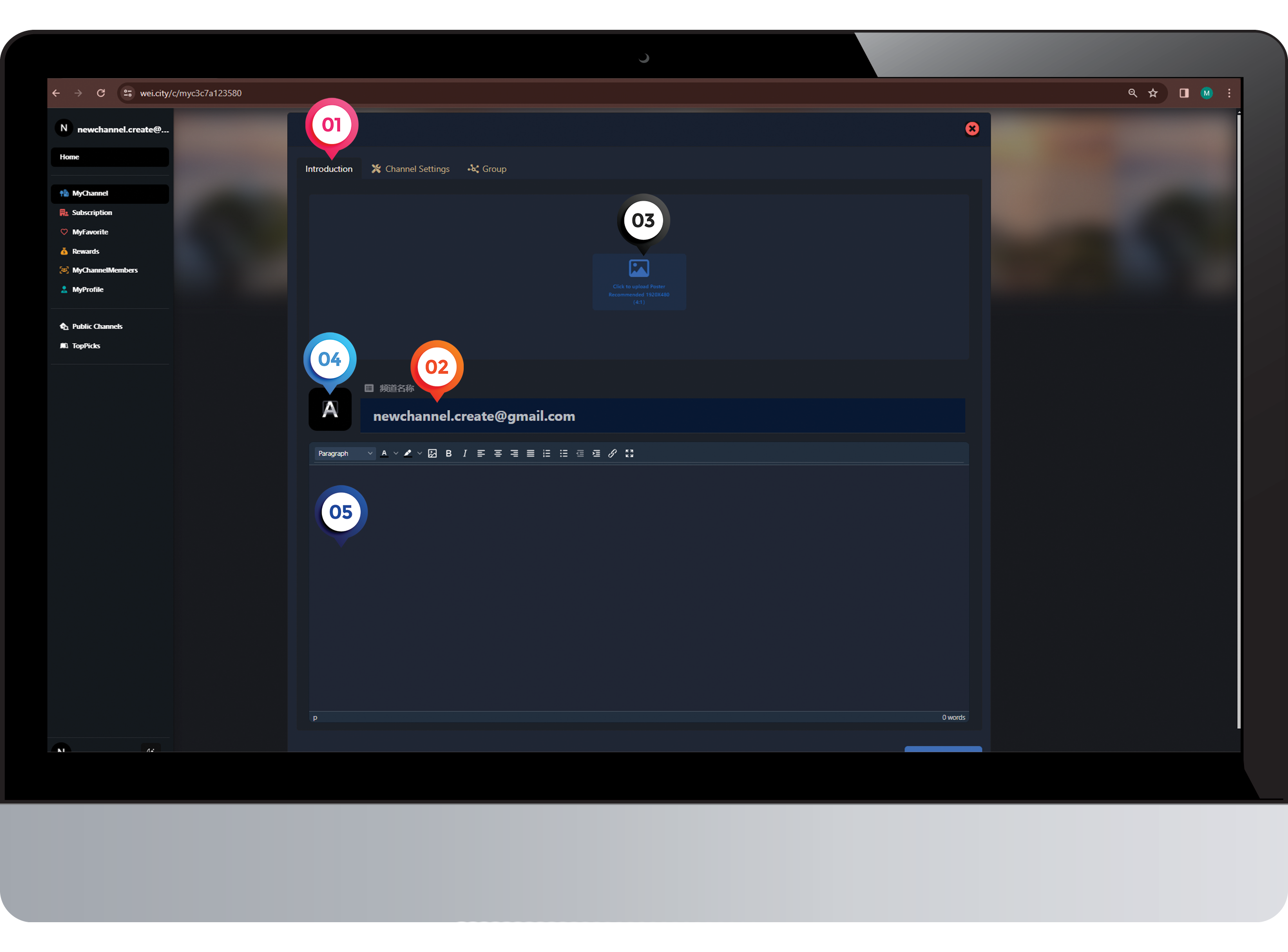
1️⃣ Click on "Introduction"
2️⃣ Enter the "Channel Name"
3️⃣ Upload a "Poster"
4️⃣ Upload a "Logo"
5️⃣ Enter your 'content' and submit
Step 7 (步骤 7)
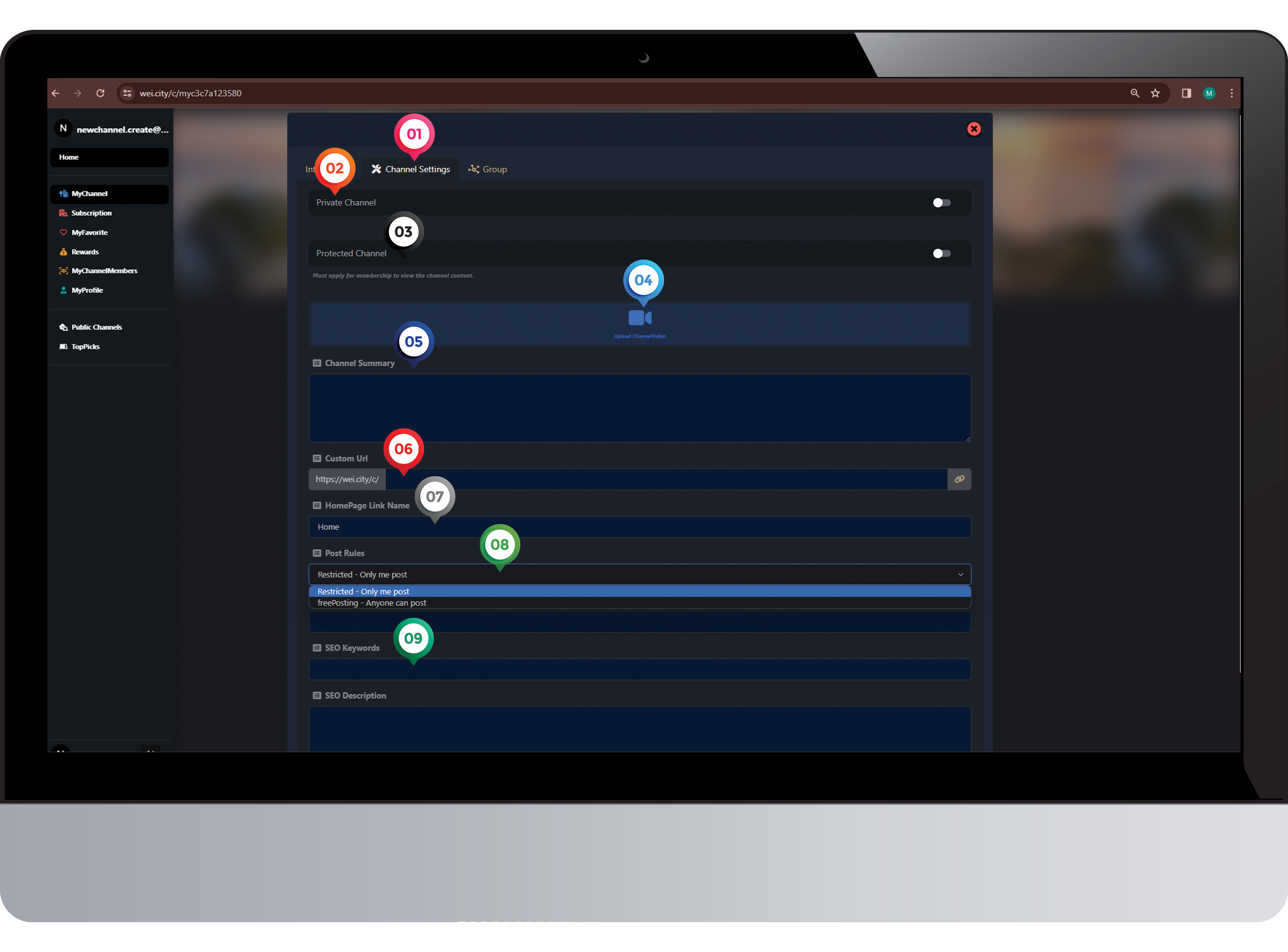
1️⃣ Click on "Channel setting"
2️⃣ Select “Private Channel or Public Channel”
3️⃣ Select “Protected Content or Public Content”
4️⃣ Upload a "Video"
5️⃣ Enter "Channel Summary"
6️⃣ Enter "Custom URL"
7️⃣ Enter "Homepage Link Name"
8️⃣ Select “Post Rules”
✅Restricted Channel (Not open to the public for posting)
✅Public Channel (Open to the public for posting)
9️⃣Enter "SEO Title, Keywords, and Description"and submit
Channel Setup Complete
Step 8 (步骤 8)