
3 浏览
关于
Please follow the steps below to create content
请按照以下步骤创建内容
Step 1 (步骤 1)
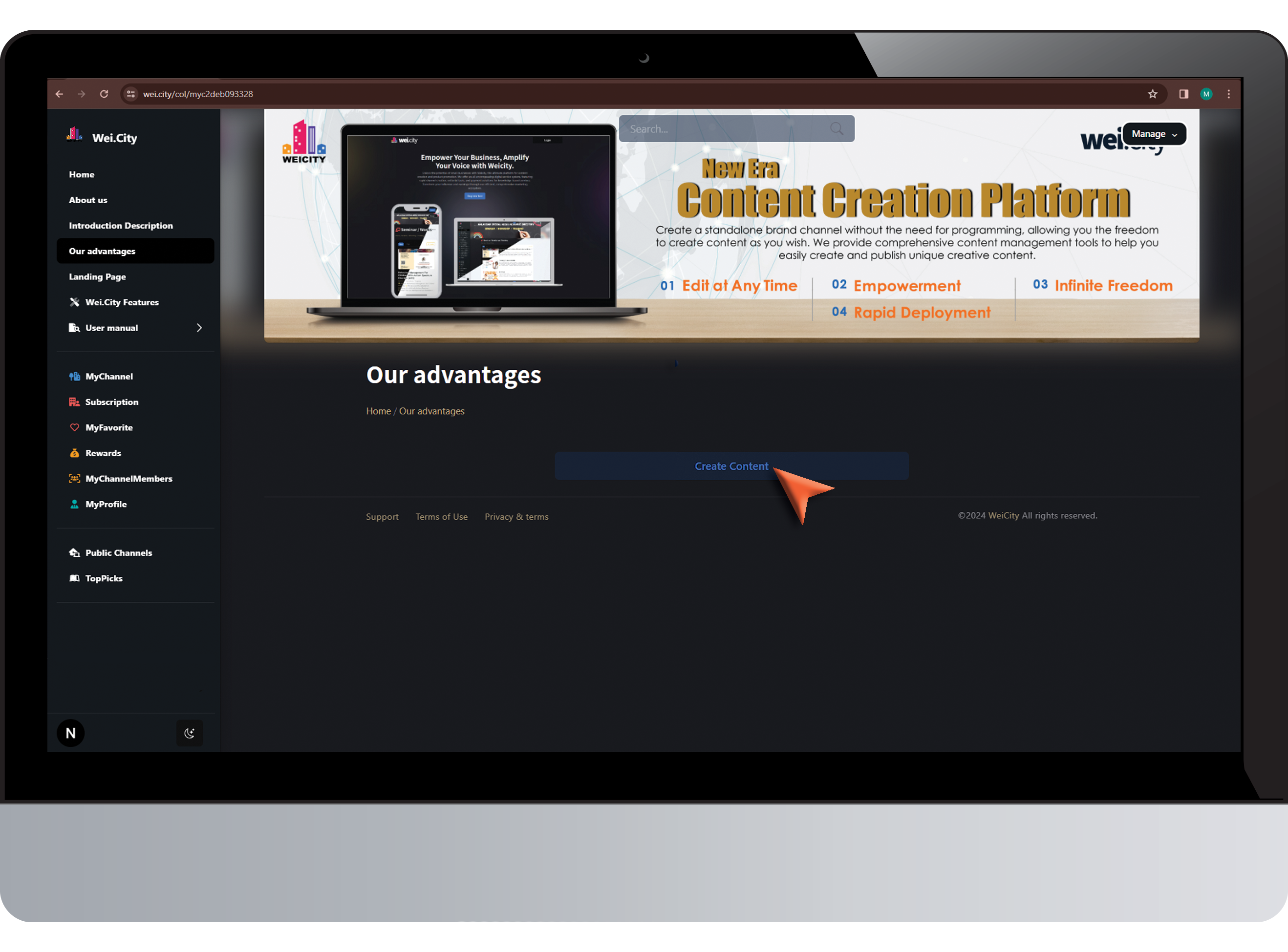
Click "Create Content"
点击 "创建内容"
Step2 (步骤 2)
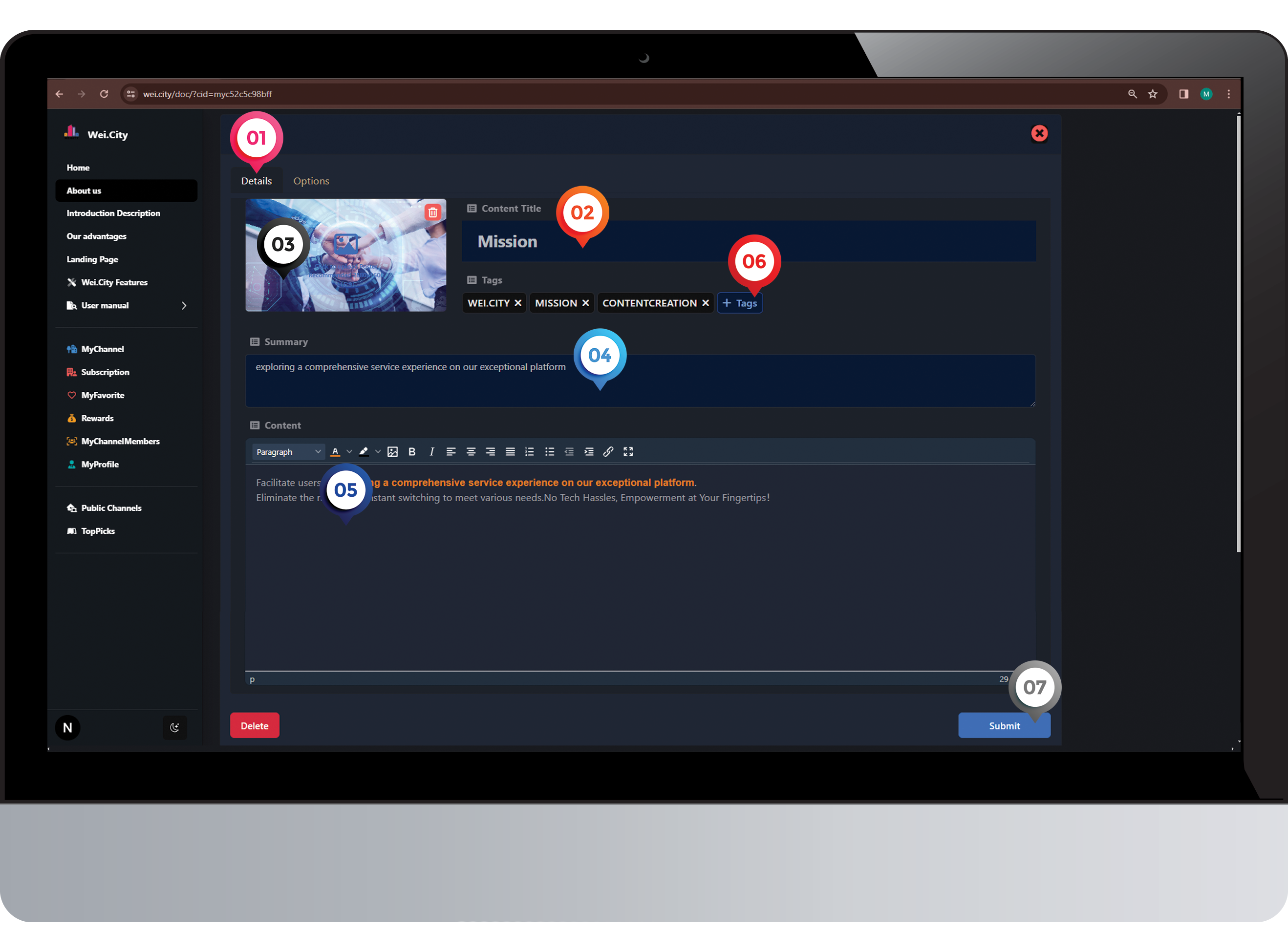
1️⃣ Click on "Details"
点击 “内容”
2️⃣ Enter "Content Title"
输入“内容标题”
3️⃣ Upload "Poster"(2880x1600)
上传“海报”(2880x1600)
4️⃣ Enter "Summary"
输入“内容摘要”
5️⃣ Create "Content Story"
创建“文章内容”
6️⃣ Enter "Tags" (Hashtags)
tags -“井号标签”
7️⃣ Click on "Submit"
点击“呈交”
Step 3 (步骤 3)
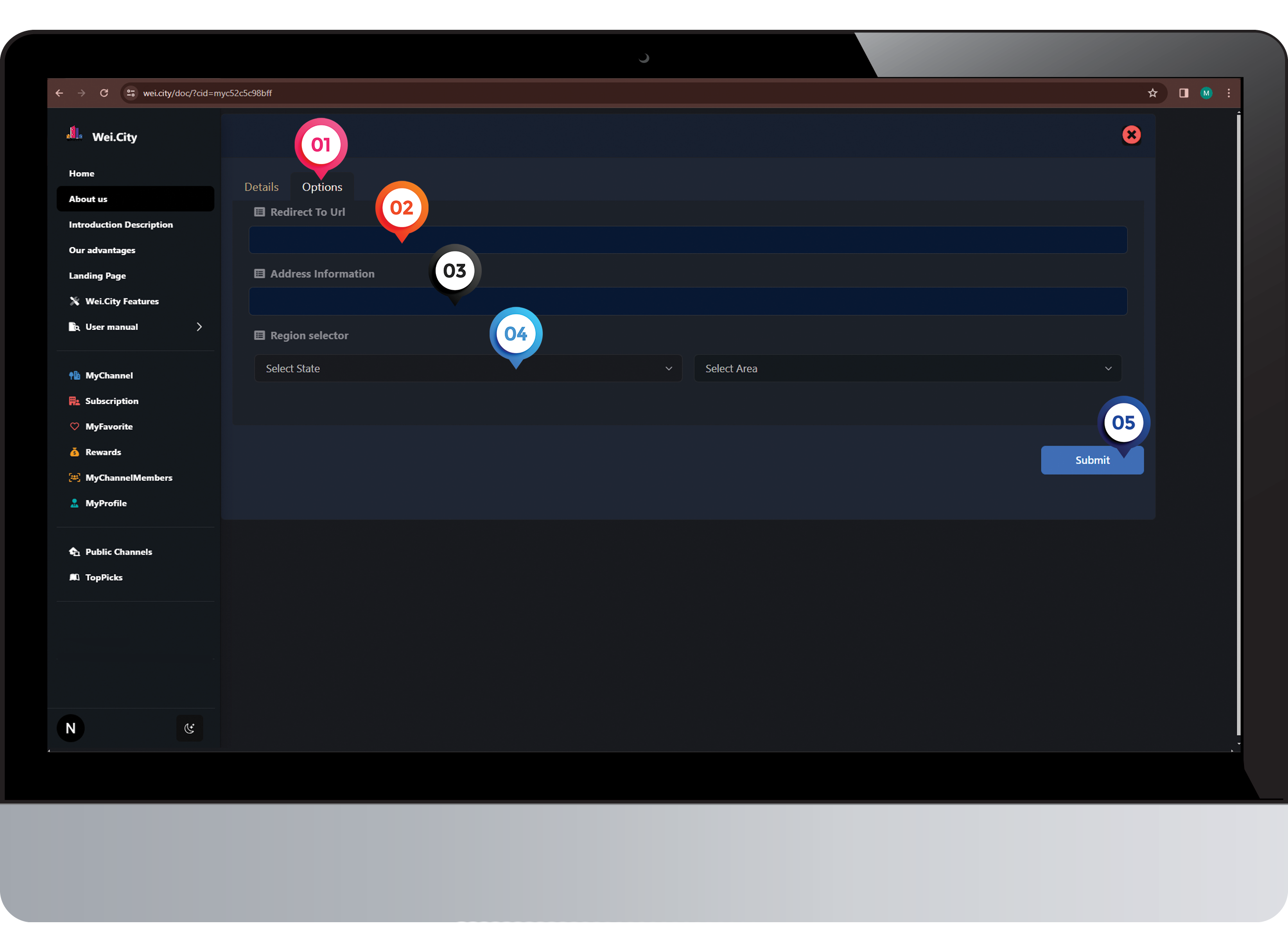
1️⃣ Click on "Option"
点击 “设置”
2️⃣ Enter "Redirect To Url"
输入“Url”
3️⃣ Enter "Address information"
输入“地址信息”
4️⃣ Click on "Regional Selector"
点击 "区域选择器"
5️⃣ Click "Submit"
点击“呈交”
Step 4 (步骤 4)
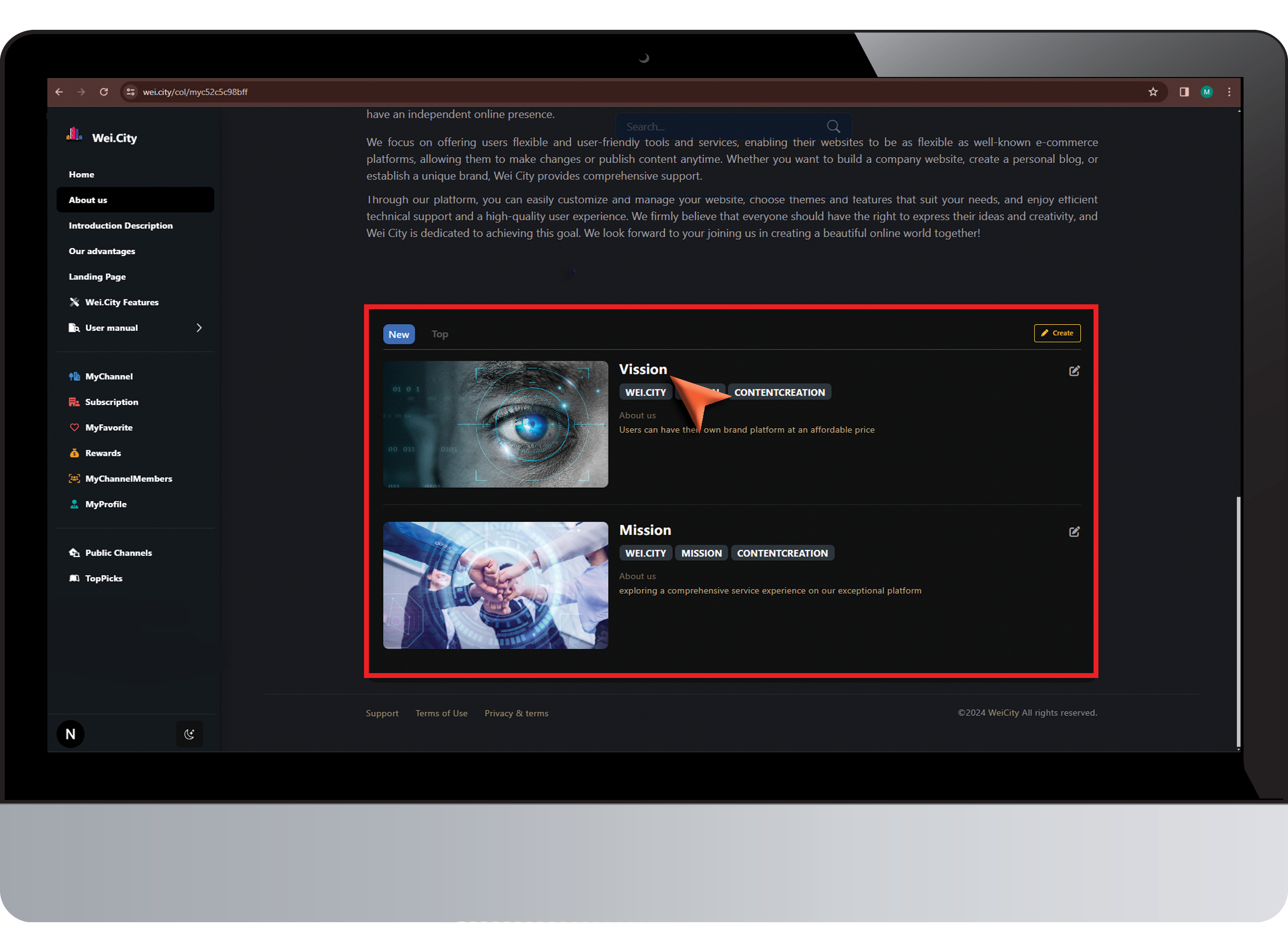
Congratulations! The content has been successfully created.
恭喜!已成功创建内容
Click on "Content Title" to read the article.
点击 “内容标题” 阅读文章
步骤 5
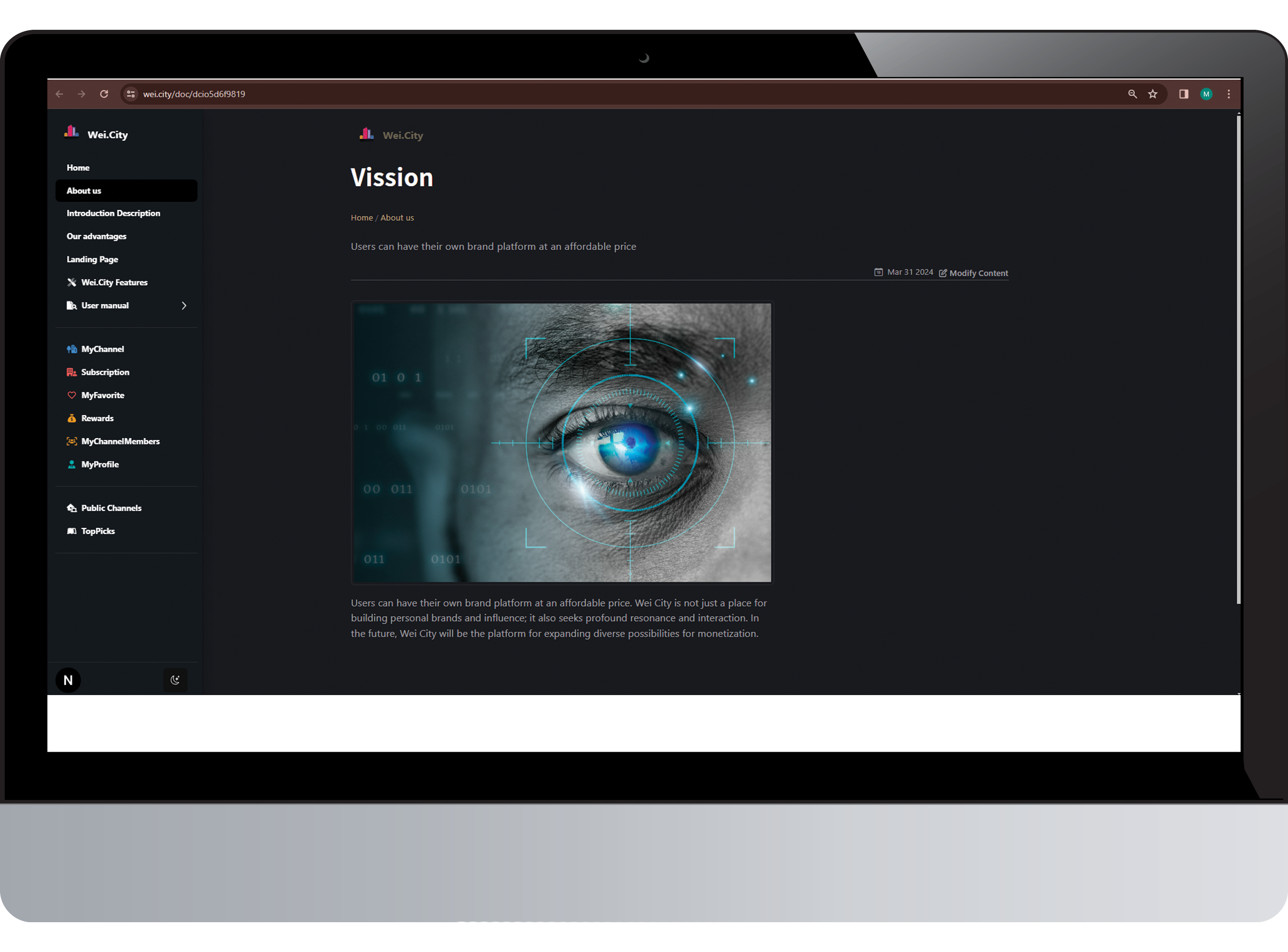
Enjoy your reading, "Me time"
愿您阅读愉快,享受一段"属于自己的时间"。