
4 浏览
关于
Please follow the steps below to create content
请按照以下步骤创建内容
Step 1 (步骤 1)
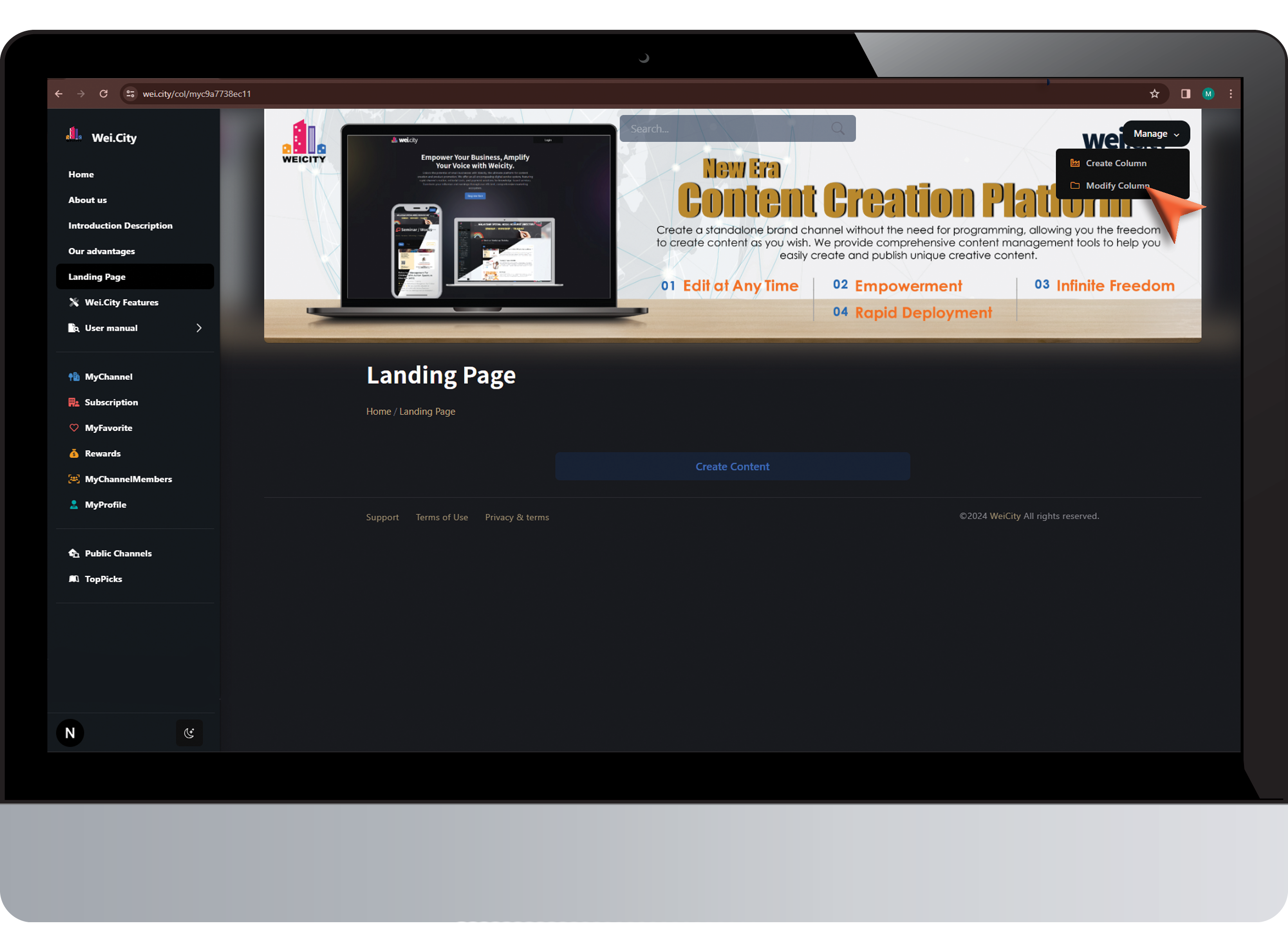
Click "Modify Column"
点击 "创建内容"
Step2 (步骤 2)
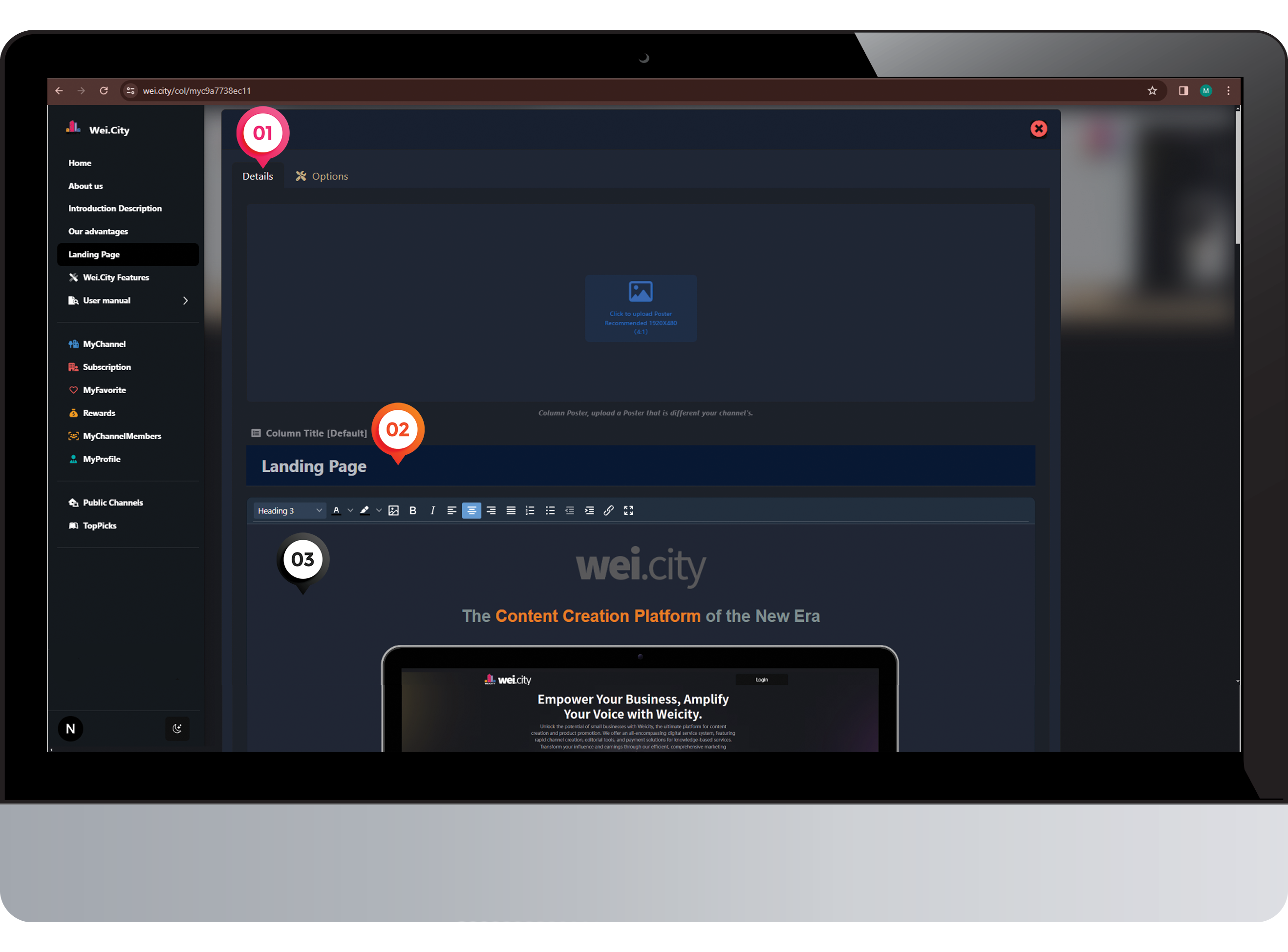
1️⃣ Click on "Details"
点击 “内容”
2️⃣ Enter "Content Title"
输入“内容标题”
3️⃣ Create "Content Story"
创建“文章内容”
Step 3 (步骤 3)
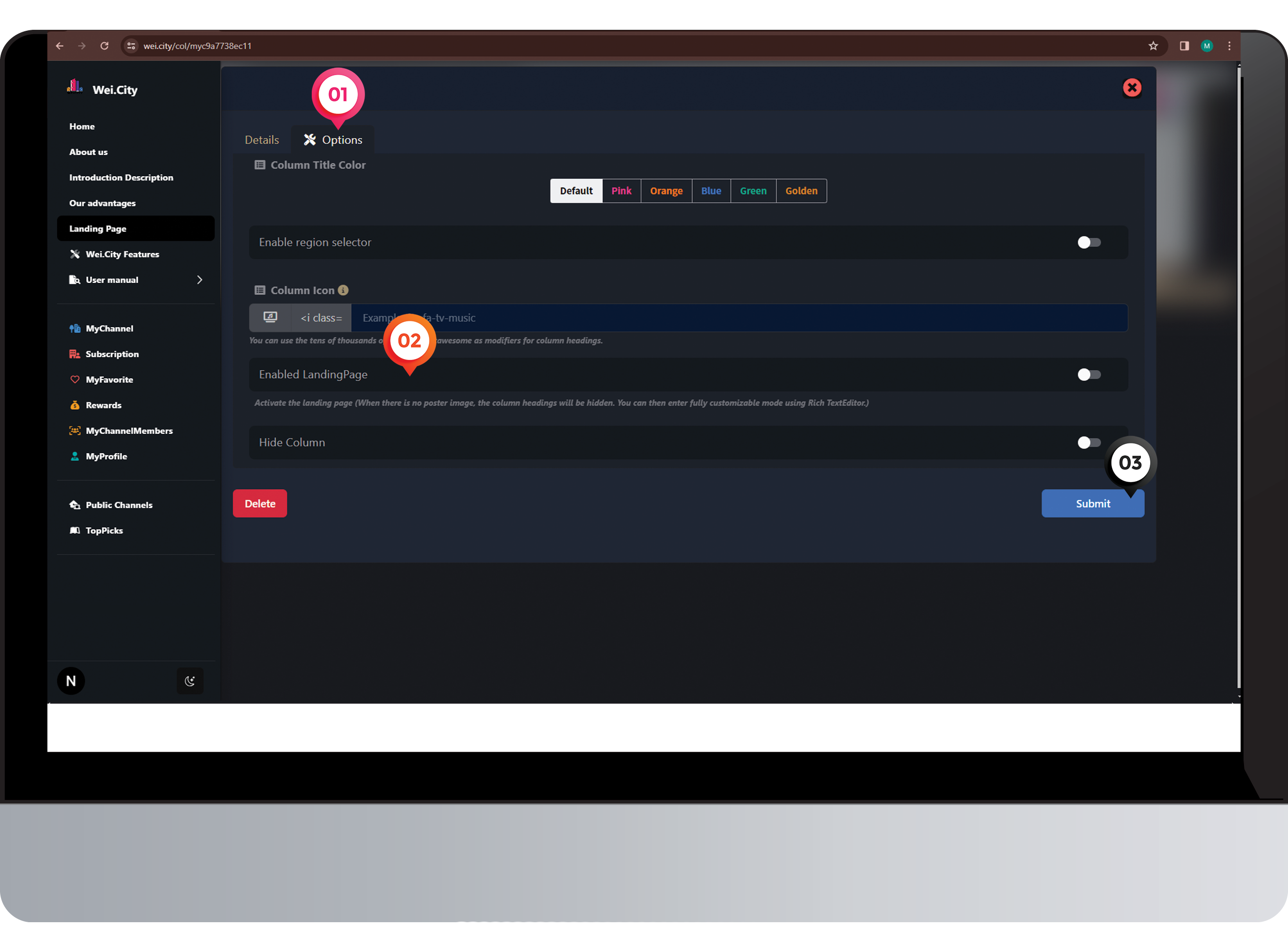
1️⃣ Click on "Option"
点击 “设置”
2️⃣ Select "Enable Landing Page"
点击“启动落地页”
3️⃣ Click "Submit"
点击“呈交”
Step 4 (步骤 4)
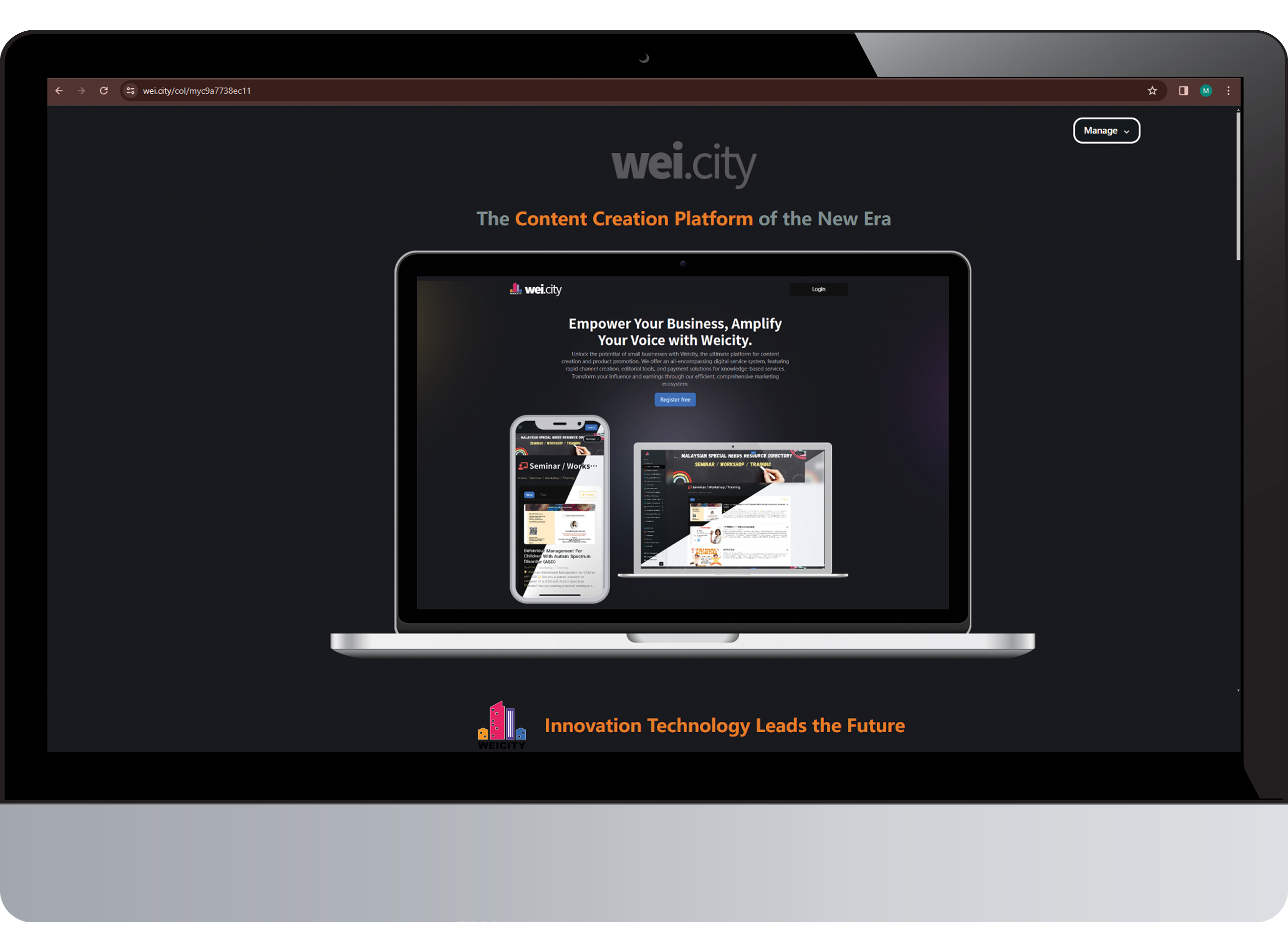
Congratulations! The landing page has been successfully created.
恭喜!已成功创建落地页。