

59 How Car Rental Merchants Can Use WeiCity: From Vehicle Showcase to Customer Reservations
Showcase vehicle models, rental conditions, pickup and return arrangements, and inquiry processes in one place, helping customers compare vehicles and contact you more easily.
How can car rental companies, short-term rental service providers, and corporate vehicle suppliers use WeiCity? Build a channel that makes it easy for customers to browse vehicles, understand rental arrangements, and contact you through vehicle categories, vehicle photos, rental notes, and reservation checklists.
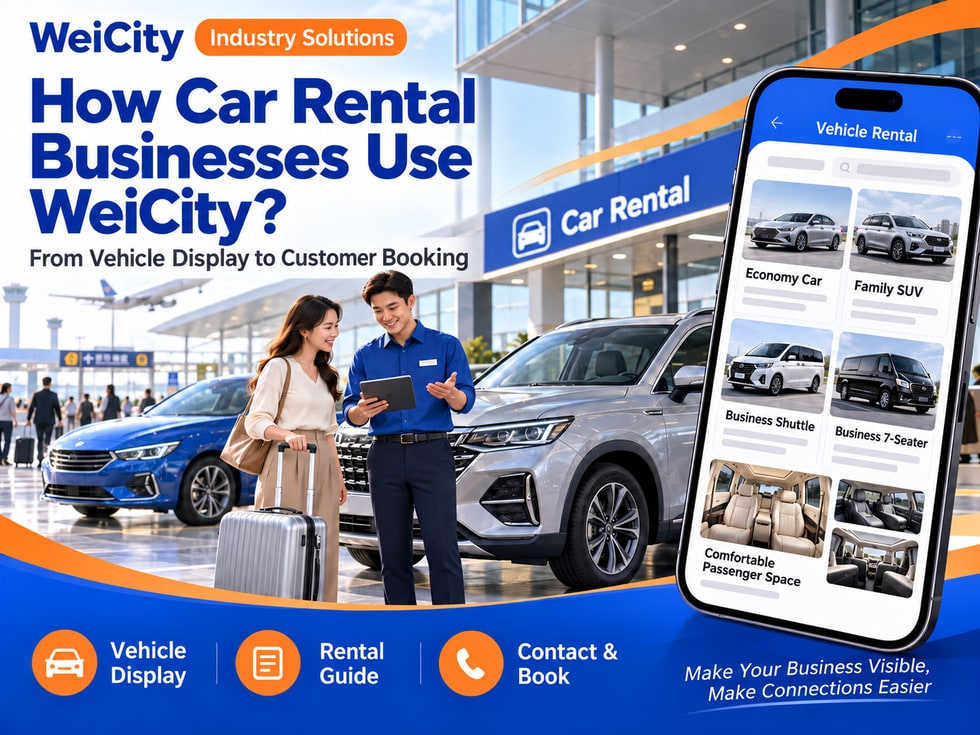
From vehicle display to customer booking
"Do you have cars suitable for family trips?"
"How many days can I rent this car for?"
"Where is the pickup location?"
"What is included in the rental price?"
"Can the car be returned at the airport?"
When renting a car, customers care about more than vehicle type and price. They also want to know available rental dates, pickup and return methods, deposits, and rental conditions. Organizing this information in advance helps both sides confirm whether it is a good fit.
💡 With WeiCity, you can set up your own car rental service channel, organize vehicle information, rental details, and the booking process, so customers can browse vehicles first and then contact you to confirm dates and arrangements.
✅ Car rental companies
Showcase the vehicles available for rent, service areas, and booking methods.
✅ Short-term rental providers
Explain arrangements by day or other rental periods.
✅ Corporate vehicle suppliers
Introduce how to inquire about long-term or group vehicle use.
✅ Airport transfer and car rental providers
If actually provided, explain pickup locations and vehicle handover procedures.
✅ Business and event vehicle service providers
Showcase suitable vehicle models, service time slots, and booking information.
✅ Multi-Vehicle Fleet Operator
Organized by vehicle category, seating and luggage space for easy selection.
📌 Only display vehicles that are actually available, and update rental status and service scope in a timely manner.
You can organize them by vehicle type and usage needs:
🔹 Economy Sedans
Introduce vehicle categories, seat counts and luggage space.
🔹 Family and Group Travel Vehicles
Showcase larger vehicles actually available for rent, with their seating configurations.
🔹 SUVs and Crossover Models
Explain vehicle size and luggage space reference.
🔹 Business Vehicles
Introduce business and hospitality vehicles actually provided.
🔹 Long-Term Rental Vehicles
Explain rental periods, inquiry process and how vehicles are replaced.
🔹 Special-Purpose Vehicles
If actually provided, introduce trucks or other commercial vehicles.
💡 Beyond the model name, also list the number of seats and approximate luggage space so customers can choose based on their trip.
Recommended to specify:
✅ Vehicle brand and model
✅ Year or vehicle version (if applicable)
✅ Number of seats
✅ Luggage space reference
✅ Transmission type and fuel type (based on actual information)
✅ How rental dates are confirmed
✅ Pick-up and return locations
✅ Rental period and pricing method
✅ Mileage or usage conditions (if applicable)
✅ Vehicle photos and description of actual vehicle condition
🔶 Example: Family vehicle introduction
Vehicle category: Fill in according to the actual model.
Number of seats: List the registered or actual configuration.
Luggage space: Provide a reference description and recommend confirming based on the number of bags.
Rental arrangements: Explain that rental dates need to be verified by contacting the merchant.
Pick-up and return: Specify in-store pick-up or other handover arrangements.
Inquiry method: Provide travel dates, rental period and number of people, then contact us for confirmation.
📌 The actual space, equipment and condition of each vehicle may vary; the vehicle confirmed at the time of booking shall prevail.
It is recommended to prepare:
🔹 Exterior Vehicle Photos
Photograph the front, sides and rear of the vehicle.
🔹 Interior Space Photos
Show the seating layout and interior condition.
🔹 Trunk Photos
Help customers get a preliminary sense of luggage space.
🔹 Dashboard and Equipment Photos
Show actually available equipment where necessary.
🔹 Pick-Up Location Photos
Help customers identify the store or handover location.
🔹 Model Comparison
Display by vehicle category separately to avoid confusion.
📌 Photos should correspond to the actual vehicle or the same model, and state that the specific vehicle may be subject to confirmation at the time of booking. Protect privacy when publishing license plates or customer information.
1️⃣ Pick-up and return dates
State the specific dates and approximate times.
2️⃣ Required vehicle type
Provide the number of people, number of bags and purpose of travel.
3️⃣ Pick-up and return locations
State whether in-store pick-up, delivery or other arrangements are needed.
4️⃣ Driving and usage needs
For example, whether child seats or other actually offered services are needed.
5️⃣ Expected driving range or plans
If rental conditions need to be confirmed, this can be explained in advance.
6️⃣ Contact information
This helps the merchant reply with vehicle and cost information.
📌 Whether a vehicle is available for rent and whether a booking is confirmed depends on the merchant's confirmation and the booking process completed by both parties.
Recommended to specify:
✅ Prices calculated by day, hour or other period
✅ How rental periods are calculated
✅ Deposit and payment methods
✅ Delivery or one-way return fees
✅ Additional driver or other service fees
✅ Mileage or usage conditions (if applicable)
✅ Fuel, cleaning or late return arrangements
✅ Cancellation and rescheduling terms
✅ Insurance or coverage details are subject to the formal terms
🔶 For example:
“Rental prices are confirmed based on vehicle model, rental period and handover location. Please check with the merchant before booking for the deposit, delivery fees and any other applicable conditions.”
📌 Fees and rental conditions should be clearly explained before the customer confirms; specific arrangements are subject to the formal rental documents.
You can organize:
🔹 How to confirm time and location before pick-up
🔹 Documents to bring or submit
🔹 How to check vehicle exterior and fuel level
🔹 How to hand over keys and vehicle documents
🔹 Return location and time
🔹 How to contact us about late returns or rescheduling
🔹 Contact method for vehicle abnormalities or breakdowns
🔹 How pick-up and return inspections are carried out
💡 Inspect the vehicle's condition together at pick-up and return, and complete the handover following the merchant's formal process.
📌 Specific required documents, deposits and driving conditions should be provided by the merchant before booking and confirmed according to applicable requirements.
If such services are actually provided, you may note:
✅ Service areas and possible delivery locations
✅ Flight or arrival information required for booking
✅ Delivery and pick-up fees
✅ Waiting time and how delays are notified
✅ Night-time delivery arrangements
✅ How to identify the delivery location
✅ Whether one-way returns can be arranged
✅ How far in advance bookings must be made
💡 Once customers provide flight times, number of people, luggage and pick-up dates, the merchant can more easily confirm the vehicle and handover arrangements.
📌 Availability of delivery services and specific fees should be confirmed according to date, location and vehicle arrangements.
🔹 About Us
Introduce the company, service areas and business hours.
🔹 Rentable Models
Display by category, such as sedans, family vehicles and business vehicles.
🔹 Rental Conditions
Explain rental periods, fees, deposits and applicable requirements.
🔹 Pick-Up and Return
Organize handover locations, times and inspection procedures.
🔹 Airport and Delivery Services
If actually provided, explain the booking method and scope of service.
🔹 FAQ
Answer questions about models, fees, documents and cancellation arrangements.
🔹 Booking and Contact
List the information customers need to provide when they inquire.
💡 When getting started, you can first post the main models, rental conditions and booking method, then gradually add handover photos and frequently asked questions.
🔶 Customer asks: “Do you have a vehicle suitable for a family trip?”
You can reply:
“Hello, here is our vehicle category list. Please tell us the number of travelers, number of bags, dates and pick-up location, and we will help confirm a suitable vehicle and its availability.”
🔶 Customer asks: “Can you deliver the car to the airport?”
You can reply:
“Please provide your flight arrival time, date, number of people and luggage details, and we will confirm whether airport delivery can be arranged and the related fees.”
🔶 Customer asks: “How much does it cost to rent a car?”
You can reply:
“Fees are confirmed based on the vehicle model, rental period, pick-up and return locations and related conditions. Please share your travel dates and needs, and we will then verify the quote and vehicle arrangements for you.”
1️⃣ Basic company information
Name, service areas, business hours, and contact details.
2️⃣ Vehicle categories and photos
Show the actual fleet, seating configurations and interior space.
3️⃣ Rental conditions
Organize rental periods, deposits, fees and cancellation arrangements.
4️⃣ Pick-up and return guide
Tell customers about the handover, return and inspection procedures.
5️⃣ Booking information checklist
Explain the dates, locations and usage needs to provide when inquiring.
✅ Do the vehicle information and photos match?
✅ Does rental availability need to be reconfirmed?
✅ Are seating and luggage space explained?
✅ Are rent, deposits and other fees clear?
✅ Are pick-up and return locations and times listed?
✅ Are booking terms subject to formal documents?
✅ Are vehicle and customer information protected for privacy?
✅ Are the contact details correct?
After organizing vehicle photos, rental conditions and booking guides in your channel, you can use them for daily replies, fleet promotion and customer rental inquiries.
Customers can browse vehicle models first, then provide dates, number of people and pick-up location; the merchant can also use this to continue confirming vehicles, fees and handover arrangements.
Want to learn how to set up a car rental merchant channel?
Feel free to contact us through the official WeiCity channel contact details, and we can work together to organize display content suited to your fleet.
WeiCity
Make your business visible and contact easier.