

5 How to Write Digital Business Card Information: Helping Clients Quickly Understand Your Identity and Services
From name and photo to business introduction, create a clear, practical and easy-to-contact WeiCity digital business card
Once a digital business card is shared, how quickly the other person can understand you depends on how clear the information is. Starting from your name, personal photo, work identity, business introduction and contact details, this article explains how to organize WeiCity digital business card content and provides introduction examples for different professions, helping clients judge whether your services meet their needs.
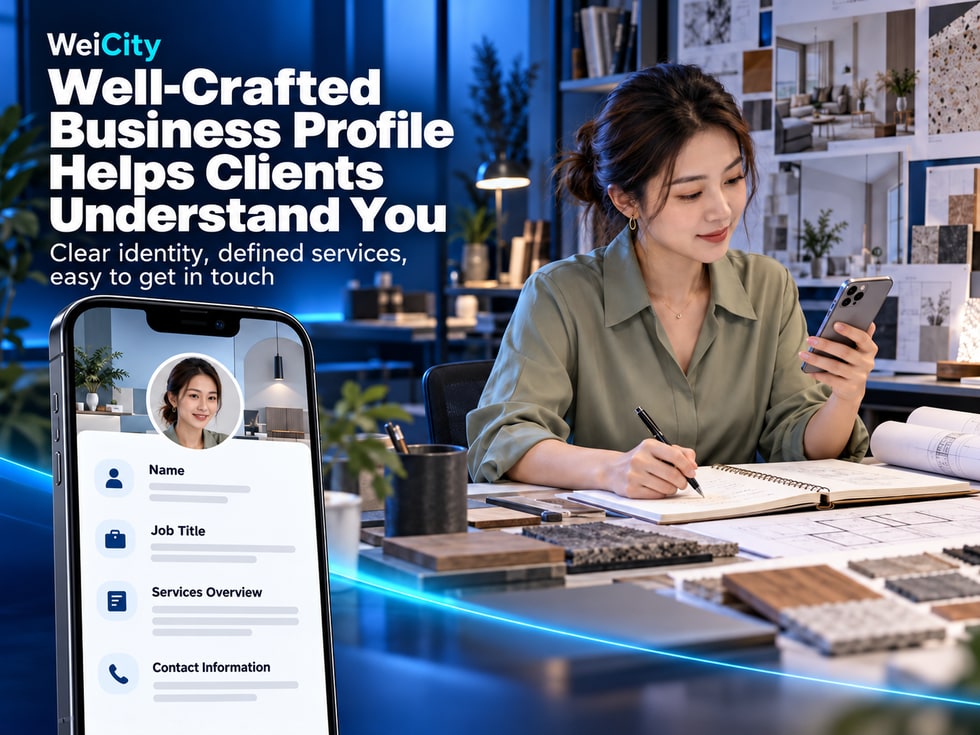
When a customer first opens your WeiCity digital business card, what do they usually look at first?
👤 What is your name?
📷 Is the person in the photo the one they just met?
💼 What kind of work do you do?
🛠️ What services do you mainly provide?
📍 Which area does your business serve?
📞 If they need to inquire, how should they contact you?
If a digital business card only shows a name and phone number, customers may know how to reach you but not understand what help you can provide.
If a personal introduction only says "Professional Service", "Honest Business", or "Welcome Inquiries", it may look concise but does not explain your actual work.
The key to a WeiCity digital business card is not only displaying personal information, but also helping people who meet you for the first time quickly understand your identity, your work, and how to contact you.
For salespeople, freelancers, professionals, and merchant owners, a digital business card with clear information can reduce repeated introductions and make it easier for customers to remember you when they need related services later.
This article explains how to fill in your digital business card's name, photo, professional identity, personal introduction, and contact details, and provides practical examples for different occupations to help you create a personal card that is easy to read and convenient to share.
Before creating your digital business card, consider things from the customer's perspective.
When someone opens your card for the first time, what do they most need to know?
Customers need to confirm your identity.
For example:
Name.
A personal photo.
Job title.
Company name.
Customers need to know your professional focus.
For example:
Family photography.
Residential renovation.
Real estate consulting.
Hardware product sales.
Garden maintenance.
Cake reservations.
Customers need to know how they can communicate with you next.
For example:
Make a phone call.
Send an email.
Inquire through other channels you actually provide.
Suppose a customer meets two photographers at a business event.
The first photographer's digital business card reads:
"Amy | Professional Photography Services"
The second reads:
"Amy Tan | Family Photographer in Penang, offering family portraits, personal headshots, and small event photography."
The second introduction makes it easier for customers to understand the photographer's scope of work.
Because customers do not necessarily contact you right away.
But when they need related services later, a clear work introduction can help them recognize who you are.
📌 A practical digital business card should let customers know who you are, what services you provide, and how to contact you.
Your name is the most basic information on a digital business card.
However, you do not necessarily need a complicated format when filling it in.
The most important thing is that customers can easily recognize you.
It is recommended to prioritize the name you normally use when introducing yourself to customers.
For example:
Chinese name.
English name.
Commonly used working name.
If you often communicate with customers who speak different languages, you can fill in the fields provided on the page according to your actual needs.
For example:
Mr. Chan | Jason Tan
Ms. Lee | Emily Lee
For example:
Name: Jason Tan
Title: Property Consultant
This is clearer than putting all information in the name field.
Recommended checks:
Digital business card.
Email signatures.
Work introduction.
Social media profiles.
Other business promotional materials.
For example:
"Jason Best Property Consultant in All of Penang Best Service Welcome Inquiries"
A name like this is hard to read and may make it harder for customers to recognize you.
Jason Tan | Property Consultant
If the page has a separate job title field, you can place your professional information in that field.
📌 The name helps customers recognize you, while the work introduction explains what services you provide.
A photo can help customers connect your online card with the person they met in real life.
Especially after business events, exhibitions, or customer visits, a clear personal photo can be an important way to recognize you.
Choose a photo in which your facial features are easy to see.
Avoid:
Face is too small.
Noticeably blurry.
Heavily obstructed.
Overly edited.
Make facial details clearly visible.
A professional studio is not necessarily required.
Avoid too many unrelated objects in the background.
Different professions can use different styles.
For example:
💼 Business consultant: a natural, neat personal portrait.
📸 Photographer: a professional photo that reflects personal style.
🎨 Designer: a portrait with a distinctive personal character.
🌿 Gardener: a photo of a suitable work environment.
🍰 Baker: a neat photo of the workplace.
After uploading, check:
Whether the whole face is visible.
Whether important parts have been cropped out.
Whether it remains clear when reduced in size.
If the photo looks very different from your current appearance, consider replacing it.
The photo should match your actual work identity.
For example, a gardener does not necessarily need a formal business photo.
📌 A good digital business card photo should be clear and natural, so that clients who have just met you can easily recognize you.
Some job titles are quite broad.
For example:
Consultant.
Manager.
Person in charge.
Sales staff.
When clients see these titles, they may not know what you actually do.
For example:
🏡 Residential property consultant.
🏠 Interior design consultant.
📸 Commercial photographer.
🌿 Gardening service supervisor.
🛍️ Retail business consultant.
🍰 Custom cake coordinator.
💻 Website designer.
📚 Education course consultant.
Not clear enough:
"Professional consultant"
Clearer:
"Penang residential property consultant"
Not clear enough:
"Designer"
Clearer:
"Brand and graphic designer"
Not clear enough:
"Sales manager"
Clearer:
"Hardware and building materials sales manager"
Because clients usually are not simply looking for a job title.
What they really want to know is:
Can you help them with their problem?
Do not list professional qualifications or positions you do not hold.
📌 A specific work identity helps clients quickly judge whether your business meets their needs.
When filling in a digital business card, many people find the personal introduction the hardest part.
They do not know how long it should be.
They also do not know how to introduce themselves naturally.
In fact, you can start with a simple structure:
Work identity + main services + service area or target clients + contact information
Explain what you provide.
For example:
Family photography.
Residential renovation.
Garden maintenance.
Product sales.
Cake reservations.
For example:
Household clients.
Local merchants.
Corporate clients.
Homeowners.
Event organizers.
If your business has geographic limits, you can state them.
For example:
Penang.
Batu Ferringhi.
Kuala Lumpur.
Nationwide in Malaysia.
Tell clients what they can enquire about.
For example:
Price.
Scope of services.
Appointment times.
Product specifications.
Cooperation arrangements.
"Providing family photography, personal portrait photography and small event shoots in Penang. Feel free to contact us to learn about shoot schedules, service packages and booking arrangements."
This text includes:
📸 Services: family photography, portrait photography and event shoots.
📍 Service area: Penang.
📞 Contact matters: schedules, packages and bookings.
If the introduction is too long, prioritize your main services.
Other detailed information can be placed on the relevant business pages, based on the features actually available.
📌 A personal introduction is not a company history. It is a short explanation that helps clients quickly understand what service you provide.
You can modify the following content according to your actual work, then enter it in the personal introduction field currently supported by WeiCity.
"Providing family photography, personal portrait photography and small event shooting services in Penang. Feel free to contact us to learn about shoot schedules, processes and service packages."
“Providing residential sales and rental consultation in Penang, helping clients understand property information, viewing arrangements and transaction processes.”
"Providing residential space planning and interior design services. Feel free to contact us to discuss property types, design needs and project arrangements."
"Providing garden maintenance, plant pruning and routine upkeep services. Feel free to tell us your service location and site conditions to arrange suitable maintenance."
"Responsible for product introductions and sales enquiries for hardware tools, building materials and repair supplies. Feel free to contact us to learn about specifications, stock and purchase arrangements."
"Providing birthday cakes, celebration desserts and small event baking orders. Feel free to contact us in advance to learn about dates, styles and production arrangements."
"Providing brand visuals, promotional images and social media design services, helping merchants organize clear brand images and promotional content."
"Providing merchant website and online page planning services, helping small businesses organize brand introductions, service information and client contact channels."
"Providing car model introductions, equipment explanations and car purchase consultations. Feel free to contact us to learn about vehicle information and arrange a viewing appointment."
"Providing education course introductions and learning arrangement consultations, helping parents understand course content, suitable participants and the registration process."
"Providing facial care and beauty service consultations. Feel free to contact us to learn about treatment options, appointment times and service arrangements."
"Responsible for restaurant operations and customer service. Feel free to contact us to learn about dining services, group ordering and related cooperation arrangements."
Do not copy content that does not match your own business.
For example:
If you do not provide delivery service, do not state that you do.
If you do not provide home visit service, do not state that you do.
If you do not provide service in a certain area, do not arbitrarily expand your service scope.
📌 Genuine, specific descriptions help clients understand your business more easily than many promotional adjectives.
For local merchants and service providers, location may be an important factor in whether clients consider contacting them.
For example:
Penang photographer.
Bukit Mertajam renovation service.
Kuala Lumpur property consultant.
Klang gardening service.
If services are provided at the client's location, state the main service area.
You can state the main shooting area.
You can state the areas where you accept enquiries or arrange services.
You can state the pickup or service area.
If services are mainly provided online, you can state this based on actual circumstances.
Not clear enough:
"Providing family photography."
More specific:
"Providing family photography and personal portrait shoots in Penang."
If you mainly serve Penang, do not write that you provide nationwide home visits without actual arrangements to do so.
📌 A clear service area helps clients judge whether you can meet their actual needs.
After viewing a digital business card, if clients are interested in learning more about your services, they will usually look for contact details.
Therefore, contact information must be accurate.
Check:
Whether the number is correct.
Whether the country code is complete.
Whether it is suitable to be made public.
Confirm:
Spell it correctly.
Make sure you can receive messages normally.
Check it regularly.
If the page supports it, you can enter them as needed.
For example:
WhatsApp.
Other channels suitable for business communication.
If you have fixed enquiry hours, you can state them in a suitable place.
For example:
"Business enquiry hours: Monday to Friday, 9:00 a.m. to 6:00 p.m."
The above is only an example; please fill in according to your actual situation.
You can provide simple tips for different services.
"When enquiring, please describe the equipment type, the problem and your location."
"When enquiring, please provide the shoot date, location and number of people."
"When enquiring, please state the date, number of people and style requirements."
"When enquiring, you may first state the property type, location and expected renovation timeline."
Because clients know which information to prepare.
Both sides can then move into specific discussions more quickly.
📌 Contact information should not only be accurate; it should also show clients how to start an enquiry.
A digital business card is not a full company website.
Nor is it a long article that takes a long time to read.
Its main purpose is to introduce an individual quickly.
Clear is enough.
Use an occupational title that is easy to understand.
State your main services first.
Make sure it is easy to find.
Name: Amy Tan
Role: Family Photographer
Area: Penang, Malaysia
Introduction: Offering family photography, personal portraits, and small event shoots. Feel free to contact me to check availability and arrange a booking.
For example:
“Professional photography services.”
“Provides professional photography.”
“Professional photography team.”
If repeated content does not add specific information, you can remove it.
Can someone who meets you for the first time understand your work within a short time?
If so, the content direction is basically correct.
📌 A digital business card should be concise, but it should not be so brief that it lacks essential business information.
A personal username link can serve as an entry point to your personal page on WeiCity.
The digital business card is used to display your personal profile.
If the current page supports the relevant public link and sharing options, you can use them together.
After meeting a new client, share your personal link.
Send the link in suitable chat situations.
You may consider adding your personal link to your work email signature.
If the relevant platform allows it, you can place it in your profile bio.
“Nice to meet you. This is my WeiCity digital business card. It includes my work introduction and contact details, so it will be easy to reach me later.”
The link is correct.
The page can be accessed.
The information is complete.
The contact details are valid.
📌 The digital business card introduces you, and the personal link makes it easier to pass that introduction on.
In addition to the personal link, a digital business card can also be paired with other sharing methods, depending on available features and device support.
Suitable for:
Business meetings.
Exhibitions and events.
Client visits.
Offline networking.
If the page provides a QR code, people can scan it to open the corresponding page.
If a compatible NFC tag has been correctly programmed with your personal link, phones that support the feature can read it.
If the digital business card offers a save-contact feature, you can follow your phone's prompts.
QR code: Makes it easy to scan and open the page.
NFC: Makes it easy for compatible devices to read the link at close range.
Save to contacts: Makes it easy to keep contact information in your phone's contacts.
Scanning a code does not automatically add someone as a friend.
An NFC tap does not automatically save a phone number.
Opening a digital business card does not mean a contact has been saved.
📌 These features can work together, but you should follow the prompts on the actual page and device.
If you also run your own business, you may want to separate personal introduction from business presentation.
Mainly introduces:
Your personal name.
Work role.
Personal profile.
Contact information.
Mainly showcases:
Brand information.
Products and services.
Merchant content.
Related business information.
An interior designer who runs their own design studio.
A digital business card can introduce:
The designer's name.
Areas of expertise.
Contact information.
The Merchant Channel can introduce:
The studio brand.
Design services.
Portfolio case studies.
Other business information.
If the current digital business card page supports related links, you can provide an entry point to your merchant channel as needed.
Because customers sometimes want to contact a specific person in charge.
Sometimes people want to learn about the business of the whole company.
📌 The digital business card helps clients get to know you as an individual, while the merchant channel helps them learn more about the business.
A digital business card is information shared with others.
For this reason, consider privacy when filling it in.
Use a name that is suitable for public display.
Confirm that you are willing to display it publicly.
Keep it truthful and accurate.
Preferably use a work number.
Use an email address suitable for business contact.
Avoid making private home addresses unrelated to your business public.
Do not make sensitive information public, such as ID card numbers or passport numbers.
Do not make bank passwords or other sensitive information public.
Confirm that they do not unintentionally lead to private files or pages that are unsuitable for public viewing.
Only make public the information that people need to recognize you and contact you.
📌 Complete information does not mean you need to fill in all private details.
Your digital business card needs to be maintained as your actual work situation changes.
For example:
Changing companies.
Adjusting your job title.
Adding new services.
Stopping a business activity.
Changing your phone number.
Changing your email address.
Confirm that your job title and company name are accurate.
Delete services you no longer offer.
Update promptly if there are any changes.
Confirm that the phone number and email address are valid.
If needed, use a recent photo.
Confirm that it still opens the correct page.
Do not assume that after you update your online digital business card, the information in other people's phones will be updated automatically.
For example, you moved from one real estate company to another.
In addition to updating your work status, also check:
Company name.
Personal profile.
Contact information.
Other related introductions.
If you have changed your phone number, you may notify frequent contacts as needed.
📌 A digital business card should reflect your current work situation so that clients do not see outdated information.
After you finish filling it in, do not only check it on the editing page.
Open the actual personal page and imagine you are a client meeting you for the first time.
Have someone who is unfamiliar with your business view the digital business card.
Then ask:
Do you know what I do for work?
Do you know what my main services are?
If you need to contact me, do you know how to find my contact details?
You can check:
Is the job title too vague?
Does the introduction use too much technical jargon?
Is the scope of services unclear?
Are the contact details not obvious?
Because you are familiar with your own work.
But a client meeting you for the first time may know nothing about your industry.
📌 Whether a digital business card is easy to understand should be judged from the perspective of someone viewing it for the first time.
Is it accurate?
Is it clear?
Is it specific?
Is it correct?
Does it explain your main services?
If needed, is it clear?
Is it accurate?
Is it valid?
Is it correct?
Does it open normally?
Is it suitable for public display?
Is it clear and convenient?
Open the digital business card on another phone.
Confirm:
The information is correct.
The photo is clear.
The introduction is easy to understand.
The contact details are valid.
📌 Checking once before publishing can reduce errors in information and difficulties clients may have in understanding it.
It is recommended to prioritize your name, work role, personal introduction, and contact details. Specific fields depend on the current page.
No. The key is to explain your main services and the purpose of contact.
You may use it based on your actual account features and personal needs; it does not necessarily have to represent a company.
Yes. It can be used to introduce your professional focus and how to get in touch.
Not necessarily. A clear, natural photo that suits your professional role is enough.
Yes, you can use one according to your actual needs and the fields on the page.
We recommend filling in each field according to what it asks for, and making sure customers understand what you are responsible for.
If your service is limited to certain areas, it is recommended that you state this.
You may give priority to a work number that is suitable for public display.
This depends on whether the current page supports the corresponding field or link.
This depends on the link features supported by the current digital business card page.
If the current page provides this feature, you can follow the actual steps shown.
If the page supports saving contacts, you can follow the prompts on your device.
This depends on whether the link has changed. Please check the current actual address.
No, it cannot guarantee this. However, clear personal information and valid contact details can reduce the barriers to customers learning about you and getting in touch.
📌 The main value of a digital business card is that it makes your personal identity, services and contact details easier to understand.
If you have not yet completed your WeiCity digital business card, you can start with the following steps.
Use a name that your customers are familiar with.
Prepare a clear, natural personal photo.
Use a specific, easy-to-understand job title.
Explain your main services, target customers or region.
Confirm that your phone number and email address are correct.
Avoid displaying unnecessary private information.
Confirm how it looks and reads on a mobile phone.
Based on WeiCity's current features, obtain the correct personal link or other sharing entry point.
You can use it as needed for:
Customer inquiries.
Business communication.
Exhibitions and events.
WhatsApp.
Email signatures.
Personal promotional materials.
📌 First organize your basic information clearly, then gradually improve other content as needed.
A digital business card is not complete just because you have put all your personal information on it.
What really matters is that people who meet you for the first time can understand you quickly.
Let customers know who you are.
Help customers recognize you.
Explain what work you do.
Let customers understand what help you can provide.
Explain the scope of your main services.
Let customers know how to start a consultation.
Make your personal information easy to pass on.
Keep your content accurate.
The value of a WeiCity digital business card is that it helps individuals, salespeople, freelancers and merchant owners organize their name, professional identity, service introduction and contact details into online information that is easy to view.
For people meeting you for the first time, a clear digital business card can help them understand your work.
For customers with a real need, a specific service introduction can help them decide whether it is worth consulting you further.
For salespeople and professionals who often need to introduce themselves, a digital business card can reduce the need to repeat basic information.
When creating a digital business card, there is no need to aim for complexity.
The key is to:
👤 A clear name helps people remember you.
📷 A natural photo helps people remember your face.
💼 A clear professional identity helps people understand your work.
🛠️ Specific services help people know what they can ask you to do.
📍 An accurate region helps customers judge whether you are suitable.
📞 Valid contact details make follow-up communication easier.
🔗 Sharing correctly helps your personal information be found easily.
Start with a clear name and photo, describe your work in specific words, then check your contact details.
Let every sharing of a WeiCity digital business card be more than an exchange of names. Make it a personal introduction that customers can easily understand and review.
Specific digital business card fields, personal profile editing, personal username links, QR codes, contact saving, NFC usage and visibility settings depend on WeiCity's current live pages and the features available on your account.
👉 Open WeiCity: https://wei.city/