

1 What Features Does a WeiCity Merchant Channel Have? From Profile Display to Daily Promotion
Bring together your business introduction, products and services, photos and videos, latest updates, and contact details to create an online entry point that is easy for customers to browse and share.
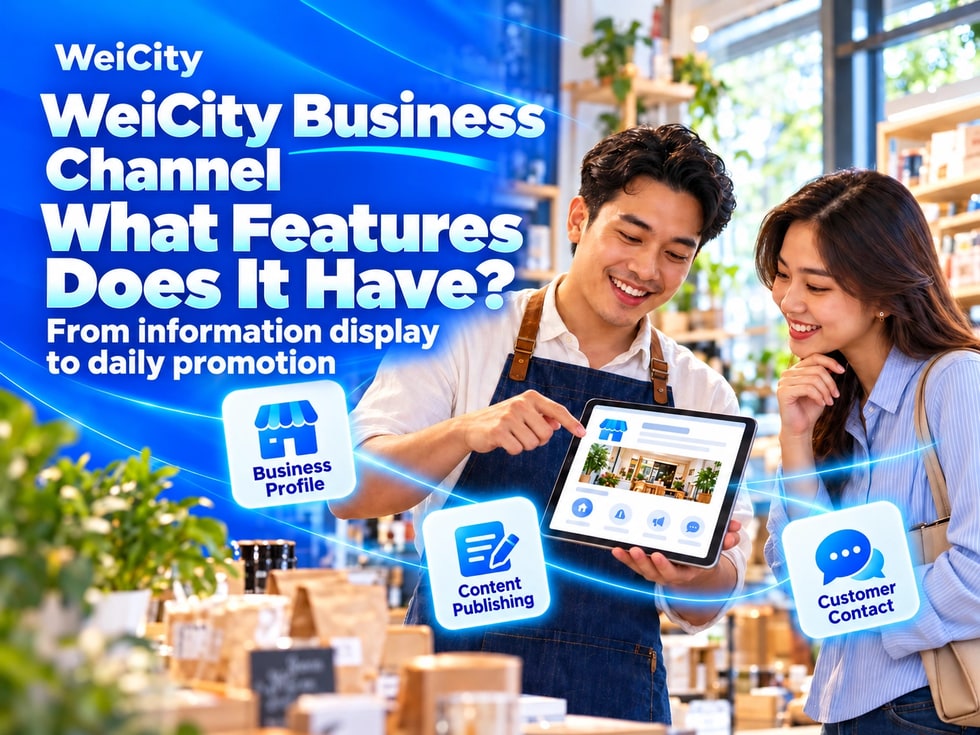
How can a WeiCity merchant channel help you present your business? From basic profile information, products and services, and content publishing, to business tools such as the Shop, Online Ordering, and coupons, this guide introduces the channel's main features and how to set it up.
"Where can customers read a complete introduction?"
"How should products, services, and works be organized?"
"Where can new events be published?"
"How can customers contact the merchant after reading?"
After merchants publish content on different platforms, information may be scattered across posts, chat history, images, and files. When customers need it, merchants often have to send it again.
💡 WeiCity merchant channels can bring frequently used information together into an online entry point that is easy to browse, share, and keep updated.
Customers can first get to know the merchant through the channel, then contact, ask questions, or visit in person as needed.
A merchant channel is a dedicated page for showcasing your brand, products, services, and business updates.
Based on your industry and business model, a channel can organize:
✅ Merchant name and introduction
✅ Products and service content
✅ Store, work, and environment images
✅ Articles, updates, and videos
✅ Address, business hours, and contact information
✅ Currently available Shop, Online Ordering, or promotion features
A channel is not just a single company introduction. You can keep adding and updating content as your business grows.
📌 Features available may vary by account, plan, or channel permissions. Please refer to the actual backend display and official instructions.
When customers first learn about you, they usually want to know:
🔹 What the merchant mainly does
🔹 What products or services are offered
🔹 Which regions or customers are served
🔹 Where the store is located
🔹 Business or contact hours
🔹 How to contact you by phone or WhatsApp
It is recommended to fill in the following in your channel:
• Official merchant name• A short and clear brand introduction• Scope of main products or services• Full address and visiting instructions• Business hours and closing days• Phone, WhatsApp, and other enabled contact options
💡 The merchant introduction does not need to be complicated. The key is for customers to understand who you are, what you offer, and how to contact you next.
📌 Update your address, business hours, and contact information promptly when they change.
If you only write "We offer many products and services," customers still won't know where to start.
You can organize them by category based on your actual business:
🔹 Product categoriesFor example, food, clothing, tools, supplies, or other goods.
🔹 Service itemsFor example, courses, beauty treatments, repairs, design, consultations, or in-store services.
🔹 Featured contentIntroduce signature products, popular services, representative works, or currently promoted items.
✅ Name
✅ Image
✅ Main purpose or content
✅ Suitable For
✅ Specifications, Timing or Service Scope
✅ Pricing or How to Request a Quote
✅ How Stock, Capacity or Bookings Are Confirmed
📌 If prices, stock or availability may change, explain how to check them. Do not let customers mistake displayed content for real-time confirmation.
Once your merchant channel is set up, you can keep publishing different types of content.
✅Articles
Best for well-organized, long-lasting information, such as:
• Brand and merchant story
• Detailed introduction to products or services
• Course and enrollment guides
• Frequently asked questions from customers
• How-to guides and buying tips
• Event or visiting information
✅ Updates
Best for timely news, such as:
• New arrivals• Latest offers• Changes to business hours• Event reminders• Recent work• Everyday business news
💡 Articles provide the detailed explanations, while updates keep your channel current. Using both together keeps your channel complete and active.
📌 After an event ends, or when prices or arrangements change, update the related content promptly.
Photos and videos can help customers get a more direct sense of your business.
The Gallery can show:
✅ Storefront entrance and environment
✅ Product appearance and details
✅ Service process and finished results
✅ Teaching, events or work settings
✅ Directions and parking locations
✅ Give a short introduction to your business
✅ Demonstrate product features
✅ Explain service processes
✅ Share event highlights
✅ Provide usage or visiting guides
💡 Organize photos by theme and add short captions. Make video titles clear so customers know what each video is about.
📌 Before publishing photos or videos of customers, students, children, staff or partnership projects, obtain appropriate permission and avoid exposing unnecessary personal information.
Beyond basic listings and content, some channels can also use additional business features, depending on what is available for your account.
✅ Channel Shop
Organize product information so customers can browse items, specifications and purchase details.
✅ Online Ordering
Suitable for food and beverage merchants to display menus, dish options and ordering arrangements.
✅ Coupons
Publish eligible offers to give customers a reason to visit your store or take part in promotions.
✅ Other Channel Tools
Depending on your account permissions and the features currently available, you may also use relevant content management and promotion tools.
📌 You do not need to turn on every feature at once. Start by organizing your basic information and main content, then add more as customer needs grow.
A clear merchant channel can follow this structure:
🔹 About UsIntroduce your business, brand highlights and scope of operations.
🔹 Products and ServicesOrganize your main offerings by category.
🔹 Photos and VideosShow your environment, products, work and real-life scenes.
🔹 Latest UpdatesShare new products, events, offers and business notices.
🔹 Buying or Inquiry GuideTell customers what information they need to provide.
🔹 FAQOrganize information on fees, bookings, pickup, delivery or visit arrangements.
🔹 Contact UsProvide your address, business hours and contact methods.
💡 More sections are not necessarily better. Making information easy for customers to find matters more than creating many empty sections.
Once your channel is set up, you can use it in different customer communication situations.
✅ WhatsApp Inquiries
When a customer asks for the first time, share your channel so they can learn about your products and services before you answer specific questions.
✅ Social Media Promotion
When you publish new products, work or events, include a channel link so interested people can view the full information.
✅ Customer Referrals
Existing customers can share your channel with friends and family so new customers can learn about your business first.
✅ Offline Promotion
On suitable promotional materials or at events, invite customers to visit your channel to learn more.
🔶 You can say something like this when sharing:
“Hello, here you can find our business introduction, products and services, and the latest news. Feel free to browse, and please contact us for details about any items you are interested in.”
1️⃣ Basic business informationName, introduction, address, business hours and contact details.
2️⃣ Main products or servicesStart with the content customers ask about most often.
3️⃣ Representative imagesPrepare photos of your storefront, products, services or work.
4️⃣ Section structureOrganize sections according to how customers look for information.
5️⃣ First introductory articleExplain clearly what your business offers and how to contact you.
6️⃣ One latest updateShare currently valid news about new products, events or business notices.
💡 Complete a clear, shareable basic channel first, then keep adding content over time.
✅ Are your business name and introduction accurate?
✅ Are your product and service categories clear?
✅ Are your images authentic and properly authorized?
✅ Are the conditions that apply to prices stated?
✅ Are your events and offers still valid?
✅ Are your address, business hours and contact details correct?
✅ Can customers easily find the way to make an inquiry?
✅ Is the channel easy to read on a mobile phone?
The value of a merchant channel is not just putting information online. It helps customers find, understand and contact your business more easily.
Start by organizing basic information, main products and services, then gradually add articles, updates, photos, videos and suitable business tools.
When customers want to learn about your business, you will have a complete, clear and easy-to-share entry point.
Want to learn how to create and set up a merchant channel?
Contact us through WeiCity's official channel contact methods to find channel features that suit your industry and way of operating.
WeiCityMake your business visible and your contact easier.