

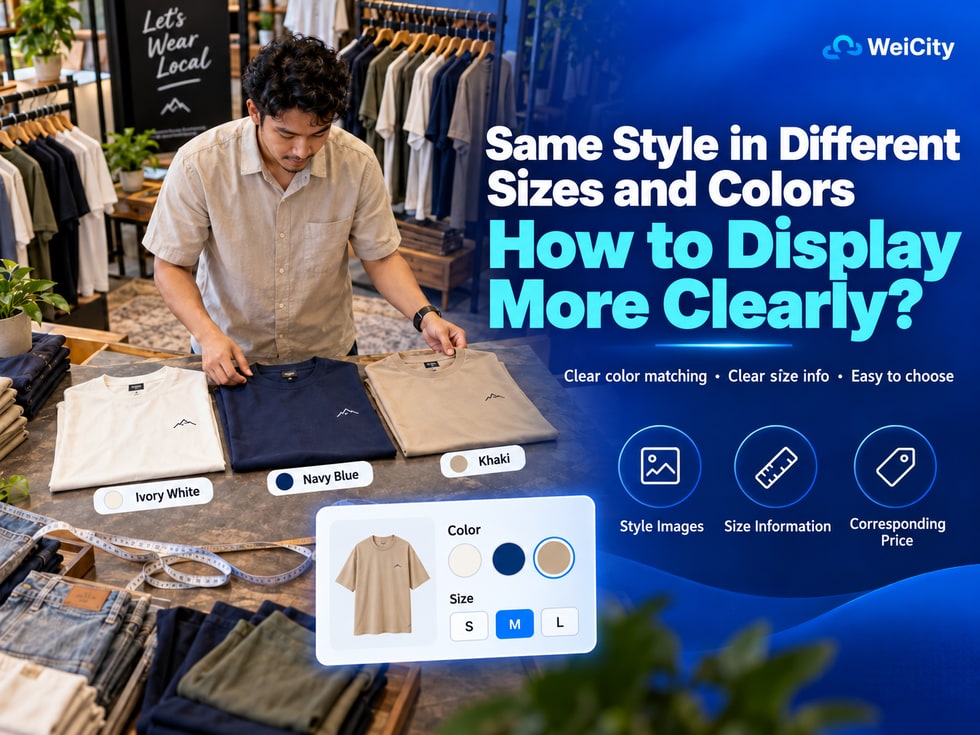
5🎨 Same Style in Different Sizes and Colors. How Can You Display Them Clearly?
Organize style images, specification differences, and corresponding prices so customers know which option they are choosing and merchants can more easily confirm orders.
The same product may come in multiple colors, sizes, or combinations, and customers can easily misread images, ask about the wrong price, or discover they chose the wrong item after ordering. Using apparel as an example, this article explains how to clearly display different styles in the WeiCity Shop so that images, names, specifications, and purchase information correspond to one another, helping customers choose and reducing back-and-forth communication when confirming orders.
💬 "Is this price for the large size?"
💬 "Are there other sizes for the off-white color?"
💬 "I chose short sleeves, why does the image look like long sleeves?"
Having many product options is a business advantage. However, if different styles are not clearly explained, customers become confused and merchants have to spend time confirming again.
✨ When displaying variants of the same product on the WeiCity Shop, match colors, sizes, images, and prices so customers clearly know what each choice represents.
First standardize the naming to avoid using different terms for the same color in different places.
For example:
🔵 Navy blue.
⚪ Off-white.
🟤 Light brown.
If you usually call "navy blue" by "deep blue," choose one name and keep it consistent in product image descriptions, purchase options, and communication.
Styles can also be clearly distinguished as short sleeve, long sleeve, or different sizes so customers can easily tell them apart.
If a product comes in three colors, you can prepare separate photos and label which color each one corresponds to.
When shooting, try to keep similar lighting, backgrounds, and angles to help customers compare.
If one photo shows multiple colors, you can also explain the order of arrangement, for example:
"From left to right: off-white, light brown, navy blue."
Clear labeling reduces misunderstandings when customers describe items as "the one on the left" or "the darker one."
Writing only S, M, L may not tell customers which one fits them.
For apparel, you can provide the following according to the actual product:
✅ Bust or flat-laid chest width.
✅ Garment length.
✅ Shoulder width.
✅ Sleeve length.
✅ Measurement units and methods.
Flat measurements and circumferences should be explained separately to avoid customers treating two measuring methods as the same value.
For bags, storage products, or furniture, you can also list the length, width, and height of each style so customers can choose based on use and space.
If large sizes, special materials, or set combinations have different prices, customers should know where the difference comes from.
For example:
🔸 What a single piece and a two-piece combination each include.
🔸 Which prices correspond to different capacities.
🔸 Whether certain styles require additional fees to be confirmed.
When using the style options currently provided by the Shop, check that names and prices correspond. For styles that need separate product pages, clearly label each page so customers can tell them apart.
The following is an example of organized information. When publishing, fill in the actual product information:
🏷️ Product Name
Everyday short-sleeve top | Indicate the style or series.
🎨 Available Colors
Off-white, navy blue, light brown.
📸 Image Description
Label the corresponding color for each photo, and add front, back, and material detail shots.
📏 Size Information
List the actual measurements for each size, and explain the measuring method and units.
💰 Price
State that the price corresponds to one top, and whether there are price differences between options.
📦 What's Included
State the quantity of items, and whether other items shown in the photo are included.
💬 Selection Assistance
If customers are unsure about their size, they can contact the merchant and provide their reference measurements and fit preferences for further discussion.
This information gives customers a basis for comparison and also helps merchants confirm specific choices.
If two styles differ only in color, you can focus on showing the color differences.
If the structure, use, accessories, or materials also differ, add detailed explanations for each.
For example:
👜 Same bag in different colors: show photos of each color.
👜 Small and large sizes: explain the differences in size and interior space.
👜 Different models: explain the openings, compartments, and carrying methods separately.
When each difference has corresponding information, customers can more easily understand how to choose.
The product page should make it easy for customers to confirm:
✅ Product name and model.
✅ Color or style.
✅ Size or capacity.
✅ Quantity.
✅ Corresponding price.
For combinations that require further confirmation, explain them clearly in the purchase instructions and provide a contact method.
When merchants process orders, also check against the customer's actual selection to reduce confusion during picking or delivery.
When a color or size is temporarily unavailable, update the options or product description using the Shop's existing features so customers understand the current situation.
When a new style replaces an old one, also check the photos, sizes, and names to ensure they still correspond to the product actually being sold.
✅ Reduce repeatedly sending photos of different colors.
✅ Make it easier for customers to compare sizes and styles.
✅ Reduce questions about price correspondence.
✅ Make order selections clearer.
✅ Make it easier for merchants to check and prepare products.
🌟 The clearer the choices, the easier it is for customers to find the style that suits them.
👉 Check a product with multiple styles in the WeiCity Shop, and match images, names, specifications, and prices one by one so every choice is easy to understand.