

5 How to Use WeiCity Video Features? From Authentic Showcases to Customer Understanding
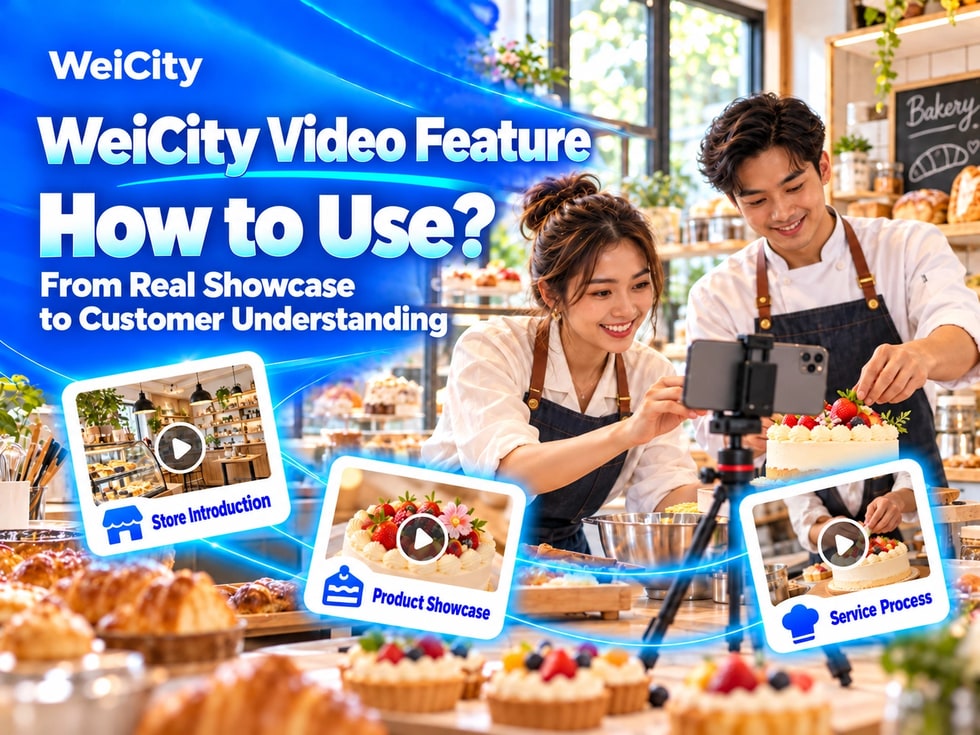
Use environment, product, service, and how-to videos to help customers see your business more directly.
What content suits WeiCity videos? From topic planning, filming scenes, and audio preparation, to titles, descriptions, people's consent, and publishing checks, this guide helps you create channel videos that are clear, authentic, and easy for customers to understand.
“Can customers see the store environment through a video?”
“How can I clearly explain how a product is used?”
“What if a service process is complex and photos cannot show it fully?”
“Do I definitely need professional equipment to shoot videos?”
Some content can already be explained with static images, but when it involves space, movement, processes, or real experiences, video is more intuitive.
💡 With WeiCity video features, merchants can showcase their environment, products, service processes, courses and events, and usage methods, so customers understand the real situation before making contact.
Video features are suitable for publishing content that needs to be explained through continuous visuals and sound.
For example:
✅ Storefront and Environment Introduction
✅ Product Display
✅ Service Process
✅ Usage Methods
✅ Courses and Events
✅ Works and Case Studies
✅ Team Introduction
✅ Visiting Directions
✅ Merchant Story
Videos can be combined with articles, galleries, and updates to make channel content more complete.
📌 Supported video formats, file sizes, durations, and other options should be based on what the channel backend currently displays.
Each video should ideally focus on one key message.
Before filming, you can ask yourself:
🔹 Who is this video for?
🔹 What do customers need to understand after watching it?
🔹 Should it show the environment, products, or services?
🔹 How should customers contact you or take action after watching?
🔶 For example:
✅ Storefront Introduction Video
Purpose: Help first-time visitors understand the entrance, environment, and service areas.
✅ Product Display Video
Purpose: Show product appearance, size, details, and how it is used.
✅ Course Introduction Video
Purpose: Help parents or students understand the classroom environment and class format.
✅ Project Case Video
Purpose: Introduce the work you are actually responsible for and the results you have achieved.
💡 One video solving one question is clearer than putting all materials into a single video.
Environment videos suit dining, retail, education, beauty, accommodation, event venue, and professional service merchants.
You can film in the order a visitor would arrive:
1️⃣ Building exteriorHelps customers confirm the correct location.
2️⃣ Shop entranceShows the signboard, floor level, or how to enter.
3️⃣ Reception areaExplains where customers should check in after arriving.
4️⃣ Main service spacesShows the classrooms, seating, rooms, work areas, or activity areas actually in use.
5️⃣ Facilities and equipmentIntroduces the facilities customers should know about.
6️⃣ Parking and exit routesProvide simple directions where needed.
📌 Environment videos should reflect the actual situation. If a space, entrance, or facility changes, re-film or update the description.
Product videos help customers understand details that static images cannot easily show.
Recommended to show:
✅ Overall product appearance
✅ Front, side, and back views
✅ Material and important details
✅ Size or specifications
✅ Switches, ports, or control locations
✅ Packaging and included accessories
✅ Actual way of use
✅ Different styles or colors
🔶 Example: Handbag display
“First film the overall appearance, then show the interior space, zipper, shoulder straps, and how it actually looks when carried. For available colors and current stock, please contact the shop to confirm.”
🔶 Example: Tool display
“Show the product model, accessories, control locations, and actual uses. Technical specifications should be based on the product information.”
📌 Do not hide important limitations through camera angles or editing. Product colors, sizes, and actual functions should be presented as accurately as possible.
Service merchants can show the actual workflow so customers understand what will happen when they visit.
You can introduce:
🔹 Pre-service communication
🔹 Environment and preparation
🔹 Main service steps
🔹 Tools or equipment used
🔹 Results after completion
🔹 Points customers should be aware of
Suitable industries include:
• Beauty and hair styling• Car cleaning and maintenance• Home repair• Photography and design• Pet grooming• Courses and training• Handmade crafts and event services
📌 If a video shows only part of the process, state that it does not cover the full service.
For professional, health, safety, or technical operations, do not make inappropriate guarantees through short videos, and do not encourage people without relevant experience to attempt dangerous operations on their own.
Teaching videos should be easy for viewers to follow.
You may use the following structure:
1️⃣ State the video topicTell viewers what they will learn or understand.
2️⃣ Show the required itemsList the tools or materials needed before use.
3️⃣ Demonstrate step by stepExplain one action at a time.
4️⃣ Remind of important pointsPoint out places where mistakes are likely or where care is needed.
5️⃣ Summarize next stepsTell customers how to find complete information or get assistance.
🔶 For example:
“This video explains how to measure part dimensions. Please prepare a ruler and film the whole part, the connector, and the model label separately. Exact matching should still be confirmed further with the shop.”
💡 Simple, clear steps are easier to understand than quickly showing a large amount of content.
Professional filming equipment is not necessarily required. The key is that customers can see clearly and hear clearly.
Visuals
✅ Use a well-lit environment
✅ Clear away clutter before filming
✅ Keep the frame steady
✅ Do not place the subject too far away
✅ Use close-ups for important details
✅ Check that the lens is clean
Sound
✅ Choose a quiet environment whenever possible
✅ Keep a natural speaking pace
✅ Avoid background music overpowering voices
✅ Also write important information in the video description
✅ If there are subtitles, check that the text is accurate
📌 Do not record important explanations in noisy environments. Customers may browse without sound, so titles and descriptions should also be complete.
The shooting orientation can be decided based on the content and where it will be published.
✅ Landscape frame
Suitable for:
• Shop environment• Team introduction• Courses and events• Wider work scenes
✅ Portrait frame
Suitable for:
• Single product• Person explaining• Mobile viewing• Short operation demonstrations
Before uploading, check how the video actually appears in the channel to confirm that people, products, and subtitles are not cropped.
💡 Keep important subjects near the center of the frame and leave appropriate space around them.
Do not simply write “Latest video” or “Welcome to watch.”
Titles should state the content directly.
For example:
✅ First visit: How to find us? Introduction to the entrance and parking route
✅ New travel backpack display: interior space and main details
✅ Children's drawing experience class: classroom environment and lesson flow
✅ Car interior cleaning: service scope and finished results
✅ Family room tour: beds, bathroom, and shared facilities
Video descriptions can include:
🔹 What the video shows
🔹 Which customers it suits
🔹 Filming location or time
🔹 Related products or services
🔹 Conditions to note
🔹 How to make further inquiries
📌 If prices, dates, or arrangements in the video may change, remind customers in the description to confirm again.
✅ Video + Article
The video shows the environment or process, while the article fully explains prices, conditions, workflow, and frequently asked questions.
✅ Video + Gallery
The video shows the overall experience, while the Gallery provides static details of products, spaces, and works.
✅ Video + Updates
After publishing a new video, use Updates to highlight key points so customers know the channel has new content.
🔶 For example:
Accommodation merchants can use videos to introduce the overall room environment, then use the Gallery to show details of beds, bathrooms, and equipment, and explain price conditions and check-in rules in the article.
💡 Different content formats have different purposes, so it is not necessary to put all materials into a video.
✅ Dining and food
• Shop environment• Signature dishes• Dish preparation clips• Dining spaces• Takeaway route
✅ Retail stores
• New product display• Product details• How to use• In-store displays• Shopping guide
✅ Education and training
• Campus or classroom environment• Course formats• Teacher introduction• Activity records• Route to campus
✅ Beauty and hair
• Shop environment• Service process• Work showcase• Preparation before booking• Daily care instructions
✅ Renovation and repair
• Site conditions• Construction process• Tools and materials• Finished results• Project cases
✅ Travel and accommodation
• Room tours• Shared facilities• Scenic environment• Check-in route• Travel activities
💡 Video content should come from your actual business. There is no need to copy popular content that has nothing to do with your own operations.
Before publishing a video, confirm that:
✅ Anyone appearing in the video knows what the video will be used for
✅ Customers and staff have agreed to public publication
✅ Children appearing in the video have the consent of their guardians
✅ No other customers' private conversations are captured
✅ No identity documents, phone numbers or payment information are shown
✅ No documents or equipment images that should not be displayed are made public
✅ Music, images and other materials are used with proper usage rights
📌 Filming in a public or business space does not mean you can publish everyone's faces and voices without restriction.
✅ The theme is unclear
A video introduces too much at once, so customers still do not know the main point after watching.
✅ Shaky footage
Products and surroundings are hard to see, which also affects the viewing experience.
✅ Background is too noisy
Important explanations cannot be heard clearly.
✅ Subtitles are too small
They are difficult to read when browsing on a phone.
✅ The video is too long without structure
Customers cannot quickly find the content they need.
✅ Information is outdated
Prices, dates, locations or service arrangements shown in the video no longer apply.
✅ Excessive editing or retouching
This may make products, surroundings or service results differ from the actual situation.
1️⃣ Short merchant introductionIntroduce who you are and what you mainly offer.
2️⃣ Shop or environment tourHelp customers understand the entrance and service spaces.
3️⃣ Main products or servicesChoose the one customers ask about most often.
4️⃣ Customer preparation guideExplain what customers need to prepare before booking, registering or requesting a quote.
5️⃣ Directions to visitHelp first-time customers find your location.
💡 Complete a few genuinely useful videos first, then keep adding more based on customer questions.
✅ Is the video's theme clear?
✅ Is the picture clear and stable?
✅ Is the speech easy to hear?
✅ Does the title directly describe the content?
✅ Does the description include the necessary conditions?
✅ Have the people in the video agreed to public publication?
✅ Are private information and documents covered?
✅ Are the products, environment and results genuine?
✅ Are the prices, dates and arrangements still valid?
✅ After uploading, have you checked how it looks on a phone?
Videos can show spaces, actions, processes and real experiences that pictures alone cannot explain.
You do not need to produce a complex film at the start. Choose the topic customers ask about most, and use clear visuals and simple explanations to show the real situation.
When videos work together with articles, Gallery and updates, customers can get to know your products and services from different angles.
Want to learn how to use WeiCity video features?
Feel free to contact us through the official WeiCity channel contact details, and start preparing your first video based on your industry and presentation needs.
WeiCityMake your business visible and your contact easier.