

63 How Dental Clinics Can Use WeiCity: From Clinic Introduction to Appointment Consultations
Showcase clinic information, services, visit guidelines, and booking methods in one place, helping patients learn more about the clinic and contact us to book more easily.
How can dental clinics, oral care centers, and dental service teams use WeiCity? Build a channel that makes it easy for patients to learn about services, prepare materials, and contact the clinic through clinic introductions, service categories, visit guides, and an appointment information checklist.
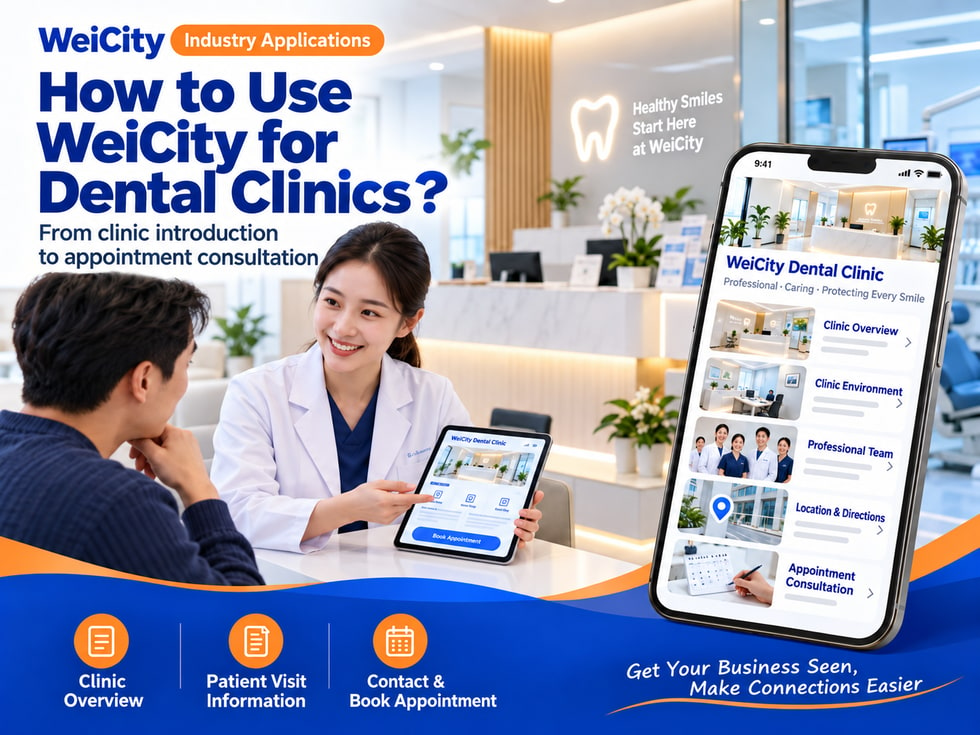
From clinic introduction to appointment consultation
“What services does the clinic provide?”
“What should I bring for my first visit to the clinic?”
“Can I book a weekend appointment?”
“Where is the clinic, and is there nearby parking?”
“How should I contact you to learn about the services?”
When looking for a dental clinic, patients usually first check the clinic's location, service scope, opening hours, and appointment methods. Organizing this information clearly can help patients find the clinic more easily and start a consultation.
💡 Through WeiCity, you can create your own clinic channel to present basic information, service introductions, and visit guidelines in one place, so patients can learn about the clinic first and then contact it to confirm appointment arrangements.
✅ Dental clinics
Introduce the clinic environment, service items, and appointment methods.
✅ Family dental service teams
Explain who is served, opening hours, and consultation methods.
✅ Pediatric dental clinics
Introduce arrangements for children's visits and appointment notes for parents.
✅ Specialist oral clinics
Introduce the team and appointment process according to the professional services the clinic actually provides.
✅ Dental imaging and related service providers
If actually provided, explain the service scope, appointment requirements, and how to prepare materials.
📌 Clinic names, staff qualifications, and service content should be introduced accurately according to actual circumstances. Specific treatment arrangements are confirmed by the clinic's professional staff.
You can organize them according to the items the clinic actually provides:
🔹 Oral examinations and consultations
Explain appointment methods and visit procedures.
🔹 Teeth cleaning services
Introduce the service content actually provided by the clinic and appointment arrangements.
🔹 Dental restoration and related services
List the items the clinic actually offers, and note that professional assessment is required.
🔹 Pediatric dental services
Explain children's appointments, accompaniment, and visit preparation.
🔹 Oral imaging or examinations
If actually provided, introduce appointment and material preparation methods.
🔹 Other specialist services
Display them by category according to the clinic's actual service scope.
💡 Channel content should mainly help patients find the right service entry point. There is no need to judge or diagnose individual conditions in public introductions.
Recommended to specify:
✅ Clinic name and address
✅ Opening hours and closing days
✅ Service items actually provided
✅ Languages spoken and appointment methods (if applicable)
✅ Whether advance booking is required
✅ Materials to prepare for a first visit
✅ Parking and arrival directions
✅ Accessibility or child accompaniment arrangements (if applicable)
✅ How to inquire about fees
✅ Emergency contact guidance (according to the clinic's actual arrangements)
🔶 For example: first visit instructions
Appointment method: Explain the procedure for calling or messaging.
Visit materials: Prepare relevant materials as required by the clinic.
Visit arrangements: Explain check-in time and registration steps.
Service inquiries: State the items you want to learn about, and the clinic will provide further explanation.
Fee confirmation: Confirm according to the clinic's actual fees and professional assessment process.
📌 Specific treatment arrangements, fees, and applicable conditions should be explained by the clinic based on each patient's circumstances.
It is recommended to prepare:
🔹 Clinic exterior and entrance
Help patients find the correct location.
🔹 Reception and waiting areas
Introduce the clinic environment and check-in location.
🔹 Treatment area photos
Show the actual environment, and make sure no patients or personal information appear.
🔹 Clinic team introduction
If displaying photos and qualifications of medical staff, first confirm the information is accurate and obtain the person's consent.
🔹 Parking and nearby directions
Help patients plan their route to the clinic.
🔹 Facility photos
If children's waiting areas or accessibility facilities are actually provided, they may be described.
📌 Before publishing photos of patients, treatment records, screen images, or personal documents, protect privacy and obtain necessary authorization.
1️⃣ Preferred appointment date and time slot
Helps the clinic check available times.
2️⃣ Services they would like to consult about
Explain whether it is a first visit, a follow-up visit, or another consultation need.
3️⃣ Basic patient information
Provide necessary information as required for clinic registration.
4️⃣ Whether the visit is for a child
If applicable, explain accompaniment arrangements in advance.
5️⃣ Special visit needs
For example, arrangements related to language communication or mobility.
6️⃣ Contact information
So the clinic can reply and confirm the appointment.
📌 Whether an appointment is successful should be based on a clear reply from the clinic. Please avoid leaving personal health or identity information in public channel comments.
You can organize:
🔹 Advance booking and check-in time
🔹 First Visit: Documents to Prepare
🔹 Whether to Bring Previous Relevant Records
🔹 Clinic Address and Parking Options
🔹 Whether a Parent or Guardian Must Accompany a Child
🔹 How to Contact Us to Reschedule or Cancel an Appointment
🔹 Fee Inquiries and Payment Methods
🔹 Contact Arrangements Outside Business Hours
💡 Organizing common questions in one place lets patients review them before booking an appointment.
📌 Public visit guidance cannot replace professional assessment. Patients with specific health concerns should contact the clinic directly or a suitable medical professional.
Suggested topics to cover:
✅ Whether an assessment is needed before fees are quoted
✅ How to inquire about first visits and follow-up visits
✅ How charges are confirmed for different services
✅ Whether an examination appointment is needed before a quote is given
✅ Accepted payment methods (where applicable)
✅ How to check insurance or related documents
✅ How to request a bill or receipt
🔶 For example:
“Different services and individual circumstances may affect fees. Please contact the clinic to tell us which service you would like to ask about, and we will explain the booking method and fee confirmation process.”
📌 Do not present general information as a fixed price that applies to all patients. Specific fees must be confirmed by the clinic.
You may specify:
🔹 What information is needed when booking an appointment
🔹 How information is submitted
🔹 Who is responsible for contacting patients
🔹 How the clinic arranges information queries or corrections
🔹 Who patients should contact to update appointment details
💡 Public channels should only contain general guidance. Medical records, personal identity documents, and other sensitive information should be handled through methods confirmed by the clinic.
📌 Do not display patients' names, medical records, contact details, or treatment information in public content or comments.
🔹 Clinic Introduction
Introduce the team, address, languages of service, and opening hours.
🔹 Service Items
Categorize by the services the clinic actually provides.
🔹 Medical Team
Showcase verified team information and professional qualifications.
🔹 First and Follow-up Visit Guide
Explain registration, booking, and visit procedures.
🔹 Clinic Environment and Transport
Provide entrance, parking, and nearby directions.
🔹 FAQ
Organize questions about booking, rescheduling, fee inquiries, and document preparation.
🔹 Contact and appointments
List clinic contact details and booking methods.
💡 To start, you may post basic clinic information, service categories, visit guidance, and contact details, then gradually add team and environment introductions.
🔶 Patient asks: “What services do you offer?”
You can reply:
“Hello, here you can find the clinic's service items and booking information. Please tell us what you would like to ask about, and we will explain the corresponding booking method.”
🔶 Patient asks: “What should I prepare for my first visit?”
You can reply:
“Information for first visits and visit guidance are listed in the channel. You can also tell us the service and date you have in mind, and we will confirm the documents you need to prepare.”
🔶 Patient asks: “Can I book a weekend appointment?”
You can reply:
“Please tell us the date, time slot, and service you need, and we will check the clinic's schedule and get back to you.”
1️⃣ Basic Clinic Information
Name, address, opening hours, and contact details.
2️⃣ Service categories
List only the services the clinic actually provides.
3️⃣ Team and Environment Introduction
Verify qualification information and prepare photos that do not include patient information.
4️⃣ Booking and Visit Guide
Explain booking methods, check-in procedures, and documents to prepare.
5️⃣ Privacy and Contact Information
Tell patients how to make inquiries and submit information through appropriate methods.
✅ Are the address and opening hours accurate?
✅ Do the listed services match the clinic's actual scope?
✅ Has the team's qualification information been verified?
✅ Are the booking methods and rescheduling procedures clear?
✅ Is there a reminder that fees are subject to confirmation by the clinic?
✅ Do the images and text protect patient privacy?
✅ Does the content avoid making online diagnoses or treatment promises?
✅ Are the contact details correct?
Once the clinic information, service categories, and visit guidance are organized in the channel, they can be used for everyday replies, clinic introductions, and patient booking communication.
Patients can first learn about the clinic's location and services, then contact us to confirm dates, time slots, and visit arrangements. The clinic can also use this to explain the required documents and next steps.
Want to learn how to set up a dental clinic merchant channel?
Please contact us through the official WeiCity channel, and we will work with you to organize display content suited to your clinic.
WeiCity
Make your business visible and contact easier.