

10 How to Prepare Your Digital Business Card Before a Trade Show: From On-Site Conversations to Follow-Up Contact
Organize your WeiCity business card, sharing entry points and business information in advance, so every connection made at an event is easier to continue
Before attending a trade show, business gathering or industry event, you may prepare more than a self-introduction. You can also organize your digital business card and related business information in advance. This article explains how to prepare a WeiCity digital business card for the stages before the event, during on-site conversations and after the event, helping others get to know you, view your information and understand how to follow up.
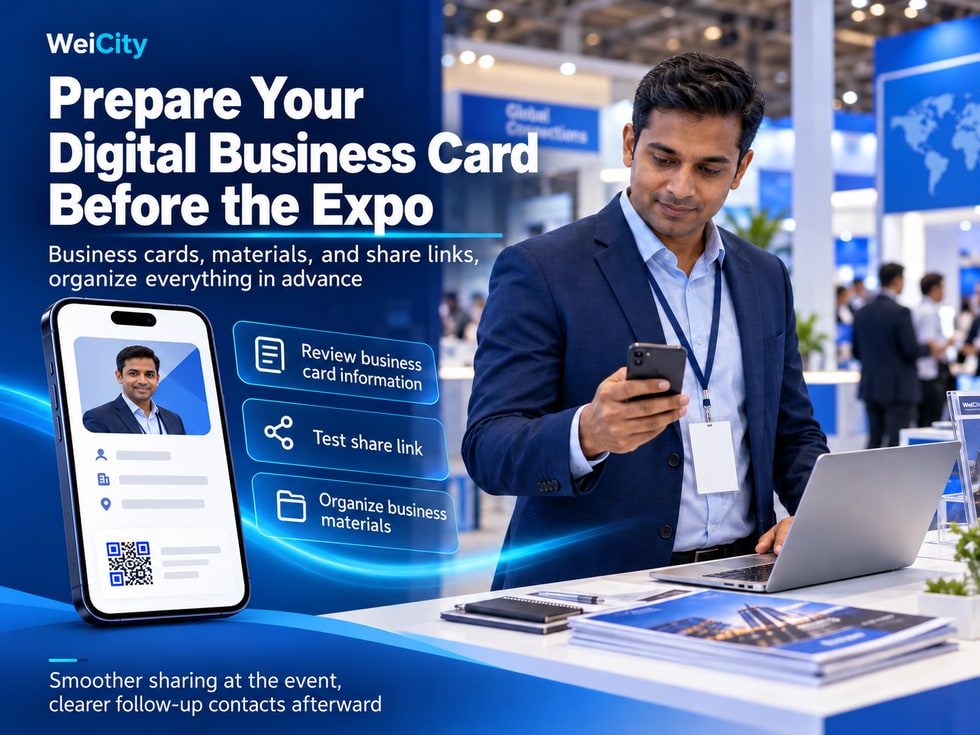
Attending exhibitions, business gatherings, industry networking events, or commercial trade fairs is a great opportunity to meet potential customers, partners, and industry professionals.
However, event venues are often crowded and time is limited.
You may have just finished introducing your business when the other person has to rush to the next booth.
You may also encounter situations like these:
👤 They ask: "What's your name? What do you mainly do?"
🛍️ A customer asks: "What products do you offer?"
📷 A partner asks: "Do you have any related work or case studies?"
📞 A new contact asks: "How can I reach you after the event?"
🤝 A potential customer says: "Could you send me your information?"
If you have to search for a phone number, personal link, product photo, or service description every time, it not only slows down conversations but also makes it easy to miss important information.
A WeiCity digital business card helps you organize your personal identity, work introduction, and contact details in advance, making self-introductions, information sharing, and follow-up contact at the event more convenient.
If you also run a WeiCity merchant channel, you can share related products, services, articles, or Gallery content based on the other person's interests.
This article explains what to prepare before attending an exhibition, how to use the digital business card QR code and NFC business card, how to introduce your business on site, and how to follow up with customers effectively after the event.
Not all business events call for the same kind of introduction.
Different events may have different attendees, conversation topics, and business opportunities.
So before you set out, you can ask yourself:
At this event, who would I most like to meet?
Suitable for:
Retail merchants.
Service providers.
Sales representatives.
Freelancer.
Key items to prepare:
Main products.
Service content.
Contact methods.
Suitable for:
Business owners.
Suppliers.
Brand operators.
Professional service providers.
Key items to prepare:
Business direction.
Scope of cooperation.
Relevant experience.
Suitable for:
Photographer.
Designers.
Consultant.
Educators.
Technical service providers.
Key items to prepare:
Work role.
Areas of expertise.
Portfolio case studies.
Suitable for:
Physical stores.
Food and beverage merchants.
Service centers.
Product brands.
Key items to prepare:
Merchant channel.
Brand introduction.
Main business.
A photographer is preparing to attend two different events.
🎪 Wedding Expo
Key items to introduce:
Wedding photography.
Wedding-day coverage.
Wedding portfolio cases.
Shoot bookings.
💼 Corporate Business Networking Event
Key items to introduce:
Corporate headshots.
Product photography.
Business event photography.
Corporate shoot projects.
Although the same personal digital business card is used, the business information displayed on site can be adjusted according to the nature of the event.
📌 The clearer your event goal, the easier it is to decide what to prepare, rather than showing everything at once.
A digital business card should help people who meet you for the first time quickly understand three things:
Who are you?
What do you offer?
How to contact you when needed.
Therefore, it is recommended to check the following before you set out.
Use the name or form of address you use in everyday work.
If you often use both Chinese and English names, you can organize them according to actual needs.
Choose a clear, easily recognizable photo.
Avoid:
Blurry photo.
Face too small.
Over-cropped.
Looks too different from you.
Do not only write:
"Consultant"
"Sales Representative"
"Professional Services"
Can describe your work focus more specifically.
For example:
"Residential Interior Design Consultant"
"Furniture Sales Consultant"
"Commercial Product Photographer"
Lets clients know what they can discuss with you.
For example:
"Mainly provides product photography and brand image photo shoots for small businesses in Penang."
If your services are limited to certain areas, you can state this in a suitable position.
For example:
Penang.
Batu Ferringhi.
Kuala Lumpur.
Nationwide in Malaysia.
Check:
Phone number.
Country code.
Email address.
Other contact entries you actually provide.
After editing, reopen the digital business card.
Confirm the text is clear and the information is accurate.
"Hello, I'm Jason. I mainly provide product photography and brand image photo shoots for businesses in Penang. This is my WeiCity digital business card, which includes my personal introduction and contact details."
📌 The content on your digital business card should ideally match your in-person self-introduction, so clients can easily connect you with your identity.
QR codes are suitable for face-to-face communication.
When someone wants to keep your contact information, you can show your personal business card QR code.
For example:
"Hello, I'm Amy. I mainly provide family photography and personal portrait photos."
Use the QR code entry that is actually provided on the current WeiCity page.
You can briefly explain:
"You can scan this QR code to view my digital business card."
If the other person is willing, you can confirm whether they have successfully reached the correct page.
For example:
"My business contact details are on the card. You can reach out to me later if you need anything."
Because the other person does not need to manually type the full web address.
However, the result still depends on QR code clarity, the phone's scanning ability, network conditions, and page access conditions.
📱 Phone battery: Avoid having your phone run out of power during conversations.
💡 Screen brightness: Make sure the QR code is easy to recognize.
🔍 QR code size: Do not display it too small.
🌐 Network connection: Confirm that the page can be accessed normally.
👤 Page identity: Check that the scan opens the correct business card.
📌 The QR code helps the other person quickly get to your business card entry; it does not mean a contact will be saved automatically after scanning.
If you have prepared a correctly configured NFC business card, you can share it through close-range tapping on compatible devices.
An NFC business card contains a chip that can be read by compatible devices.
If the card has been correctly written with the WeiCity digital business card link, the other person can read the link with their phone and then open the page by following the device prompts.
Confirm that the NFC business card has been correctly configured.
NFC support and reading methods may vary between phones.
Find out in advance how to hold the card near the phone so it reads properly.
After reading, confirm that it opens the correct WeiCity personal page.
For example:
"This is my digital business card. It can also be opened with a compatible phone by tapping."
📲 QR Code
Recognize the pattern with a camera or a compatible scanning function.
💳 NFC
Read card information or a link at close range with a compatible device.
🔗 Personal Link
Send the web address by chat, email, or other means.
NFC may be affected by device compatibility or card configuration.
If tapping doesn't work, you can switch to a QR code or personal link.
📌 At an event, what matters most is that the other person can easily get your information, not that one particular technology is used.
Some events are suited to on-site scanning.
But in some situations, it is more suitable to send the link via WhatsApp, email, or chat.
For example:
The other person is in a hurry.
You met through an online meeting.
Materials need to be sent after the event ends.
The other person wants to forward your introduction to a colleague.
Therefore, it is advisable to prepare the correct personal link in advance.
Preferably use the copy or share option provided on the page.
Confirm that the page that opens is your own business card.
Where conditions allow, test using a browser window that is not logged in.
Make sure customers can find valid contact information.
Don't send just a web address without any introduction.
"Hello, it was great to meet you at the event today.
I am Jason, and I mainly provide commercial product photography services in Penang.
This is my WeiCity digital business card, so you can easily check my work introduction and contact details later."
Because you may meet many people at an event.
A few days later, the other person may not remember everyone's name.
📌 A personal link with a clear identity description is more likely to help the other person remember you than a web address sent on its own.
A personal business card and a merchant channel can serve different introduction purposes.
Suitable for answering:
Who are you?
What do you handle?
How can I contact you?
Suitable for answering:
What does your company do?
What products do you have?
What services do you provide?
Do you have any related work?
Where is the store?
You are a salesperson for a furniture store.
When a customer first meets you, you can share your personal digital business card.
If the customer asks:
"What furniture do you have in your store?"
You can share the merchant channel.
If the customer then asks:
"Do you have any sofas suitable for a small living room?"
You can share the relevant product information.
First get to know the person in charge, then learn about the merchant as needed.
If the customer only wants to save your contact details, it is not necessary to send the full product catalogue right away.
📌 When choosing a sharing option, first consider whether the other person currently wants to learn about you as a person, the merchant, or specific products and services.
A digital business card helps customers get to know you.
But when the other person becomes interested in your business, they may want to look at the actual content in more detail.
Therefore, you can prepare a small amount of material related to the event in advance.
Suitable for:
Retail merchants.
Furniture sales.
Hardware supplier.
Electronics salesperson.
It is recommended to prepare:
Product name.
Key specifications.
Product photos.
Related notes.
Suitable for:
Photographer.
Interior designer.
Architectural designer.
Brand designer.
It is recommended to prepare:
Related works.
Project introduction.
Cases suitable for public sharing.
Suitable for:
Repair services.
Gardening services.
Cleaning services.
Professional consulting.
It is recommended to prepare:
Scope of services.
Engagement process.
Preparation required.
Suitable for merchants who want to introduce their overall business.
Suitable for industries that need to explain complex services.
For example:
What should you prepare before renovation?
What information is needed to book a photography session?
How do you choose suitable hardware tools?
You can organise the following in your own notes app:
Personal business card link.
Merchant channel link.
Main product link.
Related case study link.
Service introduction link.
This is a personal preparation method and does not mean that WeiCity necessarily provides a dedicated event materials management feature.
📌 Preparing three to five of the most relevant materials before an event is usually more convenient than searching for a large amount of content on the spot.
At business events, you may not always have much time to introduce yourself.
Therefore, you can prepare self-introductions of different lengths.
Suitable for a quick introduction.
For example:
"Hello, I am Jason, and I mainly provide commercial product photography services in Penang."
Suitable for an initial business conversation.
For example:
"Hello, I am Jason. I mainly provide product photography and brand image photography for small businesses in Penang, helping merchants prepare photos needed for product displays and promotion."
Suitable when the other person wants to learn more about your business.
For example:
"Hello, I am Jason. I mainly provide commercial product photography, brand image photography, and small business event photography in Penang.
The clients I usually work with include retail merchants, food and beverage brands, and service businesses.
If you are preparing product images, brand introductions, or promotional materials, you can tell me the actual purpose, and we can then discuss a suitable shooting approach.
This is my WeiCity digital business card, so we can stay in touch."
Name.
Your main work.
Who you serve.
The needs you can help with.
Contact information.
First let the other person understand your main focus.
If they are interested, explain further.
📌 A short, specific self-introduction is more memorable to someone you have just met than a lot of promotional wording.
Exchanging business cards should go along with the actual conversation.
There is no need to ask everyone to scan at the start.
You can ask:
"What industry are you mainly in?"
"Are you here to exhibit, or looking for partnership opportunities?"
Listen to what the other person is interested in.
Explain according to the other person's questions.
For example:
"If it's convenient, I can share my digital business card with you, so it's easier to contact me later if you need anything."
If the other person asks about products or cases, then share the relevant content.
If the other person does not need to save your business card for now, there is no need to keep asking.
Other person:
"What do you do mainly?"
You:
"I mainly provide corporate product photography and brand image photos."
Other person:
"Our company is also preparing to update our product photos recently."
You:
"That may be relevant to your needs. I can first share my digital business card, and if you'd like to see my work, I can also send you related case studies separately."
Because sharing a business card is a continuation of the conversation.
It is not a step the other person is required to accept.
📌 Understanding the other person first and then choosing suitable materials is usually more targeted than sending links to everyone you meet.
Using a furniture fair as an example.
A salesperson may come into contact with many potential customers in one day.
Different customers look for different products.
They can share:
Personal digital business card.
Relevant sofa information.
They can share:
Personal digital business card.
Dining table product page.
They can share:
Merchant channel.
Store introduction.
They can share:
Store address.
Business hours.
Suitable contact method.
"Hello, I am Jason, responsible for furniture purchase consultation.
This is my WeiCity digital business card, so we can stay in touch."
You mentioned you are looking for a small dining table. I can share related product information separately so you can compare sizes first.”
It is not about sending every customer the same full set of product information.
Instead, it is about providing information that suits their needs.
📌 The digital business card keeps the contact entry point, while specific product information responds to customer questions.
Customers of service businesses usually care more about whether the service meets their actual needs.
Therefore, on-site conversations can focus on:
Work role.
Scope of services.
Related case studies.
How to get in touch.
You can prepare:
Personal digital business card.
Design service introduction.
Related works.
How to inquire about a project.
You can prepare:
Personal digital business card.
Photography work.
Shoot types.
Booking information.
You can prepare:
Personal digital business card.
Service area.
Maintenance projects.
Related case studies.
You can prepare:
Personal digital business card.
Course introduction.
Intended readers.
Consultation methods.
You can prepare:
Personal digital business card.
Website portfolio.
Service description.
Project requirement information.
"Hello, I mainly provide residential space planning and interior design services.
If you are preparing for renovation, you can take a look at our related portfolio first.
This is my personal digital business card. If you need anything later, feel free to contact me to discuss property type and renovation arrangements.”
📌 The key to introducing a service business is to let customers know what you can help with, rather than only showing your job title.
Industry talks and business networking events are not necessarily aimed at immediate sales.
Often, what matters more is getting to know peers, partners, and relevant professionals.
Let the other person know your work background.
See whether there are relevant directions for collaboration.
So it is easy to keep in touch after the event.
If the other person wants to learn about your company, you can add your merchant channel.
For example:
Service introduction.
Portfolio case studies.
Industry articles.
If both sides have specific matters, you can agree to send materials later or discuss again.
"Great to meet you today.
I'm Amy, and I mainly provide corporate brand photography and product photography services.
This is my WeiCity digital business card.
We talked earlier about your company preparing to update its promotional materials. If you'd like to discuss this further later, feel free to contact me.”
Some people may just want to exchange experiences.
Others may be suitable for future collaboration.
📌 A digital business card at business events helps both sides keep a contact entry point, so the conversation does not have to end when the event ends.
At large events, you may meet a dozen or even dozens of new contacts in one day.
After the event, it is easy to forget:
Who asked about what?
What did you promise to send?
Who wants to collaborate further?
Who needs to confirm a date?
Therefore, you can use a recording method that suits you to organize the key points of your conversations.
Record the name or an easily recognizable way to address them.
For example:
Furniture fair.
Business networking event.
Industry talk.
For example:
Product photography.
Office furniture.
Website design.
Garden maintenance.
For example:
Product specifications.
Service introduction.
Case photos.
If a contact time has been agreed, record it accurately.
Contact: David
Event: Penang Business Networking Event
Discussion: Company product photography
Materials to follow up on: Commercial product photography case studies
Next step: Send the relevant portfolio as agreed
Only record information needed for business communication.
If it involves private phone numbers, customer photos, or project materials, respect the consent and privacy of the people involved.
You can use a phone memo, calendar, or any other tool that suits you to keep records.
Do not assume that the WeiCity digital business card feature automatically records on-site conversations or provides CRM customer management functions.
Recording a few key points at the event can help you accurately continue the conversation after it ends.
After an event, a customer may already have met many people.
Therefore, when you first follow up, it is recommended to first help them remember you.
State your name and area of work.
For example:
We met at the exhibition today.
We talked at a business event yesterday.
Explain what you discussed.
For example:
Product information.
Service introduction.
Portfolio case studies.
For example:
Confirm their needs.
Check the date.
Discuss the project.
"Hello, I'm Jason, whom you met today at the Penang business networking event.
We talked earlier about your company preparing to shoot a new product.
This is the product photography case study I promised to send you, so you can see the shooting style first.
If convenient, you can also tell me the types and quantity of products you plan to shoot, and we can discuss further.”
Because it explains:
Who you are.
Where you met.
What you discussed.
Why the materials are being sent.
How the customer can continue.
📌 Post-event follow-up should continue the on-site conversation, rather than directly sending unrelated advertising.
The examples below can be modified according to the actual conversation.
"Hello, I'm Jason, whom you met today at the business networking event.
It was great talking with you.
This is my WeiCity digital business card, so you can easily view my introduction and contact details later.”
"Hello, the service introduction you asked about today is now ready.
I've sent the relevant materials to you. They include the service scope and preparation items for your reference.”
"Hello, we discussed a small dining table at the furniture fair today.
I've organized information on two related products so you can compare sizes.
If needed, you can also tell me roughly how big the space where you plan to place it is.”
"Hello, you mentioned today that you are looking for product photography services.
Here are the related portfolio examples we discussed, so you can look at the shooting style first.”
"Hello, it was great to meet you at the industry event today.
We talked earlier about possible directions for collaboration.
This is my business introduction, so you can learn more.
If it suits you, we can arrange another time to talk.”
"Hello, we mentioned today confirming the project arrangements next week.
I'd like to know whether you have a suitable time now. If convenient, please let me know.”
"Understood, thank you for letting me know.
If you have related needs in the future, feel free to contact me again.”
Do not fabricate needs the other person has not expressed.
Do not describe an unconfirmed collaboration as an agreement that has already been reached.
Do not keep sending promotional messages without consent.
📌 Good follow-up messages should be brief and accurate, and relate to the real conversation that took place before.
You should not assume that someone who is willing to exchange digital business cards agrees to receive ongoing marketing messages.
Business contact and marketing promotion need to be understood separately.
Means both sides have had a chance to get to know each other and share contact information.
If someone actively asks about a product or service, you can communicate around their related needs.
For example, sending service materials or quotations.
If you wish to regularly send promotions, events, or advertising, consider applicable personal data protection requirements and respect whether the other party is willing to receive them.
Keep only necessary information, and handle it properly.
If someone says they do not want to keep receiving promotional messages, stop sending them.
Exchanging digital business cards does not mean agreeing to receive unlimited advertising.
Business relationships need to be built on clear and appropriate communication.
📌 Any follow-up contact after an event should have a reasonable purpose and respect the other person's privacy and contact preferences.
At exhibitions or large events, the network may be unstable.
Even if your digital business card is ready, you should still consider backup options.
So you can send it directly when needed.
If the page allows you to save the QR code image, prepare it in advance.
If you use one, confirm in advance that the card can be read.
For example, a work phone number that is suitable for sharing externally.
This helps prevent a dead phone from interrupting your conversations.
Before you leave, confirm that your mobile data is working.
For example, authorized product photos or portfolio pieces that are suitable for external display.
A QR code image can be displayed without a network connection.
However, if the QR code leads to an online page, opening the web page usually still requires an available network.
Likewise, if an NFC card can read a web address, that does not mean the web page can be accessed offline.
"The network here may be unstable, so I'll send you my digital business card link now, and you can open it later when you have a connection."
📌 Preparing backup options in advance can help you avoid interrupting normal communication due to network or device problems.
If the other person cannot open your digital business card, there is no need to keep asking them to scan it.
First, identify the type of problem.
Check whether the web address is complete.
Check the network, browser, and access conditions.
Check the image clarity, size, and display angle.
Stop using the incorrect entry point immediately and check it again.
Check device compatibility and the tap position.
First provide the correct work contact details, then check your personal page.
"No problem, I can send you my personal link directly."
Or:
"If the network is poor right now, you can save my work contact details first and view the full introduction later."
First help the other person get the information they need.
Then check the technical issues.
📌 The goal at an event is smooth communication, so there is no need to make the client wait a long time for a particular sharing function to recover.
Which people do you mainly want to meet at this event?
Is it accurate?
Is it clear?
Is it accurate?
Is it easy to understand?
Is it valid?
Does it open normally?
Can it be scanned?
If you use one, has it been tested?
Is the related business information accurate?
Are your commonly used introductions ready?
Are they suitable for this event?
Can you explain it clearly in a short time?
Is it sufficient?
Is it convenient for recording the materials you promised to provide?
Test with another phone:
Open your personal link.
Scan the QR code.
View your business card.
Check your contact details.
If you have an NFC card, test the tap as well.
Being able to view the page on your own phone does not mean every participant at the event will have the same experience.
📌 Spending a little time testing before you leave can reduce the need to troubleshoot problems on the spot at the event.
No, it is not required, but it can be a convenient tool for sharing your personal identity and contact details.
They can be used for personal introductions and follow-up contact, depending on the actual public information and sharing features.
It is recommended to include your name, work identity, main services, and contact details that are suitable for public sharing.
If the current page provides a QR code, you can use it according to the actual situation.
If a correct NFC card has been configured and the other person's device is compatible, you can test reading and sharing.
No. Reading a link and saving a contact to a phone are different actions.
You can first share a valid link or use another contact method, then open the online page once the network is restored.
It depends on what the other person needs. To get to know a person in charge, share your personal business card; to learn about your business, share your merchant channel.
If related product information has already been published, you can share it according to the client's needs.
Not necessarily. Prioritize content that is most relevant to the event's theme.
Use a clear name, photo, and specific business description, and remind them of the context in which you met when following up.
No. You can first understand the other person's needs, then decide whether to introduce more.
Arrange it based on what both sides agreed on, any materials still to be provided, and actual communication needs.
No. You should not assume someone agrees to keep receiving marketing messages just because you exchanged cards.
Whether automatic customer recording is supported cannot be determined from the digital business card feature alone; refer to the actual system functions.
Refer to the current actual functions. Do not assume that the digital business card itself has automatic CRM reminder capabilities.
You can design it according to your actual needs, but first test the print clarity and scanning performance of the QR code.
No, it cannot be guaranteed. A digital business card mainly helps people view information and get in touch; actual cooperation still depends on needs, communication, and the decisions of both parties.
📌 A digital business card can make on-site communication more convenient, but what matters most is preparing accurate information and continuing the conversation based on the other person's needs.
If you plan to attend an exhibition, business gathering, or industry networking event, you can first set up a simple process.
Decide which customers or partners you would like to meet this time.
Confirm your name, photo, work identity, and contact details.
Test your personal link, QR code, and the NFC card you actually use.
Prepare links to your merchant channel, products, services, or case studies.
Use a short text to explain what you mainly offer.
Talk first, then decide what materials to share.
Note the materials you promised to provide and the arrangements you agreed on.
Remind the other person of the context in which you met, send relevant materials, and continue the conversation as needed.
Prepare before the event → Meet on site → Share your card → Understand needs → Provide additional materials → Record items → Follow up after the event
Because a digital business card is only one part of the whole communication process.
Preparation before the event, communication on site, and follow-up after the event are equally important.
📌 Giving each stage a clear task can reduce last-minute searching for materials and missed agreements.
Trade fairs, business gatherings and industry events are about more than exchanging name cards.
More importantly, they help new contacts get to know you and understand your business, so they can reach you again when needed.
Decide on your networking goals in advance.
Let people know who you are.
Explain your main business and areas of expertise.
Make it easy to access your digital business card on site.
Offer another way to share on compatible devices.
Make it easy to continue sharing via chat or email.
Help customers learn more about your brand and business.
Respond to specific product needs.
Show practical content related to the event's topic.
Understand the other person first, then share suitable materials.
Keep track of the commitments you have made.
Continue contact in line with what was actually agreed.
Respect personal information and contact preferences.
The WeiCity digital business card can serve as a personal introduction tool at trade fairs, business gatherings and industry networking events, helping you organize your name, professional role and contact details into online material that is easy to share.
However, for a digital business card to be truly effective, showing a QR code is not enough.
What matters more is:
🎯 Before you go, know whom you would like to meet.
👤 When introducing yourself, make sure the other person understands what you do.
📲 When sharing, make it easy for customers to open the right card.
🏪 When describing your business, choose the appropriate merchant channel or content page.
📷 When answering questions, provide relevant product and portfolio materials.
🤝 During conversations, respect the other person's actual needs.
📝 Before the event ends, note down the commitments you have made.
📤 After the event, provide materials and continue communication as agreed.
📞 Keep your contact details accurate so customers can find you in the future.
For example, when you meet a new client at a business event, you might say naturally:
“Hello, I'm Jason. I mainly provide commercial product photography services in Penang.
This is my WeiCity digital business card, which includes my personal introduction and contact details.
If you'd like to learn more about related shooting projects, I can also share my portfolio with you.”
This introduction is not complicated.
But it already explains who you are, what you do, what the business card is for, and what the next step is.
Preparing your digital business card and related business materials in advance makes on-site conversations more comfortable and gives follow-up after the event a clear direction.
Specific personal links, QR codes, NFC compatibility, merchant channels, product displays, portfolio sharing, public access and other related features depend on what is currently available on WeiCity's live pages and in your account.
👉 Open WeiCity: https://wei.city/