

4 What Is the Purpose of Free Previews? Help Users Understand Course Content
Show authentic explanations and demonstrations so users can judge whether a course suits them before purchasing
Free previews allow users to get to know the instructor's style of expression, teaching level, and demonstration quality before buying a video course. This article explains how to select preview clips, plan preview content, and clearly state the scope of the preview versus the full course, helping WeiCity content creators provide clear purchasing references.
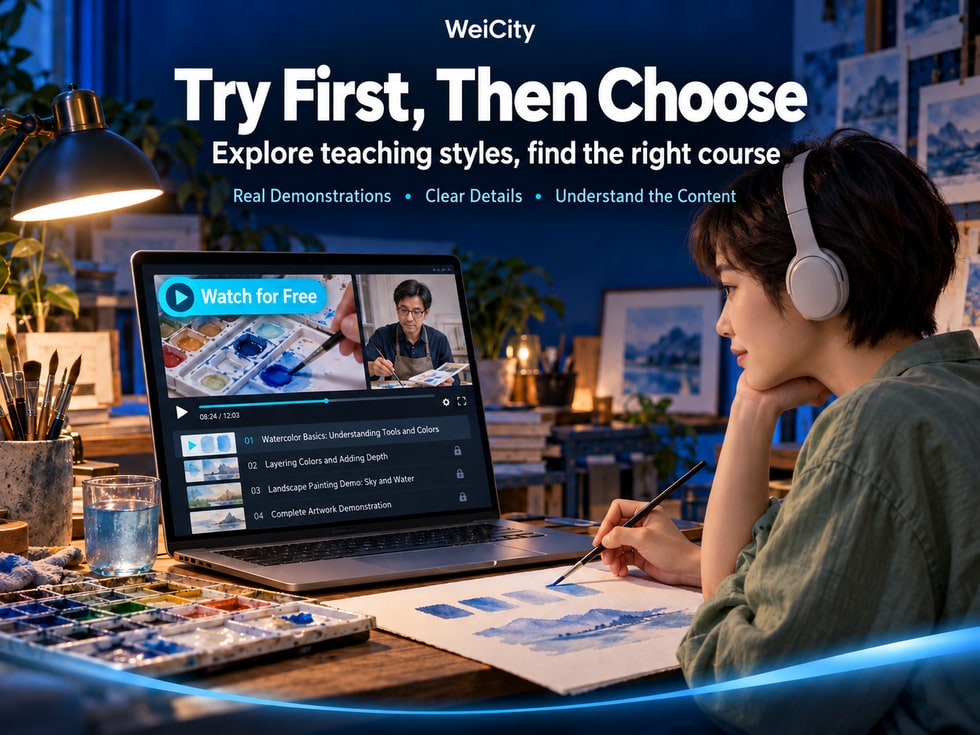
You have already created a video course and prepared the course title, introduction, and complete outline.
However, when users first see the course, they may still hesitate:
🎬 Is this course's teaching style right for me?
🗣️ Is the instructor's delivery easy to understand?
📚 Is the content suitable for beginners or advanced learners?
🛠️ Are the practical steps explained clearly?
🔊 How are the video's sound and picture quality?
💰 What can I learn after buying the full course?
Text descriptions and a course cover alone often cannot fully answer these questions.
The value of a free preview (Free Preview) is that, before purchasing, users can see real teaching content and understand the course quality, explanation style, and level of learning.
For creators of WeiCity video series, a free preview not only helps users judge whether the course meets their needs, but also lets instructors demonstrate their professional abilities through actual teaching.
However, a free preview is not simply a random clip of video.
What content is chosen, how long the preview is, how explanations are arranged, and how free and paid content are distinguished all affect how users understand the course.
This article explains how to plan a free preview for a WeiCity video course, including preview content selection, video length, teaching demonstrations, course description, purchase information, and pre-publication checks.
When buying physical products, users can understand them through photos, specifications, and descriptions.
When buying a video course, however, users also need to consider the actual teaching experience beyond the course topic.
For example, in a leatherworking course, the outline may list tool introductions, material cutting, punching, and stitching instruction, but users still do not know how the instructor will demonstrate these steps.
In this case, a free preview can provide a more direct reference.
Users can observe:
Speaking pace.
Word choice.
Whether explanations are clear.
Whether it is easy to follow.
Users can find out:
Whether it suits complete beginners.
Whether prior experience is required.
Whether a lot of technical terminology is used.
For example:
How the tools are used.
How the operating steps are carried out.
Whether key actions are easy to see.
For example:
Whether the explanations are clear.
Whether the background music is too loud.
Whether operating sounds affect understanding.
For example:
Whether the tools are clearly visible.
Whether important details can be seen.
Whether the picture is stable.
Users can combine the preview with the course outline to judge whether this content suits their needs.
One user wants to learn hand stitching.
Through the preview, they can observe how the teacher threads the needle, handles the thread, controls the stitching direction, and explains the operating details.
These details are more helpful for judging whether the course suits them than simply reading a "professional hand-craft course" description.
📌 The most important role of a free preview is to reduce uncertainty before purchase, not to guarantee that every viewer will buy.
When choosing preview content, it is recommended to prioritize representative teaching segments from the full course.
Representative content means that the segment truly shows the course's explanation style, picture quality, and teaching depth.
Suitable for knowledge-based courses.
For example:
A photography course introduces light direction.
A painting course explains basic composition.
A software course explains the purpose of a certain feature.
Suitable for hands-on courses.
For example:
Introduce the purpose of brushes.
Show coffee equipment.
Explain the basic use of hand tools.
Suitable for skill instruction.
For example:
Demonstrate a basic stitch.
Complete a simple painting exercise.
Show a basic shooting method.
Suitable for learners who already have some foundation.
For example:
Why does a cake shrink easily?
Why do product photos show obvious glare?
Why are stitch spacings inconsistent?
Suitable for professional knowledge courses.
For example:
A designer explains a simple layout problem.
A photographer analyzes the light in a photo.
For example:
Playing the course logo for a long time.
Showing only a photo of the instructor.
Only background music.
Only the finished work.
These can be part of the course introduction, but they are usually not enough for users to judge the actual teaching quality.
📌 The preview should get into real teaching early, so users can see how the instructor explains knowledge, demonstrates operations, and handles problems.
A free preview does not necessarily need to provide a lot of knowledge.
But it is best to center on one specific question and complete one clear explanation.
For example:
📸 How to use natural window light to photograph small products?
This is a good small topic for a standalone demonstration.
For example:
Why might one side look darker when a product is photographed near a window?
Demonstrate the relative position of the product and the window.
Explain how the direction of light affects brightness and shadow in the image.
Show the changes produced by different placements.
Help users remember the basic observation method.
Explain that the full course will further introduce:
Shooting background.
Lighting methods.
Composition techniques.
Reflection control.
Hands-on shooting practice.
If a video ends abruptly at the most important operation step, users may not be able to tell whether the instructor can explain the topic clearly.
By comparison, a complete small knowledge point better reflects how the course is actually taught.
📌 A free preview can offer real learning value, while the full course provides more systematic and in-depth knowledge.
Different courses serve different learners.
The preview content should also reflect the actual difficulty of the formal course.
Suitable for displaying:
Basic concepts.
Simple tools.
Basic operations.
Frequently asked questions.
Suitable for displaying:
Hands-on operation.
Tool usage.
Step-by-step demonstrations.
Detail adjustments.
Suitable for displaying:
Professional judgment.
Complex cases.
Analytical methods.
Technical details.
Course name:
🎨 Introductory Watercolor Painting Course
The preview can introduce:
Brush selection.
Paint preparation.
Basic color mixing.
Simple color exercises.
If the formal course is designed for complete beginners, the preview should not consist only of complex advanced painting techniques.
For example:
The preview content is very simple.
Yet the formal course uses many unexplained technical terms.
This gap may leave users feeling after purchase that the course does not match their expectations.
📌 The preview should truthfully reflect the course level so users can judge before buying whether their foundation is sufficient.
There is no fixed duration for free previews that suits every course.
It should be determined by the knowledge point, teaching method, and complexity of the demonstration.
A shorter explanation can be used.
For example:
Introduce one photography composition method.
Allow enough time to show the tool and its basic uses.
Should include the necessary preparation, operation, and result check.
Users need to see the problem, its causes, and the reasoning behind judgment.
The following is for production reference only and is not an official WeiCity requirement.
| Preview type | Possible duration | Main purpose |
|---|---|---|
| Course introduction | 1–3 minutes | Understand the course goals |
| Basic concepts | 3–5 minutes | Understand the teaching approach |
| Simple operations | 5–8 minutes | Watch an actual demonstration |
| Complete mini exercise | 8–12 minutes | Follow along to complete one step |
Actual duration may be shorter or longer.
Repeated introductions.
Pauses unrelated to teaching.
Overly long intros.
Unnecessary repeated footage.
Key actions.
Essential explanations.
Operation results.
Necessary precautions.
For example:
The video ends abruptly right after the tool operation is first demonstrated.
Such a preview may not help users judge the quality of the course.
📌 A free preview should be guided by whether a knowledge point is fully explained, not simply by hitting a fixed number of minutes.
Both options can be considered, depending on the course content and the preview formats WeiCity currently supports.
For example:
The full course contains eight episodes.
Episode 1 introduces the course and basic tools.
If the platform supports making a unit available for preview, it can be arranged according to the actual feature.
For example:
Select a complete lighting demonstration from the photography lessons in Episode 3.
Whether only part of a segment can be opened depends on platform features.
For example:
Instructor introduction.
Course goals.
Some actual teaching.
Full syllabus overview.
If the formal course already has a complete unit suitable for public access, you may prioritize using existing content.
If the episodes in the formal course are long, you may evaluate whether a standalone preview is needed.
Some platforms may only allow whole episodes to be opened.
Some may support specific segments.
A separate public video may also need to be published.
📌 The preview format should follow the features WeiCity currently provides; there is no need to re-produce an entire course for a fixed format.
Suppose you are a painting teacher preparing to publish:
🎨 Watercolor Landscape Beginner Course: From Basic Color Mixing to Completing a Simple Landscape Painting
Help beginners get to know basic watercolor tools, learn simple color mixing and painting methods, and complete an introductory landscape exercise.
Watercolor beginners.
People who enjoy painting.
Creators who want to learn basic color mixing techniques.
🎬 01 | Course Introduction and Tool Preparation.
🖌️ 02 | Getting to Know Brushes, Paints, and Paper.
💧 03 | Water Control and Color Depth.
🎨 04 | Basic Color Mixing and Color Combinations.
☁️ 05 | Sky and Cloud Practice.
🌳 06 | Trees and Natural Elements.
🏞️ 07 | Simple Landscape Composition.
🖼️ 08 | Completing a Watercolor Landscape Painting.
💧 Watercolor Basics: How to Control Water and Color Depth?
Introduction:
Brush.
Paint.
Watercolor paper.
Clean water.
Show changes in color intensity through hands-on operation.
Make a set of color swatches with different depths.
For example:
Too much water.
Color bleeding.
The condition of the paper affects the result.
Help users understand the basic approach to controlling water.
Explain that the full course will also cover:
Basic color mixing.
Sky painting.
Tree practice.
Landscape composition.
Completing a full artwork.
Users can observe the teacher's explanation style.
They can see clearly how brushes and paints are actually handled.
They can understand the course difficulty.
They can also complete a simple color exercise.
📌 The preview offers one complete mini exercise, while the formal course guides learners toward larger learning goals.
Different courses can choose different preview topics.
Preview topic:
How to use natural light to improve product photos?
Showcases:
Light direction.
Product placement.
Changes in shadows.
Simple adjustments.
Preview topic:
How to understand the basic condition of dough?
Showcases:
Ingredient preparation.
Observing dough.
Basic judgment.
Frequently asked questions.
Preview topic:
Getting to know the basic equipment for pour-over coffee
Showcases:
Dripper.
Filter paper.
Pour-over kettle.
Basic preparation.
Preview topic:
How to get started with basic stitching?
Showcases:
Needle and thread preparation.
Basic motions.
Stitching direction.
Common mistakes.
Preview topic:
How to complete a basic operation?
Showcases:
Interface.
Feature locations.
Actual steps.
Final result.
Preview topic:
How to use simple color schemes to improve layouts?
Showcases:
Color selection.
Text comparison.
Layout adjustments.
Before and after results.
Give priority to:
Content that users can easily understand.
Content that can be fully demonstrated.
Content that can represent the quality of the course.
Content that is related to the full course.
📌 Free preview content can differ across industries, but in every case it should let users see the real teaching approach of the course.
After watching the preview, users usually continue to learn about the full course.
Therefore, the course page needs to clearly explain the difference between free and paid content.
For example:
An introduction to Lesson 1.
A demonstration of one basic operation.
Some teaching content.
For example:
Eight teaching units.
From basics to complete practice.
For example:
Learn basic photography lighting and complete a set of product photography exercises.
For example:
Beginners in photography.
For example:
A smartphone.
Lights.
Background materials.
Verify the actual amount and currency.
If there is a viewing period or any other restriction, it should be explained in advance.
Explain the current release progress.
For example:
Tool checklist.
Practice files.
Supplementary articles.
If provided, explain the actual content and how to access it.
Provide valid contact methods.
For example:
A set of photography equipment shown in the preview does not mean that you will receive physical equipment after purchasing the course.
If users need to prepare tools themselves, this must be stated clearly.
📌 The preview description and the purchase description should work together so users can clearly tell free content apart from the full course.
A free preview does not need to keep reminding users to buy.
A more natural approach is to complete the teaching first, and then explain what the full course also includes.
For example:
Demonstrate how to photograph products using natural light.
For example:
The direction of light affects the brightness and shadows of a product.
For example:
The full course also covers:
Background selection.
Lighting methods.
Shooting angles.
Reflection control.
Hands-on shooting practice.
If the current page supports related links or purchase entries, arrange them according to the actual functions available.
“The above introduced the basic method of observing product shadows using natural light. The full course will continue with backgrounds, composition, fill light, and practical shooting steps, suitable for learners who want to practice product photography further.”
“You won't learn it without buying the full course.”
“If you don't buy it now, you will regret it later.”
“After purchase, you are guaranteed to become a professional photographer.”
rather than from exaggerated promises or pressure to buy.
📌 Let users understand the teaching quality first, then provide clear information about the full course so that buying is a free choice.
A preview title should let users know what the video mainly covers.
Free preview.
Course preview.
Preview video 1.
Highlights.
👀 Free Preview | Basic Watercolor Color Mixing and Water Control
📸 Free Preview | Photographing Products with Natural Light by the Window
🍰 Free Preview | Understanding Basic Dough States
🧵 Free Preview | Basic Hand-Stitching Demonstration for Leather Goods
💻 Free Preview | Basic Excel Data Organization Operations
Free Preview + specific teaching topic
For example:
👀 Free Preview | Smartphone Product Photography: Understanding Light Direction
You may keep the original number.
For example:
🎬 02 | Introduction to Basic Lighting (Free Preview)
If the video only introduces course goals, it should not be titled as “Complete Operation Tutorial.”
📌 A clear preview title helps users quickly understand what the free content includes.
A free preview may be the first time a user encounters the instructor's video.
Therefore, sound and visuals directly affect whether users can judge the quality of the course.
Make sure users can understand the main content.
Avoid drowning out the narration.
Reduce unnecessary shaking.
For example:
Stitch positions.
Brush movements.
Software buttons.
Tool scales.
Avoid key operation areas being too dark.
Do not use fonts that are too small.
Make sure important content is clearly visible on a small screen.
If the preview is very clear, the full course should also try to maintain a corresponding level of quality.
A phone, adequate lighting, and clear audio can also be used to make basic teaching videos.
What matters is that users can see the demonstration clearly and understand the explanation.
📌 A free preview should truly reflect the quality of the course, rather than only presenting specially packaged promotional visuals.
Once the preview is ready, it is recommended to check it from the perspective of a user who is encountering the course for the first time.
Can users find the free content?
Does it state the actual topic?
Check according to the actual functions of the current page.
Is there any obvious interference?
Are the key actions complete?
Does it match the course description?
Can they help users gain a clear understanding?
Does the user need to zoom in repeatedly?
Does it clearly state the price and scope of the full course?
Does it state what content has already been completed?
Are the course directory and purchase entry working normally?
Do the teaching style and content level meet expectations?
For example:
Let someone without related background watch it.
Ask:
Do you know what this course mainly teaches?
Is the explanation easy to understand?
Can you see the operations clearly?
Do you know what the full course includes?
📌 Checking the preview from the user's perspective can help creators spot problems they may overlook while making it.
After watching, users still do not know how the course teaches.
Suggestion: Include real teaching demonstrations.
Users may misjudge the level of the course.
Suggestion: Choose content that represents the full course.
Key steps are not fully explained.
Suggestion: Choose a natural section boundary.
Users cannot observe important actions.
Suggestion: Adjust the shooting angle and picture composition.
Users do not know what they can get after purchase.
Suggestion: Provide a clear course directory and purchase scope.
The full course cannot deliver what the promotion claims.
Suggestion: Make sure the preview, course introduction, and actual content are consistent.
Because a free preview is not just about letting users watch a video clip.
It also helps users form reasonable expectations about the course.
📌 A preview that is authentic, clear, and representative is more useful as a reference than heavily packaged promotion.
A free preview lets users watch part of the teaching content before purchasing the complete video course.
It helps users understand the teaching style, course difficulty, video quality, and actual instructional content.
Not necessarily. You can decide based on the course type, user needs, and current features.
It is recommended to choose content that represents the quality of the full course and is easy for the target users to understand.
No. You can arrange it according to the teaching topic and the preview methods the platform actually supports.
There is no fixed length. The guiding principle is whether a small knowledge point is explained completely.
Whether a full lesson can be opened depends on current WeiCity features.
This depends on whether the current preview settings support segment-level access.
It is recommended to include representative, real teaching so users can judge the quality of the course.
Yes, but the preview content and the scope of the complete course should be clearly distinguished.
It should keep the teaching approach, difficulty, and production quality as consistent as possible.
It may help users better understand the course, but it cannot guarantee more buyers or higher revenue.
It is recommended that users can easily find accurate prices and purchase conditions.
First confirm current features and release arrangements, and state the course's completion progress accurately.
No. The preview helps users understand the course so they can decide for themselves whether to buy.
📌 The key of a free preview is to provide a real reference for the course, not to guarantee sales results.
If you have already completed a video course, you can choose a suitable preview topic from the existing content.
What do you want users to understand?
For example:
How the instructor demonstrates basic operations.
Choose a representative unit.
For example:
One basic technique.
One simple exercise.
One common question.
Keep the complete teaching steps.
Reduce unnecessary repetition.
For example:
👀 Free Preview | Basic Watercolor Color-Mixing Exercise
Tell users what this segment will cover.
For example:
Course outline.
Intended readers.
Purchase price.
Viewing conditions.
Based on WeiCity's current features, check the actual page and how it looks on mobile phones.
You can start with a small topic that has already been filmed and is explained clearly.
As long as it truly shows the quality of the course, it has basic reference value.
📌 Start with one complete small knowledge point, so users can get to know your teaching style before learning about the full course.
A video course is different from a general product.
What users buy is not just a video file, but the knowledge, explanations, and learning content within it.
Therefore, before purchasing, users need to know:
What the course mainly teaches.
How the instructor explains things.
Whether they have the necessary foundation.
Whether the practical demonstrations are clear.
What the complete course includes.
What access conditions apply after purchase.
A free preview can help answer some of these questions.
Let users first experience real teaching.
Choose one specific knowledge point.
Show how the instructor explains and performs the steps.
Help users judge whether it matches their own foundation.
Make sure key content is easy to hear and see.
Clearly introduce the course scope and learning goals.
State the price, content, and usage conditions accurately.
Make it easy for mobile users to understand the course as well.
The value of a WeiCity video course free preview is that it lets users get to know the course through real teaching before purchasing.
For instructors and creators, a preview can showcase their expertise and teaching style.
For users, the preview can be considered together with the course outline and purchase information to judge whether the content meets their learning needs.
A good preview does not need to deliberately show every part of the course.
It only needs to choose one representative knowledge point, explain the question clearly, and demonstrate the steps completely.
👀 First, let users get to know the course.
🎬 Then, show the teaching quality through real demonstration.
📚 Use the complete outline to explain the later learning content.
💰 Keep the price and purchase scope clear and transparent.
📱 Make sure the content is also easy to understand when watched on a phone.
🌐 Let interested users decide for themselves whether to buy after fully understanding the content.
Start with an authentic, clear, and representative teaching video, and create a preview entry point that helps users make an informed decision about the full course.
Specific free preview options, access scope, video units, paid settings, purchase permissions, viewing period, and publishing features are subject to WeiCity's current actual pages and the features available to your account.
👉 Open WeiCity: https://wei.city/