

8 How to Update Your Online Menu? A Guide to Changing Dish Prices, Images, and Pausing Sales
When dishes, prices, or availability change, update the menu information promptly so customers see accurate content.
How should a restaurant update its online menu when a dish's price increases, an ingredient changes, or an item is temporarily sold out? This article introduces routine methods for maintaining an online menu, including editing dish prices and descriptions, replacing photos, pausing sales and resuming availability, and provides a pre-publication checklist to help reduce cases where customers see an outdated menu or order dishes that are temporarily unavailable.
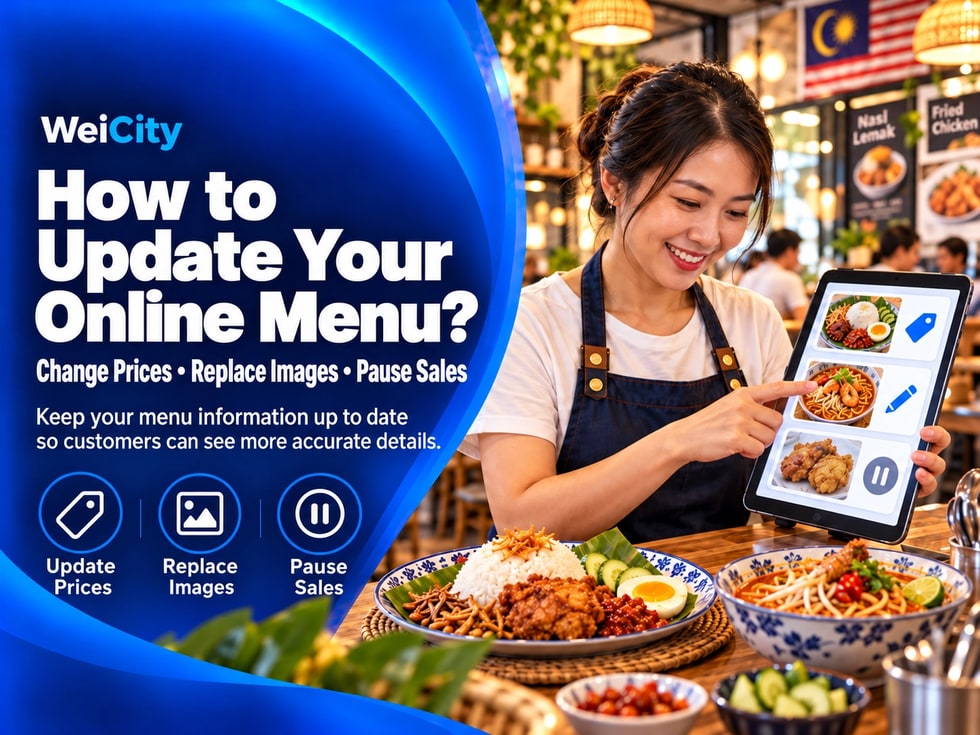
Restaurant menus change with ingredient costs, seasons, supply conditions and business arrangements.
If prices have changed in-store but the online menu still shows old prices, or if a dish is temporarily sold out but customers can still see it and try to order it, this easily causes misunderstandings and also adds to the time the merchant spends handling orders.
📱 When using WeiCity Online Ordering to display your menu, we recommend including online information in your daily checks. Whenever there are changes to dishes or supply arrangements, promptly verify names, prices, descriptions and sales status.
When adjusting selling prices, besides changing the price of the dish itself, also check related options and set meals.
✅ À la carte price: Update the actual selling price of each dish.
✅ Set meal price: Verify the set meal amount and what it includes.
✅ Add-on fees: Check whether the prices of add-on options such as extra egg, extra rice or other add-ons need adjusting.
✅ Price description: Confirm that no old amounts remain on the page.
✅ Order total: Check whether the total shown on the page matches the merchant's current charging method.
For example:
🍗 Original price of chicken chop rice: RM18.
💰 Adjusted price: RM20.
If options such as extra egg or extra rice have also changed, check them at the same time.
📌 The above amounts are examples only. Merchants should enter their own actual prices.
When changing dish prices, do not just edit a single price figure. Also check all related set meals and add-on fees.
If the plating, ingredients or portion size of a dish has changed, old photos may no longer be accurate.
📷 Use the latest photos: Choose images that represent the dishes currently being served.
🍽️ Check dish contents: Confirm whether the ingredients shown in the photo are still included in the dish.
🔄 Update set meal images: When the contents of a set meal change, adjust the images and description accordingly.
🧹 Remove outdated images: Delete blurry, outdated or potentially misleading photos.
For example:
If the original chicken chop rice included an egg but no egg is now served, the merchant should check whether the old photo still shows an egg.
If the old photo continues to be used, customers may mistakenly believe the egg is still included in the price of the dish.
Photos should reflect the dishes actually served as closely as possible, so that what customers see matches what they receive.
Apart from prices and photos, dish descriptions also need to stay accurate.
If the main ingredients, side dishes, sauces, drinks or portion sizes have been adjusted, the related descriptions should be revised.
When items are added to or removed from a set meal, also check whether the description has been updated accordingly.
✅ State clearly what the dish currently includes.
✅ Distinguish between fixed combinations and optional items.
✅ Update descriptions of flavors, ingredients or portion sizes that have changed.
✅ Remove promotional wording that no longer applies.
For example:
🍱 Original set meal: Chicken chop rice + egg + drink.
🍱 Adjusted set meal: Chicken chop rice + drink.
If the egg is no longer included in the set meal, the description needs to be changed so customers do not mistakenly believe it is still included.
Menu descriptions do not need to be very long, but they must match what is actually being served.
A dish may be temporarily unavailable due to insufficient ingredients, preparation time or temporary business arrangements.
If the WeiCity Online Ordering page provides a sales status setting, merchants can pause sales of the dish as needed, so customers do not keep ordering items that cannot be provided at the moment.
📌 Confirm the scope of impact: Check whether only a single dish is affected or an entire category.
📌 Check the display status: After pausing, check from the customer's perspective whether the dish shows the correct status.
📌 Resume sales: If the shortage is only temporary, you can reopen sales once supply is restored.
📌 Long-term suspension: Check whether dishes that are no longer offered need to be removed from the menu.
For example:
🍗 Chicken chop rice is temporarily sold out.
🥤 Milk tea ingredients are insufficient, so supply has been temporarily stopped.
🍱 A certain set meal cannot be provided for the time being because some side dishes are out of stock.
When a sales pause lasts for a longer period, you can also update the related description so customers know the dish cannot be ordered for now.
Promptly handling sold-out dishes can reduce cases where customers place an order only to find out it cannot be provided.
When a dish returns to sale, do not just turn on the sales status. Also recheck the menu information.
✅ Current price: Does it match the latest selling price?
✅ Dish photo: Does it match the dish currently being served?
✅ Dish description: Does it match the latest ingredients and portion size?
✅ Add-on options: Are they still offered, and is the charge correct?
✅ Ordering arrangements: Are pickup or delivery methods working normally?
For example:
A dish was paused for three days due to insufficient ingredients.
When supply resumes, if the ingredients, side dishes or price have changed, the merchant should update the menu information first and only then resume sales.
Making sure all information has been checked before resuming sales can reduce cases where customers find out after ordering that the information is inaccurate.
Restaurants can schedule regular menu review times based on how their business operates.
For example:
🕘 Before opening each day: Check which dishes can be served that day.
💰 After adjusting prices: Compare the online menu with the in-store selling prices.
📸 When changing dish contents: Check whether the images and descriptions need updating.
🍱 When launching a new set meal: Check the set meal price, contents and add-on options.
📱 Regular mobile checks: Browse the page as customers see it and confirm the information is clear.
If the menu has many items, you can give priority to checking:
🔸 Popular dishes.
🔸 Signature set meals.
🔸 Dishes whose prices were recently adjusted.
🔸 Dishes that are frequently sold out temporarily.
🔸 Seasonal or specially launched dishes.
A simple checking habit can help merchants reduce problems caused by outdated menu information.
When editing your online menu, pay special attention to the following situations:
❌ Changing only the à la carte price: forgetting to adjust related set meal prices.
❌ Add-on fees not updated at the same time: the page still shows old amounts.
❌ Dish is sold out: but the ordering entry point is still open.
❌ Set meal contents have changed: but the description was not updated accordingly.
❌ Outdated photos: The images do not match the meals actually being served.
❌ Ordering instructions not updated: Old delivery or reservation arrangements remain on the page.
For example:
The merchant has stopped delivering to a certain area, but the online menu still shows that area as eligible for delivery.
As a result, customers may place orders that cannot be arranged, adding time spent on communication for both sides.
After each update, reviewing the page once more usually helps catch these issues earlier.
Keeping menu information up to date means customers see more accurate meals, prices and availability status.
Through WeiCity Online Ordering, you can organize meal photos, prices, descriptions and sales status, so merchants can update them in step with menu changes and customers can choose meals based on the latest information.
For food and beverage merchants, an online menu is not something you publish once and then leave alone.
As meal prices, availability and business arrangements change, regularly checking and updating your menu is what gives customers more accurate information.
🔄 When prices change, meals change or items are temporarily sold out, remember to check and update your online menu.
🌐 WeiCity | Keep your restaurant menu up to date so customers can order more clearly and conveniently.