

4 How to Showcase Service Cases? Use Photos to Show the Process and Finished Results
Organize before-and-after photos, key details, and final results to help customers understand your services
How can service merchants use photos to showcase real cases? This article explains how to choose photos from before the service, during the process, and after completion, and pair them with clear case descriptions. It helps customers see what services you provide, what work you completed, and what details are worth noting in each case. Suitable for renovation, repair, cleaning, beauty, and photography merchants.
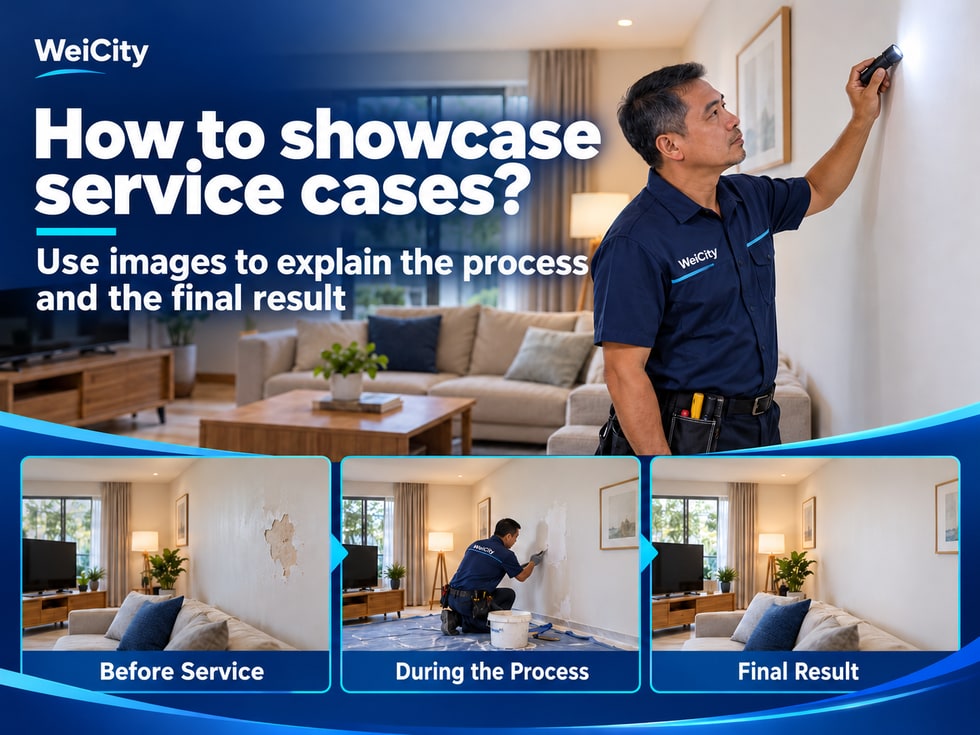
When choosing a service provider, customers usually want to know what services the merchant offers, how the finished work looks in practice, and whether the merchant has handled similar projects.
If a merchant only shows one finished photo, customers may see the result but not understand what work was actually done.
📸 Organizing service cases through the WeiCity Merchant Gallery can show changes before and after service, key work details, and finished results, helping customers understand your services more concretely.
Service cases do more than show finished work. They can also help customers understand the actual scope of a merchant's services.
Customers typically want to know:
🔧 Service content: What main services does the merchant provide?
📸 Real cases: Has the merchant completed similar projects?
🔄 Before and after: What specific changes result from the service?
🔍 Work details: Which parts were repaired, cleaned, installed, or treated?
✨ Finished results: Does the final outcome meet their needs?
For example:
🏠 Renovation customers may want to see the finished look of walls, floors, or space renovations.
🧹 Cleaning customers may want to understand the cleaning results for sofas, carpets, or kitchens.
🔧 Repair customers may want to know whether the merchant has handled similar equipment issues.
💇 Beauty and hair customers may want to browse different styles and service results.
📌 A clear set of service cases should show customers what the merchant did, not just display an attractive photo.
You do not need to upload all past projects at once.
Start with a few cases that clearly illustrate your main services.
When selecting works, consider:
✅ Service relevance: Are the cases related to the services you currently offer?
✅ Photo clarity: Are important areas and details easy to see?
✅ Case representativeness: Do they show different types or levels of work?
✅ Information completeness: Do they explain the service actually completed?
✅ Public permission: Have you obtained the necessary customer consent?
For example:
For a merchant offering home repair services, you might start with:
🔧 Kitchen faucet repair case.
🚪 Door lock replacement case.
💡 Light fixture installation case.
🚿 Bathroom fixture repair case.
These cases each show different service items, helping customers better understand the scope of your business.
If a set of photos cannot explain the service or is no longer related to your current business, you may leave it out of the Gallery for now.
Showing clear, representative cases is more helpful than uploading many photos that lack explanation at once.
For renovation, cleaning, repair, and beauty services, before-and-after comparisons can help customers understand the results of the work.
For example:
🏠 Renovation services: Show wall condition before and after refinishing.
🧹 Cleaning services: Show changes before and after carpet or sofa cleaning.
🔧 Repair services: Show the damaged area and its condition after repair.
💇 Beauty and hair: Show the effect before and after styling adjustments.
📍 Keep the position similar: Try to shoot from the same spot.
📐 Use a similar angle: Reduce misunderstandings caused by changes in viewing angle.
↔️ Keep a similar distance: Make it easy for customers to compare the same area.
💡 Watch for lighting differences: Avoid exaggerating results due to differences in brightness.
📝 Explain the actual work: Tell customers what treatment was completed.
For example:
Before cleaning: The fabric sofa cushion has visible stains on its surface.
After cleaning: Show the condition of the cushion after cleaning is complete.
Service content: Cleaning of the specified cushion area.
If on-site conditions or final results vary by case, state this factually.
📌 Avoid making a single case look like every customer will receive exactly the same result.
Overall photos show the finished result, while detail photos can illustrate important treated locations or fabricated parts.
Different service industries may choose different details.
🔧 Repair services: Show replaced parts or repaired areas.
🧹 Cleaning services: Show key areas that were cleaned.
💇 Beauty and hair: Show styling details or the finished effect.
🪚 Renovation services: Show edge finishing, joints, or material details.
🔌 Installation services: Show equipment installation positions and finished condition.
For example:
For a merchant offering kitchen renovation services, you might show:
🏠 Overall finished kitchen.
🔍 Cabinet door panels and connection points.
🪚 Countertop edge finishing and joint details.
🚪 Actual structure of drawers and cabinet doors.
These photos let customers move from the overall space to a closer understanding of the specific finished work.
Detail photos should correspond to the case descriptions.
Avoid enlarging content unrelated to the service, or shooting from so close that customers cannot tell which project the photo belongs to.
📸 Overall photos show the results, while detail photos explain the key work.
Use a similar description structure for each case so customers can compare them more easily when browsing multiple cases.
You may include the following information:
📍 Case Type: What service or project is this?
🎯 Customer Need: What needed to be handled or completed?
🛠️ Scope of Service: What work was actually completed?
✨ Completion Status: What result or detail do the photos show?
📅 Case Date: Note the approximate completion date when necessary.
📌 Additional Notes: What should customers know about the location, materials, or conditions?
For example:
Case Name: Residential living room wall renovation.
Customer Need: Improve the appearance of the existing walls.
Scope of Service: Wall repair and repainting.
Completion Status: Shows the overall effect after wall treatment.
Additional Notes: The actual scope of work must be confirmed based on site conditions.
Each item does not need to be very long.
Providing materials that help customers understand the case is more valuable than using many promotional adjectives.
Using home repair as an example, you can introduce it like this:
📍 Case Type:
Kitchen faucet repair.
🎯 Customer Need:
Water is leaking from the base of the faucet.
🛠️ Scope of Service:
Inspect the connection points and replace damaged parts.
✨ Completion Status:
Photos show the repaired connection and the sink area.
📌 Additional Notes:
The actual repair method must be confirmed based on the on-site inspection results.
Photo 1: Condition before repair
Shows the original faucet position and the area that needs to be addressed.
Photo 2: Key work detail
Shows the connection parts that need to be inspected or replaced.
Photo 3: Completed repair result
Shows the repaired connection and the sink area.
Photo 4: Related notes
Briefly introduce the work actually completed and the applicable conditions.
The above is only a formatting example for case descriptions.
The specific content should be filled in based on the real service project.
If the cause, materials, or scope of work has not been confirmed, do not make unsupported judgments in the description.
Photo names can include the service type and the key point of the case, making it easier for customers to understand the image.
For example:
📷 Kitchen Faucet Leak Repair
The connection point after completion.
🏠 Apartment Living Room Wall Renovation
Wall repair and painting results.
🧹 Fabric Sofa Cleaning
Condition of the seat cushion surface after cleaning.
💇 Short Hairstyle Case
Reference for layering and side view.
🔌 Residential Light Fixture Installation
Position of the light fixture after installation.
Naturally use accurate service names in photo names and descriptions.
For example:
❌ Service photo 1.
✅ Connection point after kitchen faucet repair is completed.
❌ Renovation case.
✅ Residential living room wall repair and painting completed result.
❌ Cleaning photo.
✅ Surface condition of a fabric sofa seat cushion after cleaning.
If the service location is relevant to the case, you may also appropriately include the area name.
For example:
📍 Penang residential kitchen faucet repair case.
However, the area name should match the actual service location; do not add unrelated place names just to improve search rankings.
If the platform supports image alternative text (Alt Text), you may also enter an accurate, brief description.
📌 A simple, genuine service name is enough; there is no need to repeat keywords excessively in every photo.
Service case photos may capture homes, offices, or the customer themselves.
Before publishing, confirm the relevant permissions and check whether the photos contain information that is not suitable for public display.
Please pay special attention to:
📍 Address Information: House numbers, address labels, or location information.
🪪 Personal Information: Customer names, ID documents, bills, or contact details.
💻 Work Information: Computer screens, documents, and work records.
👤 Photos of People: Faces or personal belongings shown without consent.
🏠 Private Spaces: Images that may reveal a customer's home layout or other private information.
For example:
When a renovation business photographs a completed residential project, check whether family photos, house numbers, or private documents are visible.
When a cleaning business photographs an office case, avoid capturing staff information, computer screens, or client documents.
For parts that are not suitable for display, you may shoot from a different angle or apply necessary masking.
🔒 For customer spaces, personal information, or recognizable people, obtain appropriate consent first and publish only what is necessary.
Many customers browse merchant galleries on their phones.
Before publishing, check whether the photos are still clear when viewed at a smaller size.
✅ Overall Effect: Can the main changes after completion be seen on a phone?
✅ Detail Location: Are the key parts or treated areas easy to identify?
✅ Before and After: Are the two photos easy to compare?
✅ Photo Description: Does the customer know what each photo shows?
✅ Number of Photos: Are there too many repetitive or similar images?
If the key point of a case is too small to see, you may add a close-up photo and indicate the key location in the description.
For example:
When showing an air conditioner installation case, you may first show an overall installation photo and then add details of the installation position.
Before-and-after photos should preferably use similar compositions.
If the shooting conditions differ significantly, you may explain the shooting angle or site changes in the text.
📌 Keeping images that show different stages or details is more convenient for customers to browse than placing many similar photos in a row.
Merchants can organize case photos by service type or project theme in the Gallery of the WeiCity Merchant Channel, and add the actual service content and completion status.
A simple sequence for showing a case is:
📸 Photo 1: Overall project photo
Let customers know what type of service this is.
🔄 Photo 2: Condition before service
Where suitable for display, explain the original problem or the state before treatment.
🛠️ Photo 3: Key work detail
Shows the location, parts, or produced items where the actual work was done.
✨ Photo 4: Completed result
Lets customers understand the final result.
📝 Part 5: Case Description
Explain the scope of service, the completed work, and any necessary conditions.
The actual display method and number of photos can be adjusted based on the features currently supported by the WeiCity Gallery and project needs.
When customers make inquiries, merchants can also guide them to view related cases before further confirming their needs, site conditions, and service arrangements.
For repair, cleaning, renovation, installation, beauty and hairdressing, and other service industries, authentic and clear case photos can help customers understand a merchant's work more concretely.
🛠️ Starting from real service cases, showcase the work content, key details, and completed results so customers can see more clearly and ask more specific questions.
🌐 WeiCity | Let customers see your service results, from browsing cases to further inquiries.