

70 How Swimming and Water Sports Training Centers Can Use WeiCity: From Course Introduction to Student Registration
Showcase course types, class locations, registration requirements, and booking methods in one place, helping students and parents learn more about courses and contact the training center more easily.
How can swimming schools, swimming coaches, and water sports training centers use WeiCity? Build a channel that makes it easy for students and parents to browse courses, prepare materials, and contact you through course categories, coach profiles, class schedules, and registration guidance.
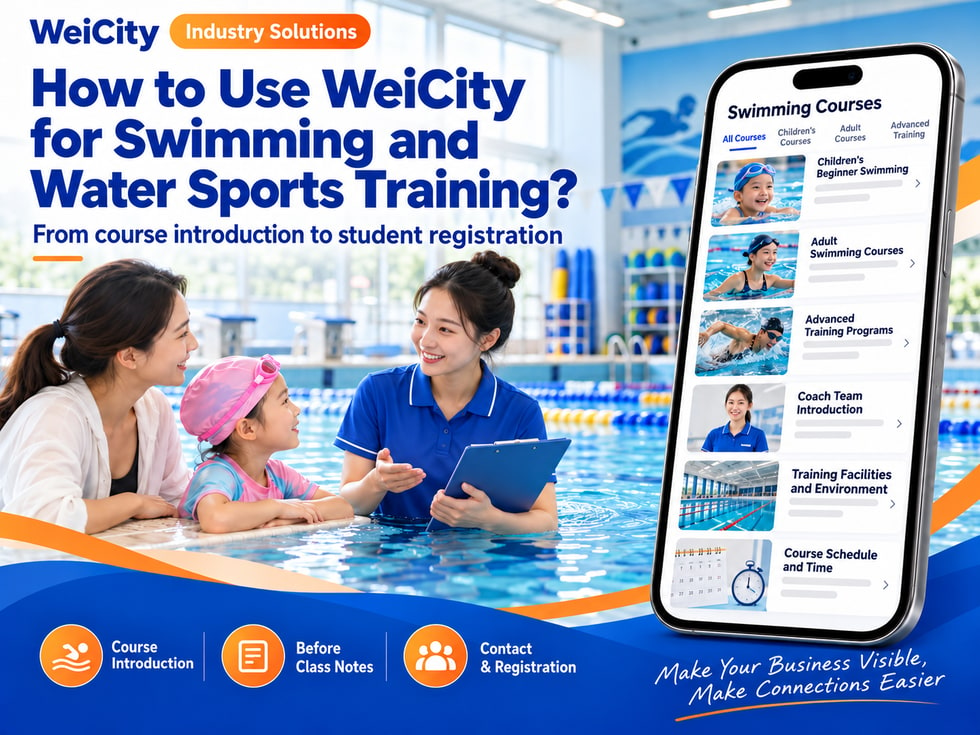
From Course Introductions to Student Registration
"Do you have swimming classes suitable for children?"
"Which class can beginners join?"
“Where are the classes held? Do I need to bring my own swimwear?”
“How do I sign up for group classes?”
“Can I find out about the coaches and class times first?”
When students and parents look for swimming classes, they usually first want to know the level of the course, class location, schedule, coach information, and how to sign up. Clear information makes it easier for them to choose a suitable class and start an inquiry.
💡 With WeiCity, you can set up your own training channel and organize your course content, class schedules, and sign-up guide, so students can learn about the classes first and then contact you to confirm places and details.
✅ Swimming schools
Introduce class arrangements for different ages and skill levels.
✅ Swimming coach teams
Display coach information, teaching methods, and the booking process.
✅ Children's swimming class providers
Explain age ranges, parent accompaniment, and sign-up matters.
✅ Adult swimming training providers
Introduce the actual arrangements for beginner or advanced classes.
✅ Water sports training centers
If actually offered, introduce related training programs and participation requirements.
✅ School or group swimming class providers
Explain group classes, venues, and the quotation process.
📌 Describe the course scope, coach qualifications, and class locations accurately based on actual conditions.
You can organize content by student profile and course type:
🔹 Children's beginner classes
Introduce suitable ages, class format, and notes for parents.
🔹 Adult beginner classes
Explain course goals, schedules, and how to sign up.
🔹 Advanced swimming classes
List the training content actually offered and the entry requirements.
🔹 Private or small group classes
Explain the booking method and group size separately.
🔹 Water sports classes
Introduce the programs actually offered, locations, and things to prepare.
🔹 Trial or short-term classes
State the dates, fees, and how places are confirmed.
💡 Categorizing by age, level, or class format helps students quickly find the information relevant to them.
Recommended to specify:
✅ Course name and teaching content
✅ Suitable age or skill level
✅ Class location and pool type
✅ Class dates, frequency, and duration
✅ Class size or sign-up method
✅ Whether a trial booking is required
✅ Course fees and payment arrangements
✅ Swimwear or equipment students need to bring
✅ Rules for absences, make-up classes, or rescheduling
✅ How to contact the coach or training center
🔶 Example: Introduction to children's beginner classes
Suitable for: Fill in according to the actual age and skill level of the course.
Schedule: List the class location, dates, and duration.
Class size: State the actual class arrangement.
What to prepare: Explain requirements for swimsuits, swim caps, or other items.
Notes for parents: Explain accompaniment, check-in, and pick-up arrangements.
How to sign up: Provide the student's age, experience, and convenient time slots, then contact us to confirm.
📌 The suitable skill level for each course should be explained by the training center according to actual arrangements, so parents can ask questions before choosing.
If the training center provides relevant information, you can list:
🔹 Coach name and teaching language
🔹 Teaching experience or relevant qualifications (based on accurate information)
🔹 Age range taught and class types
🔹 Class location and bookable time slots
🔹 Arrangements for private or group classes
🔹 How to inquire and sign up for classes
📌 Coach credentials and professional titles should be verified before publishing.
It is recommended to prepare:
🔹 Pools and training venues
Show the actual class environment and entrance location.
🔹 Coach and class photos
If students are photographed, first obtain consent from the student or guardian.
🔹 Equipment and swimwear photos
Introduce items students need to bring or that are provided on site.
🔹 Check-in and meeting points
Help students attending for the first time find the location.
🔹 Scene photos for different classes
Help students understand the class format and classroom environment.
📌 Before publishing photos of children or students, obtain appropriate authorization and protect personal information and identity details.
1️⃣ Student age
If classes are arranged by age, you can provide basic information first.
2️⃣ Classes of interest
Indicate needs for beginner, advanced, or other classes.
3️⃣ Past experience
Briefly state whether they have taken similar classes before.
4️⃣ Preferred class location and time slot
Makes it easier to check class arrangements.
5️⃣ Guardian contact details
For child registrations, used to communicate about classes and pick-up arrangements.
6️⃣ Matters to discuss in advance
If there are special arrangements, you can ask the training center when signing up.
📌 Only collect information necessary for registration and class arrangements, and handle it through appropriate means.
You can organize the following in the channel:
🔹 Requirements for swimwear, swim caps, and goggles
🔹 Whether to bring their own towels and a change of clothes
🔹 Meeting location and check-in time
🔹 Pool entry and venue rules
🔹 Parent accompaniment and pick-up arrangements
🔹 How class cancellations or weather changes will be notified
🔹 How to contact us if late or absent
🔹 How personal belongings are stored
📌 Rules may differ between pools and classes, so follow the actual requirements of the training center and venue operator.
You can ask customers to provide:
🔹 Class dates and location
🔹 Number of students and age range
🔹 Student experience or skill level
🔹 Class frequency and expected duration
🔹 Who provides the venue
🔹 Coach and equipment arrangements
🔹 Guardian or responsible person's contact details
🔹 Budget and preferred start time
📌 Group class arrangements should be confirmed by the training center and venue operator, with the number of participants, venue, and safety management arrangements explained in advance.
Recommended to specify:
✅ Whether fees are charged per lesson, per course stage, or as a package
✅ Duration and number of each lesson
✅ Whether pool entry fees are included
✅ Whether coach and venue fees are charged separately
✅ How trial class or registration fees are calculated
✅ Rules for absences, make-up classes, and cancellations
✅ Package validity period and payment methods
✅ How to check the latest fee information
🔶 For example:
“Course fees are confirmed based on the course type, class arrangements, and venue conditions. Please tell us the student's age, experience, and convenient time slots, and we will reply with suitable courses and fee information.”
📌 Before signing up, confirm the course content, fees, venue charges, and rescheduling conditions.
🔹 About the training center
Introduce the team, service locations, and opening hours.
🔹 Course categories
Organize by children's, adult, beginner, and advanced classes.
🔹 Coach introductions
Display verified coach information and teaching scope.
🔹 Class locations and venues
Provide pool photos, entrance, and check-in guidance.
🔹 Registration and trial classes
Explain the booking method, information requirements, and how places are confirmed.
🔹 Class notes
Organize information on equipment, accompaniment, pick-up, and rescheduling arrangements.
🔹 Contact and group classes
Provide entry points for student inquiries and organizational partnerships.
💡 To start, you can include course categories, locations, sign-up methods, and class notes, then gradually add coach introductions and course photos.
🔶 Parent asks: “Are there beginner classes suitable for young children?”
You can reply:
“Hello, here are our children's classes and sign-up information. Feel free to tell us your child's age, preferred location, and convenient time slots, and we will help confirm the class arrangements.”
🔶 Student asks: “Can adult beginners sign up?”
You can reply:
“Please tell us your preferred location, dates, and experience, and we will check suitable classes and sign-up methods for you.”
🔶 Parent asks: “What do I need to prepare for sign-up?”
You can reply:
“Sign-up materials and swimwear requirements are listed in the channel information. You can also tell us which class your child would like to join, and we will confirm the specific preparations.”
1️⃣ Basic training center information
Name, location, opening hours, and contact details.
2️⃣ Course categories and schedules
Organize the courses actually offered and how to sign up.
3️⃣ Coach information
Verify teaching scope, languages, and qualification information.
4️⃣ Venue and class notes
Prepare pool photos, entrance information, and a preparation checklist.
5️⃣ Fees and registration guide
Explain how to ask about fees, check available places, and complete registration.
✅ Are the age and skill level descriptions for the courses accurate?
✅ Has the coach information been verified?
✅ How are the location, time, and available places confirmed?
✅ Do the fees include venue or entry charges?
✅ Are the swimwear and parent accompaniment requirements clearly stated?
✅ Has authorization been obtained for student photos?
✅ Does it state that class arrangements must be confirmed by the training center?
✅ Are the contact details correct?
After you organize course materials, venue information, and registration guidance into your channel, you can use them for everyday replies, course promotion, and answering questions from students and parents.
Students and parents can browse the courses first, then share their age, experience, and convenient time slots. The training center can use this information to confirm classes, fees, and class schedules.
Want to learn how to set up a swimming and water sports training channel?
Feel free to contact the official WeiCity channel to ask us questions, and we can work together to organize content that suits your training center.
WeiCity
Make your business visible and contact easier.