

58 How Mobile Phone and Digital Product Merchants Can Use WeiCity: From Product Showcase to Customer Shopping
Showcase product models, specifications, accessories, and purchase notes in one place, helping customers compare products, confirm stock, and contact you more easily.
How can mobile phone stores, computer and digital product merchants, accessory retailers, and smart device suppliers use WeiCity? Build a channel that makes it easy for customers to browse products, ask about stock, and contact you through product categories, model information, product photos, and after-sales instructions.
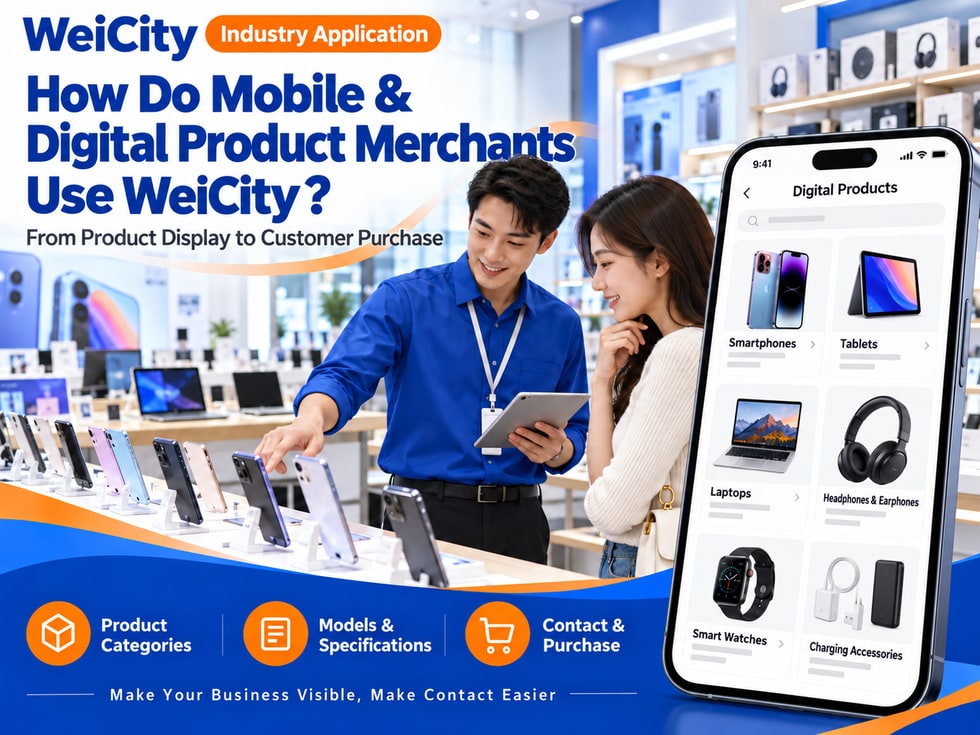
From product display to customer selection
“How many colours does this phone come in?”
“What accessories does this tablet support?”
“Can the earphones connect to my device?”
“Is the computer in stock?”
“After buying, can I get it set up in store?”
When choosing mobile phones and digital products, customers usually pay attention to models, specifications, colours, accessories, stock, and after-sales arrangements. Clear information makes it easier for customers to compare and for merchants to answer enquiries.
💡 With WeiCity, you can set up your own digital product channel and organize product categories, model descriptions, and purchase notes, so customers can learn about products first and then contact you to confirm stock and purchase methods.
✅ Mobile phone and tablet stores
Display the mobile phones, tablets, and related accessories you actually sell.
✅ Computer and laptop merchants
Introduce computer models, specifications, colours, and purchase methods.
✅ Digital accessory retailers
Display chargers, earphones, keyboards, and other accessories.
✅ Wearable device merchants
Organize information on smartwatches, fitness bands, and related products.
✅ Photography and audio-visual equipment stores
Introduce cameras, microphones, lighting, or equipment you actually supply.
✅ Smart home device merchants
Display the connected devices and accessories you actually sell.
📌 Introduce products according to your actual scope of business. Do not describe repair, setup, or after-sales services that you do not provide as store services.
You can organize products by type:
🔹 Mobile phones and tablets
Categorize by brand, series, or model.
🔹 Laptops and computer equipment
Display product categories, main specifications, and accessories.
🔹 Earphones and speakers
Explain connection methods, compatible devices, and product models.
🔹 Charging and connectivity accessories
Introduce port types, power ratings, or compatible range (subject to product information).
🔹 Smartwatches and wearable devices
Organize styles, colours, and compatibility information.
🔹 Photography and audio-visual products
Display cameras, microphones, mounts, and lighting products.
🔹 Keyboards, mice, and office accessories
Categorize by connection method, size, or purpose.
💡 Products in the same series can be introduced together so customers can easily compare models and configurations.
Recommended to specify:
✅ Brand and model
✅ Colours and product configurations
✅ Storage capacity or main specifications (fill in according to product information)
✅ Ports and connection methods
✅ Compatible devices or system versions
✅ Accessories included in the package
✅ Warranty and after-sales inquiry methods
✅ Selling unit and how stock is confirmed
✅ Purchase or in-store pickup arrangements
✅ Whether setup services are actually provided
🔶 Example: wireless earphone introduction
Brand and model: fill in according to the product label.
Connection method: subject to manufacturer information.
Compatible devices: list the compatibility information officially provided.
Package contents: state whether a charging case, cable, or other accessories are included.
Colours and stock: contact the merchant to confirm the current options.
After-sales: explain according to the product warranty terms and sales policy.
📌 Features may differ between models, regional versions, and system versions; please refer to the information for the corresponding product.
It is recommended to prepare:
🔹 Overall product photo
Show appearance, colours, and packaging.
🔹 Model and specification labels
Help customers verify the specific product.
🔹 Port and button details
Show connection positions and design features.
🔹 Accessories and package contents
Explain what items are actually included.
🔹 Multi-colour comparison images
Use similar lighting to make comparison easier.
🔹 In-store product or display photos
Let customers see how products are displayed and the in-store shopping environment.
📌 Images should match the actual model and version. If you use illustrations, state that they may differ from the physical product.
You can ask customers to provide:
1️⃣ Device brand and model
For example, mobile phone, computer, tablet, or another device.
2️⃣ Accessories to connect
Explain whether they want earphones, chargers, keyboards, or other products.
3️⃣ Port or connection requirements
If unsure, they can provide a photo of the device port.
4️⃣ Usage scenario
For example, office work, study, travel, or home use.
5️⃣ Existing product information
If they have old accessories, they can provide the model or a photo of the label.
📌 Compatibility should be confirmed based on the specific models, ports, and manufacturer information of the device and accessory. Do not judge by appearance alone.
Recommended to specify:
✅ Prices matched to models and configurations
✅ Whether prices differ by capacity or colour
✅ Items included in the package
✅ Whether items are in stock or need to be ordered
✅ Eligibility conditions and deadlines for promotions
✅ Whether appointments or in-store item holds are supported
✅ Delivery fees and pickup methods
✅ How to enquire about returns, exchanges, and warranties
🔶 For example:
“This price corresponds to the model and configuration in the product description. For color, stock, promotions and warranty details, please contact the merchant to confirm before ordering.”
📌 Product displays in this channel do not represent real-time stock or the latest prices. Please reconfirm before purchasing.
You may specify:
🔹 Whether the warranty is provided by the brand, distributor or store
🔹 Which document determines the warranty period
🔹 Which proofs of purchase the customer should keep
🔹 Who to contact for repairs or warranty enquiries
🔹 Whether accessories and main units are subject to different terms
🔹 The actual conditions for returns and exchanges
🔹 Whether in-store setup or data transfer services are offered
💡 Explaining product warranty, in-store after-sales service and additional services separately helps customers understand what to expect after purchase.
📌 Warranty and return/exchange conditions should be explained according to the formal terms and store policies.
If the store actually provides related services, you may list:
✅ The types of devices covered
✅ The conditions that old devices must meet
✅ The valuation method and final confirmation process
✅ The scope included in data transfer services
✅ The data customers need to back up themselves
✅ How personal accounts and passwords are handled
✅ Whether an appointment is required and any extra fees
📌 Before handling old devices or personal data, explain the scope of the service to the customer and protect their privacy.
🔹 About Us
Introduce the store, scope of business and opening hours.
🔹 Mobile phones and tablets
Organize products by brand, series and model.
🔹 Computers & Digital Devices
Showcase laptops, audio-visual and photography products.
🔹 Accessories
Organize by port, connection method and usage scenario.
🔹 New Arrivals & Promotions
Explain applicable models, promotion conditions and validity period.
🔹 Purchase & After-Sales Notes
Summarize stock confirmation, warranty and return/exchange methods.
🔹 In-Store Visits & Contact
Provide the address, opening hours and contact details.
💡 To start, you can first include the main product categories, representative models and how to check stock, then gradually add detailed specifications.
🔶 Customer asks: “Does this phone come in other colors?”
You can reply:
“Hello, we have model and color information available here. Please let me know the color and configuration you want, and I can help confirm current stock and prices.”
🔶 Customer asks: “Can this accessory connect to my tablet?”
You can reply:
“Please provide your tablet's brand and model, or take a photo of the port and product label, and we will check compatibility against the specific specifications.”
🔶 Customer asks: “Can you help set up the computer after I buy it?”
You can reply:
“Please tell me the model you plan to buy and what you need set up, and we will confirm the services the store actually provides, the arrangements and the fees.”
1️⃣ Basic store information
Name, address, business hours, and contact information.
2️⃣ Main Product Categories
Start by organizing the phones, computers and accessories customers ask about most often.
3️⃣ Representative Product Information
Prepare clear models, specifications, colors and packaging images.
4️⃣ Compatibility & After-Sales Information
List how to verify accessories, how to check warranty and the return/exchange arrangements.
5️⃣ Stock & Purchase Guide
Tell customers how to confirm availability, prices and collection methods.
✅ Are the brand, model and version accurate?
✅ Are the specifications and compatibility details supported by evidence?
✅ Do the images correspond to the actual products?
✅ Is the package content listed?
✅ How are stock and prices confirmed?
✅ Are the warranty and return/exchange conditions clear?
✅ Is customers' personal information handled properly?
✅ Are the shop address and contact details correct?
Once product images, specification details and purchase notes are organized in the channel, they can be used for daily replies, in-store promotions and customer enquiries.
Customers can browse different categories first, then provide the model, configuration and usage needs they want; merchants can then continue to confirm compatibility, stock, prices and after-sales arrangements.
Want to learn how to set up a merchant channel for mobile phones and digital products?
Feel free to contact us through the official WeiCity channel contact details, and we can organize display content suitable for your store together.
WeiCityMake your business visible and your contact easier.