

10 How to Share Your Restaurant's Online Ordering Link? Methods for WhatsApp, Social Media, and QR Codes
Place your ordering entry point in the communication and promotion channels customers use often, so they can easily find the menu after seeing your dishes.
How can food and beverage merchants share their online ordering link? This article explains how to share the Online Ordering entry point from your WeiCity merchant channel on WhatsApp, social media, store profiles, and QR code materials, and describes what information to include when publishing, helping customers move from seeing dish content to browsing the menu and understanding ordering arrangements.
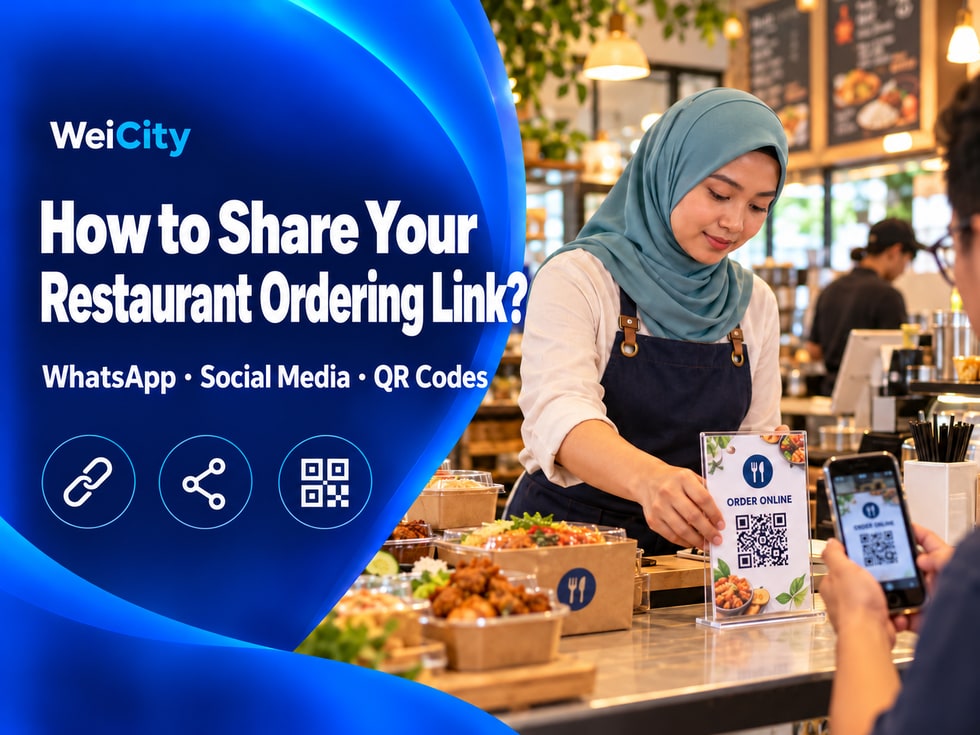
After a restaurant posts photos of its signature dishes on social media, interested customers may next ask: "Where is the menu? How do I order?"
If menu images, prices, and ordering instructions must be resent every time, the merchant has to reply repeatedly, and customers have to search across different messages.
📱 Merchants can share the Online Ordering entry in their WeiCity channel with customers so they can view dish information and ordering instructions, then continue ordering in the way the page provides.
Before sharing, browse the Online Ordering page once from the customer's perspective to confirm that menu information and ordering instructions are ready.
✅ Dish information: Names, images, and prices are accurate.
✅ Flavors and add-ons: Extra charges and selection instructions are clear.
✅ Delivery and pickup: Minimum delivery order, delivery area, or pickup arrangements match actual conditions.
✅ Reservation times: Reservation dates and pickup time instructions are not out of date.
✅ Availability status: Dishes that are temporarily unavailable have been updated to show their sales status.
Clear page information helps customers understand the menu and ordering method more easily after opening the link.
📌 Before sharing, it is recommended to open the link once on your phone to confirm that customers see the correct Online Ordering page.
When a customer asks about the menu on WhatsApp, you can share the ordering link with a short explanation.
For example:
🍽️ To view the full menu and dish introductions, open this link:
🔗 [Insert merchant channel or Online Ordering page link]
🥡 The page contains dish information and pickup instructions. Feel free to browse first and then choose.
Merchants can also prepare simple replies based on different customer questions.
💬 Hello! Welcome to view our online menu.
🍽️ You can browse dish photos, prices and descriptions, then choose the dishes you like.
🔗 Online menu: [Insert Online Ordering link]
💬 Hello! Our delivery area and related Online Ordering conditions can be viewed on the page.
🔗 Online Ordering page: [Insert Online Ordering link]
📍 To confirm whether your address can be delivered to, please feel free to contact us.
When sharing a link, make sure customers open the correct merchant channel or Online Ordering page.
If customers ask about the delivery area, pickup time or special requests, add further explanation based on the actual situation.
Social media posts can introduce the highlights of your dishes, while the Online Ordering link provides the next step.
When publishing dish content, you can organize the text in this order:
📸 Dish photo: Show the dishes you actually offer.
📝 Dish description: Briefly explain the highlights, flavors or set meal contents.
💰 Dish price: State the selling price or applicable conditions.
🕒 Availability: Explain the serving hours, reservation or pickup requirements.
🔗 Online Ordering link: Guide customers to view the full menu.
For example:
🍗 What's for lunch today?
Pan-fried chicken chop rice served with white rice, seasonal vegetables and house special sauce, making lunch choices easier.
💰 Set price: RM18.
🕒 Serving hours: 11:00 AM to 3:00 PM.
🔗 View the full menu and Online Ordering instructions: [Insert Online Ordering link]
📌 The above prices and times are for example only. Merchants should replace them with their actual availability information.
Every post should match the dish information on the page, so customers are not surprised by different prices or availability when they open it.
In addition, different social media platforms may display and handle links differently.
For example, links in regular Instagram posts usually cannot be clicked directly. Merchants can guide customers to use the link in their profile instead.
📱 Social media helps customers discover your dishes, while the Online Ordering link helps them continue to view the menu and place orders.
Customers may get to know your restaurant through different channels.
In daily operations, merchants can choose suitable channels to share the Online Ordering entry.
📌 Facebook Page: Place it in the About section, a pinned post or an appropriate page link location.
📌 Instagram Profile: Add the Online Ordering entry to the profile link.
📌 WhatsApp Business: Share the menu link in your business profile or frequently used replies.
📌 WeiCity Merchant Channel: Guide customers to the Online Ordering page within dish introductions and promotional articles.
📌 In-store promotion: Place QR codes on menu cards, table tents or promotional materials.
📌 Regular customer notices: Share menu updates or festive reservation information when appropriate.
For example:
When customers see photos of your signature dishes on Facebook, they can follow the guidance in the post to reach the Online Ordering page.
When customers ask about the menu via WhatsApp, merchants can also send the same Online Ordering entry directly.
🔗 A clear Online Ordering entry can connect different promotional channels and make it easier for customers to find the full menu.
Specific placement should suit your business operations, and you should regularly check that the link still works.
If you turn the Online Ordering link into a QR code, place it where customers can easily scan it.
For example:
🏪 At the store cashier counter.
🍽️ On table tents on dining tables.
📋 On paper menus.
🥡 On promotional stickers on takeaway packaging.
📣 On restaurant flyers or posters.
It is best to add a short line next to the QR code so customers know what will open after scanning.
🍽️ Scan to view the online menu
Browse dish photos, prices and descriptions.
🍱 Scan to view dishes and set meals
Learn about the dishes and set meal contents currently available.
🥡 Scan to view takeaway pickup arrangements
Learn about pickup methods and related Online Ordering instructions.
✅ Scan the QR code with a mobile phone.
✅ Confirm that it opens the correct Online Ordering page.
✅ Check that the menu images and text are clear.
✅ Confirm that the page displays properly on mobile phones.
✅ Check that the printed QR code size is easy to scan.
📌 A QR code is only a way to enter the Online Ordering page. What matters most is that customers can clearly find the menu and ordering instructions once it opens.
If you share a link on its own, customers may not know what is inside.
When sharing a link, you can include information related to the current promotion.
🔸 Menu content: Is this the full menu or a specific set meal page?
🔸 Serving hours: Which time periods does the dish apply to?
🔸 Reservation conditions: Is advance reservation required?
🔸 Pickup method: Is it takeaway pickup or delivery?
🔸 Related fees: Is there a minimum order amount, delivery fee or other conditions?
For example:
📱 Wondering what's good to eat today?
Welcome to view our online menu!
🍗 Browse dish photos and descriptions.
💰 View dish prices and add-on fees.
🥡 Learn about self-pickup and delivery arrangements.
🔗 Click to view the menu: [Insert Online Ordering link]
🍱 Festive gathering, check out the set meals in advance!
Welcome to browse our festive set meals and Online Ordering instructions.
📋 View what the set meal includes.
💰 Learn about prices and reservation conditions.
🕒 Confirm available reservation dates and pickup arrangements.
🔗 View set meals: [Insert Online Ordering link]
Do not leave out important restrictions in posts, and do not write offers or availability information that differs from the actual menu.
After the menu is updated, published posts, frequently used replies and promotional materials may still show old information.
Merchants can regularly check the following:
✅ WhatsApp frequently used replies: Is the menu link still correct?
✅ Pinned social media posts: Do prices and availability notes need updating?
✅ Dish promotional content: Is it still promoting dishes that have been discontinued?
✅ Festive reservation information: After the reservation dates end, have the related contents been adjusted?
✅ In-store QR codes: Do they still open the correct page when scanned?
For example:
If the lunch set changes from RM15 to RM18, merchants should not only update the online menu but also check whether recent promotional posts still show the old price.
If a festive set meal is no longer accepting reservations, related promotional notes should also be updated promptly.
Even when a link can still be used, keep an eye on whether the menu and notes on the page have been updated.
Helping customers move from seeing dishes to following the link to the menu and ordering instructions is an important step in online promotion for restaurants.
By sharing the Online Ordering entry in the WeiCity merchant channel, merchants can bring customers from social media, WhatsApp and in-store promotions to the menu page.
This not only reduces the need to repeatedly send menu materials, but also makes it easier for customers to view dishes, learn prices and continue ordering.
For food and beverage merchants, the Online Ordering link is more than just a web address. It is the entry point that connects promotional content with customers' ordering actions.
🔗 First copy and check your Online Ordering link, then place it where customers can see it most easily.
🌐 WeiCity | Help nearby customers discover your restaurant, from seeing delicious food to viewing the menu and continuing to order.