

5 What Is an Article Table of Contents For? Help Readers Find Key Points Quickly
Divide longer content into clear sections so customers can find service information, steps, and FAQs as needed.
A table of contents helps readers understand the structure of an article before finding the sections they are interested in. When organizing long WeiCity articles, clear subheadings, logical section order, and accurate section names make service guides, instructions, and FAQs easier to find. How the table of contents is generated and how jumping works depend on the features provided on the current page.
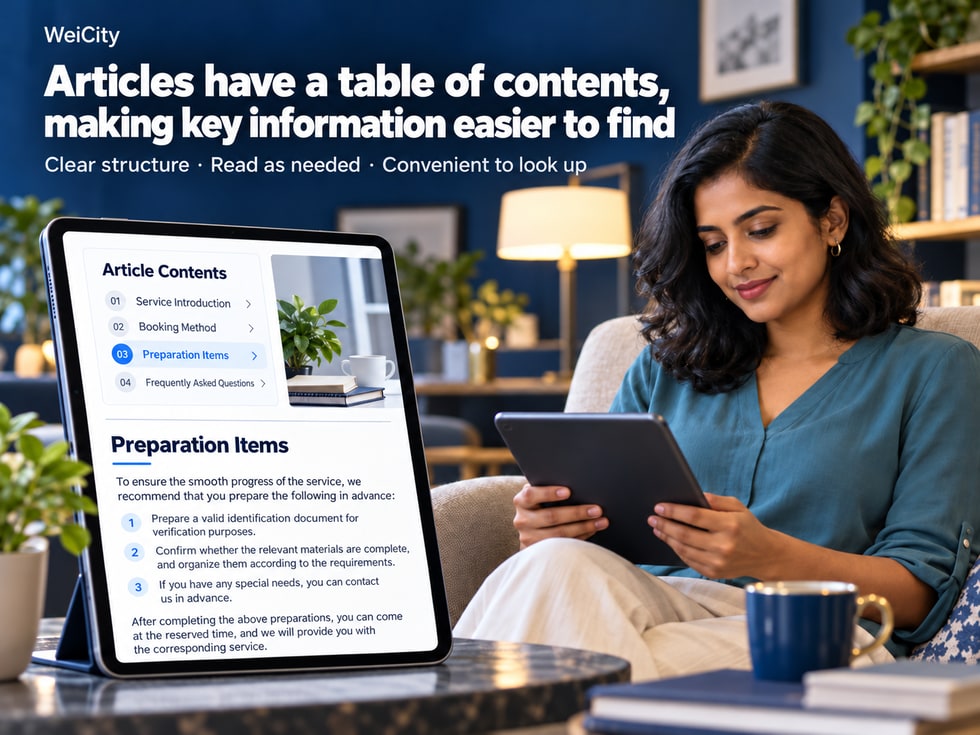
A complete merchant article may contain many different kinds of content.
For example, a photography studio publishes "A Guide to Booking Your First Photography Service," and the article may also introduce:
📸 What photography services are offered?
📅 How do I book a shooting time?
👕 What should I prepare before the shoot?
📍 Where is the studio located?
💰 How are shooting fees calculated?
📦 How are photos delivered after they are completed?
❓ Can I change the date after booking?
For customers who are meeting the merchant for the first time, they may want to read from the beginning to fully understand the service.
But for customers who have already booked, they may only want to quickly find "What should I prepare before the shoot?"
If an article is very long, customers have to keep scrolling down to find the relevant information.
The WeiCity article table of contents helps readers first see which chapters an article includes, then find the content they need.
For merchants, a clear table of contents not only improves the reading experience but also helps organize the article's structure, making service introductions, operating guides, professional knowledge, and frequently asked questions easier to manage.
This article introduces the purpose of the table of contents, article types that suit it, chapter heading settings, heading levels, mobile reading checks, and how to maintain the table of contents after an article is updated.
A table of contents (TOC) is a list of content arranged according to the chapters of an article.
It lets readers understand the main structure of the whole article before reading it in full.
For example, a merchant service guide may include:
🏪 1. Service Overview
👤 2. Who the Service Is For
📅 3. How to Book
📋 4. Materials to Prepare
🛠️ 5. Service Process
💰 6. Pricing Information
❓ 7. Frequently Asked Questions
When readers see these chapter names, they can get a general idea of which questions the article answers.
Without reading the full text first, you can see what the article covers.
For example:
To learn how to book, look for the booking chapter.
To learn about fees, look for the pricing information.
First-time readers can start from the beginning.
Customers who are already familiar with the service can go straight to the chapters they need.
When customers open the article again, they do not need to reread all of it.
Long articles require constant scrolling on mobile phones.
A clear table of contents helps readers judge where content is located first.
If the current WeiCity article page provides a clickable table of contents, readers can use it to go to the corresponding chapter.
Whether automatic generation, clickable navigation, and other features are supported should be confirmed on the actual page.
📌 The main purpose of an article table of contents is to show readers where content is, rather than requiring everyone to read from start to finish.
Not every article needs a table of contents.
If an article has only a few paragraphs, clear subheadings are usually enough.
But if an article covers several separate topics, a table of contents is more useful.
Suitable for content that includes:
Service content.
Intended readers.
Booking process.
Preparation required.
Pricing details.
Frequently asked questions.
For example:
🛠️ Complete Guide to On-Site Repair Services: Service Scope, Booking Process and What to Prepare
Suitable for content that needs to be completed step by step.
For example:
🛍️ What to Confirm Before Buying Products? Specifications, Quantity and Delivery Guide
Suitable for answering several questions in one place.
For example:
📅 Photography Booking FAQ: Dates, Packages, Preparation and Photo Delivery
Suitable for explaining several related concepts.
For example:
🏡 Small Office Renovation Guide: Space Planning, Furniture Selection and Budget Preparation
Suitable for explaining:
Promotion dates.
Event location.
How to register.
Eligibility requirements.
Precautions.
Suitable for content that includes:
Course content.
Learning objectives.
Intended readers.
Class schedule.
Materials to prepare.
Suitable for introducing:
Product specifications.
Installation steps.
How to use.
Maintenance notes.
Frequently asked questions.
For example:
A short business hours notice.
A simple event announcement with only two key points.
A brief new product introduction.
These types of content usually do not need deliberately added sections.
📌 A table of contents is most useful when an article is long and readers may only need part of it.
How useful a table of contents is depends largely on its section names.
If headings are too vague, readers may see the table of contents but still not know which section to open.
Other notes.
More information.
Important information.
Friendly reminder.
Related matters.
These names are not wrong in themselves, but they may not help readers judge what the content covers.
📅 How to Book a Service?
📋 What should I prepare before making an appointment?
💰 How Are Service Fees Calculated?
📍 Studio Address and Parking Information.
📦 How Are Products Delivered or Collected?
🔄 Can the Time Be Changed After Booking?
For example:
“Booking Method”
Compare:
“Before You Start”
is easier to understand.
For example:
How far in advance do I need to book?
Avoid using too many internal terms.
Table of contents names should be concise.
Put detailed explanations in the body text.
For example:
The section heading is “Delivery Methods”.
The body text should then explain the actual delivery arrangements.
Do not include unrelated brand stories in it.
A bakery preparing to publish:
🎂 Complete Guide to Custom Birthday Cakes
Suggested table of contents:
🎂 1. Which Cake Styles Can Be Chosen?
📏 2. How to Choose the Cake Size
🍰 3. What Flavors and Pairings Are Available?
📅 4. How Far in Advance Should Orders Be Placed?
💰 5. How Is the Price Calculated?
📦 6. How to Collect the Cake
❓ 7. Frequently Asked Questions About Custom Cakes.
When customers see the table of contents, they can quickly tell which part to read.
📌 A good table of contents heading lets readers roughly know what a section will answer without first reading the body text.
Before building a table of contents, it is recommended to first decide the order of content across the whole article.
This is because the table of contents should reflect the article's actual structure, rather than splitting it into sections just to add more.
For example:
🏡 What Should Be Prepared Before Ordering Custom Furniture?
For example:
Space dimensions.
Furniture purpose.
Design style.
Material selection.
Budget.
Delivery and installation.
It is recommended to start with the customer preparation stage, then move on to the selection and confirmation stage.
For example:
📐 1. Measure the Furniture Placement Space.
🏡 2. Confirm the Furniture Purpose.
🎨 3. Choose Styles and Design Themes.
🪵 4. Understand Materials and Care Methods.
💰 5. Organize Budget and Consultation Materials.
🚚 6. Confirm Delivery and Installation Arrangements.
Each section should focus on its corresponding topic.
For example:
“How to Measure Furniture Size”
and:
“Furniture Size Measurement Methods”
If the content is almost the same, it does not necessarily need to be split into two sections.
Because customers usually read by gradually understanding what they need as they go.
For example:
First, learn about the product.
Then, confirm the specifications.
Next, ask about the price.
Finally, arrange the purchase and delivery.
If the order of the article is close to the actual process, readers will understand it more easily.
📌 Arranging the body structure first and then building the table of contents can reduce duplicate sections and make the article easier to maintain later.
Articles usually contain headings at different levels.
For example:
Main article title.
Main section headings.
Subheadings within a section.
Regular body text.
These elements serve different purposes.
Used to state the topic of the entire article.
For example:
📸 Complete Guide to Booking a Photography Service for the First Time
If WeiCity already provides a separate article title field, there is usually no need to repeat the exact same main title in the body text.
Used to separate the main parts of the article.
For example:
I. What Does the Photography Service Include?
II. How to Book a Shoot?
III. What Needs to Be Prepared Before the Shoot?
Used to explain specific items within a section.
For example:
Under “What Needs to Be Prepared Before the Shoot?”:
1. Clothing Preparation
2. Makeup Arrangements
3. Shooting Location
Used to explain detailed content.
If the table of contents is generated based on heading formats, the editor may need to recognize the true heading hierarchy.
Simply making ordinary text bold or larger may not allow the system to recognize it as a table of contents item.
Main sections should use a consistent heading format.
Secondary content should use the next heading level.
Regular explanations should stay in body text format.
Do not set an entire paragraph as a heading.
Different rich text editors may create tables of contents in different ways.
Some generate them automatically based on headings.
Some require manual setup.
Some only provide subheadings within the article, without an automatic table of contents feature.
📌 Clear heading levels not only make it easier to build a table of contents, but also make the whole article easier to read.
Some article tables of contents not only display section names but also offer click-to-jump functionality.
For example:
When the reader clicks:
III. What Needs to Be Prepared Before Booking?
the page moves to the corresponding section.
This approach is common in longer articles.
Check whether WeiCity's current article page provides this feature.
Confirm that each item corresponds to the correct section.
If the table of contents can be clicked, check whether it reaches the target location.
Confirm that the section heading is not covered by elements at the top of the page.
Normal display on a computer does not mean the phone display will be exactly the same.
You can still use clear subheadings to organize the article.
If the editor supports manual anchor links, you can also create section links based on the actual features available.
However, do not assume that every editor provides anchor functionality.
📌 Even without click-to-jump, clear section headings still help readers understand the article's structure.
Many customers browse merchant articles on their phones.
Therefore, the table of contents should not only consider how it looks on a computer.
For example:
“Booking Method”
They are usually easier to scan than a long detailed paragraph.
Do not add a large number of sections without practical purpose just to make the article look complete.
Overly long titles may take up many lines on mobile phones.
If the table of contents supports jumping, make sure it is easy to tap.
After jumping, readers should be able to clearly see the corresponding title.
The table of contents should fit the width of a mobile screen.
For example:
The table of contents reads:
📅 How to Book a Service?
The body should first explain how to make a reservation, rather than first introducing a large amount of unrelated content.
A beauty center publishes a lengthy service guide.
The customer has already booked and only wants to confirm what to prepare before the visit.
If the table of contents is clear, customers can more easily find the corresponding section.
📌 A mobile table of contents should be concise and clear, so customers can browse quickly rather than adding a new reading burden.
For merchants offering professional services, the table of contents can follow the customer's process from learning about the service to completing a booking.
🧹 Complete Guide to In-Home Cleaning Services: Service Scope, Booking and Preparation
Suggested table of contents:
🏪 1. What Cleaning Services Are Offered?
👤 2. Who Are These Services Suitable For?
📍 3. Which Areas Are Covered by the Service?
📋 4. What Should Be Prepared Before Booking?
📅 5. How Is the Cleaning Time Arranged?
🛠️ 6. What Is the Service Process?
💰 7. How Are Fees Calculated?
❓ 8. Frequently Asked Questions.
Customers who are learning about the service for the first time usually need to confirm the scope of the service first.
Customers who have already decided to book may be more interested in preparation and timing arrangements.
At the end of the article, you can explain how to contact the merchant based on the contact features actually provided.
📌 The table of contents for a service article can follow the customer's process of learning, comparing, booking and preparing.
For merchants with many product specifications, customers may want to quickly find size, price and delivery information.
🏡 How to Choose a Storage Cabinet? A Guide to Size, Material and Purchase Preparation
Suggested table of contents:
📦 1. What Types of Storage Cabinets Are There?
📏 2. How Should You Measure Your Space Before Buying?
🪵 3. What Are the Characteristics of Different Materials?
🎨 4. How Should You Choose Color and Style?
💰 5. What Factors Should Be Considered for Price?
🚚 6. How Do You Confirm Delivery and Installation?
🛠️ 7. Daily Use and Maintenance Methods.
❓ 8. Frequently Asked Questions.
🏡 Furniture stores.
🛠️ Hardware stores.
🔌 Electrical appliance stores.
🎨 Home goods stores.
📦 Equipment suppliers.
Help customers find information according to their stage of purchase.
For example:
When still comparing, check the materials.
When preparing to buy, check the dimensions.
After purchasing, check the maintenance instructions.
📌 Product articles can arrange the table of contents around the process of selection, confirmation, delivery and use.
Restaurant merchants may also need to publish lengthy explanations.
For example:
Guide to using the online menu.
Explanation of dish selection.
Reservation and pickup arrangements.
Rules for participating in promotions.
🍽️ What Do You Need to Know for Your First Online Order? Menu, Options and Pickup Instructions
Suggested table of contents:
📋 1. How Do You View the Online Menu?
🥘 2. What Categories of Dishes Are There?
🌶️ 3. How Do You Understand Flavor and Add-on Options?
💰 4. How Do You Confirm Dish Prices?
📅 5. Do You Need to Reserve in Advance?
🛍️ 6. What Pickup Arrangements Are Available?
🚚 7. Is Delivery Available?
❓ 8. Frequently Asked Questions.
Merchants should write this based on the features and services actually provided.
If delivery is not offered, do not describe delivery as an existing service.
Because different customers may have different needs.
For example:
Customers ordering for the first time want to understand the complete process.
Customers who have already chosen their dishes may only want to confirm the pickup time.
📌 The table of contents for a dining article can help customers quickly find information about the menu, ordering and pickup.
Education and training articles usually need to explain a lot of content.
For example:
Course goals.
Intended readers.
Learning arrangements.
Teaching methods.
Preparation required.
Frequently asked questions.
🎓 What Should You Know When Learning About a Course for the First Time?
Suggested table of contents:
📚 1. What Does the Course Mainly Cover?
👤 2. Who Is the Course Suitable For?
🎯 3. What Does the Course Aim to Help Learners Master?
📝 4. What Does the Course Content Include?
📅 5. How Is the Class Schedule Arranged?
📋 6. What Should Be Prepared Before Registering?
💰 7. Fees and Related Arrangements.
❓ 8. Frequently Asked Questions.
The table of contents can also follow the order in which readers understand the topic.
For example:
First, explain the basic concepts.
Then, introduce common situations.
Next, explain practical applications.
Finally, summarize the points to note.
Because some readers already understand the basics and only want to look up a specific question.
A table of contents can help them quickly find the corresponding section.
📌 The table of contents for a knowledge article should follow the order in which readers understand the topic, rather than simply pursuing a larger number of sections.
FAQ articles may contain many questions.
If all questions are listed in a row, readers may need to keep searching.
For example:
Do I need to book in advance?
Can I change the date?
How are fees calculated?
Is a deposit required?
What specifications are available?
How can I collect the item?
Do you offer delivery?
How is the delivery time confirmed?
For example:
Before purchase.
During the purchase process.
After purchase.
After-sales inquiries.
For example:
Can I change the time after booking?
How do I arrange pickup after purchasing a product?
What items are included in the service fee?
If there are many questions, you can group them by type first.
If there are few questions, you can use the specific questions directly as titles.
If two questions have essentially the same answer, consider merging them.
📌 The goal of an FAQ table of contents is to help customers find answers faster, not to make the list of questions look longer.
After a merchant article is published, it may continue to be adjusted.
For example:
Adding new service items.
Changing the booking process.
Deleting outdated information.
Add common questions.
These changes may affect the table of contents.
If the article adds a major new topic, check whether the table of contents includes a corresponding title.
If a title in the body changes, confirm that the table of contents name matches.
If a service has been discontinued, check whether the related table of contents items need to be removed.
If the order in the body changes, the table of contents should also be adjusted accordingly.
If the table of contents supports tap-to-jump, retest it.
Confirm that the updated table of contents is still easy to read.
If the system generates the table of contents automatically from titles, check the generated result after making changes.
If the table of contents must be maintained manually, update the table of contents text and related links at the same time.
Follow how the current editor actually handles this.
📌 The body and the table of contents should remain consistent, so customers do not tap a table of contents item and fail to find the matching content.
For merchants who want to introduce their business through articles, a clear article structure also helps organize content.
The article title explains the main content.
Subheadings help readers understand the different parts.
Each section revolves around the same main topic.
For example:
What do I need to prepare for an appointment?
How do I choose product specifications?
How are service fees calculated?
Help readers continue to find related materials.
Make sure the page content and navigation are easy to use.
If a webpage correctly uses semantic heading structure, it can help assistive reading tools and search engines understand the page hierarchy.
However, a table of contents by itself does not guarantee an SEO ranking factor.
Search performance is also affected by page indexing, content quality, website technology, and other factors.
📌 A table of contents serves readers first; a clear section structure also helps express the article's topic.
After finishing the article, it is recommended to check it from the reader's perspective.
Does it include the main sections that actually exist?
Do they clearly describe the corresponding content?
Are they kept consistent?
Does it match the main text?
If supported, does it go to the correct position?
Can you see the section heading?
Does it truly answer the question posed by the heading?
Is the table of contents easy to browse?
Does the revised table of contents display correctly?
Confirm that the latest changes have been saved and published according to the actual process.
First, confirm the structure on the editing page.
Then, check using the preview feature (if available).
Finally, open the public article and check the table of contents and sections as they actually appear.
📌 Whether a table of contents is truly useful should be judged by whether customers can quickly find content.
An article table of contents is a list of content arranged by section, helping readers understand the article's structure.
No. Shorter articles usually work well with clear subheadings alone.
For example, long service guides, operation tutorials, knowledge articles, and FAQs.
Refer to the table of contents features actually provided by the current article editor.
If the current page supports section jumping, you can use it according to the actual feature.
This may be related to heading format, table of contents settings, or how the editor recognizes headings.
Not necessarily. Some editors require the use of true heading formats.
There is no fixed number; it should be decided based on the article's content.
Not necessarily. Headings should be clear and concise to allow quick browsing.
You may use them appropriately based on how they actually display, but they should still be accompanied by clear text.
A clear and concise table of contents usually helps mobile reading, but you still need to check the actual display.
This depends on the current table of contents feature; check the actual result.
Yes, to avoid items that have no corresponding main text.
A clear content structure helps express the article's topic, but it cannot guarantee search rankings.
You can use clear subheadings, sensible paragraphs, and a logical section order.
📌 The value of a table of contents depends on whether the article's structure is clear and whether readers can easily find what they need.
If you are preparing a longer merchant article, you can use a simple method.
For example:
📸 Complete Guide to Booking a Photography Service for the First Time
For example:
What services do you provide?
How do I make an appointment?
What do I need to prepare?
How do I deliver photos?
For example:
📸 1. Introduction to Photography Services.
📅 2. Appointment Process.
👕 3. Shoot Preparation.
📍 4. Arrangements for the Day.
📦 5. Photo Delivery.
❓ 6. Frequently Asked Questions.
Each section should provide practical explanations.
Confirm the section order, headings, and jump effects.
Do not split the same question into many similar sections just to increase the number of table of contents entries.
Also, do not set all ordinary body text as headings.
📌 Establishing a clear section structure first, and then building a table of contents based on the features WeiCity currently provides, is an easier method to master.
Merchants publishing long articles usually want to introduce a business more completely.
However, being complete does not necessarily mean being easy to read.
For customers who are getting to know you for the first time, they may want to understand all of the content.
For customers who are already familiar with the business, they may only want to quickly confirm one detail.
For example:
📅 Booking Method.
📋 Preparation Items.
💰 Pricing details.
📍 Store Location.
📦 Product Delivery.
❓ Frequently asked questions.
The table of contents helps readers know what the article contains.
Clear section names help readers judge where content is located.
The main text is responsible for explaining the actual content.
If the page supports jumping, it can make browsing even more convenient.
Readers do not need to read from the beginning every time.
Merchants can check and update materials section by section.
The value of a WeiCity article table of contents is that it keeps longer articles organized with a clear reading structure.
Customers can look for answers according to their own needs.
For merchants, service processes, product descriptions, preparation items, and frequently asked questions can be organized more clearly.
Not every customer needs to read the entire article.
They only need to be able to find the parts they need.
📑 The table of contents provides direction.
📝 Subheadings distinguish topics.
📄 The main text explains the content.
🔗 Jump features make finding information easier.
📱 A clear structure also makes mobile reading easier.
Start with a long article: first organize the questions customers care about most, then arrange the section order and headings.
Help first-time readers easily grasp the overall picture, and help returning readers find answers faster.
Specific table of contents features, automatic generation, heading levels, section jumping, and editing and publishing functions are subject to WeiCity's current actual pages and the features available in your account.
👉 Open WeiCity: https://wei.city/