

How Hotels and Guesthouses Can Use WeiCity: From Room Showcase to Guest Bookings
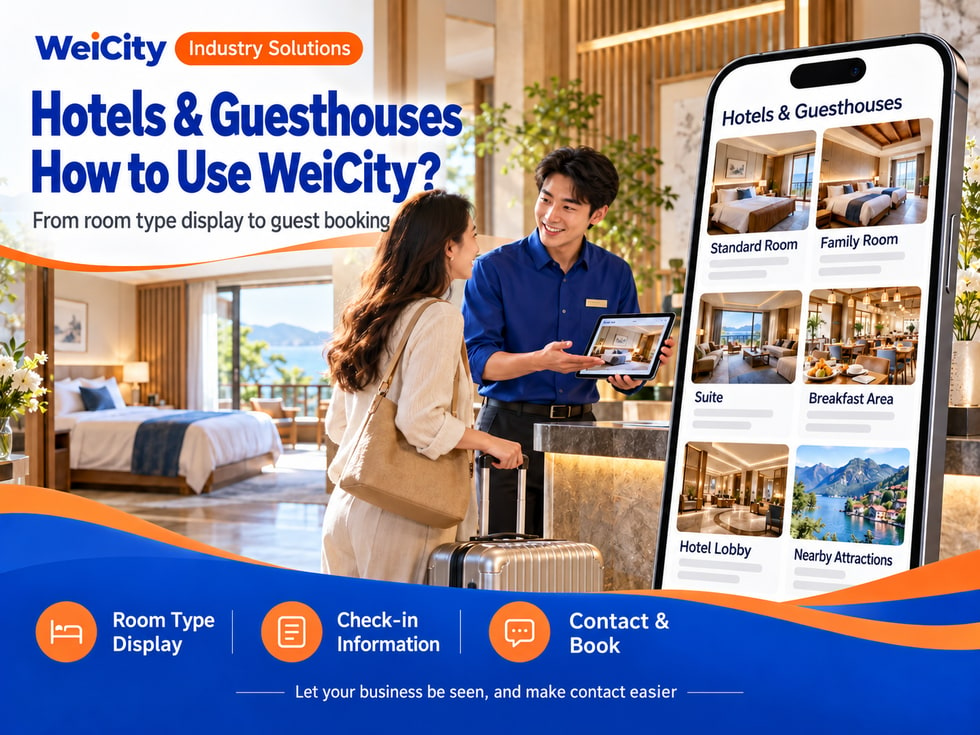
Bring together room types, facilities, check-in guidelines, and contact information so guests can more easily understand accommodation options and ask about availability.
How can hotels, guesthouses, serviced apartments, and short-term rental operators use WeiCity? Build a merchant channel that makes it easy for travelers to browse accommodations, understand check-in arrangements, and contact you, using room photos, facility descriptions, nearby information, and booking guides.
“How many people can this room accommodate?”
“Is there a parking space for the room?”
“Can I check in early?”
“What restaurants and attractions are nearby?”
“Are there any vacancies next month?”
When looking for accommodation, travelers care about room types, facilities, check-in rules, location and transport, and actual bookable dates, not just price and photos.
💡 With WeiCity, you can build your own accommodation channel and organize room information, facilities, and booking instructions, so travelers can learn about your stay first and then contact you to confirm dates and arrangements.
✅ Hotels and innsShowcase room types, public facilities, and accommodation services.
✅ Guesthouse operatorsIntroduce rooms, whole-unit stays, and check-in guidelines.
✅ Serviced apartment providersExplain room layouts, shared facilities, and how check-in works.
✅ Holiday homes and short-term rental operatorsPresent spaces, suitable occupancy, and the surrounding environment.
✅ Hostels and backpacker accommodationIntroduce room options, common areas, and accommodation rules.
✅ Accommodation management and reception service providersOrganize the accommodation management, reception, or supporting services actually provided.
📌 Use real property information and photos in your channel, and clearly state who handles bookings and check-in communication.
You can organize them by room type and accommodation space:
🔹 Single or double roomsIntroduce bed types, room size, and suitable occupancy.
🔹 Family roomsExplain bed arrangements and suitable number of guests.
🔹 Suites or apartmentsShowcase bedrooms, living rooms, kitchens, and other spaces.
🔹 Shared rooms or bedsExplain the number of people per room, beds, and shared facilities.
🔹 Whole guesthouse unitsIntroduce the property space, number of rooms, and scope of use.
🔹 Long-stay accommodationIf actually offered, explain the applicable period and how to make inquiries.
💡 Beyond room names, list beds and occupancy so travelers can quickly judge whether a room is suitable.
Recommended to specify:
✅ Room type and room number (if applicable)
✅ Room size (if information is available)
✅ Bed types and number of beds
✅ Recommended occupancy
✅ Bathroom and kitchen setup
✅ Air conditioning, Wi-Fi, and other facilities
✅ Whether breakfast or housekeeping is provided
✅ Accessibility or floor-related information (if applicable)
✅ How to book and check vacancies
🔶 Example: Double room introduction
Room type: Fill in the actual room category.Beds: Specify bed type and quantity.Occupancy: List the applicable number of guests.In-room facilities: Introduce the equipment actually provided.Check-in arrangements: Explain check-in and check-out times.Booking method: Contact the operator to confirm dates, room rates, and availability.
📌 Facilities and services should reflect what is actually provided. If certain services require reservation or an extra fee, this should also be explained in advance.
It is recommended to prepare:
🔹 Overall room photosShow the spatial layout and main furniture.
🔹 Bed and rest area photosDisplay bed types, bedding, and the actual space.
🔹 Bathroom photosHelp travelers understand the bathroom and shower facilities.
🔹 Kitchen or dining area photosIf the accommodation actually provides them, show them clearly.
🔹 Common area photosFor example, lobby, lounge, pool, or fitness areas.
🔹 Entrance and building exterior photosHelp travelers identify the property's location.
🔹 Surrounding environment photosShow nearby transport, shops, or attractions.
📌 Photos should correspond to the actual rooms and facilities. If the layout or view differs between rooms, state which room type each image represents.
You can organize:
🔹 Full address and map location
🔹 Nearest transport stops
🔹 Parking options and parking availability
🔹 Nearby convenience stores, restaurants, and daily amenities
🔹 Nearby main attractions or activity venues
🔹 General way to get there from major transport hubs
🔹 Contact and wayfinding information before check-in
💡 Providing a clear address and directions to arrive helps travelers plan their transport in advance.
📌 Distances and travel times are affected by routes and time of day. If you provide time references, state that they are estimates only.
Recommended to specify:
✅ Room type and occupancy that the rate applies to
✅ Whether pricing is per night or by another unit
✅ Whether weekends, holidays, or peak seasons have different rates
✅ Whether taxes, breakfast, or cleaning fees are included
✅ Whether a deposit is required
✅ Cancellation, date change, and refund rules
✅ Arrangements for extra guests or extra beds
✅ How to check availability and confirm prices
🔶 For example:
“Room rates are confirmed based on check-in date, room type, and number of guests. Please provide your check-in and check-out dates, number of guests, and room preference, and we will reply with current availability and charges.”
📌 Listings in the channel do not necessarily reflect real-time availability. After you submit an inquiry, wait for the operator to confirm booking status and final charges.
1️⃣ Check-in and check-out datesSpecify exact dates to make it easier to check availability.
2️⃣ Number of guestsInclude the number of adults and children.
3️⃣ Room type neededState the bed type, number of rooms, or whether a whole unit is required.
4️⃣ Special requestsFor example, parking, cot, or accessibility needs (if any).
5️⃣ Contact detailsSo the operator can reply with booking information.
6️⃣ Expected arrival timeLet us know in advance if it affects check-in handover.
📌 Whether a booking is confirmed depends on the operator's explicit confirmation and the actual payment or booking process.
Suggested items to organise:
🔹 Check-in and check-out times
🔹 How to request early check-in or late check-out
🔹 Front desk reception or self check-in process
🔹 How to collect keys or access cards
🔹 How to get in touch for evening arrivals
🔹 Tasks to complete at check-out
🔹 Whether luggage storage is available
🔹 Emergency contact methods during the stay
💡 If self check-in is used, you can provide step-by-step instructions and send necessary access information after the booking is confirmed.
📌 Do not post door lock codes, guest personal information, or other sensitive check-in information on public channels.
You can list:
✅ Whether smoking is allowed
✅ Whether pets are allowed
✅ Quiet hours and visitor arrangements
✅ Requirements for using kitchens or shared facilities
✅ Parking and waste disposal methods
✅ Cancellation, date change, and refund rules
✅ Deposit and damage handling methods
✅ Applicable occupancy limits
📌 Rules should be concise and clear, and consistent with actual operating arrangements. For special circumstances, ask travelers to contact you to confirm before booking.
🔹 About the AccommodationIntroduce the operator, accommodation type, and target guests.
🔹 Room Types and RoomsOrganize photos, beds, and facilities by actual room type.
🔹 Public FacilitiesShowcase the spaces and equipment travelers can use.
🔹 Location and TransportProvide the address, parking, and nearby information.
🔹 Check-in GuideOrganize check-in, check-out, and accommodation rules.
🔹 Booking and Availability InquiriesExplain the dates and number of guests travelers need to provide.
🔹 Nearby RecommendationsIntroduce nearby attractions, dining, and shops that are actually accessible to visitors.
💡 When you are just getting started, you can first add accommodation introductions, room type details, location, and booking methods, then gradually add nearby information.
🔶 Guest asks: "Do you have any vacancies next month?"
You can reply: "Hello, please tell me your check-in and check-out dates, the number of guests, and the room type you would like. I will check current availability and prices for you."
🔶 Guest asks: "Is there parking at the room?"
You can reply: "Here you can find information about the accommodation facilities and parking. Please let me know your expected arrival time and whether you are driving, and we will confirm the parking arrangements."
🔶 Guest asks: "Can I check in early?"
You can reply: "Early check-in depends on how rooms are prepared on the day. Please tell me your booking date and expected arrival time, and we will confirm whether it can be arranged."
1️⃣ Basic accommodation informationName, address, contact details, and type of business.
2️⃣ Room type and facilities overviewOutline beds, guest capacity, bathroom, and in-room amenities.
3️⃣ Authentic accommodation photosCapture clear images of rooms, entrances, public areas, and the surroundings.
4️⃣ Booking and check-in instructionsExplain to guests how to check availability, confirm orders, and complete check-in.
5️⃣ Accommodation rules and fee informationOutline charges, cancellation arrangements, and check-in requirements.
✅ Are the room types, beds, and guest capacity accurate?
✅ Do the photos match the actual rooms?
✅ Are the facilities marked with what is actually provided?
✅ Are the address, parking, and transport instructions clear?
✅ How are room rates, taxes, and other charges confirmed?
✅ Does availability need to be reconfirmed?
✅ Is the check-in method safe and easy to understand?
✅ Are the contact details and booking rules correct?
After you add room photos, facility information, and booking guidance to your channel, you can use them for everyday replies, accommodation promotion, and guest inquiries.
Guests can browse room types and accommodation information first, then provide dates, number of guests, and needs; businesses can then continue to confirm availability, fees, and check-in arrangements.
Want to learn how to set up a hotel or guesthouse merchant channel?
Please contact us through the WeiCity official channel, and we can work together to organize display content suited to your accommodation business.
WeiCityMake your business visible and your contact easier.