

5 How to Choose Between Paid Articles and Video Series: Decide Based on Content Format
Organize knowledge that needs to be read into text, and demonstrate steps that need to be observed through video
Planning to publish paid content on WeiCity? Should you choose articles or video series? This article explores the suitable scenarios for both formats from the perspectives of knowledge presentation, demonstration of operations, readers' reading habits, and production preparation. Through practical examples, it helps creators choose the right way to present their content.
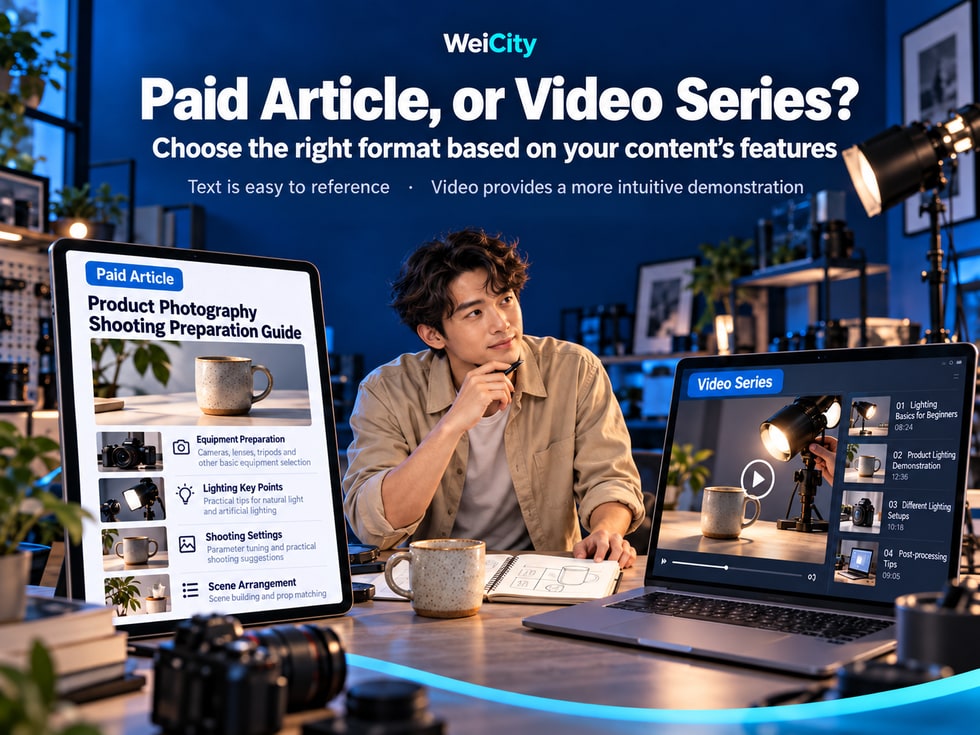
You have professional knowledge, teaching experience or practical skills and want to turn them into paid content, but you're unsure whether to write articles or produce videos?
For example:
📸 Should a photographer who wants to share product photography techniques write an illustrated guide or record a lighting demonstration?
🍰 Should a baking instructor who wants to teach cake making compile a complete recipe or film the production process?
🎨 Should a designer who wants to explain color matching write a professional article or create a hands-on video?
🧵 Should a craft creator who wants to share making techniques use written steps or let users follow along with a video?
💻 Should a software instructor who wants to teach Excel operations provide an illustrated tutorial or record a screen lesson?
All of this knowledge can be presented in different formats, but different formats are suited to solving different problems.
The core difference between WeiCity paid articles and video series is not just text versus visuals, but how users need to understand, learn and use this knowledge.
Articles are suited to detailed explanations, organized materials and repeated reference.
Videos are suited to showing movements, operating processes and continuous changes.
Some topics suit only one format, while others can be complemented by a combination of articles and videos.
This article explains how to choose a suitable WeiCity paid content format based on knowledge type, learning goals, production conditions and user needs, and how to plan a clear content scope and purchase instructions.
Before producing paid content, it is not recommended to start by deciding:
“I will write ten articles.”
Or:
“I will film twenty video episodes.”
More importantly, first answer:
After learning this content, what do users want to understand, or what are they able to try to accomplish?
Different learning goals suit different ways of expression.
For example:
What needs to be prepared before shooting?
What materials are needed to make a cake?
What product information needs to be organized to open an online store?
This content is usually suited to articles.
Because users can quickly find the items they need.
For example:
Why do product photos show reflections?
Why did the bread fail to rise?
Why are plant leaves turning yellow?
These questions can be explained through articles, images and case analysis.
For example:
How to hold a craft tool?
How to use a paintbrush?
How to adjust a photography light?
This content is usually better suited to videos.
For example:
Complete a craft piece.
Make a loaf of bread.
Operate design software.
These topics can be taught through step-by-step videos that help learners understand the actual process.
Take product photography as an example:
📝 Which tools need to be prepared before shooting?
Suited to a written checklist.
🎬 How to move the light to change product shadows?
Suited to video demonstration.
📌 When choosing a content format, first consider how users can learn most conveniently, rather than which format the creator prefers to produce.
When knowledge can be explained clearly mainly through written explanations, image comparisons, checklists and case analysis, a paid article may be considered.
The advantage of articles is that users can read at their own pace and look up materials again when needed.
Suited to explaining:
Basic knowledge.
Professional terminology.
Judgment methods.
Common principles.
For example:
📸 What is the difference between natural light and artificial light in product photography?
Suitable for organizing:
Tools.
Materials.
Steps.
Inspection items.
For example:
🍰 What materials and equipment need to be prepared before baking?
Suitable for explaining:
Case background.
Problems encountered.
Judgment process.
Handling methods.
Experience summary.
For example:
🏡 Small-Space Storage Planning Case: How Can You Arrange a Limited Space?
Suitable for topics that benefit from images but do not necessarily require continuous demonstration of actions.
For example:
🪴 Potting Preparation Guide for Repotting Plants: Pots, Potting Soil, and Drainage Checks
Suitable for in-depth explanations of one specific question.
For example:
☕ Beginner's Guide to Grind Size and Brewing Methods for Pour-Over Coffee
Suitable for answering questions that users ask often in one place.
For example:
💻 Common Excel Data Organization Problems and How to Handle Them
For example:
Software feature descriptions.
Operating procedures.
Tool selection guide.
Industry materials.
Articles are usually easier to revise by paragraph, without re-recording an entire video.
Specific editing and update methods are subject to WeiCity's actual features at the time.
📌 Knowledge that needs to be read, compared, looked up, and referred to repeatedly can be prioritized as paid articles.
When users need to observe movements, sounds, rhythm, or continuous changes, video is usually more intuitive.
Especially hands-on practical knowledge.
For example:
Leather cutting.
Basic stitching.
Punching techniques.
Finishing edges of projects.
Video can show tool positions, hand movements, and the order of operations.
For example:
Brush techniques.
Watercolor color mixing.
Line practice.
Color layering.
Video can show changes during the painting process.
For example:
Kneading movements.
Dough shaping.
Cake frosting.
Ingredient preparation.
Video can help users observe actual operations and the state of ingredients.
For example:
Moving light sources.
Shooting angles.
Camera settings.
Composition adjustments.
Video can show how different settings change the image.
For example:
Excel function instruction.
Design software operation.
Video editing.
File management.
Through screen recording, users can observe the specific locations of actions and the order of execution.
For example:
Pour-over water pouring.
Milk foam making.
Equipment operation.
Coffee brewing process.
Users need to:
👀 See movements clearly.
🔊 Hear sounds.
⏱️ Observe changes over time.
🛠️ Follow steps while operating.
🔄 Rewatch a specific technique repeatedly.
For example:
When users need to find a specific number, they may have to repeatedly drag the playback progress bar.
If a course includes lengthy tool lists, material ratios, or detailed instructions, consider organizing that information separately as text.
📌 For knowledge that requires observing actual processes, video can be prioritized; for content that requires looking up specific information, articles can supplement it.
The comparison below can help creators choose a content format.
| Comparison Item | 📝 Paid Articles | 🎬 Video series |
|---|---|---|
| Main format | Text, images, and instructions | Video, sound, and demonstration |
| Suitable content | Concepts, analysis, checklists | Movements, operations, processes |
| Learning style | Reading on one's own | Learn by following along on screen |
| Looking up information | Usually more convenient | May require finding the matching segment |
| Showing movements | Requires image support | Can be demonstrated directly |
| Content revisions | Usually easier to edit text | Some content may need to be re-recorded |
| Production preparation | Writing, illustration, proofreading | Filming, audio recording, editing |
| Device requirements | Text editing and image processing | Photography, audio recording, or screen recording |
| Common Uses | Professional guides, case analysis | Skills instruction, hands-on demonstrations |
If users mainly need:
"Understanding the instructions"
Consider an article.
If users mainly need:
"Seeing how it is done"
Consider a video.
If users need both:
"Understanding the principles + following along with operations"
Consider combining an article with a video.
A short professional guide may still have very high practical value.
A very long video is not necessarily more suitable for users than a clear written explanation.
📌 The content format should serve knowledge delivery, rather than judging value by length or production complexity.
Different formats can be planned separately according to content needs.
However, the distinct role of each should be clearly defined.
For example:
📸 Mobile Product Photography Instruction
This can be divided into the following content.
Suitable for an article.
Main content:
Shooting tools.
Background selection.
Product cleaning.
Shooting checklist.
Suitable for video.
Main content:
Lighting setup.
Shooting angles.
Composition adjustments.
Reflection control.
Actual shooting.
Suitable for text materials.
Main content:
Product condition.
Background check.
Lighting check.
Photo clarity.
Image organization.
Suitable for illustrated articles.
Main content:
Different product materials.
Common shooting problems.
Before-and-after adjustment comparison.
Because articles and videos solve different problems.
Articles help users prepare and look up information.
Videos help users observe and practice.
Cases help users understand practical application.
If the article and video content overlap significantly, the differences should be clearly explained.
For example:
The paid article includes complete written steps and images.
The paid video includes actual operation demonstrations.
First confirm the products, content, and purchase methods WeiCity currently supports, then accurately explain which items are included after purchase.
📌 The same topic can use different formats, but each type of content should have a clear purpose and scope.
Suppose you are a photographer who wants to share product photography tips for small merchants.
You can first define the learning goals.
Help merchants who are just starting to run online stores understand basic product photography preparation and try shooting products with simple equipment.
Online store operators.
Small retail merchants.
Beginners in photography.
Content creators.
📸 Product Photography Preparation Guide: Tools, Backgrounds, and Shooting Checklist
Content includes:
Preparing a phone or camera.
Choosing a shooting background.
Product cleaning.
Basic tools.
Pre-shoot checks.
💡 Common Product Photography Problems: Reflections, Shadows, and Background Handling
Content includes:
Causes of reflections.
Observing shadows.
Background issues.
Case analysis.
Improvement suggestions.
🎞️ Introduction to Mobile Product Photography: From Lighting Preparation to Actual Shooting
Course contents:
🎬 01 | Course introduction and learning goals.
🧰 02 | Preparing shooting tools.
🏠 03 | Arranging the shooting space.
💡 04 | Understanding light direction.
📷 05 | Adjusting shooting angles.
🖼️ 06 | Actual product shooting.
🔍 07 | Common problems and adjustments.
🏁 08 | Completing a set of product photos.
You can choose:
How to Use Natural Light by the Window to Observe Product Shadows?
Let users first understand the teaching style and actual demonstrations.
Clearly state separately:
What the article includes.
What the video includes.
Whether each is sold separately.
Whether there is a bundle purchase arrangement.
Whether additional materials are included.
Users can choose according to their needs.
People who only want to look up materials may consider articles.
People who need to observe operations may consider videos.
People who want to learn systematically can choose suitable content based on the plans actually offered.
📌 Not every user needs to buy the same content. Different learning needs should each have a clear option.
Baking is a topic that works well when articles and videos are combined.
Some knowledge needs to be looked up, while some steps need to be observed.
Ingredient list.
Ingredient ratios.
Tool preparation.
Baking temperature notes.
Common causes of failure.
Storage methods.
Kneading movements.
Dough shaping.
Cream frosting.
Decorating techniques.
Actual making process.
🍞 Basic Bread Preparation Guide
Content includes:
Ingredient list.
Tool preparation.
Production process.
Common precautions.
🍞 Basic Bread Making Lessons
Course contents:
🎬 01 | Getting to Know Ingredients and Tools.
⚖️ 02 | Measuring Ingredients.
🥣 03 | Mixing and Kneading.
⏳ 04 | Fermentation and Checking the Dough's Condition.
👐 05 | Shaping the Dough.
🔥 06 | The Baking Process.
🍞 07 | Checking the Finished Product.
🔍 08 | Common Causes of Failure.
Ingredient preparation checklist.
Making steps.
Frequently asked questions.
If the article and video use different recipes or methods, the differences should be clearly explained.
📌 In baking instruction, text is good for recording reference material, while video is good for showing actual technique. The two can complement each other.
Painting instruction usually involves movement, color, and changes over the course of a process.
For this reason, video is well suited to showing actual painting methods.
However, articles still serve an important purpose.
Introduction to art supplies.
Choosing paints.
Differences between papers.
Basic color theory.
Practice preparation.
Brushwork methods.
Controlling water amount.
Color layering.
Composition demonstrations.
The complete painting process.
🎨 Introduction to Watercolor Landscapes
Article:
📝 Guide to Preparing Watercolor Tools and Materials.
📝 How to Choose Watercolor Paper and Paints.
Video:
🎬 01 | Getting to Know Watercolor Tools.
🎬 02 | Basic Color Mixing.
🎬 03 | Controlling Water Amount.
🎬 04 | Painting the Sky.
🎬 05 | Tree Practice.
🎬 06 | Landscape Composition.
🎬 07 | Finishing the Artwork.
You can choose:
How does the amount of water affect the depth of watercolor color?
Use actual demonstrations to help users understand the quality of the course.
📌 For topics that require observing movements and changes in effects, video is usually more intuitive. Text can help users organize knowledge and prepare materials.
Different content formats have different production processes.
Choose one specific question.
Arrange the main sections.
Explain in the order in which readers will understand it.
Show relevant examples and details.
Make sure the content is accurate.
Make sure it is easy to read.
Explain what the entire course aims to teach.
Break the topic into multiple units.
Avoid missing important steps.
Confirm lighting, framing, and where the actions will take place.
Make sure the explanations are clear.
Reduce unnecessary repetition.
Make sure the course follows the learning process.
Confirm that important details can be seen clearly on a phone as well.
If you are better at writing, you can first complete a well-structured article.
If you are better at live demonstrations, you can first make one complete instructional video.
You do not need to produce many articles and videos at the same time from the start.
📌 Complete one knowledge topic that can be used on its own first, then gradually expand to other content formats.
You cannot simply assume that video is always more expensive than articles.
Nor can you assume that an article should be cheaper just because its production cost is lower.
Pricing should reflect the actual value of the content.
What problem does the content help users solve?
Is it a basic introduction, or in-depth instruction?
Does it include the necessary steps, examples, and explanations?
Does it require extensive filming, editing, or specialized research and organization?
Is it suitable for general beginners or for specific professionals?
Does it actually include templates, checklists, or other files?
Does it include consultation, Q&A, or other support?
A professional case analysis article may require extensive research and organization.
A basic tool introduction video may require only a relatively simple demonstration.
Therefore, the price should not be determined simply because one is a video and the other is an article.
Content format.
Main chapters.
Purchase price.
Items actually included.
Access conditions.
Additional materials.
Applicable refund arrangements.
If an article and a video discuss the same content, the differences should be explained.
📌 Prices should match the scope of the content, the depth of knowledge, and the value actually provided, rather than being determined only by whether the format is an article or a video.
Free previews can help users understand the content before they buy.
However, articles and videos are suited to different preview methods.
You may consider showing:
Article topic.
Intended readers.
Main chapters.
Some examples.
Content scope.
You may consider showing:
The instructor's way of presenting.
Actual demonstration of techniques.
Picture quality.
Course difficulty.
Some teaching content.
For a paid article:
📸 Guide to Handling Reflections in Product Photography
The public introduction can explain:
The article will explain common causes of reflections, shooting problems with different materials, and basic adjustment methods.
For a video course:
🎬 Product Photography Lighting Lessons
The trial can actually show:
How product shadows and reflections change after moving the light.
If an article preview promises detailed examples, the full article should include the related analysis.
If a video trial shows clear instruction, the full course should also maintain a similar level of quality.
📌 The purpose of a free preview is to help users understand the real content before deciding whether to buy.
After content is completed, you should also consider the situations in which users will use it.
Users may need to check:
Tool checklist.
Material specifications.
Preparation required.
In this case, an article may be more convenient.
Users may need to:
Pause the video.
Observe movements.
Replay sections.
Practice along.
In this case, a video may be more suitable.
For example:
Ingredient ratios.
Order of operations.
Precautions.
Articles are usually easier to browse.
For example:
Stitching movements.
Brush angles.
Software operation locations.
Video is usually more intuitive.
Check whether:
The text is easy to read.
The images are clear.
Video details are visible.
It is convenient to pause during operation.
A user is making a handmade leather goods project.
When preparing materials, they may need a written checklist more.
When starting to stitch, they may need a video demonstration more.
After finishing the piece, they may need to review the inspection points again.
📌 Users at different stages of learning may need different forms of content.
If you create both articles and videos at the same time, the most important thing to watch is the scope of each.
A paid article fully explains the same step.
A paid video simply reads the article word for word.
Both are charged separately, but the difference is not explained.
This kind of arrangement may make it hard for users to understand why they need to buy different content.
The article covers:
Knowledge explanation.
Tool checklist.
Case analysis.
Inspection items.
The video covers:
Action demonstrations.
Operation processes.
Practice in practice.
Changes on screen.
Topic:
🧵 Basic Stitching for Handcrafted Leather Goods
Article:
Introduces needle and thread selection, hole spacing, and common problems.
Video:
Demonstrates threading the needle, stitching motions, and finishing techniques.
You can state this clearly in the purchase description.
For example:
"The article and video contain some of the same basic knowledge. The article focuses on written explanations and reference, while the video focuses on demonstrating the actual operations."
📌 Content can complement each other, but the scope of what is charged should be transparent, so users do not mistakenly think they are buying completely different knowledge.
For creators with professional expertise, a free article can first help users get to know the topic.
If users need more in-depth practical demonstrations, you can then provide information about the related course.
For example:
📸 Why do product photos easily show shadows?
Explain how the direction of light relates to shadows.
For example:
Observe where the light source is.
Check the shooting background.
Adjust the direction of the product.
For example:
Basic Mobile Product Photography Video Course
If the WeiCity editor currently supports related links, you can set them up according to the actual features.
The free article helps users understand the basic issues.
The video course further shows the actual operations.
The article itself should also provide genuine and accurate knowledge.
📌 First help users understand the topic through valuable content, then let those who need it learn more about the paid course.
What is the main thing the content helps users understand?
Is it clearly explained?
Article or video?
Are the chapters or units reasonable?
Are they clear and relevant?
Is it easy to understand?
Is it convenient to read or watch?
Does it accurately reflect the full content?
Is it accurate?
Is it clearly stated what is included?
Are the access period and any other restrictions explained?
Does it display correctly with the current features?
For example:
Have a photography beginner read the article or watch the video.
Observe:
Do they understand the topic?
Can they find the materials they need?
Can they see the operations clearly?
Do they know what to do next?
📌 Checking from the user's perspective before publishing can help creators find out whether the content format matches actual learning needs.
Articles mainly explain knowledge through text and images, while videos present content through visuals and sound.
For example, professional guides, operation checklists, case analyses, and organized FAQs.
For example, handicrafts, baking, painting, photography, and software operation.
Yes, but you should clearly explain the scope and purpose of each type of content.
Not necessarily. Pricing should be based on the value, depth, and actual scope of the content.
Not necessarily. When a lot of reference material is needed, an article may be more convenient.
Yes, you can add relevant images using the current editing features to help explain the content.
If the topic includes several related steps, you can consider organizing them in learning order.
Refer to the payment methods WeiCity currently supports, and clearly state the scope of each purchase.
First confirm whether the current platform supports the corresponding bundle purchases and access arrangements.
Not necessarily, but an appropriate preview can help users judge whether the content meets their needs.
You can decide based on the type of knowledge, your own production skills, and what your users need to learn.
Yes, it is recommended, because users may mainly read or watch on their phones.
This cannot be guaranteed. Actual performance is affected by factors such as demand for the content, quality, pricing, and promotion.
Invite target users to try it, and observe whether they can understand the content and complete the corresponding learning tasks.
📌 The key to choosing a content format is not which one is more advanced, but which one better suits how users understand and apply the knowledge.
If you have professional experience but have not yet created a paid article or video course, you can start with one clearly defined topic.
For example:
📸 How do I shoot clear photos of small products?
For example:
Small merchants who have just started running online stores.
Do users mainly need reference materials, or do they need to observe operations?
Article.
Video.
Or plan them separately as needed.
List the chapters or video units.
Prepare the text, images, or videos.
Confirm the price, content, and access conditions.
Check the live page according to WeiCity's current features.
You can start by completing:
One complete paid article.
Or:
One beginner video series with a clearly defined scope.
Then decide whether to expand based on user feedback.
📌 Explaining one topic clearly before adding other content formats makes it easier to maintain knowledge quality.
Professional knowledge can be shared in many ways.
Some knowledge suits reading.
Some knowledge suits watching.
Some knowledge requires hands-on practice.
Still other knowledge needs text, images, and video to work together.
Suited to conceptual explanations, professional analysis, and practical checklists.
Suited to action demonstrations, skill teaching, and continuous operations.
First clarify what problem the user needs to solve.
Adjust the depth of content according to the learner's foundation.
Give each article chapter and video unit a clear role.
Help users understand important details.
Accurately explain what readers can get after purchase.
Let users read, watch, and review conveniently.
The value of WeiCity paid articles and video series lies in offering merchants, instructors, and content creators different ways to present knowledge.
For creators, you can choose the format that suits you based on your professional experience and production conditions.
For users, you can choose articles that suit reading, or videos that suit following along and practicing, according to their own learning needs.
Not all knowledge needs to be filmed as a video.
Not all experience needs to be written as a long article.
What matters is first understanding what users need, and then deciding how to express it.
📝 Reference material to be looked up is organized into an article.
🎬 Actions to be observed are made into a video.
📚 Topics that need systematic learning get clearly arranged chapters.
👀 Use previews to help users understand the actual content.
💰 Make the value of your content clear and transparent through explicit purchase instructions.
🌐 Make professional knowledge easier to understand, learn, and use in a format that suits it.
Start with a specific question, choose the method that best helps users understand it, and then gradually build your own professional knowledge content.
Specific paid articles, video series, free previews, bundle purchases, price settings, access permissions, content updates, and publishing features are subject to WeiCity's current live pages and the features available to your account.
👉 Open WeiCity: https://wei.city/