

15 🚀 Don't wait for perfection: complete your first merchant channel version today
⏱️ Spend thirty minutes organizing basic information, uploading real images, and creating your first customer entry point
Many merchants delay launching an online channel because they are waiting for a complete brand design, professional photos, or full product information. In fact, a first version only needs to tell customers who you are, what you offer, where you operate, and how to contact or buy from you. This article provides a thirty-minute quick setup plan to help merchants who already have basic information get a usable channel up first, then improve it gradually as their business develops.
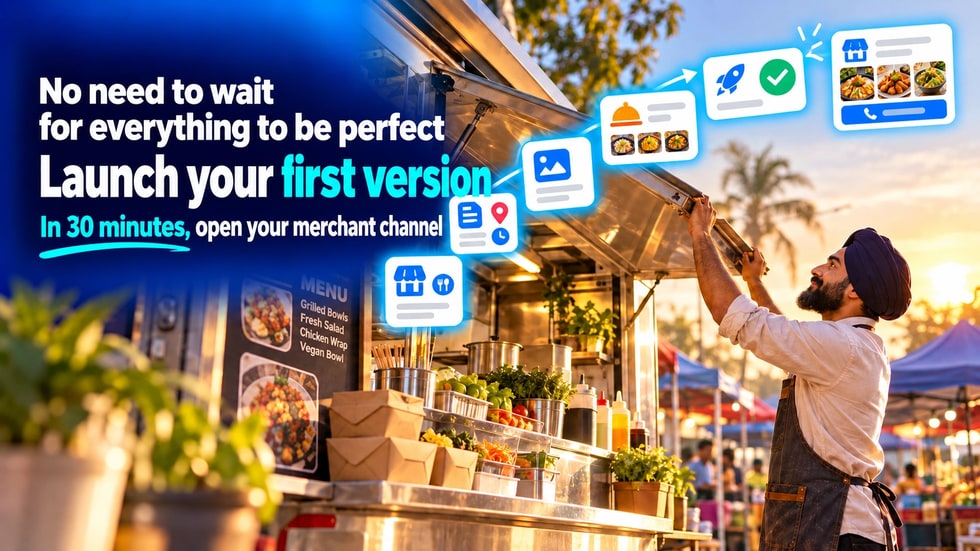
Many merchants know they need an online presence but have never really started.
Common reasons include:
• The logo has not been designed yet
• No professional photos
• Product information is incomplete
• Not sure how to write the business introduction
• Worried the first version will not look perfect enough
• Wanting to wait until every feature is ready before launching
But what customers really need is not a complicated channel with every feature from day one.
What they first need to know is:
• Who you are
• What you offer
• Where you operate
• When you are open
• How to contact you
• How they can buy, book or visit next
As long as this basic information is accurate, clear and usable, your first version of the merchant channel can already start working.
The first version of the channel does not need to display every product or publish a large number of articles.
You can start by completing six basic items:
• A clear merchant name
• A brand introduction that is easy to understand
• Correct address, business hours, and contact details
• A brand avatar or an image representing your business
• Three main products or services
• A clear call to action for customers
When customers enter the channel, if they can learn about the merchant, review the main offerings and complete contact, the first version has already reached its basic goal.
After that, add content step by step based on customer questions and your actual business needs.
If the basic materials are already organized, a simple channel can usually be completed within thirty minutes.
If your materials are not yet complete, you can use the following checklist as a guide for what to prepare. There is no need to enter inaccurate information just to save time.
It is recommended to first create a folder and add:
• Merchant name
• A draft merchant introduction
• Address and business hours
• Phone number or contact details
• Brand avatar or logo
• One image suitable as a cover
• Three to five real business photos
• Materials for three main products or services
• Prices or the way to request a quote
• Delivery, appointment or in-store visit instructions
Once your materials are gathered in one place, you will not need to search through different chat histories and devices when creating the channel.
Start by filling in the most basic merchant information.
• Merchant name
• Main business category
• Contact phone number
• Common contact channels
• City or service area
Try to keep the merchant name consistent with your shop sign, packaging and social media accounts.
Just choose the single most important business category.
If you run multiple businesses, you can add details in the introduction. There is no need to select too many categories at once.
After completing this, check:
• Whether the name has any typos
• Whether the phone number is correct
• Whether the contact details are long-term valid
• Whether customers can quickly tell the type of business
Next, complete the basic information customers look for most often.
You can use the following structure for the merchant introduction:
Who we are + what we offer + where we serve + main features.
For example:
We are a family baking studio located in Penang, offering birthday cakes, dessert gift boxes and custom event orders. Customers can book in advance and choose self-pickup or delivery to designated areas.
Also fill in:
• Physical address or service area
• Business days
• Opening and closing times
• Regular closing days
• Whether an advance appointment is required
• Delivery, self-pickup or home visit arrangements
If you do not have a public storefront, there is no need to enter the full address of a private residence.
You can state your service area and provide necessary materials through an appropriate method after the customer confirms an order.
After completing this, check:
• Whether the address and map location match
• Whether the business hours are still valid
• Whether customers know if they can visit in person or need to book
The first version does not need many images.
Start by preparing the following:
• One brand avatar or logo
• One cover image that represents your main business
• Three to five real photos of products, services or the environment
When choosing images, pay attention to:
• Whether the lighting is sufficient
• Whether the main subject is clear
• Whether the background is tidy
• Whether the image is close to the actual situation
• Whether it includes any material unsuitable for public display
• Whether people shown in the image have given their consent
If you do not have a logo yet, you can first use a clear photo of your shop, products or personal brand.
Do not stop building your channel entirely just because you are waiting for a complete brand design.
You can update your visual content at any time later.
Do not upload all items at the beginning.
First choose the three products or services that are asked about most often, best represent your business, or that you most want customers to know about.
For each item, you can fill in:
• Name
• Short description
• Clear images
• Price or price range
• Main specifications or options
• How to buy, book or inquire
• Important conditions
If the price needs to be calculated based on requirements, you can explain:
The price will be calculated based on size, materials, quantity and completion time. Please contact the merchant and provide relevant details, and we will send a quote after confirmation.
This is clearer than not explaining the pricing method at all.
After completing this, check:
• Whether customers know what each item is
• Whether the images match the actual items
• Whether the price or the way to request a quote is explained
• Whether customers know how to continue
After customers review the information, they need a clear direction for what to do next.
Choose the most important option based on your business:
• Contact the merchant
• View products
• View the menu
• Book a service
• Get a quote
• Visit the physical store
• Add to cart
• Submit the order
Do not add too many competing buttons in the first version.
If online transactions are not yet enabled, you can first provide a clear contact or appointment entry point.
After completing this, test it yourself:
• Whether the buttons open correctly
• Whether the phone number is correct
• Whether messages are sent to the correct account
• Whether customers know what information to provide
Do not rush to add more content in the last few minutes.
First, complete one basic check.
• Whether the merchant name is correct
• Is the introduction easy to understand?
• Are the address and business hours accurate?
• Can the contact details be used?
• Whether the images are clear
• Are the three main products or services complete?
• Do customers know what to do next?
• Is it easy to read when viewed on a phone?
Ask someone who is not familiar with your business to view the channel and answer three questions:
• What does this merchant offer?
• How can I contact or buy?
• Which information is still unclear?
After fixing the most obvious problems, you can publish the first version.
Thirty minutes is only a reference time to help merchants who have prepared their materials get started quickly.
If you need to verify information or retake photos, prioritize accuracy and authenticity. Do not publish wrong information just to move faster.
There is no need to run a large-scale promotion right away.
You can start by sharing the channel with:
• Regular customers who have already purchased
• Customers who have made inquiries before
• Followers on social media
• Friends and partners
• Nearby community
• In-store customers
When sharing, explain what the channel can offer.
Reference content:
We have set up a new merchant channel that brings together our brand introduction, main products, business hours and contact details. You are welcome to take a look, and if anything is unclear, please let us know.
Feedback from the first visitors can help merchants spot issues they may have overlooked.
Day 1
• Check all contact buttons
• Test how it looks on a phone
Day 2
• Add one popular product or service
• Update related images
Day 3
• Publish one brand introduction
• Explain what the merchant offers
Day 4
• Organize one common customer question
• Publish a clear answer
Day 5
• Add the channel link to your social media profiles
• Add a QR code in the store or on packaging
Day 6
• Invite regular customers to browse the channel
• Collect the questions they raise
Day 7
• Correct wrong or unclear information
• Plan the content to add next week
A channel is not a page that stops changing once it is finished.
It should be updated continuously as the business and customer needs change.
A complete trademark design
If you have a clear merchant name and a representative image, you can set up the channel first.
Professional photography
Start with well-lit, authentic and clear images, and update them gradually later.
A full product catalog
Publish three main products or services first.
A very long brand story
Start with a short introduction that explains the business.
All advanced features
Turn on only the entry points you truly need right now.
A perfect content plan
Start by answering one question customers ask often.
Waiting for perfection often leaves a merchant without an online presence for a long time.
Completing a real, accurate and usable first version makes it easier to get practical feedback.
Speed cannot replace accuracy.
Even the first version must avoid the following problems:
• Entering a wrong phone number
• Using expired business hours
• Uploading images unrelated to the actual business
• Publishing prices and terms that have not been confirmed
• Making private addresses or customer information public
• Using exaggerated promises that cannot be proven
• Setting up contact buttons that do not work
• Copying another merchant's introduction
It can be simple, but it must not be wrong.
It can be incomplete, but it must not be misleading.
After the first version is published, customers' actual behavior will show the merchant what to improve next.
If customers often ask for the address, make the location information clearer.
If customers do not understand the differences between products, add a comparison.
If customers do not know how to make a reservation, simplify the action entry point.
If customers repeatedly ask the same question, organize the answer into channel content.
These improvements come from real operations and are more specific than constant guessing before launch.
• Have I prepared the merchant name?
• Can I describe the business in two or three sentences?
• Are the address, business hours and contact details accurate?
• Do I have three to five real images?
• Can I list three main products or services?
• What action should customers take after entering the channel?
If most of your answers are "yes", you already have the basic conditions to set up a first version of the channel.
A merchant channel does not need every feature on the first day.
It can start with basic information, then gradually add products, content, offers, reservations, orders and payment features.
The most important thing is first to create an entry point where customers can find you, get to know you and contact you.
Complete the first version today, and tomorrow you can start improving based on the real needs of your customers.
👉 Get your merchant name, introduction, contact details, real images and three main offerings ready, and start creating your WeiCity merchant channel today.