

2 How to Use a Personal Username Link: Building a Convenient Personal Entry Point for Sharing
Use your WeiCity personal link in everyday communication, so others can more easily view your introduction and contact information
When introducing yourself, you can share your WeiCity personal username link in addition to your name and phone number. This article explains use cases, sharing methods and key checks for personal links, helping you organize your personal information into an online entry point that is easy to pass on, so new friends, clients and partners can get to know you more easily.
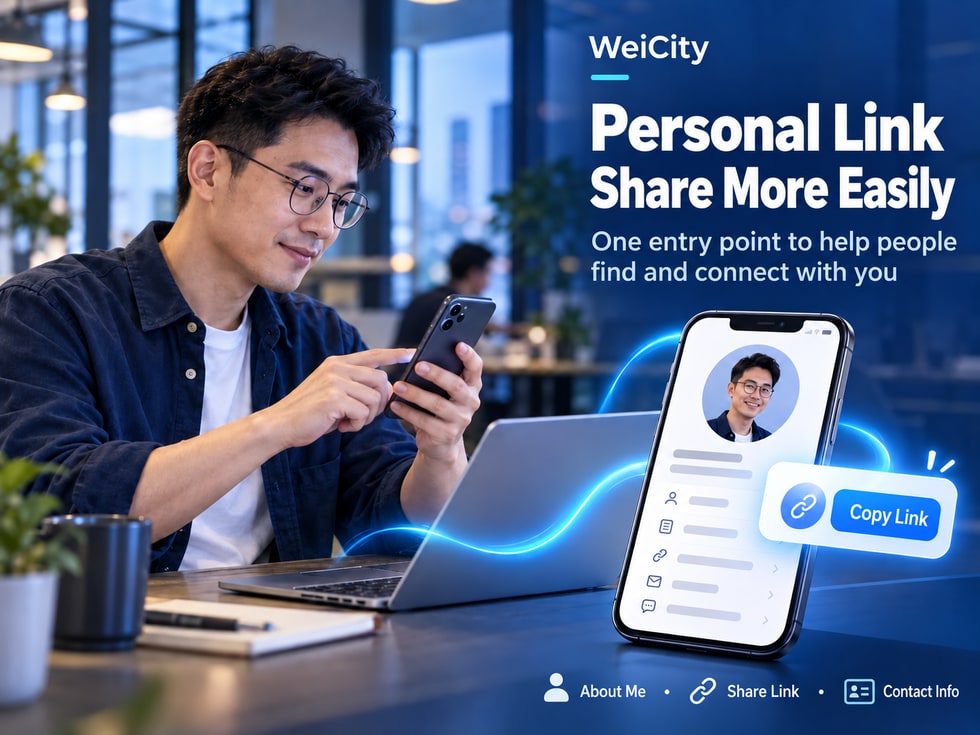
When you meet new contacts, attend business events, or introduce your services to customers, do you often need to repeatedly send your personal information?
For example:
👤 Your name and professional identity.
💼 The business you currently work in.
🏢 The company or brand you represent.
🛠️ The main products and services you provide.
📞 Your phone number and contact details.
🌐 Your personal introduction page.
Re-entering this information each time takes time and may also lead to important details being left out.
After receiving many chat messages, the other person may also need to search through them again when they want to contact you later.
A WeiCity personal username link can serve as an access point to your personal page, allowing others to view the personal information you have already made public through a single link.
For salespeople, freelancers, professionals, and merchant owners, a personal link can be used together with a digital business card, making it easier for people you have just met to understand your identity and find you again when needed.
However, a link that is easy to share does not mean your personal introduction is complete.
Before sharing, you still need to confirm your personal information, visibility settings, contact details, and whether the link is correct.
This article introduces the purpose of WeiCity personal username links, how to share them, practical use cases, and how to use them together with digital business cards and merchant channels.
A personal username link (Personal Username Link) is a web address used to access the corresponding personal page.
Users can open the corresponding WeiCity personal page through the link that is actually provided.
It makes it easier for others to find your personal information.
For example:
After meeting a new customer, they do not need to search for your name again.
After attending a business event, you can provide an easy entry point for viewing your information again.
During online communication, you can use the link to introduce your professional identity.
This depends on the information fields and visibility settings WeiCity currently provides.
This may include:
👤 Name or commonly used name.
📷 Personal photo.
💼 Professional identity.
🏢 Company or brand information.
📝 Personal introduction.
📞 Contact details that are made public.
🔗 Entry points to related information.
Suppose you are a photographer in Penang.
When you first meet a customer, they may only remember your name.
If you provide your WeiCity personal link, they can later use that entry point to view your publicly shared introduction again.
Username: A name used to identify an account or personal identity.
Personal link: A web address used to access the corresponding page.
The exact username format and link structure follow WeiCity's current live pages.
📌 The main value of a personal username link is that it reduces the steps others need to take to find a personal page.
Business communication is not just about exchanging names.
Often, the other person also needs to know:
What services you provide.
Which company you belong to.
Which region you work in.
How they should contact you in the future.
There is no need to re-enter your full personal information every time.
Customers can review your work introduction based on the public page.
Lets the other person check the contact details you have actually made public.
Can be sent through chat messages as needed.
The other person can find the link among messages they received earlier.
A real estate consultant met a potential client at a business event.
After the event, they could send:
“Great to meet you today. This is my WeiCity personal page, which contains my work introduction and contact details so we can stay in touch.”
After receiving the link, the other person understands what this entry point is for.
A clear personal introduction and valid contact details can reduce the need for others to look for information again.
📌 A personal link helps a conversation continue into the future, not just complete a self-introduction in the moment.
Before using your personal link, first confirm the sharing options actually provided on the current page.
Different versions of the interface may vary.
After logging in to WeiCity, go to your personal profile or homepage.
Check whether the page provides:
Share.
Copy link.
Personal homepage link.
Other relevant actions.
If the page provides a copy function, it is recommended that you use it.
Do not guess the URL structure yourself.
You can first paste it into:
Notes.
A chat draft.
Any other convenient place to check.
Confirm that the link opens the correct personal page.
Open the link on your phone to check how it actually looks.
After confirming your information is correct, send it to the relevant contacts.
You can first check whether the personal page has a sharing menu, or whether you can copy the public page address actually shown in your browser.
However, make sure that the address is suitable for public access.
📌 When sharing your personal link, it is recommended that you use the full URL actually provided on the current WeiCity page.
The link is only the entry point.
What really helps others get to know you is the personal information shown after the link is opened.
Use a name that is easy to recognize in your daily work.
Choose a clear and natural photo.
For example:
Photographer.
Property consultant.
Interior designer.
Sales Consultant.
Education consultant.
If you represent a company, you may enter its accurate name.
Use a short description to introduce the services you provide.
If your business is related to a location, you may state your main service area.
Check that phone numbers and email addresses are valid.
Make sure no private information is displayed by accident.
Not clear enough:
"John, providing professional services."
Clearer:
"John, property consultant in Penang, providing advice on residential sales and rentals. Feel free to contact me to learn about property information and viewing arrangements."
Because after clicking a link, users usually want to quickly learn who you are.
If the page information is incomplete, even if the link opens normally, it may not achieve the purpose of introducing yourself.
📌 Organize your personal information first, then share your personal link, so that the link can truly do its job.
A personal introduction does not need to be very long.
It is recommended to focus on three questions.
🛠️ What main services do I provide?
👥 Who are my services suitable for?
📍 In which area do I mainly provide my services?
"Providing family photography, personal portraits and small event photography in Penang. Feel free to contact me to discuss schedules and shoot arrangements."
"Provides consultation on residential property sales and rentals in Penang, helping clients understand property information and arrange viewings."
“Providing brand visual, promotional image and social media design services, helping businesses organise a clear brand image.”
"Selling hand tools, building materials and daily repair supplies. Feel free to ask about product specifications and stock."
"Providing business websites and online content planning services, helping small businesses organize their business introductions and customer contact channels."
Use language that your customers are familiar with.
Prioritize introducing the main business.
Avoid a lot of technical jargon.
Do not exaggerate your qualifications.
Do not list a lot of content unrelated to your main work.
📌 A good personal introduction should let someone opening the link for the first time quickly understand what you can offer.
In Malaysia, WhatsApp is a common everyday communication method.
When sharing your personal link via WhatsApp, it is recommended that you add a short explanation.
Because if you only send a URL, the recipient may not know what the link is for.
"Nice to meet you. This is my WeiCity personal page, which includes my work introduction and contact details for future contact."
"Hello, I mainly provide family photography and personal portrait services in Penang. This is my personal introduction link. Feel free to take a look first, then contact me to discuss shoot arrangements."
"Nice to talk with you at today's event. This is my personal page, so we can stay in touch later."
"Hello, this is my personal introduction page, which includes my professional role and contact information so you can learn about my business."
"Hello, I mainly provide brand design and promotional image production services. This is my personal profile link, so you can check my introduction and contact details."
Simple greeting + personal identity + purpose of sharing + actual link
Nor is it recommended to repeatedly send promotional messages to a large number of contacts without any related communication.
📌 Adding a short note related to the current conversation can make your personal link more natural and easier to understand.
Personal links are not only suitable for sharing in chats.
They can also be used in different online and offline materials, depending on actual needs.
If the platform allows external links, you can include the actual personal page URL.
Can be combined with:
Name.
Job title.
Company name.
Contact information.
A personal link.
Provide a personal information entry point in relevant enquiries.
For example:
Personal profile.
Service description.
Collaboration proposals.
If the event allows it, you can provide the link in the speaker introduction.
Use as a follow-up contact entry in suitable situations.
If needed, you can also include the actual link or a corresponding QR code in promotional images.
Whether the link is complete.
Whether it can be clicked.
Whether it opens normally.
Whether login is required.
Whether it is suitable for public access.
Some platforms allow direct clicking.
Some only display text.
Some may require users to copy it manually.
📌 Personal links suit places where users may need to learn more about you, but check how they actually display and open.
An email signature is a common place for personal introductions in business communication.
If you often contact clients by email, consider adding a personal link.
John Tan
Property Consultant
Penang, Malaysia
Phone: +60 XX-XXX XXXX
WeiCity Personal Profile: actual personal link
The above is only a format example.
Because when clients receive an email, they can see at the same time:
The sender's name.
Work role.
Contact information.
An entry point to the personal profile.
Keep the signature concise.
Avoid a lot of promotional text.
Use the correct link.
Regularly check job titles and company information.
Especially after changing your username or personal page address.
📌 Pairing an email signature with a personal link can make identity introductions in business communication more complete.
WeiCity personal links and merchant channel links can be used for different introduction purposes.
Mainly used to introduce:
Personal identity.
Job title.
Personal profile.
Personal contact details.
Mainly used to introduce:
Merchant brand.
Products and services.
Business information.
Related business content.
Customer action entry points.
The specific content depends on the features actually enabled in the merchant channel.
You are an interior designer who also runs a design studio.
If you want the other party to get to know you personally, you can share your personal link.
If you want customers to view your business content, you can share your merchant channel link.
Provide the corresponding work or business entry point based on the page where the actual content is located.
First ask yourself:
Do I want this person to get to know me, or to learn about my business?
If the focus is personal identity, prioritize the personal link.
If the focus is products, services and the brand, prioritize the merchant channel link.
📌 Choosing the right entry point based on the purpose of the conversation can reduce the steps the other party needs to find information.
A QR code allows people to open the corresponding URL by scanning it.
If the current WeiCity digital business card offers a QR code feature, you can use it according to the actual page.
Business meetings.
Exhibitions and events.
Client visits.
Personal promotional materials.
You are attending a business networking event.
The other party wants to view your personal introduction.
You can display the corresponding QR code based on the actual feature.
After scanning, the other party can try opening the relevant page.
Personal link: Suitable for direct sending or clicking.
QR code: Suitable for face-to-face scanning or printed display.
Whether it points to the correct URL.
The images are clear.
Whether it can be scanned properly.
Whether the page can be opened on a phone.
Whether contact saving is supported depends on the actual QR code content, page features, and phone compatibility.
📌 Personal links and QR codes can be used together, giving both online sharing and offline conversations convenient entry points.
An NFC business card can provide information at close range through a compatible NFC tag and a phone.
If you use a correctly configured NFC business card, you may consider having it point to your personal page link.
You are communicating with a client face to face.
If the other party's phone supports the relevant NFC reading method, the compatible tag can open the designated personal page.
Suitable for face-to-face communication.
No need to type a web address manually.
Can be used together with online personal information.
The phone must support the relevant NFC features.
The tag must be configured correctly.
Reading methods may vary between devices.
Please refer to the products and services WeiCity currently actually provides.
A personal link can serve as the target URL for an NFC tag, but this does not mean the platform necessarily provides physical NFC business card production services.
📌 Combining an NFC business card with a personal link can make it easier to connect offline conversations to online information.
Copying a link does not mean everyone will necessarily be able to view it.
For example:
Some pages may require login.
Some information may be set to private.
The link may be incomplete.
The page may have changed its address.
Confirm that you can reach the correct page.
Confirm that the profile displayed is your own.
Confirm that your name, introduction, and contact details are as expected.
Check how the page appears on a phone.
If conditions allow, test using a private browsing or incognito window.
If the page requires login, first understand the actual way to access it.
Because what you see when logged into your own account may differ from what a stranger sees.
The actual scope of visibility depends on page settings and platform features.
📌 Before sharing, check the link from the recipient's perspective as much as possible, rather than only looking at your logged-in page.
A personal link may be forwarded through chats, social media, or promotional materials.
Therefore, information on a public page should be reviewed.
Use a name that is suitable for public display.
Confirm that you are willing to display it publicly.
Keep it truthful and accurate.
Preferably use a work number.
Use an email address suitable for business communication.
Unless truly necessary, it is not recommended to make it public.
Do not make public sensitive information such as ID card numbers or passport numbers.
Do not publicly display sensitive information such as bank account numbers or passwords on your personal page.
Only make public the information that people need in order to know you and contact you.
Even if it was first sent to only one person, consider that the information may be seen by others.
📌 The easier a personal link is to share, the more care is needed regarding the scope of public personal information.
This depends on WeiCity's current username and link management mechanism.
Do not assume that an old link will automatically redirect to the new address.
It is recommended to obtain your current personal link again.
Open it to confirm whether it still works.
Check the links in your profile introductions.
Avoid continuing to use links that no longer work.
For example:
Collaboration proposals.
Service description.
Personal introduction files.
If a QR code points to the old address, test whether it still works.
If an NFC tag stores the old link, check whether it needs to be reconfigured.
Printed QR codes or URLs may not be directly editable.
Therefore, before large-scale printing, confirm that the link is stable.
📌 After a username or personal link changes, recheck all commonly used sharing locations.
Different entry points solve different problems.
| Feature | Main Purpose | Suitable scenarios |
|---|---|---|
| 👤 Personal Page | Display personal information | Get to know the person |
| 🔗 Username Link | Share the personal page | Chats, email |
| 📲 Business Card QR Code | Scan to access information | Offline conversations |
| 📇 Save Contact | Saves contact information | Stay in touch later |
| 🤝 NFC Business Card | Read the link at close range | Business events |
| 🏪 Merchant Channel | Showcase business and brand | Product and service introductions |
Suppose you are a sales consultant.
Begin with normal conversation.
Let the customer learn about your professional role.
When the customer wants to learn about products or services, share the corresponding business entry point.
Continue the conversation based on the customer's actual needs.
Because customers need different information at different stages.
At the first meeting, they may be more interested in who you are.
When inquiring further, they may be more interested in products and services.
📌 The personal link introduces your identity, and the merchant channel showcases your business. The two can be used together according to customer needs.
Is it accurate?
Is it clear?
Is it correct?
Is it accurate?
Is it easy to understand?
If anything is filled in, is it correct?
Is it valid?
Is it complete?
Does it open normally?
Does it include unnecessary private information?
Is it easy to view?
Are you using a currently valid link?
Send the link to another device of your own, or ask a trusted person to help check it.
Confirm:
The link is correct.
The page can be accessed.
The personal profile is complete.
The contact details are valid.
📌 Before sharing a personal link, complete one practical access test to reduce the inconvenience caused by incorrect links.
A URL used to access the corresponding WeiCity personal page.
It makes it easy for others to view publicly available personal introductions and contact information.
Go to your actual personal page, look for the share or copy link feature, and check the copied result.
Yes, you can send it in suitable communication settings, based on the actual link.
If the relevant social platform allows external links in the profile, you can use it.
Yes, you can add your actual personal link as needed.
No. A personal link focuses on personal information, while a merchant channel link focuses on showcasing business.
You can use a QR code method that points to this link. Specifics depend on the actual features and configuration.
If the NFC tag supports storing the corresponding URL and has been configured correctly, it can be used as the target link.
This depends on the current page's public settings and access conditions.
Not necessarily. Judge based on the actual page and username mechanism.
This cannot be guaranteed, so actual testing is needed.
Whether contact saving is supported cannot be determined from the personal link alone. Refer to the actual page features.
Yes. Public pages should avoid displaying unnecessary private information.
It cannot guarantee anything, but a clear personal profile and an easy-to-share entry point can help people who need you find and contact you more easily.
📌 The value of a personal link is that it makes your information easier for others to find, not that it guarantees sales or customer conversions.
If you are ready to start using your personal link, begin by organizing your information.
Check your name and personal photo.
Describe your main business and service focus.
Make sure your information is accurate and suitable for public viewing.
Use the sharing or copying method provided on the current page.
Confirm that the link opens the correct personal page.
Make sure your information is easy to view.
Write a short introduction suited to the situation in which you are sharing.
Send the link to suitable contacts.
As needed, you can use your personal link for:
WhatsApp.
Email.
Social media.
Business communication.
Event introductions.
Personal promotional materials.
📌 Organize your personal information first, then copy the correct link, and finally share it with a clear introduction.
When you meet new people, reach out to customers, or attend business events, the first conversation is often only the start of building a connection.
The other person may not need your services right away.
But a few days or weeks later, when they have a related need, it is easier to continue the conversation if they can find your personal information again.
Let others know who you are.
Let others understand what kind of business you do.
Provide an easy-to-share entry point to your personal page.
Pass on your information through suitable channels.
Give a first conversation the chance to continue.
Provide a business showcase entry point as needed.
Only make information suitable for external display public.
Keep your personal introduction and link accurate.
The value of a WeiCity personal username link is that it helps individuals, salespeople, freelancers, and merchant owners present their personal information through an easy-to-share entry point.
For people meeting you for the first time, it can reduce the steps needed to search for your name and confirm your identity.
For customers you have already been in contact with, it provides an entry point to view your information again.
For professionals who often introduce their business, it can reduce the need to repeatedly send basic information.
A personal link itself does not need to be complicated.
The key is to:
👤 Clear personal information.
💼 Clearly defined work identity.
📞 The contact details are valid.
🔗 Correct sharing link.
📱 Easy to view on mobile.
🔒 Appropriate visibility scope.
🤝 Include a natural, clear introduction when sharing.
Start by organizing your WeiCity personal page, get your correct personal link, and then share it with suitable people based on the situation.
Help people not only remember your name, but also find you more easily in the future when they need you.
Specific personal usernames, public pages, link copying, QR codes, contact saving, NFC pairing methods, access permissions, and profile update features depend on WeiCity's current actual pages and the features available to your account.
👉 Open WeiCity: https://wei.city/