

5 How Should Phone, WhatsApp, and Other Contact Options Be Set Up? A Customer Contact Guide
Set up phone numbers, inquiry channels, and reply processes clearly so customers can easily take the next step after viewing your channel.
After learning about a merchant, customers need to know whether to call, send a WhatsApp message, use WeiCity Micro-Messaging, or contact the merchant another way. This article explains the purpose of each contact option, how to enter and test phone numbers, reply times, staff responsibilities, and privacy considerations, helping merchants build a simple, effective, and easy-to-manage customer contact process.
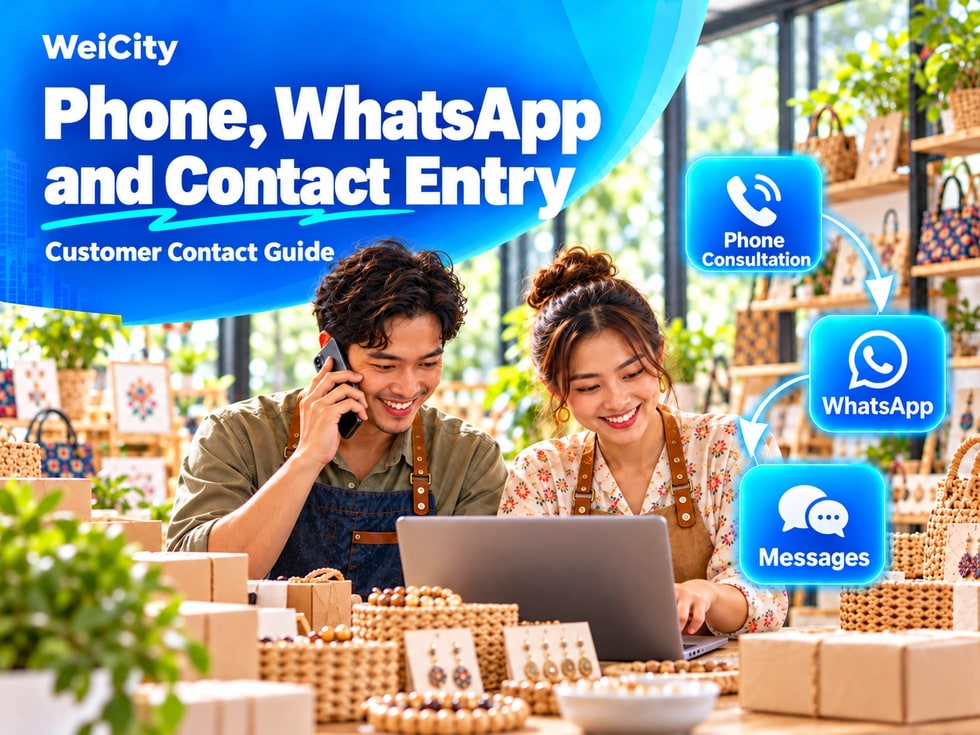
After browsing a merchant channel, customers usually take a next step:
"I want to ask about the price."
"I want to check stock."
"I want to book a time."
"I want to know whether you are open today."
"Should I call, or send a WhatsApp message?"
If the channel does not have clear contact entry points, or the number is entered incorrectly, customers may be unable to continue their inquiry even if they are interested in the product or service.
💡 The key to contact details is not the number of options, but clear entry points that work and that someone is responsible for replying to.
The contact features available may differ by account, plan, and channel. For actual projects, please refer to WeiCity's current pages and official instructions.
We recommend confirming:
✅ The merchant's main phone number
✅ WhatsApp number
✅ The WeiCity message receiving account
✅ The merchant's email address
✅ Booking or inquiry entry points
✅ The person responsible for each matter
✅ Typical reply times
✅ How matters outside business hours are handled
✅ Separate numbers for each branch
✅ Information customers need to provide when contacting you
If the merchant has multiple numbers, first determine the purpose of each number to avoid customers reaching the wrong person.
In the channel, give priority to a number that can be used long-term and that someone answers during business hours.
You can use:
• Store landline• Merchant mobile number• Customer service number• Dedicated booking line• Branch number• After-sales service number
When choosing a number, consider:
✅ Is it a number the merchant will use long-term?
✅ Is someone responsible for answering it?
✅ Will it stop working if an employee leaves?
✅ Is it suitable to make public to customers?
✅ Can it handle customer inquiries?
✅ Is it consistent with other promotional materials?
We do not recommend using a temporary employee's personal number as the main contact entry point.
Before filling in, check:
• Country or region code• Whether the phone number is complete• Whether there are extra spaces between digits• Whether any symbols were entered by mistake• Whether an old number was entered• Whether it is confused with the WhatsApp number• Whether it belongs to the correct branch
If customers may come from different countries or regions, you can use a full format that includes the country code.
For example, Malaysian numbers can usually be entered as:
+60 12-345 6789
The actual display format should follow the formats the page supports.
After saving, personally tap the phone entry to test it and confirm that your phone opens the correct number.
Phone calls are suitable for:
• Urgent or immediate inquiries• Same-day bookings• Confirmation before visiting• Route and entrance questions• Explaining more complex situations• Issues that cannot be quickly resolved by text
If you are busy and cannot answer, explain:
• When calls can be answered• How missed calls will be handled• Whether customers should switch to WhatsApp• What information customers should leave
Sample wording:
"Calls will be answered during business hours. If no one is available, please send your name, the matter you're inquiring about, and a convenient time to contact you via WhatsApp."
WhatsApp is suitable for letting customers:
• Send text inquiries• Provide product photos• Explain service issues• Share locations• Confirm bookings• Ask about stock• Send order details• Save the merchant's contact information
If the merchant uses WhatsApp Business, you can organize the following as needed:
• Merchant name• Profile photo• Description• Business hours• Automatic greeting• Away message• Quick replies• Product or service catalog
This information should be consistent with the merchant name and contact details in the WeiCity channel.
After setup, test the following:
1️⃣ Tap the WhatsApp entry in the channel
2️⃣ Confirm that the correct account opens
3️⃣ Check the displayed merchant name
4️⃣ Confirm the number belongs to the correct store
5️⃣ Send a test message
6️⃣ Check that the merchant receives it
7️⃣ Have the merchant reply to the test message
8️⃣ Confirm the customer can continue the conversation
Common issues include:
• Incorrect country code• Using a number that has been deactivated• Opening an employee's personal account• Confusing the head office and branch numbers• Able to send messages but unable to reply in time• WhatsApp displays a different name from the channel
📌 Every time you change SIM cards, devices, or the person in charge, you should test the contact entry points again.
An automatic greeting should be simple and clear, and tell customers what they need to provide next.
Sample wording:
"Hello, thank you for contacting [Merchant Name]. Please tell us the products or services you're interested in, and provide a convenient date, time, or area. We will reply during business hours."
Food and beverage merchants:
"Hello, thank you for contacting [Merchant Name]. For Online Ordering, please provide the menu item names, quantities, whether you will pick up or want delivery, and the date and time you need."
Service merchants:
"Hello, thank you for contacting [Merchant Name]. Please provide your location, the service you need, related photos, and a convenient time. We will arrange a reply based on your information."
Booking merchants:
"Hello, thank you for contacting [Merchant Name]. Please provide your name, the service you need, and your preferred date and time. All time slots must be confirmed by the merchant before the booking is successful."
Do not add lengthy promotional content to the automatic greeting, or customers may not see the information they actually need to provide.
If the channel provides a WeiCity Message entry, customers can contact the merchant within WeiCity.
Merchants should confirm:
✅ Who receives the messages
✅ Whether appropriate notifications are turned on
✅ How often to check each day
✅ Which questions can be answered directly
✅ Which questions should be passed on to other staff
✅ Whether a unified reply method has been established
If the merchant uses both WeiCity Messages and WhatsApp, explain the purpose of each contact channel.
For example:
“WeiCity Messages is suitable for general enquiries. For order or booking confirmations, please contact us via WhatsApp.”
Do not force customers to resend the same information across multiple platforms.
Email is suitable for handling:
• Formal quotations• Cooperation proposals• Wholesale enquiries• Document submissions• Corporate orders• Course or service materials• Longer project descriptions
It is recommended to use a dedicated merchant email address rather than a staff member's personal email over the long term.
Email addresses should be checked for:
• Correct spelling• Whether someone checks it regularly• Whether the inbox has enough space• Whether the correct merchant name is shown in replies• Whether it can still be managed after a staff member leaves
You may specify:
“For general customer enquiries, please use WhatsApp. For business cooperation and document exchanges, please send an email.”
If the merchant offers booking services, you can include:
• WhatsApp booking• Phone booking• Online booking form• WeiCity Messages• The merchant's existing booking system
The booking process should explain:
✅ What information customers need to provide
✅ Which dates and times can be selected
✅ Whether a deposit is required
✅ Whether the merchant's confirmation is required
✅ How to change or cancel
✅ How late arrivals are handled
✅ Whether bookings are confirmed only during business hours
📌 A customer's enquiry does not mean the booking has been successful. Clearly state that “the merchant's reply confirmation prevails.”
Different services require different information.
Product enquiries
• Product name• Style or model• Colour• Quantity• Pickup or delivery area• Required date
Service enquiries
• Service item• Location area• Description of the issue• On-site photos• Preferred date• Convenient time
Food orders
• Dish name• Quantity• Number of diners• Pickup or delivery• Date and time• Special requests
Events or customised services
• Event date• Venue• Number of people• Budget range• Theme• Reference images• Required completion time
The clearer the enquiry, the easier it is for the merchant to give an accurate reply.
The merchant should clearly arrange:
• Who answers phone calls• Who checks WhatsApp• Who replies to WeiCity Messages• Who handles emails• Who confirms bookings• Who provides quotes• Who handles complaints or after-sales service• Who takes over when the person in charge is unavailable
If multiple people reply together, establish basic rules:
✅ Use a consistent merchant tone
✅ Do not ask again for information the customer has already provided
✅ Record important bookings and orders
✅ Do not make casual promises about prices or timing
✅ Pass complex questions to the appropriate person in charge
✅ Avoid multiple staff members giving different answers at the same time
Customers need to know when they can expect a reply.
You can write:
“We will reply to WhatsApp messages during business hours.”
“General enquiries will be answered within one working day.”
“Messages received in the evening and on public holidays will be processed in the next business session.”
“For urgent in-store issues, please call the store directly.”
Do not write “replies available 24/7” unless the merchant actually has staff to handle it.
If store business hours and online reply times differ, explain them separately.
You can set up an away message:
“Thank you for contacting [Merchant Name]. We are currently outside business hours. Please leave your name, enquiry and a convenient time, and we will reply in our next business session.”
If it involves bookings or orders, you may also add:
“Please note that sending a message does not mean your booking or order has been confirmed. Please wait for the merchant's reply.”
Keep away messages brief, and do not ask customers for unnecessary personal information.
Each branch should prepare separately:
✅ Branch name
✅ Phone number✅
WhatsApp number
✅ Address
✅ Business hours
✅ Person in charge
✅ Main services
✅ Purpose of customer contact
For example:
George Town branchPhone: ……WhatsApp: ……Responsible for: in-store visits, bookings and self-pickup
Bayan Lepas branchPhone: ……WhatsApp: ……Responsible for: in-store visits, bookings and delivery
Do not list different branches' numbers together without explaining what each is used for.
Before publishing contact details, confirm that:
• The numbers are for purposes the merchant is willing to make public• Staff members agree to the use of the relevant numbers• Staff family or personal information will not be exposed• Customer information is used only to handle the current enquiry• Customer numbers are not shown on public pages• Customer conversations are not forwarded to unrelated people• Customers are not asked to send passwords or verification codes• Unnecessary identity documents are not requested through chat• Payment card details or bank login information are not made public
If addresses, proof of identity or other sensitive information must be collected, explain the purpose and handle it through appropriate, secure methods.
📌 Merchants should not ask customers to send account passwords, verification codes or complete payment card details.
Each reply is recommended to include:
1️⃣ A simple greeting
2️⃣ Confirmation of the customer's question
3️⃣ A clear answer
4️⃣ A note on any additional information needed
5️⃣ Next steps for the customer
6️⃣ If waiting is needed, the expected handling process
Sample reply:
“Hello, thank you for your enquiry. This service is currently available for booking. Please provide your location, preferred date and on-site photos, and we will reply with available time slots and fees once the arrangement is confirmed.”
Do not just reply:
“Yes.”
“Okay.”
“It depends.”
“Let's discuss by phone.”
Replies that are too short may leave customers unsure how to proceed.
Not recommended:
• Entering a phone number that has been disconnected• Using a WhatsApp that nobody checks• Listing too many numbers without explanation• Setting a staff member's personal number as a permanent customer service line• Not explaining reply times• Using different merchant names on different platforms• Leaving customer contacts unhandled for a long time• Auto-replies with outdated content• Phone, WhatsApp and address belonging to different branches• Asking customers to resend the same information• Displaying customer conversations and numbers on public pages
💡 One primary entry point that is actively managed is more effective than five unattended entry points.
After setup is complete, test with another phone:
1️⃣ Open the merchant channel
2️⃣ Find the contact entry
3️⃣ Tap the phone number
4️⃣ Check the number
5️⃣ Tap WhatsApp
6️⃣ Send a Test Message
7️⃣ Test WeiCity Messaging
8️⃣ Check Email
9️⃣ Review Reply Time Information
🔟 Confirm Customers Know the Next Step
When testing, you can ask:
“If I am a first-time customer, do I know who to contact?”
“Do I know what information I need to provide?”
“Do I know roughly when I might receive a reply?”
If the answers are unclear, keep adjusting.
General Merchants
“For product, price, or stock enquiries, please contact us on WhatsApp and provide the product name, quantity, and the date you need it. We will reply during business hours.”
Appointment Services
“To book an appointment, please provide your name, the service you need, and your preferred date and time. All time slots must be confirmed by the merchant before the booking is successful.”
Home service
“When requesting a quote, please provide your location, the service you need, on-site photos, and a convenient time. We will confirm the service scope and arrangements based on the information provided.”
Food and beverage merchants
“When placing an order, please provide the names of the dishes, quantities, whether you will pick up or have them delivered, and the date and time you need. Dishes and time slots are subject to confirmation by the merchant.”
Business Partnerships
“For general customer enquiries, please use WhatsApp. For wholesale, corporate orders, or partnership proposals, please contact us by email.”
Phone Number
□ Is the number correct?□ Is the country code correct?□ Can calls be placed normally after tapping?□ Is someone responsible for answering?□ Does it belong to the correct branch?
□ Is the correct account opened?□ Is the merchant name consistent?□ Can the test message be received?□ Is the automatic greeting correct?□ Is the out-of-hours information valid?□ Is someone responsible for replying?
Other Entry Points
□ Does someone check WeiCity Messaging?□ Is the email address spelled correctly?□ Can the booking entry point be opened?□ Is the purpose of each entry point clear?□ Do customers know what information they should provide?
Reply Process
□ Is the reply time explained?□ Has a person in charge been assigned?□ Is there a way to handle enquiries when no one is available?□ When several people reply, do they use the same information?□ Are bookings and orders clearly confirmed?
Privacy and Safety
□ Are personal staff phone numbers kept private?□ Is customer information handled properly?□ Are you not asking for passwords or verification codes?□ Are customer conversations and numbers not made public?□ Is only the information needed to handle the enquiry collected?
The goal of the contact feature is to help customers move smoothly from "learning about the merchant" to "consulting, booking, ordering, or visiting in person."
An effective contact process should:
1️⃣ Make entry points easy to find2️⃣ Use accurate numbers3️⃣ Make each purpose clear4️⃣ Have someone responsible5️⃣ State reply times clearly6️⃣ Tell customers what they need to provide7️⃣ Protect personal information appropriately
You do not need to add every contact method.
WeiCityMake your business visible and your contact easier.