

91 How Can Bookstores and Textbook Merchants Use WeiCity? From Book Listings to Ordering Inquiries
Centrally display book categories, author and edition details, target readers and ordering methods so readers can find the books they need more easily.
How can independent bookstores, textbook suppliers, children's book stores and specialist book retailers use WeiCity? Through book categories, edition information, real product images and ordering guides, build a merchant channel that makes it easy for readers to browse books, check editions and contact you to order.
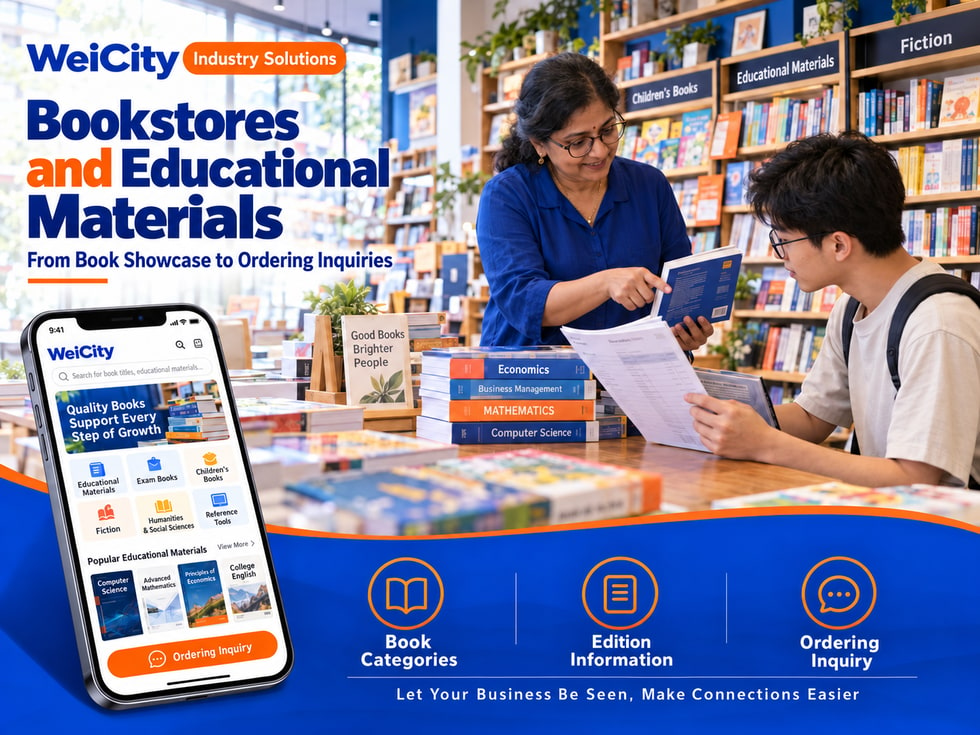
From book listings to order inquiries
“Do you have this textbook?”
“Which grade or course edition is this?”
“Is there a new edition or a version in another language?”
“Can I pre-order a full set of books?”
“Our school needs a batch of textbooks. Can I get a quote?”
When choosing books, readers often need to confirm the title, author, publisher, edition, intended audience, and stock. Some customers remember only the cover, while others know only the course, grade, or book topic. Schools and institutions may also need to order in bulk from a booklist.
💡 Through WeiCity, you can create your own merchant channel and organize book categories, edition information, and ordering methods, so readers can browse titles first and then contact you to confirm stock and purchase arrangements.
✅ General Bookstore
Organize titles by literature, lifestyle, children's books, and other categories.
✅ Textbook & Study Aid Supplier
Introduce the textbooks, workbooks, and teaching references you actually supply.
✅ Children's Bookstore
Display picture books, story books, bridge books, and age-appropriate reading materials.
✅ Professional Book Retailer
Organize professional books by industry, subject, or topic.
✅ Secondhand Bookstore
Explain book editions, condition, and actual stock.
✅ School & Institution Book Supplier
Introduce bulk ordering, booklist verification, and supply arrangements.
📌 Introduce books based on actual stock and business scope. Textbooks and course materials should clearly state the edition so customers can check it.
You can organize them by reader or book topic:
🔹 Textbooks & Course Books
Categorize by course, grade, subject, or edition.
🔹 Workbooks & Reference Books
Explain the intended audience, subject matter, and edition information.
🔹 Children's Picture Books & Story Books
Organize by age reference, theme, or reading level.
🔹 Literature & General Reading
Display by fiction, essays, biographies, or other categories.
🔹 Professional & Reference Books
Categorize by industry, subject, purpose, or reader needs.
🔹 Secondhand & Discounted Books
Note the condition, edition, and sales terms.
💡 Start by listing the titles customers ask about most often, then gradually add detailed book information and stock.
Recommended to specify:
✅ Title and subtitle
✅ Author or editor
✅ Publisher and publication details
✅ Edition, number of volumes, and language
✅ Intended audience or course reference
✅ ISBN or other identifying information (if available)
✅ Whether sold as a set or as individual volumes
✅ How in-stock, pre-order, or out-of-stock status is confirmed
🔶 Example: Textbook description
Title: List the full book title and subject.
Edition: Note the publication details and edition information.
Intended audience: List the grade or course reference as stated in the book.
Set contents: Explain the number of volumes and accompanying materials included.
Ordering method: Provide a booklist or book photo, and contact the store to confirm stock and quotes.
📌 Textbook editions, course content, and publication information may be updated. Before ordering, please check the title, edition, and identifying information to avoid buying the wrong book.
For each book, consider preparing:
🔹 Cover photo
Help customers identify the title, series, and edition.
🔹 Copyright page or edition information photo
Help verify the author, publisher, and publication details.
🔹 Table of contents or content sample pages
Show the book's structure; before sharing, confirm that the relevant content may be publicly displayed.
🔹 Photos of sets and accompanying materials
Explain the actual number of volumes and attachments included.
🔹 Condition photos
For secondhand books, clearly show corners, pages, or any writing or marks.
💡 If a series has different editions, photograph them separately and note the differences.
📌 Images and text should match the edition and condition of the books actually being sold. Do not upload unauthorized full-book scans.
1️⃣ Book title or cover photo
If they remember the series name, they can also provide it.
2️⃣ Author, publisher, or ISBN
Helps verify the specific edition.
3️⃣ Course or intended audience information
For textbooks, they can provide the subject, grade, or course name.
4️⃣ Required number of volumes and accompanying materials
Helps confirm set contents and order quantity.
5️⃣ Pickup or delivery needs
Explain the location and the desired receiving time.
📌 If a customer only has a booklist or a photo of an older cover, it is best to first verify the full title and edition before confirming whether it is the book they need.
Different editions, set quantities, and supply methods may affect prices and delivery arrangements.
Suggested content:
✅ Edition and sales unit that the price applies to
✅ Number of volumes or accompanying materials included in a set
✅ How current stock is confirmed
✅ How out-of-stock or pre-order items are handled
✅ How bulk order quotes are provided
✅ Whether there is a minimum order quantity
✅ How shipping and other fees are calculated
🔶 For example:
“Books are sold by volume or by set. Please send us your booklist, edition, and quantity, and we will check stock, bulk pricing, and the estimated supply time.”
📌 Titles on the channel may not always reflect real-time stock. Please confirm the edition, price, quantity, and delivery arrangements before ordering.
Suggested content:
🔹 Store address and business hours
🔹 Whether in-store pickup is available
🔹 Whether stock should be confirmed before self-pickup
🔹 Areas where delivery is actually provided
🔹 How bulk orders are delivered
🔹 How shipping fees are calculated or quoted
🔹 How pre-orders and arrival notifications are handled for out-of-stock items
💡 If a book must be ordered from a supplier, you may note “Please contact us first to confirm the supply time.”
🔹 About Us
Introduces the bookstore, its scope of business, and its main readership.
🔹 Textbooks & Course Books
Organized by course, grade level, or subject.
🔹 Children's Books
Picture books, storybooks, and series titles, organized for easy browsing.
🔹 Literature and Professional Books
Displayed by theme, discipline, or industry.
🔹 New Arrivals and Incoming Stock
Shares recently listed or restocked titles.
🔹 Book Lists and Bulk Orders
Explains the process for checking book lists, price inquiries, and delivery.
💡 To get started, you can first add the main book categories, featured titles, and ordering methods, then gradually add more book updates.
🔶 Customer asks: "Do you have this textbook?"
You can reply:
"Hello, here is our textbook section. Please send the book title, cover, or ISBN, and we will check the edition and stock for you."
🔶 Customer asks: "Our school needs to order a batch of books. Can you give a quote?"
You can reply:
"Yes. Please provide the book list, editions, and the quantity of each title, and we will check supply and quoting options."
🔶 Customer asks: "Is there a new edition of this book?"
You can reply:
"Please share the book title or a photo of the cover, and we will confirm the editions currently available and the publication details."
1️⃣ Basic Store Information
Name, address, business hours, and contact information.
2️⃣ Main Book Categories
Organize the textbooks, children's books, and professional books that customers often look for.
3️⃣ Featured Titles
Prepare book titles, authors, publishers, editions, and cover photos.
4️⃣ Ordering Guide
Tell readers how to provide a book list, ISBN, or book photo.
5️⃣ Stock and Delivery Information
Organize out-of-stock pre-orders, self-pickup, delivery, and bulk price inquiry methods.
✅ Are the book titles and edition details accurate?
✅ Do the images match the actual books?
✅ Are set contents and sales units explained?
✅ Are stock and pre-order methods clear?
✅ Are bulk ordering and delivery arrangements stated?
✅ Are the contact details and store information correct?
After you organize book categories, edition details, and ordering instructions in the channel, you can use them to reply to readers, introduce new books, and promote your store day to day.
Readers can browse titles first, then provide a book list, edition, or quantity; merchants can use this to continue checking stock, quotes, and supply arrangements.
Want to learn how to set up a bookstore or textbook and study-aid merchant channel?
Feel free to contact us through WeiCity's official channel contact details, and we can work together to organize display content that suits your bookstore.
WeiCityMake your business visible and your contact easier.