

1 How do restaurants use online ordering? WeiCity Menu and Ordering Feature Overview
Display your online menu, food choices, and ordering entry in one place, making it easier for customers to view, choose, and order.
How can restaurants, cafés, and snack shops use WeiCity Online Ordering? This article covers food photos, prices, flavor and add-on options, online ordering, and takeaway pickup or delivery arrangements. It helps food and beverage merchants build a clear online menu and ordering entry point, reducing the need to repeatedly send menus and confirm food details.
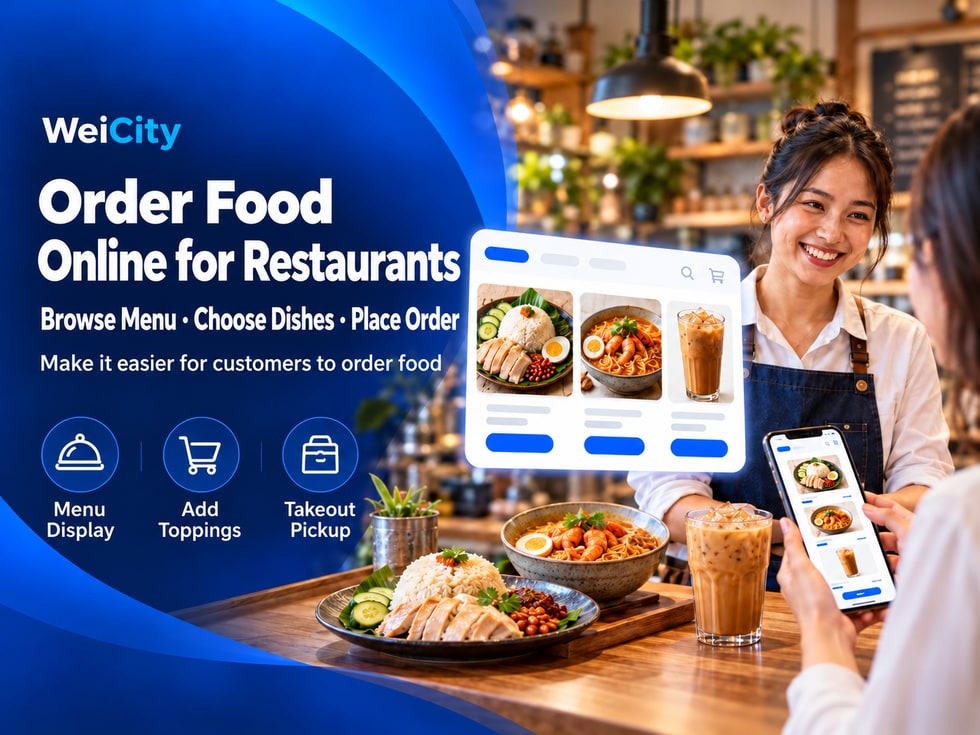
After customers see the food photos you share, they often want to know:
🔸 What dishes are available?
🔸 How much does each dish cost?
🔸 Can I choose different flavors?
🔸 Can I add egg, extra rice, or side dishes?
🔸 How do I submit an order?
🔸 Can I collect in store or arrange delivery?
If the menu, prices, and ordering instructions are scattered across different posts and chat messages, customers have to ask one by one, and merchants have to keep resending the same information.
📱 The WeiCity Online Ordering feature lets merchants keep their dish information and ordering entry in their own merchant channel, so customers can view the menu, continue choosing dishes, and submit orders in one place.
After entering the Online Ordering page, customers can browse dish photos, names, prices, and descriptions to see what choices are available.
📸 Dish Photos
Show what the dishes actually look like to help customers recognize them.
📝 Dish Descriptions
Explain main ingredients, what is included, and portion sizes to reduce questions when choosing.
💰 Dish Prices
Let customers know the cost before choosing, making it easier to compare and combine items.
For example, a chicken chop rice set can state that it includes white rice, chicken chop, side dishes, and sauce, so customers know exactly what this set contains.
A clear menu not only makes it easier for customers to choose, but also reduces the time merchants spend explaining the same things repeatedly.
For the same dish, different customers may have different needs.
For example, one customer may want an extra egg on their chicken chop rice, while another may want extra rice.
Merchants can offer corresponding options for each dish and clearly state add-ons that cost extra.
🔸 Flavor Options
List the flavors the merchant actually offers, such as original, spicy, or black pepper.
🔸 Add-on Options
For example, extra egg, extra rice, or side dishes.
🔸 Add-on Prices
State the additional amount for each add-on.
When choosing a dish, customers can see all these options at once, reducing the need to confirm each item with the merchant after ordering.
For example:
🍗 Chicken Chop Rice: RM12.90
🥚 Extra Egg: +RM1.50
🍚 Extra Rice: +RM2.00
The prices above are examples only. Merchants should set prices based on their actual selling prices.
Clear option and fee information helps customers confirm their choices before submitting an order.
In addition to showing dishes, the online menu can also serve as the customer's ordering entry point.
After browsing the menu, customers can select dishes, quantities, and applicable options, then submit their order by following the page process.
For example:
✅ Step 1: Enter the restaurant's WeiCity Online Ordering page.
✅ Step 2: Browse the menu and dish prices.
✅ Step 3: Select the dishes you need.
✅ Step 4: Choose flavors and add-ons as needed.
✅ Step 5: Confirm the quantity and related fees.
✅ Step 6: Submit your order by following the page process.
Merchants should clearly state dish details, fees, and ordering conditions so customers can check their choices before submitting.
From viewing the menu to submitting an order, the entire ordering process becomes clearer.
Different food merchants accept orders in different ways.
For example, some restaurants mainly offer in-store collection, while others also provide delivery services.
Merchants can explain their pickup arrangements according to how they actually operate.
🏪 In-Store Collection
Explain the pickup location and arrangements so customers can easily collect their food in store.
🛵 Delivery Orders
Clearly state the delivery area, related fees, and minimum order requirements to help customers determine whether it applies to them.
🕒 Advance Booking
For dishes that need to be prepared in advance, explain the available dates, times, and booking requirements.
For example:
📍 Collection location: the restaurant's actual business address.
💰 Minimum delivery order amount: RM20.
🛵 Delivery area: the service areas the merchant actually provides.
⏰ Advance booking: according to the merchant's order arrangements.
The above is for illustration only. Actual options and restrictions should follow the merchant's settings and the features WeiCity currently supports.
If a merchant offers delivery, they should also clearly state who handles the delivery and any matters customers should be aware of.
Before deciding to order, customers may also want to know the restaurant's location, opening hours, and specialties.
For example:
❓ Where is the restaurant?
❓ Is it open today?
❓ What are the signature dishes?
❓ Can I see the restaurant's environment?
❓ How do I contact the merchant?
The WeiCity merchant channel can gather your business information and content in one place, so customers can get to know your restaurant and then enter the Online Ordering page to view the menu.
📍 View Address
Find out where the shop is located.
🕘 View Business Hours
Plan your visit or pickup.
📸 Browse Restaurant Photos
Get to know the shop environment and dish features.
📝 Read the Merchant Introduction
Learn about the restaurant's specialties and main services.
🍽️ Enter the Online Ordering Page
Continue viewing the menu and choosing dishes.
📱 Contact the Merchant
Get in touch using the contact details provided by the merchant.
In this way, the restaurant content you share every day can be connected to the menu and ordering entry.
Customers not only see your restaurant, but can also learn more about the dishes and take action.
If you run a restaurant, café, snack shop, or other food business, you can start by organizing the dishes you sell most.
You do not necessarily need to upload the entire menu at once.
We recommend preparing by following these steps.
✅ Step 1: Prepare Dish Photos
Use clear, real photos of your dishes.
✅ Step 2: Organize Menu Information
Check dish names, prices, and descriptions.
✅ Step 3: Set Dish Options
Organize flavors, add-ons, and extra fees.
✅ Step 4: Explain Ordering Arrangements
Clearly state collection, delivery, and advance booking requirements.
✅ Step 5: Check the Ordering Process
Walk through the ordering process from the customer's perspective to check whether the information is easy to understand.
✅ Step 6: Keep the Menu Updated
When the menu changes, update prices and availability promptly.
For example, if a dish is temporarily sold out, adjust the related availability information promptly to avoid customers submitting orders only to find out it cannot be provided.
For food merchants, online ordering is not just about moving a paper menu onto the internet.
More importantly, it helps customers clearly understand dish contents, prices, and how to make their choices.
📸 See real dishes.
🍴 Browse the online menu.
🥚 Choose flavors and add-ons.
💰 Confirm dish prices.
🛒 Submit your ordering request.
🥡 Collect or receive delivery according to the merchant's arrangements.
With WeiCity Online Ordering, food merchants can bring menu display, dish selection, and online ordering together, making it easier for customers to understand and clearer communication before orders are accepted.
🌐 WeiCity | Let your food be seen, and make it easier for customers to go from browsing the menu to submitting an order.
🍽️ Start by organizing your signature dishes to create a clear online ordering entry for your customers.