

How Bicycle and Cycling Gear Merchants Can Use WeiCity: From Model Showcase to Customer Inquiries
Bring together bicycle styles, size specifications, cycling accessories, and repair services so customers can more easily compare models, describe their needs, and contact your store.
How can bicycle stores, cycling gear merchants, parts suppliers, and repair studios use WeiCity? Build a merchant channel that makes it easy for customers to browse, shop, and confirm repair arrangements, using model categories, product photos, specification descriptions, and service guides.
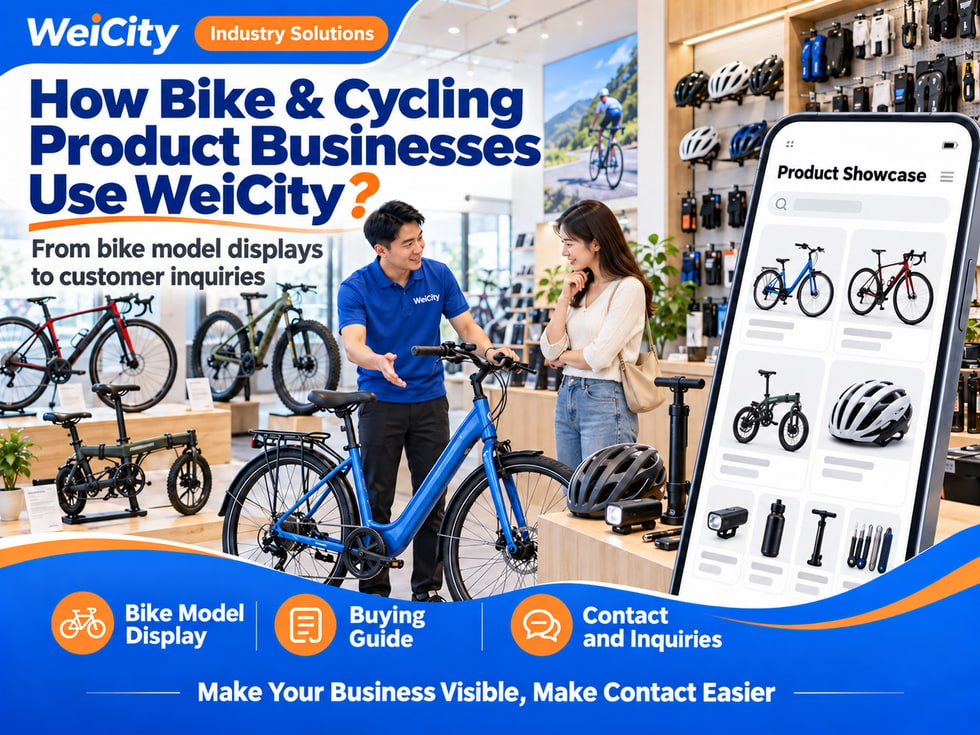
"What bike models are suitable for everyday riding?"
"Does this frame come in a size that fits me?"
"Do you have folding bicycles?"
"My tire is flat. Can it be repaired?"
"Can this part be installed on my bike?"
When customers look for bicycles and cycling gear, they usually check the model first, then confirm size, configuration, usage needs, and later maintenance.
💡 With WeiCity, you can set up your own merchant channel and organize your bike models, accessories, and service information, so customers can learn about your store first and then contact you with specific needs.
✅ General Bicycle Stores Showcase the models, configurations, and related services you actually sell.
✅ Road Bike and Mountain Bike Merchants Introduce products by model, size, and product series.
✅ Folding Bike and City Bike Merchants Showcase storage structures and information related to everyday use.
✅ Children's Bike Merchants Introduce the sizes, styles, and purchasing options you actually supply.
✅ Cycling Gear and Parts Merchants Organize helmets, lights, tools, and replacement parts.
✅ Bicycle Repair Workshops Explain the inspection, maintenance, and repair services you actually undertake.
📌 Complete bike sales, accessory installation, repair, and test-ride services should be described separately so customers understand the actual scope.
You can organize them by model and purpose:
🔹 City and Everyday Riding Models Introduce the styles and configurations you actually sell.
🔹 Road Bikes Categorize by series, frame size, and configuration.
🔹 Mountain Bikes Showcase model numbers and corresponding product information.
🔹 Folding Bikes Explain the unfolded and folded dimensions and structure.
🔹 Children's Bikes Introduce sizes, weight, and adjustable ranges.
🔹 Cycling Accessories and Parts Organize by product type, model, and compatibility conditions.
💡 You can first display your main models, then add detailed configurations to help customers narrow down their choices.
It is recommended to state:
🔶 Example: City Bike Introduction
Model name: State the exact name. Size: List the frame sizes actually available. Configuration: Fill in according to the corresponding version information. Color: Show the styles actually available. Included items: State whether a kickstand, fenders, and similar items are included. Inquiry: Contact us to confirm stock, price, and in-store arrangements.
📌 Configurations may differ between versions in the same series. Images, specifications, and the products actually sold should correspond.
It is recommended to prepare:
🔹 Side View of the Bike Show the frame and overall structure.
🔹 Key Components Photograph the gears, brakes, and wheelsets.
🔹 Ports and Mounting Positions Help customers ask about accessory compatibility.
🔹 Folded or Stored Position If applicable, show the corresponding dimensions.
💡 For accessories, you can show the packaging, model number, and connection positions at the same time to reduce the chance of customers choosing the wrong item.
📌 State separately whether the helmets, water bottles, cycling computers, and other items shown are included.
You can ask customers to explain:
1️⃣ Main Use Daily commuting, recreational riding, sport, or other needs.
2️⃣ Common Riding Environment Roads, hilly terrain, or other actual conditions of use.
3️⃣ Height and Related Size Information Provide through appropriate means to help with a preliminary discussion of frame selection.
4️⃣ Riding Experience Whether this is a first purchase or a replacement for an existing bike.
5️⃣ Storage and Transport Requirements For example, whether folding is needed or whether it must be carried upstairs.
6️⃣ Budget Range State whether accessories and services are included.
7️⃣ Preferred Models Provide model numbers or reference images.
🔶 Example:
“Please share your riding purpose, height, budget, and preferred models. We will introduce the products actually available and arrange an in-store visit to check size and configuration.”
📌 Height is for preliminary reference only. Frame geometry, body proportions, and actual riding posture also affect fit.
It is recommended to state:
💡 You can place the size chart next to the specific model so customers can find it easily.
📌 Size names differ between brands, so do not compare or confirm fit based only on "S, M, L".
You may ask parents to provide:
🔹 The child's height
🔹 Existing riding experience
🔹 Whether the child can already ride independently
🔹 Main places of use
🔹 Preferred time to visit the store for a seat test
🔹 Budget and style preferences
✅ Wheel size and frame specifications
✅ Total bike weight
✅ Seat and handlebar adjustment ranges
✅ Braking method
✅ Included accessories
Suggested information for customers to provide:
✅ Bicycle brand and model
✅ Original part model numbers
✅ Specification labels or dimensions
✅ Photos of connection positions
✅ Functions to be replaced or added
✅ Whether installation is required
🔶 Example:
“Please provide the bike model, information on the original parts, and photos of the installation positions. We will first check specifications and interfaces, then confirm which products we can supply.”
💡 Tires, inner tubes, brake components, and drivetrain parts can each have their own lookup guide.
📌 Parts that look similar may not be interchangeable. Check size, interface, and compatible conditions.
Suggested product description:
🔹 Brand and model
🔹 Size and adjustment range
🔹 Materials and main specifications
🔹 Applicable conditions stated by the product
🔹 Whether accessories are included
🔹 Use and maintenance instructions
🔹 Corresponding certification information, if any
💡 For helmets, you can describe in-store fitting arrangements; for lights, you can state the mounting interface, power method, and included items.
📌 Protection, battery life, waterproofing, or other performance should be based on the corresponding product information. Avoid making uniform promises for all usage conditions.
You can organize a repair guide:
1️⃣ Bike Model and Related Configuration Helps us understand the structure.
2️⃣ Problem Description For example, a flat tire, abnormal noise, shifting problems, or other issues.
3️⃣ When the Problem Occurred Explain whether it developed gradually.
4️⃣ Recent Use or Handling For example, a fall, a part replacement, or previous repairs.
5️⃣ Related Photos or Videos Show where the problem is.
6️⃣ Desired Completion Date Helps us arrange inspection and parts.
🔶 Example:
“Please share the bike model, a description of the problem, and related photos. We will first confirm the scope of service, and the specific faults, costs, and handling method will be explained after inspection.”
📌 If there is an abnormality in the brakes, wheelset, or other key components, inspect and confirm first before discussing continued use and repair arrangements.
It is recommended to state:
✅ Configuration covered by the bike price
✅ Whether accessories and installation are included
✅ Whether inspection is charged
✅ How repair labor and parts are calculated
✅ Items included in maintenance packages
✅ How costs for additional issues are confirmed
✅ Deposit and payment arrangements
🔶 Example:
“Repair quotes are confirmed based on inspection results and the parts and labor required. If additional problems are found, we will explain the plan and costs first and confirm with you before proceeding.”
📌 Costs for the bike, parts, installation, and repairs should be explained separately to avoid misunderstanding the scope of service.
You can organize it as follows:
1️⃣ Submit Your Request Provide the model, specifications, or fault information.
2️⃣ Verify the Product or Inspect the Bike Confirm stock, compatibility conditions, or the actual problem.
3️⃣ Confirm the Plan and Quote Explain the configuration, parts, and service content.
4️⃣ Arrange the Order or Handling Proceed according to the order confirmed by both parties.
5️⃣ Complete the Inspection Verify the items related to this service.
6️⃣ Delivery and Explanation Confirm the product, accessories, and follow-up contact details.
📌 Special models, parts orders, and complex repairs may affect timing, so confirm each order individually.
It is recommended to state:
🔹 Store Address and Business Hours
🔹 Whether an appointment is needed before self-pickup
🔹 Actual delivery areas
🔹 Shipping fees and packaging method
🔹 Assembly status at delivery
🔹 Whether setup and inspection are included
🔹 How to check upon receipt
💡 If a product requires further assembly, explain the operating requirements and available services before purchase.
📌 Delivery to an address does not mean all assembly and adjustments are complete. Such matters should be clearly agreed upon.
🔹 About Us Introduce the store, business focus, and business hours.
🔹 Bike Categories Organize by city bikes, road bikes, mountain bikes, and folding bikes.
🔹 Cycling Gear and Parts Showcase models, specifications, and compatible conditions.
🔹 Sizing and Buying Guide Organize purpose, seat tests, and test-ride inquiries.
🔹 Maintenance and Repair Explain inspection, repair requests, and handling procedures.
🔹 Orders, Delivery, and After-Sales Introduce timing, delivery, and the scope of guarantees.
💡 To start, you can post your main models, representative products, and inquiry guides, then gradually add detailed configurations.
🔶 Customer asks: "What bike models can I choose for everyday riding?"
Suggested reply: "Hello, here are our bike categories. Please share your riding environment, height, budget, and storage needs, and we will help you narrow down your options."
🔶 Customer asks: "Is there a size that fits me for this model?"
Suggested reply: "Please share the model you are interested in and your height. We will check the available sizes and explain the in-store seat test or test-ride arrangements."
🔶 Customer asks: "My tire is flat. Can you repair it?"
Suggested reply: "Please share the bike model, tire specifications, and photos of the problem. We will first understand the situation, then confirm the in-store inspection, parts, and costs."
1️⃣ Basic merchant information Name, address, business hours and contact details.
2️⃣ Main Models and Product Categories Organize the products you actually sell.
3️⃣ Representative Product Images Indicate model numbers, sizes, and configurations.
4️⃣ Buying and Repair Guides Tell customers what information they need to provide.
5️⃣ Delivery and After-Sales Information Organize test rides, orders, repairs, and guarantee arrangements.
✅ Do models, versions, and images correspond?
✅ Are frame sizes and configurations accurate?
✅ Are included accessories and services specified?
✅ How is part compatibility confirmed?
✅ Are test-ride and repair rules clear?
✅ Are delivery and guarantee scopes specific?
✅ Are the contact details correct?
After organizing your products, specifications, and service guides in your channel, you can use them for everyday promotion, customer replies, and repair communication.
Customers can first learn about your bikes and products, then share their purpose, size, and problem details. Merchants can use this to confirm choices, quotes, and service arrangements.
Want to learn how to set up a bicycle and cycling gear merchant channel?
Feel free to contact us through the WeiCity official channel, and we can organize display content suitable for your store together.
WeiCity Make your business visible, and make contact easier.