

6 How to Set Up Add-on Options for Online Ordering? Flavor Choices and Surcharge Instructions
Clearly explain dish flavors, optional ingredients, and extra fees so customers can choose what they need.
When setting up an online ordering menu, how should a restaurant organize flavor choices, add-on options, and extra fees? Using dish examples, this article explains which options suit customer selection, how to indicate surcharges, and how to review menu information, helping customers see their choices and amounts clearly when ordering and reducing repeated confirmation.
After opening a restaurant's online menu, customers who are unsure whether to choose dishes first or fill in pickup arrangements first may stop during the ordering process to ask the merchant.
For merchants, clearly explaining each step and the information to be filled in can make it easier for customers to complete their orders and help merchants review order requirements.
🍽️ When using WeiCity Online Ordering, merchants can organize the menu and instructions in the order customers follow, so customers can start by browsing dishes and complete their selections and orders step by step.
After entering the Online Ordering page, customers first browse dish categories and menu content.
Dish names, images, prices and descriptions should correspond clearly to make it easier for customers to compare options.
✅ Menu categories: Category names should be easy for customers to understand.
✅ Dish images: Images should match the names so dishes are easy to recognize.
✅ Dish prices: Prices should be displayed clearly to reduce repeated questions.
✅ Set meal descriptions: The set meal contents and portion descriptions should be complete.
If the menu has signature dishes or popular set meals, place them where customers can easily find them.
After finding the dish they want, customers select the items and quantities they need.
Merchants should check whether dish names and quantities are displayed clearly on the page, so that similar dishes do not confuse customers.
For example:
🍗 Original Chicken Chop Rice: Suitable for customers who like classic flavors.
🌶️ Spicy Chicken Chop Rice: Suitable for customers who like spicy food.
If two dishes use different names, customers can more easily confirm which one they have chosen.
Merchants should also check whether dish quantities are displayed correctly, so customers can verify them before submitting an order.
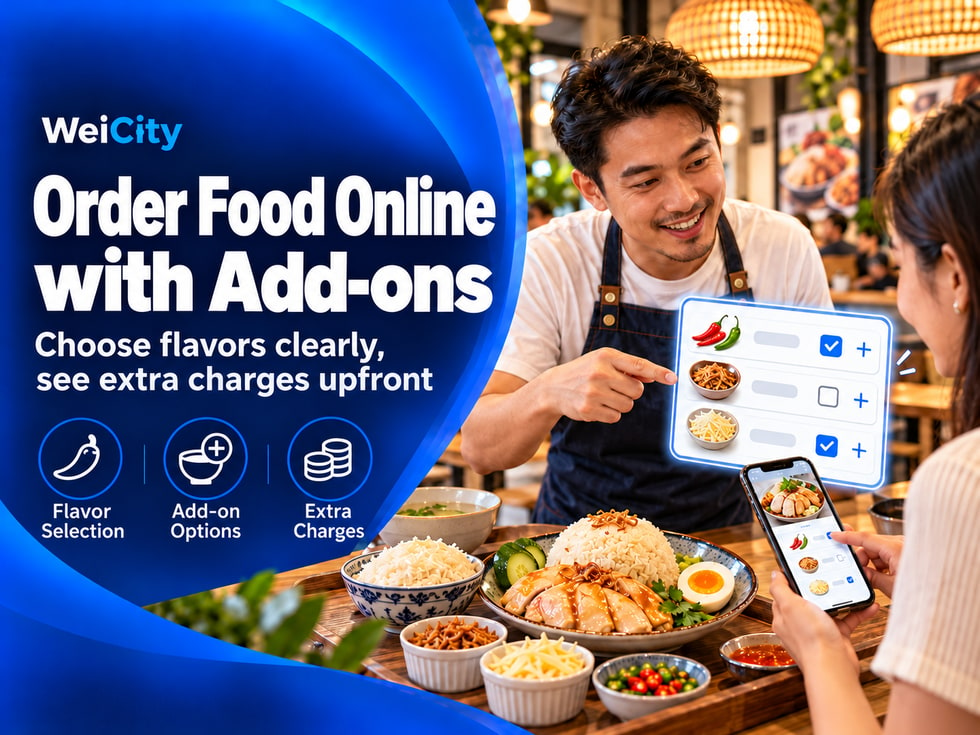
If a dish offers different flavors or add-on options, customers can make their selections according to the instructions on the page.
🌶️ Flavor selection: Choose original, spicy or other flavors that are actually offered.
🥚 Add-on selection: Choose an egg, extra rice or other additional ingredients.
💰 Add-on fees: Check whether extra ingredients require an additional fee.
📝 Special notes: If the merchant accepts notes, customers can enter requests related to the dish.
Merchants should state which options are included in the base price and which options will increase the cost.
If certain special requests cannot be guaranteed, this should also be explained in advance so customers do not mistakenly assume that every request can be met.
Customers need to select an order arrangement according to the methods provided by the merchant.
Different restaurants may offer different pickup or delivery services.
🏪 Self Pickup
Customers check the pickup location and available pickup times, then collect their order in store according to the merchant's arrangements.
🛵 Delivery
Customers confirm the delivery areas, minimum order amount and delivery fee information to understand whether their order meets the delivery requirements.
🕒 Pre-Order
Customers select a date and pickup time that the merchant can arrange, and check whether pre-ordering is required.
Not every merchant offers every method.
Merchants should list the ordering methods they can actually provide based on their real operations, so customers do not select services that cannot be arranged.
Different ordering methods may require different information.
Delivery orders require a confirmed delivery address; for self pickup orders, customers need to know the pickup location.
Before submitting an order, customers can check the following information:
✅ Items and quantity: Confirm that the selected items and purchase quantities are correct.
✅ Flavors and add-ons: Check that the correct flavors and extra toppings have been selected.
✅ Special notes: Confirm that any item requirements that need to be specified have been filled in.
✅ Pickup time: Check that the date and time match the arrangement.
✅ Delivery address: If delivery is selected, confirm that the address information is correct.
✅ Order amount: Review the item prices, add-on fees and any other fees shown on the page.
If the merchant has special ordering conditions, these should also be clearly stated on the page in advance, so customers do not discover omissions only after submitting.
After checking the information, customers submit the order by following the prompts on the page.
After an order is submitted, merchants should clearly explain what customers need to pay attention to next.
📋 Order confirmation: Explain whether the order needs to wait for the merchant's confirmation after submission.
📞 Contact method: Provide appropriate contact details so customers can follow up on their orders.
💳 Payment arrangements: Explain the payment steps according to the payment methods actually offered.
🕒 Pickup arrangements: Explain the estimated pickup time or how customers will be notified afterward.
🛵 Delivery arrangements: If delivery is offered, explain the related delivery arrangements.
Please note: Submitting an order does not necessarily mean the merchant has accepted it, nor that payment has been completed.
Payment methods and the order confirmation process should be explained according to the merchant's actual settings to avoid misunderstandings among customers.
Online ordering is not only about letting customers choose items; the entire process also needs to be easy to understand.
Merchants can review the following aspects:
✅ Arrange menu content in the order customers actually follow when ordering.
✅ Explain required items and optional items separately.
✅ List the minimum order amount, delivery area or pre-order conditions in advance.
✅ Remind customers to check items and times before submitting an order.
✅ Clearly explain the confirmation and contact methods after an order is submitted.
✅ Preview the page on a mobile phone to check whether the text is easy to read.
If customers often ask questions at the same step, you can add corresponding explanations and check whether the options on the page are easy to understand.
For example:
💬 Customers often ask how much add-ons cost?
Check whether add-on prices are clearly displayed.
💬 Customers are unsure whether delivery is available?
Check whether the delivery areas, minimum order amount and delivery notes are complete.
💬 Customers are unsure whether their order was successful?
Check whether the prompts and confirmation notes shown after submitting an order are clear.
Through these adjustments, merchants can gradually improve the customer ordering experience.
From browsing the menu to submitting an order, clearly explaining each step makes it easier for customers to complete their orders.
Through WeiCity Online Ordering, merchants can present menus and ordering instructions to help customers understand how to choose items, fill in requirements and submit orders, making the ordering process more organized.
For food and beverage merchants, a clear ordering process not only reduces repeated questions but also helps lower order communication problems caused by incomplete information.
📱 Try going through the ordering process as a customer to see whether each step is clear and whether the information is complete.
🌐 WeiCity | Making it more convenient for customers to view menus, choose items and submit orders, step by step.