

60 How Shared Offices and Meeting Spaces Can Use WeiCity: From Space Showcase to Customer Bookings
Showcase space types, facilities, pricing methods, and usage notes in one place, helping teams and business customers learn more about the venue and contact you more easily.
How can shared office spaces, meeting room rental merchants, and business event venue operators use WeiCity? Build a channel that makes it easy for customers to browse venues, ask about availability, and contact you through space categories, environment photos, facility descriptions, and booking guidance.
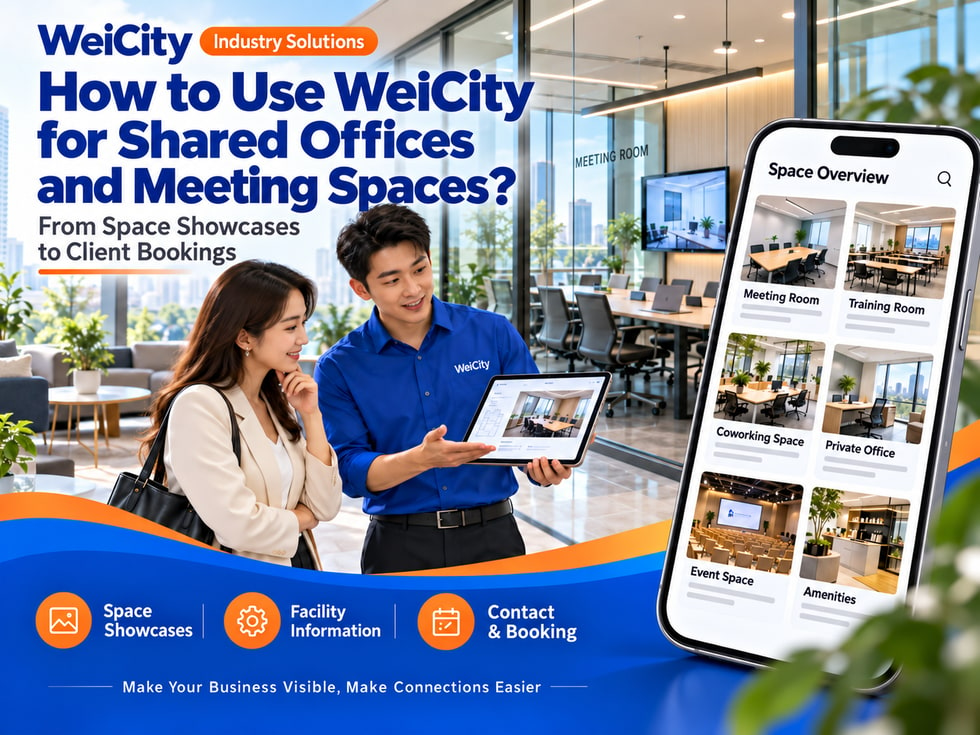
From Space Display to Customer Booking
“Do you have small meeting rooms?”
“How many people can this space seat?”
“Do you provide projection equipment?”
“Can it be rented by the hour?”
“Can small events be held on weekends?”
When looking for workspace and meeting space, customers usually first check the location, number of people, facilities, usage times, and pricing. The clearer the information, the easier it is for customers to judge whether a space meets their needs.
💡 With WeiCity, you can build your own space service channel, organize venue information, facilities, and booking methods, so customers can browse spaces first and then contact you to confirm availability and arrangements.
✅ Shared office spaces
Introduce office seats, common areas, and actual membership plans.
✅ Meeting room rental providers
Display meeting spaces with different capacities and setups.
✅ Business event venues
Explain suitable events, venue layouts, and equipment arrangements.
✅ Training and course spaces
Introduce classrooms, seating layouts, and usage times.
✅ Creative studios or photography spaces
Display spaces that are actually available for rent and their usage conditions.
✅ Temporary office and short-term venue providers
Explain available rental times, locations, and how to request a quote.
📌 Introduce only the venues and services you can actually provide, and note which equipment or services need to be arranged separately.
You can organize them by purpose and capacity:
🔹 Shared office seats
Explain open seating, usage times, and how it can be used.
🔹 Small meeting rooms
Show spaces suitable for small group discussions or client meetings.
🔹 Medium and large meeting rooms
Introduce the number of seats, table and chair setup, and equipment.
🔹 Training classrooms
Explain desks, chairs, whiteboards, and maximum capacity.
🔹 Event spaces
Introduce the types of events actually suitable and any setup restrictions.
🔹 Private offices
List the space size, number of seats, and rental conditions.
🔹 Temporary workspaces
Explain available dates, time slots, and booking methods.
💡 Categorizing by number of people and usage scenario helps customers find a suitable space more easily.
Recommended to specify:
✅ Venue name and address
✅ Floor area or number of seats (if information is available)
✅ Table and chair setup and adjustment options
✅ Available facilities and equipment
✅ Business hours and bookable time slots
✅ Pricing by the hour, half day, or full day
✅ Whether a deposit or security deposit is required
✅ Venue setup and cleaning arrangements
✅ Parking and visitor registration methods
✅ Contact and booking process
🔶 Example: Small meeting room introduction
Space: Note the room name and seating arrangement.
Suitable uses: Explain that it is suitable for meetings, interviews, or small group discussions.
Equipment: List the screens, whiteboards, or other equipment actually provided.
Usage times: Confirm according to venue opening hours and booking availability.
Pricing: Explain the pricing unit and how to ask about additional services.
Booking method: Provide the date, time slot, number of people, and equipment needs, then contact to confirm.
📌 Seating capacity and equipment setup should be based on the actual venue; please confirm again before arranging an event.
It is recommended to prepare:
🔹 Overall space photos
Show the room size and main layout.
🔹 Different seating setups
Show meeting, training, or open office arrangements.
🔹 Equipment details
Photograph actual facilities such as screens, whiteboards, power outlets, and network equipment.
🔹 Entrance and reception area
Help visitors find the venue easily.
🔹 Common areas
Show rest areas, tea areas, or shared spaces.
🔹 Parking and surroundings
Help customers plan how to get there.
📌 Photos should match the actual venue. If tables, chairs, equipment, or decorations need to be rented separately, please state this in the description.
1️⃣ Date and Time Slot
State your preferred start and end times.
2️⃣ Event Type
For example, a meeting, training session, interview, or small event.
3️⃣ Expected Number of Attendees
This helps confirm whether the space is suitable.
4️⃣ Seating and Layout Requirements
State whether you need classroom-style seating, round tables, or another setup.
5️⃣ Equipment Needs
For example, screen, projector, whiteboard, or audio system.
6️⃣ Other Services
Actual needs such as refreshments, cleaning, or on-site assistance.
📌 Booking requests should be confirmed by the venue. After the customer receives a clear reply, the booking can be completed following the merchant's process.
Recommended to specify:
✅ Whether fees are calculated by the hour, half day, or full day
✅ Minimum rental duration
✅ Whether equipment and internet are included
✅ How overtime is charged
✅ Whether cleaning or setup fees are charged separately
✅ Deposits, security deposits, and payment methods
✅ Conditions for cancellation, rescheduling, and refunds
✅ Promotion dates and restrictions
🔶 For example:
“Venue fees are confirmed based on the space, date, time slot, and equipment needs. Please share the number of attendees and your schedule, and we will reply with current availability and pricing details.”
📌 Publicly displayed prices should state the applicable conditions. Venue availability and final fees are subject to the information confirmed by the merchant.
You can explain item by item:
🔹 Displays or projection equipment actually provided
🔹 Whiteboards, flip charts, or audio equipment
🔹 Power outlets and connection methods
🔹 How internet is used and its scope
🔹 Whether customers need to bring their own adapters or cables
🔹 Whether equipment must be tested in advance
🔹 Whether technical assistance is included in the venue fee
💡 Photos of equipment interfaces or operating positions can be provided so customers can check in advance.
📌 Equipment models, connection methods, and internet conditions may change. For important meetings, please confirm with the venue and allow time for testing.
Suggested content:
✅ Building entrance and visitor registration method
✅ Parking location and charges
✅ Early arrival and departure times
✅ Food, setup, and cleaning requirements
✅ Number of visitors and rules for shared spaces
✅ How to request an extension of usage time
✅ Contact method for equipment damage or on-site issues
✅ How closures or temporary changes will be notified
📌 Venue rules should match actual management arrangements, and customers can review them before booking.
🔹 About Us
Introduce the location, opening hours, and how the space is used.
🔹 Shared Office
Show office seats, private offices, and membership options.
🔹 Meeting Rooms and Training Spaces
Organize by capacity, layout, and facilities.
🔹 Event Venues
Introduce suitable spaces, setup options, and usage guidelines.
🔹 Facilities and Equipment
List internet, screens, whiteboards, and other actual facilities.
🔹 Pricing and Booking
Explain pricing methods, availability inquiries, and the booking process.
🔹 Transport and Visitor Guide
Provide the address, parking, and entry instructions.
💡 To start, you can share space photos, capacity and facility details, pricing methods, and contact information, then gradually add event examples.
🔶 Customer question: “Do you have a meeting room that fits ten people?”
You can reply:
“Hello, here is information about our meeting spaces and seating. Please tell us your date, time slot, and equipment needs, and we will help confirm a suitable room and availability.”
🔶 Customer question: “Can I rent by the hour?”
You can reply:
“Rental options may differ by space. Please let us know the date, duration, and number of attendees you have in mind, and we will confirm the suitable space and pricing method.”
🔶 Customer question: “Can you arrange a training event?”
You can reply:
“Please share the event date, number of attendees, seating layout, and equipment needs. We will confirm whether the venue is suitable and the related fees based on the space conditions.”
1️⃣ Basic venue information
Name, address, opening hours, and contact details.
2️⃣ Space Categories
Organize by meeting room, office seat, training space, or event venue.
3️⃣ Real Venue Photos
Show the space, equipment, entrance, and surrounding environment.
4️⃣ Pricing and Booking Guide
Explain pricing methods and the information needed when inquiring about availability.
5️⃣ Usage and Visitor Guidelines
Organize entry, parking, setup, and equipment usage arrangements.
✅ Are seating capacity and space information accurate?
✅ Do the photos match the actual venue?
✅ Is the equipment list clear about what is actually provided?
✅ Are rent and additional charges explained?
✅ Does the booking availability need to be reconfirmed?
✅ Are parking and visitor entry methods clear?
✅ Are cancellation or rescheduling terms listed?
✅ Are the contact details correct?
After organizing venue photos, space information, and booking guidance in the channel, you can use them for daily replies, venue promotion, and corporate customer inquiries.
Customers can browse suitable spaces first, then provide dates, attendee numbers, and equipment needs. Merchants can use this to continue confirming availability, fees, and on-site arrangements.
Want to learn how to set up a Shared Office and Meeting Space channel?
Feel free to contact us through the WeiCity official channel, and we can organize display content that suits your venue.
WeiCity
Make your business visible and contact easier.