

30 🚀 Ready? Start Creating Your First WeiCity Merchant Channel
✅ From preparing materials and choosing features to testing and publishing, build an online business entry point that customers can actually use in six steps
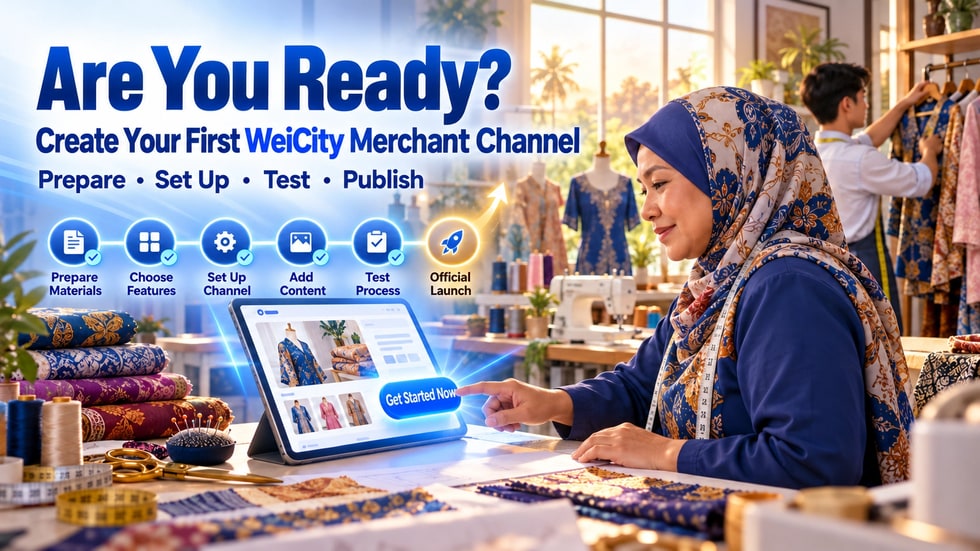
You do not need to wait until all products, images, and copy are perfect before creating a merchant channel. You can start with your merchant name, brand introduction, contact information, and one main business feature, and complete a basic channel that customers can browse, contact, or order from. This article organizes the previous content into a practical creation process, guiding you through preparing materials, choosing features, setting up your first item, testing on mobile, the customer experience, and official publishing.
Many merchants already know how important online business is, yet have never truly gotten started.
Common reasons include:
• Haven't prepared professional brand photos yet
• Product information isn't fully organized
• Not sure which features to choose
• Worried that setting up a channel will take too much time
• Believe dozens of products must be prepared first
• Afraid that no customers will visit after publishing
In fact, your first merchant channel does not need to be very complicated.
It only needs to help customers complete three basic actions first:
• Understand who you are
• Know what you offer
• Find a way to contact you, book, or make a purchase
Being able to do these three things means you are ready to officially get started.
Before registering and setting up your channel, you can gather the materials in one folder or file.
It is recommended to prepare:
• Official merchant name
• Merchant avatar or brand logo
• A horizontal image suitable for use as the channel cover
• A short merchant introduction
• A more complete description of your brand or services
• Business hours
• Store address or service area
• Phone number and contact methods
• Three to five clear images of products, the environment, or works
• One product or service you plan to promote first
• The main actions you want customers to complete after entering the channel
If some materials are not yet ready, you can start with the existing real materials and gradually improve them later.
Don't let the channel stay in the planning stage while waiting for perfect photos or complete copy.
Before creating a channel, answer one question:
When a customer enters the channel, what do I most want them to do?
You can choose one of the following goals:
• Learn about the brand and contact the merchant
• Browse products and place orders offline
• View the menu and submit a food order
• Watch courses or instructional content
• Browse works, case studies, or service results
• Check the address, business hours, and service area
A channel can have multiple features, but when you first set it up, it is best to decide on one main goal.
Once the goal is clear, the cover, introduction, content, and features should all help customers take that action.
Go to the sign-up or log-in entry that WeiCity currently provides, and create an account by following the method shown on the page.
When signing up, we recommend:
• Using an email address or login method that the business can manage over the long term
• Not using the personal details of an employee who may leave soon
• Setting a password that is not easy to guess
• Keeping account recovery details safe
• Clearly assigning one channel owner
According to currently published information, one account corresponds to one merchant channel.
If multiple employees will need to take part in the future, first set up an internal work allocation, and confirm with WeiCity the management methods and permission scope supported by the current plan.
After logging in, create your merchant channel using the entry currently shown on the page.
Because the system interface may be updated, button names and locations may change, but during setup you should usually pay attention to the following information:
• Does the channel name match the actual business?
• Is the merchant category selected correctly?
• Is the avatar easy to recognize?
• Is the cover clear on both computers and phones?
• Does the introduction quickly explain what you offer?
• Are the location or service area accurate?
• Does someone manage the contact methods?
• Are the business hours complete?
Do not add too many symbols, promotional wording, or temporary campaigns to the channel name.
A stable name that is easy to search for and remember is better for long-term use.
WeiCity's currently published merchant channel information includes feature modules such as websites, Shop, online food ordering, video courses, and Gallery.
When you first create a channel, you do not need to use every feature at once.
You can choose based on how you do business:
• General companies, local services, or personal brands can start with the website feature
• Businesses selling physical or digital products can start with the Shop feature
• Restaurants, cafés, hawkers, or food merchants can start with the online food ordering feature
• Education, training, fitness, or knowledge creators can start with the video course feature
• Photography, design, beauty, renovation, or portfolio-based services can start with the Gallery feature
If more than one feature suits you, first choose the one closest to your main source of income.
For example, if a cake shop's main goal is to accept orders, it can start with product or food-related features, then add brand stories and production content later.
After the channel is created, do not rush to upload all your materials at once.
Start by completing one representative project.
If you use the website feature, you can first create:
• About Us
• Service Introduction
• Contact Methods
If you use the Shop feature, you can first upload one main product and fill in:
• Product name
• Clear images
• Price
• Product description
• Size, color, or specifications
• Stock or availability
• Pickup or delivery instructions
If you use the online food ordering feature, you can first add:
• One signature dish
• One real photo of the food
• Current price
• Optional sizes or add-ons
• Pickup or delivery instructions
If you use the video course feature, you can first create:
• One course introduction
• Suitable customers
• Learning content
• Course format
• Instructions for watching or purchasing
If you use the Gallery feature, you can first add:
• One representative work
• Project background
• Service content
• Final result
• Contact or booking methods
Completing one project first helps merchants become familiar with the process and makes it easy to test immediately.
Your first article does not have to be a promotion.
Content that works well as an opening includes:
• Welcome to our merchant channel
• What products or services do we offer?
• What should you know before your first purchase?
• How can you contact us, book, or place an order?
• Our business hours and service area
• Why was the brand founded?
• An introduction to our most popular products or services
The end of the article should provide a clear next step:
• View products
• Browse the menu
• Contact the merchant
• Submit a booking
• View works
• Start an order
Content builds understanding, while action entries turn that understanding into inquiries or orders.
Before sharing officially, pretend to be a customer who is meeting the business for the first time.
Test using a computer browser:
• Does the channel homepage display correctly?
• Are the cover and avatar clear?
• Is the business introduction easy to understand?
• Are products, menu items, or services easy to find?
Test using a mobile browser:
• Is the title too long?
• Are the images clear?
• Is the text easy to read?
• Can the contact buttons be used?
• Does the customer need to go through too many steps?
If you use the WeiCity App, you can also check:
• Can the channel be found?
• Is the channel information correct?
• Do related products or content display correctly?
• Do the chat, order, or notification processes available in the current version work correctly?
Do not only check whether the page looks good; also complete one real action.
For example:
• Tap the contact phone number
• Open the address
• View one product
• Select one specification
• Submit one test order
• Check the corresponding payment process
• Send one test inquiry
After testing, promptly cancel test orders or keep internal records so employees do not mistake them for real customer orders.
The merchant is familiar with all the information, so it is easy to overlook problems customers may encounter.
We recommend inviting three types of people to test:
• One person who knows your business well
• One person who does not know your business
• One person who does not often use online tools
Do not first tell them where each button is.
Give them just one task, for example:
• Find the business hours
• View the most popular products
• Try to contact the merchant
• Work out how to place an order
• Find the store location
Observe where they stop, go back to the previous page, or ask questions.
If all three people are confused in the same place, prioritize revising that part.
Before official publishing, confirm that the channel has at least the following:
• The merchant name is correct
• The avatar and cover are clear
• A one-sentence introduction is easy to understand
• Business hours are complete
• The address or service area is clear
• Contact methods work
• There is at least one product, service, menu item, course, or work
• Prices and descriptions have no obvious errors
• Customers know what to do next
• Both computer and mobile have been tested
• The corresponding ordering or contact process has been tested
• Expired or test materials have been removed
Once all these items are complete, the channel is ready to be shared officially.
Do not just publish the channel and wait for customers to discover it on their own.
You can actively place the channel link in:
• Social media profile introductions
• Chat app personal or business profiles
• Automatic replies to customer inquiries
• Digital business cards
• Email signatures
• In-store checkout counters
• Product packaging
• Receipts and flyers
• Event posters
• Partner pages
• Existing customer groups
When sharing, do not send only a link without explanation.
You can add a clear sentence:
“Our WeiCity merchant channel is now live. Here you can view our brand introduction, products, business information, and latest content.”
If you want customers to complete a specific action, you can write:
“Tap to enter the channel, view products, and place an order.”
Day 1:
• Share with familiar customers and friends
• Check for broken links or incorrect information
Day 2:
• Record the questions customers ask most often
• Add the answers to your channel content
Day 3:
• Improve the page for one main product or service
Day 4:
• Publish one piece of content that helps customers
Day 5:
• Complete the customer process again using a phone
Day 6:
• Check whether orders, inquiries and contacts are being handled
Day 7:
• Organize feedback from the first week and decide what to add next
The goal in the first week is not to chase a large number of views, but to make sure real customers can use it smoothly.
Merchants can record the following:
• How many customers open the channel?
• What content do customers look at most?
• Which product or service attracts the most attention?
• What questions do customers ask most often?
• Are the contact and ordering processes running smoothly?
• Which step makes customers most likely to leave?
• Are there any display issues on phones?
• Can the merchant handle new items in a timely manner?
These observations can help merchants decide whether to next improve content, products, processes or promotion.
• Adding too many features at the start
• Uploading many products that are incomplete
• Using blurry or unrelated images
• Putting too many symbols and promotional words in the channel name
• Not filling in business hours and service areas
• Leaving contact methods that no one is responsible for
• Prices that do not match actual sales information
• Checking only on a computer without testing on a phone
• No clear entry point for contact, booking or purchase
• Not updating for a long time after publishing
• Promoting heavily before testing
Speed matters when creating, but accurate information and letting customers complete their actions matter even more.
After your merchant channel goes live, you can gradually add:
• More products, menu items or service items
• Brand stories and team introductions
• Frequently asked customer questions
• Usage guides and instructional content
• Work case studies
• Promotional activities
• Video courses
• Customer feedback
• Holiday business arrangements
• New product and service updates
Before adding any content, you can first ask:
Will this content help customers understand, choose, contact or buy?
If the answer is unclear, there is no need to add it just to make the channel look richer.
WeiCity's currently published information offers an RM0 trial option, allowing merchants to test related features and business processes first.
Merchants can first complete a minimum viable channel and observe:
• Are customers willing to open it?
• Is the information easy to understand?
• Which feature is used most often?
• Are inquiries or orders starting to come in?
• Can the team keep maintaining it?
• Are the current features sufficient?
After a clear business need emerges, consider whether to upgrade based on the latest plan details.
Do not hold off on testing just because you have not yet decided on a long-term plan.
Your first merchant channel does not need the most features, nor does it need to include all products at once.
It only needs to:
• Help customers get to know you
• Let customers know what you offer
• Help customers find the next step
Create first, so you can discover what is missing.
Test first, so you can learn where customers run into problems.
Let real customers use it first, so you can decide which feature is worth investing in next.
Let it go live first, be seen first, get feedback first, and grow along with your business.
📌 Friendly Reminder
This article is compiled based on WeiCity's currently published information. Registration methods, creation interfaces, feature modules, trial plans, payment features, prices and terms of use may change according to version and region. Please refer to the information displayed on WeiCity's live pages.