

81 How Can Self-Storage and Mini Storage Merchants Use WeiCity? From Space Display to Storage Inquiries
Centrally display unit types, sizes, access arrangements and rental conditions so clients can understand the space more easily and contact you to confirm their needs.
How can self-storage facilities, mini storage units and commercial storage space merchants use WeiCity? Through unit categories, real site photos, fee information and storage guides, build a merchant channel that makes it easy for clients to browse, compare spaces and contact you for inquiries.
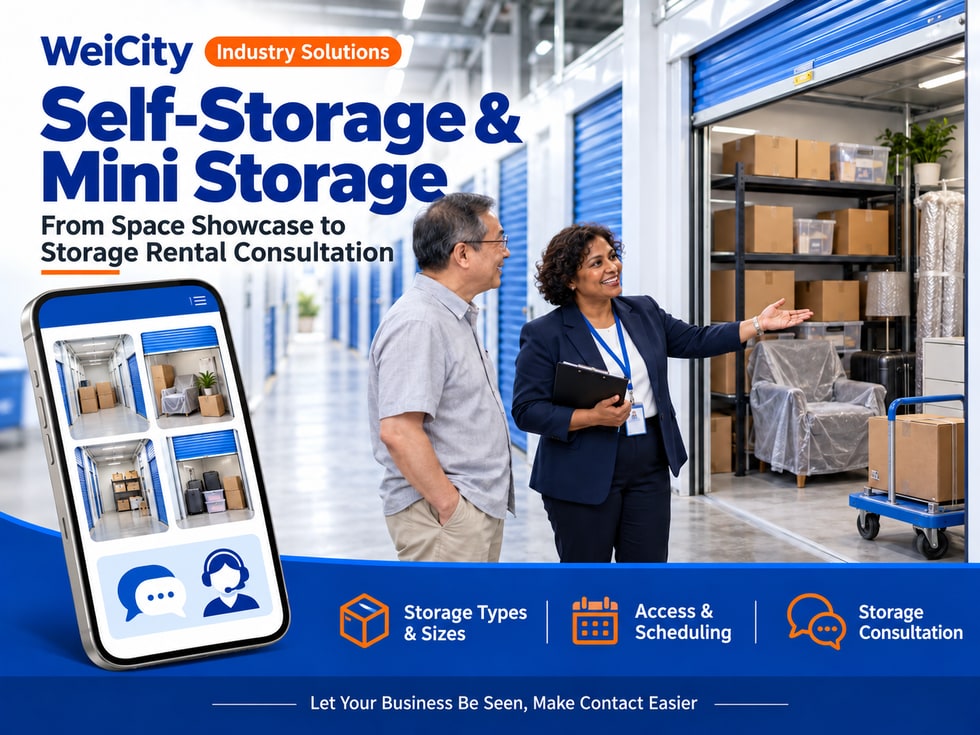
From space display to storage unit inquiries
"Can furniture be stored temporarily during a move?"
"How many boxes can this unit hold?"
“Can I rent it for just one month?”
“When can I go in to pick up my items?”
“Can company inventory be stored here?”
When customers look for storage space, they usually first want to know the unit size, location, rental period, and access arrangements. Some only need to store a few boxes of personal belongings, some need temporary storage for furniture, and some businesses need extra space to organize inventory.💡 With WeiCity, you can create your own merchant channel and organize your storage unit types, real photos, and rental instructions, so customers can understand the space first and then contact you to confirm a suitable arrangement.
✅ Self-Storage Businesses
Show different unit types, facilities, and self-access arrangements for customers.
✅ Mini-Storage Operators
Introduce small storage spaces, dimensions, and rental methods.
✅ Furniture and Personal Item Temporary Storage Providers
Explain the categories of items you actually accept and the storage conditions.
✅ Commercial Inventory Storage Providers
Introduce the types of goods suitable for inquiry and the arrangements for incoming and outgoing goods.
✅ Document and Item Safekeeping Providers
If offered, explain the scope of service and how items are retrieved.
📌 Self-access storage, collection-and-storage services, and item safekeeping are different services; describe them according to your actual operating model.
You can organize them by space and purpose:
🔹 Small Storage Units
Show dimensions so customers can understand the space available for boxed items.
🔹 Medium Storage Units
Introduce the actual floor area, internal height, and entrance conditions.
🔹 Large Storage Spaces
Explain the furniture or inventory needs suitable for inquiry.
🔹 Commercial Storage Spaces
Introduce the handling of incoming and outgoing goods, loading and unloading, and rental methods.
🔹 Environment-Specific Storage Units
If temperature or humidity control is actually provided, you may describe the specific conditions.
💡 Use clear dimensions and photos to help customers compare, and avoid describing spaces only as “large,” “medium,” or “small.”
Recommended to specify:
✅ Floor area or internal dimensions
✅ Length, width, and height with corresponding units
✅ Door dimensions and access method
✅ Floor level and moving conditions
✅ Whether there are columns or other space restrictions
✅ The environment and facilities actually provided
✅ Access hours and appointment requirements
🔶 Example: Storage Unit Introduction
Unit name: Use a name that is easy to recognize.
Internal dimensions: Fill in based on actual measurement data.
Entrance conditions: Explain door width, floor level, and how items are moved in.
Access arrangements: List the times when access is available and how it is confirmed.
Rental inquiry: Contact the merchant to confirm availability, rental period, and fees.
📌 The quantity that can be stored is affected by item size, packaging, and arrangement. Diagrams or reference quantities should state their conditions.
Recommended to show:
🔹 Overall View of the Unit
Let customers clearly see the actual space.
🔹 Entrance and Passageways
Help customers understand how items are brought in.
🔹 Size Reference
Add accurate labels to make comparison easier.
🔹 Loading and Moving Facilities
If there are trolleys, elevators, or loading areas, show the actual facilities.
🔹 Customer Access Route
Explain the check-in location and how to enter.
📌 Photos should correspond to the actual unit type. Demonstration arrangements should be marked as for reference only and do not mean all items can be stored in the same way.
1️⃣ Type of Items
State whether you need to store boxed items, furniture, documents, or commercial inventory.
2️⃣ Quantity and Approximate Size
Provide the number of boxes, furniture dimensions, or quantity of goods.
3️⃣ Expected Rental Period
State the start date and approximate length of the rental.
4️⃣ Access Frequency
State whether you need to retrieve items often or only need temporary storage.
5️⃣ Moving Needs
State whether you need to ask about transportation, moving, or related services.
6️⃣ Special Storage Requirements
If items have special requirements, inform the merchant in advance for confirmation.
💡 You may ask customers to provide an item list or photos to help make an initial assessment of the unit type they need to consider.
📌 The final choice of space still needs to be checked against item dimensions, entrance conditions, and the merchant's storage requirements.
It is recommended to list:
✅ Unit type and rental period covered by the rent
✅ Minimum rental period
✅ Deposit and refund conditions
✅ Access control, locks, or other fees
✅ Whether transportation and moving are charged separately
✅ Renewal and move-out notice requirements
✅ How late payments are handled
🔶 For example:
“Please provide your item list, expected move-in date, and rental period. We will confirm the available unit types and list the rent, deposit, and any other applicable fees.”
📌 Promotion deadlines, applicable unit types, and renewal prices should be explained before the rental is confirmed.
You can organize:
🔹 Times customers can enter
🔹 Whether advance appointments are required
🔹 How identity and access permissions are confirmed
🔹 Whether others may be authorized to access on the customer's behalf
🔹 Vehicle parking and loading arrangements
🔹 How trolleys, elevators, and other facilities are used
🔹 Handover and move-out steps when leaving
💡 Clearly explaining access arrangements helps customers judge whether they meet their everyday needs.
📌 When showing business hours, distinguish between customer service hours and actual access hours.
It is recommended to explain them according to your actual terms:
✅ Categories of items that may be stored
✅ Categories of items not accepted
✅ Packaging and arrangement requirements
✅ Whether other activities are allowed inside the unit
✅ The actual scope of environmental management
✅ Whether insurance is provided and its applicable conditions
✅ Contact process for item loss or unusual situations
📌 Do not promise that items will never be damaged. Facilities, insurance, and liability scope should be consistent with the actual service terms.
You can ask customers to provide:
🔹 Product categories and packaging methods
🔹 Expected inventory quantity and range of variation
🔹 Frequency of deliveries and pickups
🔹 Whether vehicle loading and unloading is needed
🔹 Whether collection, counting, or other services are needed
🔹 Expected rental period
📌 Ordinary storage space does not necessarily include collection, order picking, or order delivery; clearly list the items actually provided.
🔹 About Us
Introduce the location, operating model, and target customers.
🔹 Unit Types and Dimensions
Organize photos and information based on the actual space.
🔹 Facilities and Environment
Show passageways, moving facilities, and actual environmental conditions.
🔹 Rent and Rental Instructions
Introduce fees, rental periods, and how availability is confirmed.
🔹 Access and Moving
Explain entry times, loading and unloading, and move-in and move-out arrangements.
🔹 Storage Requirements
Organize restrictions on items and packaging conditions.
🔹 Contact and Visits
Provide the address, business hours, and how to book a visit.
🔶 Customer asks: “What size storage unit do I need for a few boxes?”
You can reply:
“Hello, here are our unit types and dimensions. Please provide the number of boxes and approximate size, and we will first help you understand which spaces may be suitable, then confirm the unit types currently available.”
🔶 Customer asks: “Can you temporarily store furniture?”
You can reply:
“Please provide a furniture list, dimensions, photos, and the expected rental period. We will check storage conditions, entrance access, and moving arrangements.”
🔶 Customer asks: “Can company inventory be stored?”
You can reply:
“Please tell us the product categories, quantities, and how often goods move in and out. We will first confirm the storage requirements, then explain the space and services we can provide.”
1️⃣ Basic merchant information
Name, address, contact details, and customer service hours.
2️⃣ Unit Types and Dimensions
Prepare actual measurement data and clear photos.
3️⃣ Fees and Rental Period
List the rent, deposit, and any other applicable fees.
4️⃣ Access Guide
Explain entry times and the move-in and move-out process.
5️⃣ Storage Requirements
Organize item categories, packaging conditions, and service scope.
✅ Are dimensions and units accurate?
✅ Do the photos match the actual space?
✅ Are customer service hours and access hours clearly distinguished?
✅ Are rent, deposits and additional fees explained?
✅ How are vacancy and rental periods confirmed?
✅ Are the storage requirements and service terms clear?
After organizing unit types, dimensions, and rental instructions into your channel, you can use them to reply to customers, introduce commercial storage services, and promote day-to-day business.
Customers can first understand the space, then provide an item list, rental period, and access needs; merchants can use this to continue confirming available unit types, fees, and move-in arrangements.
Want to learn how to set up a self-storage or mini-storage merchant channel?
Feel free to contact us through WeiCity's official channel contact details, and we can work together to organize display content suited to your business.
WeiCity
Make your business visible and contact easier.