

2 How do I post image-and-text updates on WeiCity? Share recent life with words and photos
From choosing photos to writing clear text, make life records, work results and brand routines easier to understand.
Want to share what's been happening on WeiCity but not sure how to choose photos or write text? Starting from preparing image-and-text content, this article covers choosing a topic, pairing photos, structuring text and checking before publishing, and provides examples of personal life and merchant routines to help you explain a matter clearly and give interactions a starting point.
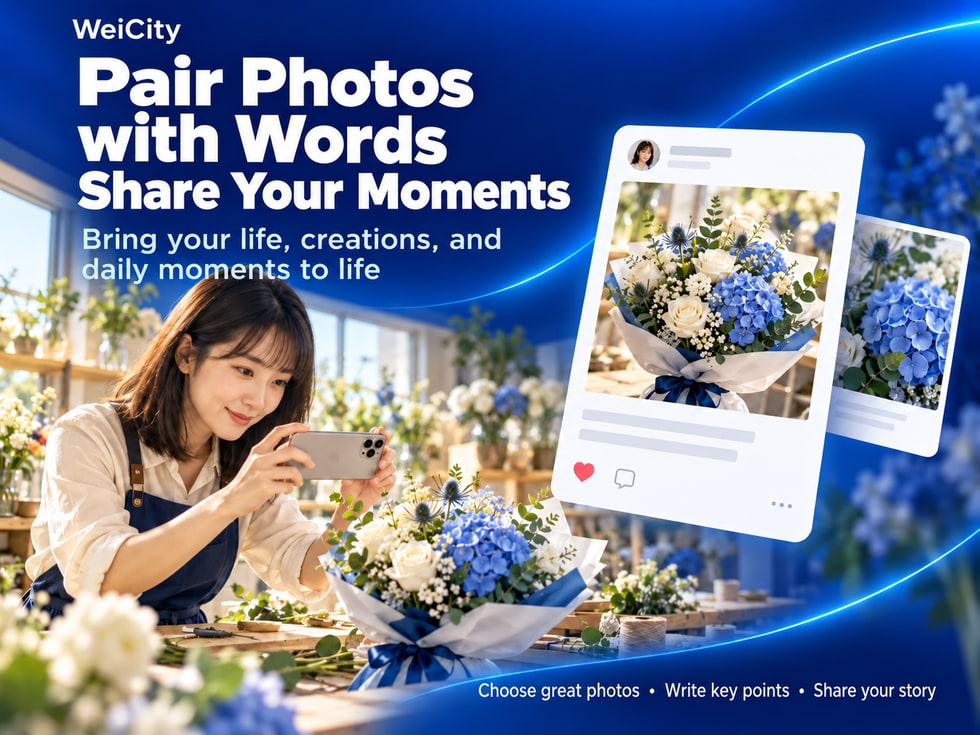
Your phone holds many photos, but you're not sure which one to share?
You took photos of a trip, a piece of work, or an everyday experience, but aren't sure what to write in your post?
For merchants, there may be product photos, production processes, and daily store life every day, but no idea how to organize them into content that customers can easily understand.
In fact, a good photo post does not necessarily need many photos or a long text.
As long as you choose a clear theme, pair it with suitable photos, and use simple text to explain the background and details, others will find it easier to understand what you want to share.
WeiCity photo posts can be used to share life, showcase works, exchange experiences, and record daily life at a business.
🌿 Record special moments in life.
📸 Share travel and photography works.
🎨 Showcase personal creative achievements.
💡 Share practical experiences and insights.
🛠️ Record work and production processes.
🏪 Introduce business products and team daily life.
💬 Interact with people who are interested through posts.
Photos present the scene, and text adds the story. Only when the two are combined can a share be more complete.
Many people don't know what to write in a post because they haven't yet decided what they really want to express.
Before posting, you can first ask yourself a question:
“After reading this post, what do I want others to know?”
For example:
📸 I discovered a beautiful place today.
🎨 I just finished a new piece of work.
🍞 I am trying to make a new product.
💡 I want to share a practical experience.
🏪 I want customers to know about the daily life of the store.
Once the theme is set, it becomes easier to choose photos and organize text.
Suitable for sharing:
🏞️ Travel experiences.
🌸 Everyday discoveries.
🍽️ Food experiences.
🎉 Special events.
🚶 Walks and outdoor experiences.
For example:
“Today, while walking in Penang, I discovered a small path I had never noticed before.”
Suitable for sharing:
📷 Photography work.
🎨 Design results.
💐 Floral works.
🍰 Finished baked goods.
🛠️ Handmade products.
For example:
“Today I finished a new set of product photography, trying to use natural light to show product details.”
Suitable for sharing:
📚 Learning insights.
🛠️ Practical methods.
💻 Work tips.
🎯 Experiences in solving problems.
For example:
“When organizing a large number of product photos, I found that sorting them by product first is easier to manage than putting them all in the same folder.”
Suitable for sharing:
🛍️ Preparing new arrivals.
🍽️ Food preparation.
👥 Team work.
🎉 Store events.
📦 Product packaging.
For example:
“Today the store started preparing a new product series, so I'd like to first share the making process of one of them.”
If today you went to a restaurant, completed a design work, and also attended an event, consider splitting them into different posts.
📌 The clearer the theme, the easier it is for photos and text to work together, and the easier it is for viewers to catch the key point.
Photos are an important part of a photo post.
But more photos do not necessarily mean better content.
When choosing photos, give priority to whether the image is clear and whether it helps explain the theme.
For example:
🍽️ When sharing a meal, make the main food easy to identify.
💐 When sharing a bouquet, highlight the flowers and the overall arrangement.
🎨 When sharing a design work, make the work the focus of the image.
🏪 When sharing a store, let viewers see its distinctive environment clearly.
If a photo is too dark, details may be hard to see.
If a photo is too bright, the colors may also differ from reality.
It is recommended to use clear, natural images as much as possible.
For example, if a post introduces the bread-making process, you can use:
🍞 Photos of the finished bread.
🥣 The dough preparation process.
🔥 The baking process.
🔪 Close-up details of the bread's cross-section.
There is no need to include photos unrelated to the theme.
If several photos are almost identical, viewers may not get any additional information.
You may consider:
📸 Overall view.
🔎 Close-up details.
👀 Different angles.
🛠️ Making Process.
🏁 Final result.
Before uploading, you can check:
🖼️ Whether the image is clear.
📐 Whether the main content is cropped.
🎨 Whether the colors look natural.
📱 Whether it is easy to understand on a mobile phone.
If a photo is noticeably edited, especially regarding product color, size, or actual effect, avoid misleading viewers.
📌 When choosing photos, the focus is not the quantity but whether each photo helps others understand the content.
If the current WeiCity post publishing page supports multiple photos, you can arrange them in the order in which the content is read.
From the first photo, viewers should know what the post mainly shares.
The first photo is suitable for showing the overall picture.
For example:
🍽️ The complete meal.
💐 The finished bouquet.
🏪 Store environment.
🎨 The final design work.
🏞️ The travel destination.
For example:
🍰 Cross-section of a dessert.
💐 Flower Material Combinations.
🎨 Detail of the design.
🛠️ Product details.
For example:
🍞 Dough preparation.
🎨 Sketching.
📦 Product packaging.
📸 The shooting scene.
For example:
🎨 The final finished look.
🍽️ Finished dish display.
📸 Photos from different angles.
💡 Details worth discussing further.
📸 First photo: the complete bouquet.
🔍 Second photo: flower details.
🎨 Third photo: color combination.
💐 Fourth photo: the finished packaging.
Different publishing versions may offer different upload limits and file requirements.
📌 Multiple photos can be arranged by overall view, details, process, and result to add more layers to the content.
Many people find writing posts difficult, but you can use a simple three-part structure.
Paragraph 1: What happened.
Paragraph 2: What details are worth noting.
Paragraph 3: Your feelings or a question you want to discuss.
Start by telling others directly what you are sharing.
For example:
“Today I finished my first bouquet in blue and white.”
Or:
“Today I discovered a very distinctive little café in Penang.”
Explain information that photos alone cannot fully convey.
For example:
“This time I tried to reduce decoration, so the layers of the flowers themselves are more visible.”
Or:
“The shop keeps the character of an old-style building. Sitting by the window, you can see everyday life on the street.”
For example:
“What I like most this time is the overall fresh feeling.”
Or:
“Sometimes slowing down really helps you notice the small details you usually overlook.”
For example:
“Do you prefer blue-and-white color schemes, or warm-toned bouquets?”
Or:
“When you visit a café, do you prefer a quiet environment or a lively atmosphere?”
If you just want to record daily life, you can end with a single sentence about how you feel.
📌 What happened, what details there were, and how you felt is a very suitable approach for beginners writing image-and-text posts.
Most social posts are viewed on phones.
If the text is all crammed together, readers may find it hard to grasp the main points.
It is recommended to use clear, short paragraphs.
For example:
“Today I finished a new whole wheat bread.”
Let people know the topic of the content right from the start.
For example:
First paragraph: introduce the new product.
Second paragraph: explain the making process.
Third paragraph: share the taste and your feelings.
For example:
📍 Location: George Town, Penang.
📅 Date: October 23, 2026.
🕒 Time: 3:00 PM.
Emojis can help signal content.
For example:
📸 Photos.
🍽️ Food.
🎨 Creation.
💡 Experience.
However, there is no need to add a lot of symbols to every sentence.
If the photo already clearly shows the overall view, you can focus the text on the background and details.
“Today I completed a set of new product photos.”
📸 This time I tried shooting with natural light, hoping to make the product colors closer to their actual appearance.
🎨 During shooting, I specifically adjusted the background and angle so the main details are easier to see.
💬 Do you prefer simple backgrounds, or product photos with a lifestyle setting?
📌 Clear paragraphs and a clear focus help viewers more easily understand your post on their phones.
For merchants, image-and-text posts do not always need to promote sales or special offers.
Sometimes, sharing real work processes can better help people understand the brand's characteristics.
They can share:
🥣 Dough preparation.
🍞 New product trial.
🔥 The baking process.
🔪 Cross-section of the finished product.
For example:
“Today I tried adjusting the fermentation time for the whole wheat bread, hoping to make the texture softer while keeping the wheat aroma.”
They can share:
🌸 Choosing flowers.
🎨 Color matching process.
💐 Making bouquets.
🎁 Packaging details.
For example:
“This time I tried a blue-and-white color scheme, aiming for a simple, fresh visual effect.”
They can share:
🔧 General maintenance knowledge.
🛠️ Explanation of common issues.
📋 Work preparation.
💡 Daily maintenance tips.
For example:
“Today I'm sharing a common equipment maintenance issue to help everyone understand when they should arrange an inspection.”
They can share:
✏️ Initial sketches.
🎨 Design direction.
🔄 Revision process.
🖼️ The finished work.
For example:
“This design started with simple lines. After several adjustments, I finally chose a clearer visual structure.”
They can share:
☕ New coffee beans.
🌱 Ingredient features.
🥛 Beverage preparation.
🍰 Dessert pairings.
For example:
“Today I tasted a new coffee bean and recorded how its flavor changes with different brewing methods.”
📸 Let customers see the actual products.
🛠️ Understand the making and service processes.
👥 Get to know the team behind the brand.
💬 Create topics for further inquiries.
If a post involves:
💰 Prices.
📦 Inventory.
📅 Supply dates.
🎟️ Offer conditions.
Confirm that the information is correct before publishing.
📌 Merchant image-and-text posts are not only about showing products; they can also help customers learn about the processes and details behind them.
Suppose you went for a walk in the park today and saw a beautiful scenery.
You took several photos on your phone but aren't sure how to turn them into a post.
You could arrange it like this.
First photo: overall view of the park.
Second photo: flowers along the path.
Third photo: details of the walking path.
🌿 Today on a walk, I discovered a small scene I usually overlook
Today I walked along a familiar path and noticed several beautiful small flowers blooming by the roadside.
When I pass by here normally, I usually walk quickly and don't pay much attention to the surroundings.
Today I slowed down and realized that the same stretch of road can look different at different times.
📸 I took this moment to keep as a small record of today.
🎯 Clear theme: recording a discovery from a walk.
📸 Photos are relevant: they show the actual scenery.
📝 Text adds context: it explains the experience at the time.
🌿 Connects with nature: it shares personal observations.
🏞️ Travel.
🌸 Flowers and plants.
🍽️ Food experiences.
🎉 Family activities.
📷 Photography records.
📌 Life posts do not need to be about major events; a genuine small discovery can also be worth sharing.
Suppose a bakery is trying out a new whole wheat bread.
The owner has photographed the making process and the finished product.
You could arrange the post like this.
First photo: freshly baked bread.
Second photo: cross-section of the bread.
Third photo: making process.
Fourth photo: overall plating.
🍞 Today I tested a new whole wheat bread
Today in the shop, I tried adjusting the way whole wheat bread is made.
This time I mainly adjusted the fermentation time, hoping to keep the soft texture while making the wheat aroma more noticeable.
📸 The photo shows a batch that has just come out of the oven and is ready to be cut for tasting.
🍞 It is still in the testing stage and is not officially on sale yet.
💬 When you choose bread, do you prefer a soft texture or a firmer one?
🛍️ Clearly explains the product.
🍞 Shows the real making process.
📸 Lets customers see the details of the finished product.
📝 Explains that it is still in the trial stage.
💬 Leaves a question for discussion related to the product.
Avoid letting customers mistakenly believe the product is already available for purchase.
If the product is already officially on sale, you can also add the following as needed:
📦 Product name.
💰 Actual price.
📅 Availability period.
🏪 How to purchase or inquire.
📌 Merchant posts can start from a real making process, and they do not always need promotional-style copy.
After completing photo selection and text editing, it is recommended to take a moment to review again.
Can readers quickly tell what you are sharing?
Do the images support the text description?
Has the necessary background been explained?
For example:
📍 Location.
📅 Date.
💰 Prices.
📦 Product name.
🕒 Event times.
Does it need to be divided into paragraphs?
Is there any text that is too long?
For example:
🏠 Home addresses.
📞 Private phone numbers.
📄 ID documents.
👤 Other people's information published without their consent.
If photos include customers, students, or other people, confirm that it is appropriate to make them public and obtain any necessary consent.
If images or designs come from other creators, pay attention to the relevant usage permissions.
Based on the settings provided on the current WeiCity post publishing page, confirm the content and the applicable publishing scope.
If the page provides a preview feature, you can confirm how the text and photos will display before publishing.
📌 Checking content before publishing can reduce data errors, privacy issues, and unnecessary misunderstandings.
Publishing a photo post does not necessarily mean the sharing has ended.
If other users are interested in your content, they may take part in the conversation by liking or replying.
For example:
"Thank you for your like!"
For example:
"Where was this photo taken?"
You can reply according to the actual situation.
For example:
📸 Where it was taken.
🎨 How it was made.
🍽️ Special features of the ingredients.
🛠️ Experience in using it.
If someone offers a different view, you can discuss the specific content.
If you find:
📅 An incorrect date.
📍 An incorrect location.
💰 An incorrect price.
📝 Content that needs to be added.
Check whether the current page offers an editing function, and correct it or publish a correction notice in whatever way is actually available.
If you have met people with shared interests through post interactions, you may follow them as needed.
Meaningful conversation is usually more valuable than a large number of repetitive replies.
📌 A post can be a starting point for conversation. Responding thoughtfully to related questions helps you get to know each other better.
Yes.
Users can share text and photos through the related social features.
Specific operations are subject to the current page.
You can start with something you are familiar with.
For example:
🌿 Life records.
🎨 Personal works.
🍽️ Food experiences.
💡 Learning experiences.
🏪 Everyday business life.
There is no need to add photos just to increase the number.
It is recommended to choose based on what the content needs.
The actual upload limit is subject to the current publishing page.
You may consider:
📸 Overall view.
🔍 Important details.
🛠️ Making Process.
🏁 Final result.
It should be decided based on the content.
As long as the topic, background and key points are clearly explained, there is no need to write deliberately long text.
No.
If you want to interact with other users, you can ask related questions.
If you are only recording your life, you can also end with your own feelings.
For example:
🛍️ Preparing new arrivals.
🍽️ Preparation process.
🎨 Service case studies.
👥 Daily life of the team.
💡 Professional experience.
You may share preparation or trial-making processes as appropriate, but you should clearly state that the product is not yet officially on sale to avoid misunderstanding.
Check whether the current page provides an edit option.
If it cannot be edited directly, you can make a correction in another appropriate way based on the actual situation.
Yes.
For photos, personal information or works involving other people, confirm whether they are suitable to make public and obtain any necessary consent.
Not necessarily.
Content that is authentic, clear and related to the topic can equally help others understand your experiences or ideas.
Not necessarily.
Whether a post attracts attention depends on factors such as its topic, quality, users' interests and how the platform actually displays it.
📌 The focus of photo posts is expressing content and communicating, not guaranteeing a particular number of followers.
✅ Have I chosen a clear topic?
✅ Do I know what I want to share?
✅ Are there details worth explaining?
✅ Are the photos clear?
✅ Are they related to the topic?
✅ Have I avoided too many repetitive angles?
✅ Have I checked that the main content is not cropped?
✅ Does the opening state the topic?
✅ Have I added necessary background?
✅ Have I written my own feelings or experience?
✅ Do I need to leave a question for discussion?
✅ Is the text divided into clear paragraphs?
✅ Have I avoided overly long text?
✅ Are the emojis used in moderation?
✅ Does it contain private information that should not be made public?
✅ Does it involve photos of other people?
✅ Have I confirmed the usage rights for the materials?
✅ Are the product descriptions accurate?
✅ Are the prices and supply information correct?
✅ Have products not yet on sale been clearly identified?
✅ Have I selected the right photos?
✅ Is the text complete?
✅ Have I confirmed the publishing settings?
✅ Have I checked how it actually displays?
📌 From topic and photos to text and publishing checks, preparing each step can make your photo post more complete.
A photo post does not need to start with complicated content.
A walk, a finished piece of work, a freshly completed meal, or a work process can all be a topic to share.
With WeiCity photo posts, you can show real scenes through photos, then add background, details and feelings through text.
📸 Choose photos: Let others clearly see what you want to show.
🎯 Define the topic: Each post focuses on one main point.
✍️ Add text: Explain what happened and what the details are.
📱 Lay out clearly: Make it easier to read on mobile phones.
🏪 Share your everyday business: Show products, processes and brand features.
🔐 Check privacy: Confirm that the materials are suitable to make public.
💬 Take part in interaction: Continue the conversation through replies and discussion.
🤝 Build connections step by step: Give people with shared interests a chance to get to know each other.
WeiCity photo posts can not only record daily life, but also help individuals, creators and merchants express themselves through authentic content.
You do not have to wait for something major to start sharing.
Starting with a photo you take today and clearly writing the story behind it can complete a meaningful post.
📸 Photos show the scene.
✍️ Text adds the story.
💬 Replies continue the conversation.
Specific photo upload limits, publishing options, editing functions and scope of use are subject to WeiCity's current platform interface.
👉 Open WeiCity: https://wei.city/