

87 How Can Maternity and Baby Product and Children's Clothing Merchants Use WeiCity? From Product Display to Purchase Inquiries
Centrally display product categories, sizes, materials and purchasing methods so parents can understand the products more easily and contact you to make inquiries.
How can maternity and baby product stores, children's clothing shops, children's product retailers and maternity product suppliers use WeiCity? Through product categories, specification information, real product images and buying guidelines, build a merchant channel that makes it easy for parents to browse products, check their needs and contact you.
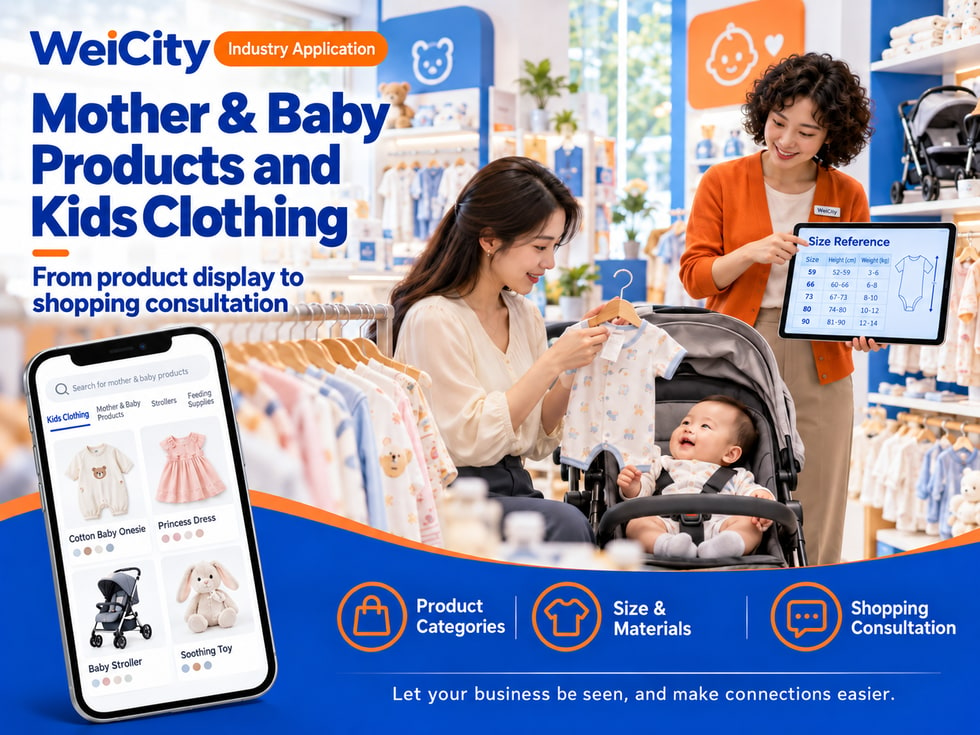
From Product Display to Purchase Inquiries
"Does this outfit come in other sizes?"
"What capacities does this bottle come in?"
"Can this stroller be folded?"
"Do you have products suitable for newborns?"
"Can you check the color and stock first?"
When choosing maternal and infant products, parents usually need to check size, material, suitable stage, accessories, and instructions for use. Some customers already know the product model, while others need to first compare different styles and specifications.
💡 With WeiCity, you can build your own merchant channel and organize your product categories, product information, and purchase methods, so customers can first browse what's available in your store and then contact you to confirm the right specifications and stock.
✅ Maternal & infant product stores
Display feeding products, outing products, and daily items you actually sell.
✅ Children's clothing stores
Organize products by age reference, size, season, and garment type.
✅ Stroller and car seat merchants
Introduce brands, models, sizes, accessories, and product information.
✅ Toy and children's goods stores
Display age-appropriate toys, learning supplies, and everyday accessories.
✅ Maternity and baby goods retailers
Organize products you actually sell for pregnancy, postpartum, and breastfeeding use.
✅ Maternal & infant product suppliers
Explain supply categories, packaging units, bulk inquiries, and ordering methods.
📌 Introduce products according to your actual business scope and product information so parents can easily find what they need.
You can organize them by usage scenario or product type:
🔹 Children's clothing
Categorize by size, season, style, and garment type.
🔹 Feeding products
Display bottles, tableware, bibs, and cleaning accessories.
🔹 Outing products
Organize strollers, carriers, mommy bags, and related accessories.
🔹 Sleep and home products
Display bedding, storage products, and daily household items.
🔹 Care and cleaning products
Categorize by product use, packaging specification, and instructions for use.
🔹 Toys and learning supplies
Label product names, age reference, and product descriptions.
💡 Start with the product categories customers ask about most, then gradually add brands, models, and detailed information.
Recommended to specify:
✅ Product name, brand, and model
✅ Size, capacity, or package quantity
✅ Material and product composition
✅ Age or size reference
✅ Whether accessories are included
✅ Cleaning and care instructions
✅ Sales unit and purchase method
✅ Conditions of use that need further confirmation
🔶 Example: Children's clothing description
Product name: Clearly state the style and brand.
Size: List the sizes actually offered and attach an accurate size chart.
Material: Fill in according to the product label or supplier information.
Color: Indicate available colors and stock status.
Buying tip: Recommend that customers compare against the size chart and their garment measurements.
How to inquire: Contact the store to confirm size, color, stock, and price.
📌 Size standards may differ between brands. Customers can check the product size chart before purchasing; specific product information should follow the label and the information provided by the merchant.
For each product, we recommend preparing:
🔹 Overall product photo
Clearly show the shape, color, and style.
🔹 Size or specification label
Help customers check the model, capacity, and product information.
🔹 Material and detail photos
Show the fabric, fasteners, connectors, or other key parts.
🔹 Packaging and Accessory Photos
Explain what is actually included in the sale.
🔹 Usage scenario photos
Help customers understand product size and how it is used, without exaggerating product effects.
💡 If the same product comes in different colors, sizes, or models, photograph and label each one separately.
📌 Images should correspond to the actual product. When packaging or specifications are updated, replace images and descriptions promptly.
1️⃣ Product name or reference photo
If they have old packaging, they can photograph the brand and model label.
2️⃣ Required size or capacity
For example, garment size, bottle capacity, or storage space dimensions.
3️⃣ Usage scenario
Explain whether it is for home use, outing use, or purchase as a gift.
4️⃣ Desired style and color
Helps confirm the specific product and stock.
5️⃣ Expected purchase quantity
Helps determine whether ordering or delivery arrangements are needed.
📌 For professional questions about infant and toddler health, feeding, or product suitability, follow the product instructions and the advice of relevant professionals.
Maternal and infant products may be sold by piece, set, group, or different capacities.
Suggested content:
✅ The sales unit that the price applies to
✅ What accessories a set includes
✅ Price differences between sizes and models
✅ Whether there is a minimum order quantity
✅ How current stock is confirmed
✅ Whether reservation or ordering is required
✅ How shipping or other fees are calculated
🔶 For example:
"This product is sold as a set; please check the product description for set contents. Stock may vary by color and specification. Please contact the store to confirm prices and availability."
📌 Product displays in the channel do not represent real-time stock. Before purchasing, customers should confirm the product model, package contents, price, and availability.
Suggested content:
🔹 Store address and business hours
🔹 Whether in-store pickup is available
🔹 Whether stock should be confirmed before self-pickup
🔹 Areas where delivery is actually provided
🔹 How shipping fees are calculated or quoted
🔹 Transportation arrangements for large items
🔹 Expected preparation and delivery time
🔹 Return and exchange methods and conditions
💡 If some products require reservation, you can note "Please contact us first to confirm supply timing."
🔹 About Us
Introduce the store, scope of business, and customers served.
🔹 Children's clothing
Display by size, style, and season.
🔹 Feeding and daily products
Organize the products and accessories you actually sell.
🔹 Outing and home products
Display strollers, carriers, bedding, and storage products.
🔹 New Arrivals & Restocks
Share newly added or restocked products.
🔹 Purchase and delivery information
Introduce size checking, stock confirmation, self-pickup, and delivery methods.
💡 To start, you can feature your main product categories and representative products, then gradually add detailed specifications.
🔶 Customer asks: "Does this outfit come in other sizes?"
You can reply:
"Hello, here are our children's clothing categories and size information. Please tell us the size and color you need, and we will help confirm stock."
🔶 Customer asks: "What accessories come with this stroller?"
You can reply:
"You can first check the accessories section in the product description. You are also welcome to send us the specific model, and we will help you check the package contents and availability."
🔶 Customer asks: "Can you deliver to my home?"
You can reply:
"Please tell us your area and the products you need, and we will help confirm stock, shipping fees, and delivery arrangements."
1️⃣ Basic store information
Name, address, business hours, and contact information.
2️⃣ Main product categories
Start with the products parents ask about most.
3️⃣ Representative product information
Prepare brand, model, size, material, and packaging information.
4️⃣ Product photos
Take clear photos of the appearance, specification labels, and included accessories.
5️⃣ Purchase and delivery information
Organize size checking, price inquiries, self-pickup, and delivery arrangements.
✅ Are the product categories clear?
✅ Are the sizes, materials, and models accurate?
✅ Do the images correspond to the actual products?
✅ Are set contents and sales units explained?
✅ Is it clear how prices and stock are confirmed?
✅ Are the address, business hours, and contact information correct?
After you organize your products, sizes, and purchase information in your channel, you can use them to reply to customers, introduce new arrivals, and promote your business day to day.
Parents can first browse product categories, then provide the sizes, models, or reference photos they need; merchants can then continue to confirm stock, prices, and delivery arrangements.
Want to learn how to set up a maternal and infant product merchant channel?
Feel free to contact us through the official WeiCity channel contact details, and we can organize display content suitable for your store together.
WeiCityMake your business visible and your contact easier.