

7 How Are Galleries and Article Images Different? Choose the Right Way to Display Images
Do you want customers to browse your work, or to understand an explanation? Arrange galleries and article images according to your content goals so images serve the right purpose.
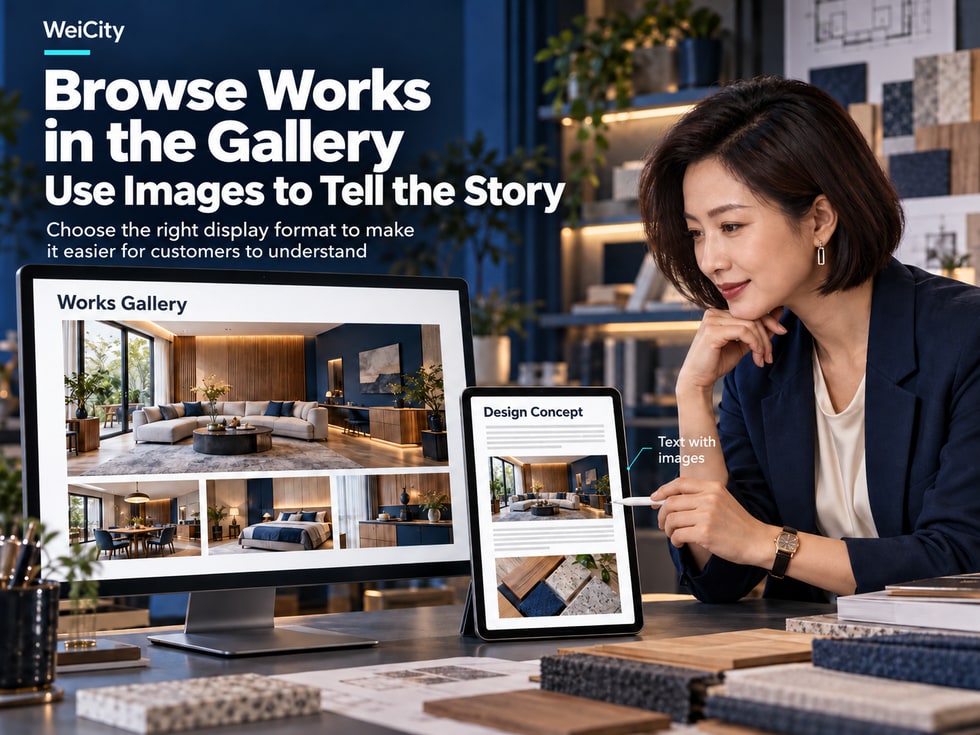
Galleries and article images both display pictures, but they serve different tasks. Galleries are suited to presenting products, environments, and work together so customers can browse and compare; article images work alongside text to explain steps, details, and case studies. This article uses practical scenarios to explain the difference between the two, helping merchants choose a display format and connect related content.
When customers first learn about a merchant, they usually want to see actual photos first.
For example:
🏪 What does the shop environment look like?
🛍️ What styles of products are available?
🍽️ What does the dining space in the restaurant look like?
💐 What styles of bouquets can the flower shop make?
🏡 What projects has the interior design company completed?
🛠️ What real-life cases does the service merchant have?
📸 What style does the photographer's work belong to?
Images help customers understand products, environments, services, and work more intuitively.
However, different images are suited to different display methods.
Some images are best placed together in the Gallery, so customers can browse and compare them quickly.
Other images are better placed within articles, paired with text that explains steps, product features, or service processes.
The main difference between the WeiCity Gallery and article images lies in the job the images do: the Gallery focuses on centralized display, while article images focus on supporting explanation.
For merchants, creators, and professionals, choosing the right way to present content helps customers better understand your business and lets photos you have already organized do more work.
This article introduces the differences between the WeiCity Gallery and article images, suitable industries, image arrangement, text descriptions, SEO considerations, and how to make the two types of content work together.
When you are about to upload images, there is no need to rush to decide whether to use the Gallery or an article.
You can start by asking yourself:
After viewing these images, what information should customers come away with?
For example:
💐 You want customers to see different bouquet styles.
🏡 You want to showcase completed renovation projects.
📸 You want customers to compare different photography styles.
🛠️ Want to explain how a service works.
☕ Want to introduce the steps for brewing coffee.
📏 Want to teach customers how to measure furniture.
Although all of these need images, they serve different display purposes.
Consider using a Gallery.
For example:
Show different products.
Compare different styles.
Browse multiple works.
View the store environment.
Consider article images.
For example:
Explain usage steps.
Introduce service processes.
Explain how to choose.
Share project experience.
Consider using a Gallery and an article together.
For example:
The Gallery shows finished works.
The article explains the design process.
A flower shop plans to introduce birthday bouquets.
If the goal is to let customers see the range of bouquet styles, create a birthday bouquet Gallery.
If the goal is to explain how to choose a bouquet based on budget, occasion and recipient, write a buying guide article and add photos to the relevant paragraphs.
📌 First decide what the images should help customers do, then decide whether to use a Gallery or article images.
The Gallery is mainly used to display a group of related images together.
It helps customers understand product appearance, work styles, store environments or service results by browsing photos.
Customers can choose the images they want to see based on their interests.
For example:
Birthday bouquets.
Graduation bouquets.
Wedding floral arrangements.
Holiday gift boxes.
Different packaging styles.
For example:
Living room designs.
Bedroom designs.
Kitchen renovations.
Office spaces.
Commercial storefronts.
For example:
Restaurant exteriors.
Dining areas.
Private rooms.
Seating arrangements.
Food displays.
For example:
Different colors.
Different styles.
Outfit coordination.
Material details.
Actual product effects.
For example:
Construction process.
Completed results.
Equipment installation.
Space organization.
Project records.
For example:
Portrait photography.
Product photography.
Wedding photography.
Commercial photography.
Artistic creations.
For example:
Classroom environments.
Teaching facilities.
Activity spaces.
Course materials.
Event records with appropriate authorization.
Customers do not necessarily need to read long explanations first; photos can give them an initial impression.
However, a Gallery should not consist of images alone with no explanation at all.
Adding appropriate work names, project types and relevant information can help customers understand what the photos show.
📌 A Gallery answers one customer question: what products, environments, works or actual results can I look at?
The main role of article images is to help readers understand the main text.
They usually appear alongside the text, so readers see related visuals while reading the explanation.
For example:
How to repot a plant.
Watering steps.
Where to prune.
How to use tools.
For example:
How to brew coffee.
Appliance operating steps.
How to install equipment.
Daily maintenance instructions.
For example:
Repair inspection.
Construction preparation.
The service process.
Final inspection after completion.
For example:
Measuring curtain dimensions.
Measuring space for furniture placement.
Choosing clothing sizes.
Checking the space before installation.
For example:
Material textures.
Product structure.
Port locations.
Purpose of parts.
For example:
Project background.
Problems encountered.
Handling methods.
Final results.
A curtain merchant published:
📏 Before ordering custom curtains, how should you measure the window?
The article can be arranged as follows:
📝 Step 1: Prepare measuring tools.
🖼️ Image: Tape measure and recording tools.
📝 Step 2: Measure the window width.
🖼️ Image: Mark the positions to be measured.
📝 Step 3: Confirm the curtain length.
🖼️ Image: Show measurement positions for different lengths.
📝 Step 4: Record the dimensions.
🖼️ Image: Demonstrate how to record dimensions.
The purpose of these images is to help readers understand the operating steps.
If you only show a beautiful photo of finished curtains, it may not answer how to measure.
📌 Article images are suited to answering another question: how should this be done, why was this choice made, and what should be noted?
Both approaches can use images, but they organize content differently.
| Comparison Item | 🖼️ Gallery | 📝 Article images |
|---|---|---|
| Main Purpose | Display images collectively | Support explanation of the text |
| Reading method | Browsing and comparing | Read in article order |
| Main Content | Appearance, style, results | Methods, steps, reasons |
| Image order | Arranged by work or theme | Arranged to follow the text |
| Text explanation | Introduces what the images show | Explains the relationship between images and text |
| Suitable content | Products, environments, portfolios | Tutorials, guides, case analyses |
| Customer purpose | See what choices are available | Understand how to do or choose something |
The Gallery can show:
🛋️ Different living room furniture.
🪑 Different dining table styles.
📦 Different storage cabinets.
🎨 Different color combinations.
The article can introduce:
📏 How to measure the placement space.
🪵 How to choose furniture materials.
🏡 How to arrange storage in small apartments.
🛠️ How to maintain furniture day to day.
The same merchant can use both a Gallery and articles.
The Gallery shows the choices, and the article explains them.
Some businesses need to both show results and explain the process.
For example:
Interior design.
Renovation work.
Photography Services.
Wedding decoration.
Brand design.
Custom furniture.
These industries are well suited to using a Gallery and articles together.
An interior design company completed a small apartment project.
Completed living room photos.
Completed kitchen photos.
Completed bedroom photos.
Storage spaces.
Lighting effects.
Detailed design features.
What problems the homeowner originally faced.
What constraints the space had.
Why a particular design was chosen.
How the storage space was arranged.
What to consider when choosing materials.
What changed after the project was completed.
If the current page supports the relevant link, you can include the following in the article:
“Browse the complete renovation works Gallery”
You can also guide readers to detailed case articles in the Gallery's related description.
Through the Gallery, they can see actual results.
Through the article, they can understand the design thinking.
Through related entry points, they can learn more about the service.
📌 Using both presentation formats for the same business lets customers see the results and understand the thinking behind them.
A gallery should not simply be a place where all photos are uploaded together.
If you have a large number of photos, it is recommended to organize them by theme first.
For example:
Clothing.
Shoes.
Handbags.
Accessories.
For example:
Modern minimalist.
Natural style.
Classic design.
Creative works.
For example:
Living room.
Bedroom.
Kitchen.
Office.
For example:
Product photography.
Portrait photography.
Event photography.
Commercial photography.
For example:
2026 brand events.
Festival decorations.
Wedding projects.
Exhibition works.
A photography studio could organize its gallery as follows:
📸 Portrait photos.
👨👩👧 Family photography.
💍 Wedding photography.
🛍️ Product photography.
🏢 Corporate and commercial photography.
This way, customers can easily find the works that match their needs.
For example:
Product photos, staff events, construction records, and promotional posters should not all be placed in the same gallery.
Without a clear theme, customers may find it difficult to tell what the focus is.
📌 The closer the gallery categories are to how customers browse, the easier it is for them to find works that interest them.
The order of gallery images affects customers' first impression of the works.
It is recommended to show images that represent the theme first, then gradually add other angles and details.
For example:
Complete product.
Finished space.
A representative work.
For example:
Front view.
Side view.
Interior space.
For example:
Material.
Structure.
Craftsmanship.
Decoration.
For example:
Different colors.
Different styles.
Different configurations.
🏡 First image: the overall effect of the furniture placed in a real space.
📦 Second image: front view of the furniture.
📐 Third image: internal storage structure.
🪵 Fourth image: material details.
🎨 Fifth image: other color options.
For example:
Five product photos taken from almost the same angle.
If each photo does not provide new information, browsing efficiency may decrease.
📌 A good gallery sequence lets customers understand the work as a whole first, then gradually view different angles and details.
Article images are different from gallery images.
They need to follow the logic of the main text.
For example:
Preparing materials.
Operation processes.
Key details.
Finished result.
The article explains which tools are needed.
Image shows:
Flower pot.
Potting soil.
Small trowel.
Plant.
The article explains how to perform this operation.
Image shows the corresponding step.
The article describes the positions and space to pay attention to.
Image shows the process.
The article explains the follow-up precautions.
Image shows the finished state.
If readers are reading step two but see the photo for step four, they may become confused.
Place images as close as possible to the related explanation.
Readers should not have to keep scrolling up or down to find an image in order to understand a paragraph.
📌 Article images should follow the order in which readers understand the content, rather than being arranged simply by how attractive they are.
The gallery is image-focused, but appropriate text captions can add informational value.
For example:
Product name.
Type of work.
Space use.
Design style.
Project features.
Rendering.
Product photos.
Work showcase.
More images.
Text like this usually does not provide enough information.
🏡 Small-space living room design, featuring light wood cabinets and open storage.
💐 Pink and white birthday bouquet, paired with light-colored wrapping and seasonal flowers.
📸 Corporate image photography, using a simple background and natural light.
🛋️ Two-seat sofa design, showing the armrests, seat cushions, and fabric details.
🍽️ Restaurant interior, showing the main dining area and seating arrangement.
🏷️ Work name.
📍 Project type.
🎨 Design style.
🛠️ Materials used.
📦 Product features.
If the specific material is unknown, do not casually describe it as solid wood.
If a photo is only a design illustration, it should not be described as a completed actual project.
📌 The purpose of a gallery caption is to help customers understand what the photo shows and what features are worth noting.
Article image captions differ slightly from gallery captions.
Article images place more emphasis on explanation.
For example:
Why is this image shown?
What should readers pay attention to?
Which step does the image correspond to?
Image caption: When measuring the width of a window, record the distance between the left and right measuring points and note the unit.
Image caption: After placing the filter paper in the dripper, prepare it according to the operating requirements of the equipment being used.
Image caption: When checking the soil in the pot, note that the moisture on the surface and inside may differ.
Image caption: Before installation, first confirm that the accessory model matches the equipment interface.
Image caption: Using a wall-side storage cabinet keeps the main walkway clear, making a small space easier to use.
Explain the relationship between the image and the current paragraph.
Help readers notice important details.
Avoid repeating descriptions that add no practical value.
📌 Article images are not just decoration; they are part of the explanation in the text.
Image size and aspect ratio affect how images actually appear.
Different display positions may suit different images.
Choose an appropriate aspect ratio based on the content of the work.
For example:
Horizontal space photos.
Vertical portrait works.
Square product photos.
It is recommended to keep an aspect ratio suitable for the width of the body text.
For WeiCity merchant articles, 4:3 landscape images are generally suitable as a starting point for general article images.
However, the final decision should always be based on how the page actually displays.
Make sure the main product is fully visible.
Keep enough of the surroundings so customers can understand the layout of the space.
When cropping, be careful not to cut off important people or actions.
The text should be clear enough.
Avoid shrinking images to phone size so that the text becomes unreadable.
Do not look only at the pixel count.
You also need to check:
Whether the main subject is clear.
Whether details can be made out.
Whether the image is blurry.
Whether it is distorted after compression.
For example:
Vertical photographic works may not suit being forcibly cropped into landscape format.
Choose based on the content and actual display requirements.
📌 Image ratio should serve the display purpose and ensure customers can see what truly matters.
Merchants may publish large numbers of articles and galleries at the same time.
If the image style of each piece of content differs too much, customers may find it hard to form a consistent brand impression.
For example:
Brand blue.
Warm tones.
Natural tones.
Simple white background.
Where possible, use clear, authentic images that reflect your actual business.
For example:
Product or work name.
Key features.
Related uses.
Choose a photo that represents the topic of the article or Gallery.
This is especially important for merchant content published over a long period.
You can vary images according to the actual topic:
People.
Scenes.
Shooting angles.
Composition styles.
A beauty salon publishes several service introductions.
It can keep a consistent brand color, but each article can use different service scenes and people from different angles.
This maintains brand recognition while helping content avoid looking repetitive.
📌 A consistent style does not mean every image must look the same; it means different content should look like it belongs to the same brand.
If the WeiCity page you are using offers linking features, you can consider linking Galleries and articles to each other.
For example:
A customer is browsing renovation works.
You can provide:
“Read the design process for this project”
For example:
A customer is reading an interior design case study.
You can provide:
“Browse more completed works”
For example:
A customer is reading a furniture buying guide.
You can provide:
“View related furniture products”
For example:
After viewing photography works, a customer wants to learn more about the services.
Inquiry entry points can be arranged according to the contact features the merchant actually provides.
📝 Furniture Buying Article
↓
🖼️ Furniture Works Gallery
↓
🛍️ Related Product Details
↓
💬 Merchant Inquiry
These are only content planning examples. Which links, products, or contact features you can use should be confirmed on the actual page.
Some customers prefer to look at photos first.
Some customers prefer to read the explanation first.
Simply provide clear related entry points and let readers choose for themselves.
📌 Articles and Galleries that complement each other can help customers understand the same business from different angles.
For merchants who want to introduce their business through online content, images can also become part of web page content.
However, having many images does not necessarily mean better search performance.
Choose images that are relevant to the page content.
For example:
“Open-plan storage design for a small living room”
Compare:
“Image001”
expresses the content better.
For example:
small-living-room-storage.jpg
Compare:
IMG_0001.jpg
makes the purpose of the file easier to understand.
If the editor provides an image Alt Text feature, you can enter a concise and accurate description of the image.
For example:
“Light wood storage cabinet installed on the wall of a small living room”
If an article explains a measuring method, use images that show where the measurements are taken.
Avoid images that are too large or display incorrectly.
Avoid uploading excessively large image files while keeping the clarity that is necessary.
For example:
Link articles to related Galleries.
Link Gallery descriptions to detailed case studies.
Whether Google indexes images, how they are displayed, and web search rankings are all affected by many factors.
📌 The foundation of image SEO is using images that are relevant to the content, accurately described, and displayed properly.
In some industries, Galleries may involve clients, employees, or private spaces.
For example:
📸 Portrait Photography.
🏡 Residential Renovation.
🛠️ Home visit service.
🏫 Educational Activities.
💇 Beauty Services.
👥 Team activities.
Before these images are shown publicly, pay special attention to usage rights and privacy.
Do not assume that a photo taken in the past may be used publicly for commercial promotion.
For example:
The inside of a home.
Personal belongings.
Private documents.
For example:
Phone number.
Identity documents.
Home addresses.
Client records.
Confirm appropriate authorization from a legal guardian, and avoid publishing unnecessary personal information.
Do not describe illustrative images as real client results.
If usage permissions or display arrangements change, address them promptly.
📌 Showing real cases can help customers understand your services, but you should also respect client privacy and image usage rights.
Whether you use a Gallery or article images, it is recommended to check the actual display before publishing.
Is the subject clear?
Are important parts fully visible?
Are they suitable for the current display position?
Is the text accurate?
Does it follow a logical browsing or reading sequence?
Do they connect to the correct pages?
If products are involved, are the specifications and prices correct?
Is it easy to browse?
Have you obtained all necessary authorizations?
Does it still reflect your current business?
Check first on the editing page.
If a preview feature is available, you can preview first.
After publishing, open the actual page from your phone to confirm that images, descriptions, and related links display properly.
📌 Successfully uploading images does not mean they will display ideally; checking the actual page remains important.
Galleries focus on presenting images together, while article images focus on supporting and explaining the body text.
For example, florists, photographers, design companies, restaurants, retailers, and service businesses.
For example, how-to tutorials, service processes, buying guides, and case analyses.
Yes, according to actual content needs, but the captions and display positions should suit each purpose, and you should confirm that you have the appropriate usage rights.
It is recommended to provide clear titles and necessary descriptions.
Not every image needs a lengthy caption, but readers should be able to understand how the image relates to the text.
There is no fixed number; it should be decided based on the topic and the value of the images.
Not necessarily. Repetitive or irrelevant images may hurt the browsing experience.
Usually you can start with a representative overall photo, then add different angles and details.
It is recommended to place them near the relevant body text.
Relevant images, accurate descriptions, and a sensible web page structure may help search engines understand the content, but rankings are not guaranteed.
A 4:3 landscape image can serve as a starting point for general merchant article images; the final choice should follow the requirements of the actual page and the content.
If the current page offers linking features, you can set them up according to the actual options available.
First confirm appropriate usage permission and pay attention to privacy protection.
Not necessarily, but make sure the descriptions are accurate and that customers will not mistakenly think outdated products or services are still offered.
📌 Whether to choose a Gallery or article images depends most on what customers need to browse and what they need to understand.
If you already have many product photos, service cases, or works, you can start with simple content planning.
For example:
Help customers learn about the different bouquet styles.
If the main goal is to browse styles, consider using a Gallery.
If you need to explain how to choose, consider using an article.
Priority selection:
Clear.
Authentic.
Relevant to the theme.
Shows important details.
For example:
Product or work name.
Key features.
Suitable for the intended use.
Points to note.
Confirm:
Images are complete.
Order is logical.
Descriptions are accurate.
Easy to browse on mobile.
For example:
A Gallery of representative works.
One detailed article.
Then gradually add more content as your business grows.
📌 You don't need to upload all your photos at once. First organize the content that best helps customers understand your business.
For merchants, images are more than decoration.
They can help customers understand product appearance, store environment, service processes, and actual results.
However, different images require different presentation methods.
Suitable for:
Product styles.
Portfolio.
Store environments.
Service results.
Different design styles.
Suitable for:
Selection methods.
Operation steps.
Service processes.
Project background.
Expert knowledge.
Based on the actual features, let readers continue to view related products, works, or services.
Make sure images are clear, descriptions are accurate, and the layout is well arranged.
When products, works, or services change, check the related content.
The value of Gallery and article images on WeiCity is not simply adding more pictures, but giving every image a clear display purpose.
If customers want to know what works you have, let the Gallery help them browse quickly.
If customers want to understand a method or service process, explain it step by step with article images.
If customers want to see results and also understand the process behind them, let articles and Galleries work together.
🖼️ Galleries show products, styles, and results.
📝 Article images explain methods, processes, and details.
🔗 Related links help customers learn more.
📱 Clear images and descriptions make browsing on mobile easier.
🏪 Let customers see not only your work, but also understand your expertise and service features.
Start with a set of representative photos, organize the theme, order, and descriptions, then add related articles as needed.
Make every image browsing experience help customers understand your brand, products, and services more completely.
Specific Gallery categories, image uploads, article images, image descriptions, link association, editing, and publishing features are subject to WeiCity's current actual pages and features available to your account.
👉 Open WeiCity: https://wei.city/