

2 What Is Needed to List a Product? Understanding Product Information and Publishing Process
Starting with names, images, and prices, organize product specifications and purchase instructions so publishing goes more smoothly and customers can understand more easily
Before publishing a product in the WeiCity Shop, preparing clear product names, images, prices, descriptions, and specification information can reduce omissions during entry and help customers understand and choose. This article outlines the basic information needed for product listing, the publishing process, and key points to check, helping merchants create clear and consistent product pages.
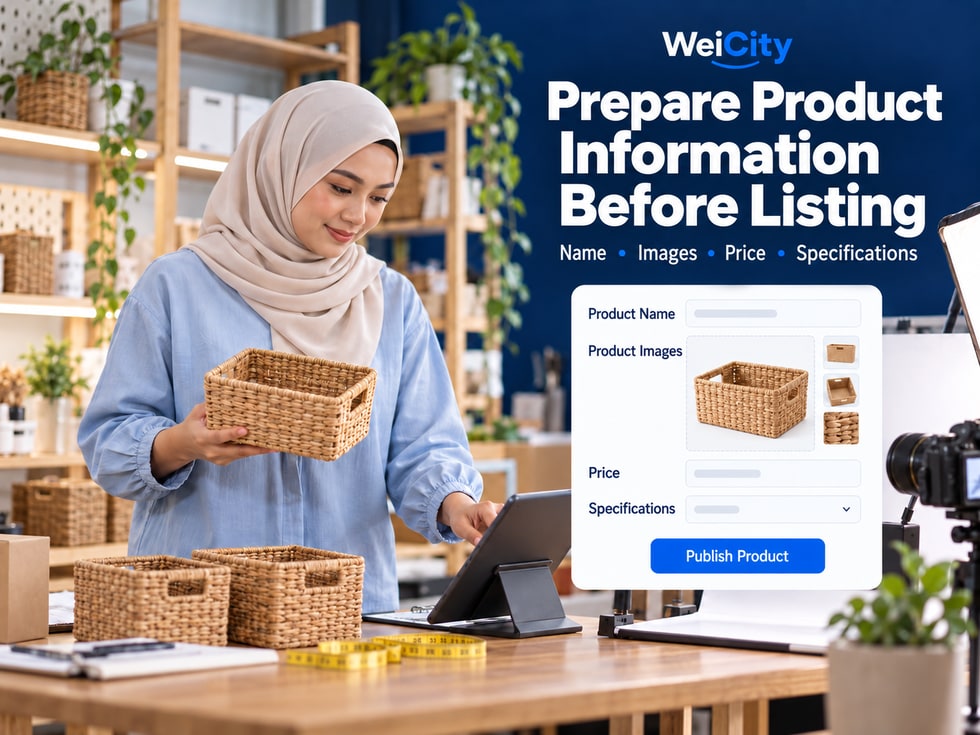
Are you preparing to list products in the WeiCity Shop, only to find that product photos are not yet organized, prices are not confirmed, or information for different colors and sizes is mixed together?
For merchants just starting an online shop, product listing may seem simple, but without preparation the following problems can easily occur:
🖼️ Product images do not match the actual styles.
💰 Product prices are entered incorrectly.
🎨 Different colors and sizes are confused.
📦 Inventory quantities are inaccurate.
📝 Product descriptions lack important information.
🚚 Delivery and pickup arrangements are not explained.
💬 Customers have to ask repeatedly to understand the product.
Before publishing products in the WeiCity Shop, it is recommended to first organize complete product information, then fill in each item according to the options provided on the product publishing page.
This not only reduces errors during listing, but also makes it easier for customers to understand products, compare specifications, and continue shopping based on the actual purchase features.
This article introduces eight key points to prepare before listing products, to help merchants build clear, accurate, and easy-to-maintain product pages.
The product name is the first step in helping customers recognize a product.
A good product name should clearly state the product type and include necessary model, capacity, size, or quantity information.
For example:
❌ Thermos cup.
✅ Stainless steel thermos cup 500ml.
❌ Storage box.
✅ Clear desktop storage box three-piece set.
❌ Tote bag.
✅ Canvas zipper tote bag.
❌ Power tool.
✅ Rechargeable electric drill 12V.
These names allow customers to roughly understand what the product is before reading the detailed description.
If products have clear differences, the name can include:
📦 Package quantity.
📏 Dimensions.
☕ Capacity.
🔧 Model.
🎨 Main style.
For example:
“Clear storage box three-piece set”
This makes it easier for customers to understand what they are buying than simply writing “clear storage box”.
If customers are looking for a specific product, a clear name helps them identify it.
For example:
“500ml Stainless Steel Thermos”
Compare:
“Great-value hot-seller limited-time discount premium goods”
This describes the product content less accurately.
However, product names do not need to repeat large numbers of keywords deliberately.
❌ Not matching the actual product.
❌ Using an incorrect model.
❌ Omitting important quantity information.
❌ Adding promotional promises without a basis.
❌ Stacking unrelated keywords.
📌 The key to a product name is helping customers quickly identify the product, not putting all promotional content into the title.
When shopping online, customers cannot pick up the product to examine it directly.
Therefore, clear product images are very important.
Before listing, it is recommended to group photos of the same product together and then sort them by purpose.
The main image should clearly show the overall appearance of the product.
For example:
👕 Front of the clothing.
☕ Whole thermos bottle.
👜 Exterior of the tote bag.
🛠️ Main body of the tool.
Recommendations:
✅ Images are clear.
✅ The complete product is shown.
✅ Keep the background not too complicated.
✅ Avoid cropping important parts.
Detail images can help customers understand:
🧵 Fabric texture.
🔒 Zipper design.
🛠️ Product ports/interfaces.
📦 Package contents.
🎨 Surface material.
For example, when selling a tote bag, you can show the zipper, inner pocket and handle details.
If size affects purchasing decisions, you can prepare accurate size information.
For example:
📐 Length.
📐 Width.
📐 Height.
☕ Capacity.
👕 Clothing size.
Size data should be filled in based on actual product information.
For example:
⚫ Black.
⚪ White.
🔵 Blue.
🟤 Brown.
If the appearance of different specifications differs, try to provide corresponding images.
For example, a set of products includes:
📦 Main product.
🔌 Accessories.
📋 Manual.
🎁 Packaging box.
You can use images and text to explain the items actually included.
For example, the storage shelf photo shows:
📚 Books.
🪴 Potted plants.
🖼️ Decorative items.
However, only the storage shelf is actually sold.
In this case, you should indicate:
“The books, potted plants and decorations in the image are for display only and are not included in the product price.”
📌 Product images should not only look good; more importantly, they should let customers accurately understand what they are actually buying.
Price is one of the information points customers care about most when choosing a product.
However, writing only one amount is not necessarily sufficient.
Merchants also need to explain the product content that the price corresponds to.
For example:
Product: Stainless Steel Insulated Cup
💰 Price: RM29 / piece.
This allows customers to clearly know the purchase unit.
For example:
Product: Transparent Desktop Storage Box Three-Piece Set
💰 Price: RM39 / set.
📦 Contents: Includes three storage boxes.
For example:
Product: Stainless Steel Insulated Cup
☕ 350ml: RM25.
☕ 500ml: RM29.
☕ 750ml: RM35.
The above prices are examples only.
Actual selling prices should be filled in based on the merchant's current product information.
For example:
🎁 Gift wrapping.
📝 Customized text.
📦 Special accessories.
🚚 Delivery charges.
If an extra fee applies, it should be clearly explained in an appropriate location.
For example:
RM: Malaysian Ringgit.
USD: US Dollar.
Confirm that the currency used on the current Shop page is consistent with the actual sales arrangement.
✅ Is the product selling price correct?
✅ Are single items and sets clearly distinguished?
✅ Are the prices for different specifications accurate?
✅ Are accessories included?
✅ Are there any additional fees?
📌 Product prices should not only be correct; they should also let customers know exactly what the amount includes.
The same product may come in different options.
For example:
👕 Clothing: color and size.
☕ Thermos bottle: color and capacity.
👟 Shoes: color and shoe size.
👜 Tote bag: size and style.
📱 Phone accessories: compatible models.
If specifications are not organized in advance, prices, images or inventory may be mismatched when the merchant lists the product.
Product name: Stainless Steel Thermos Bottle
Color:
🔵 Blue.
⚪ White.
Volume:
☕ 500ml.
☕ 750ml.
Actual product combinations may include:
📦 Blue / 500ml.
📦 White / 500ml.
📦 Blue / 750ml.
📦 White / 750ml.
🏷️ Product number.
🎨 Color.
📏 Capacity or size.
💰 Corresponding price.
📦 Saleable quantity.
🖼️ Corresponding image.
An SKU (Stock Keeping Unit) is commonly used to distinguish different products or combinations of specifications.
For example:
CUP-BLU-500
This can serve as an internal code example for a blue 500ml thermos bottle.
CUP-WHT-750
This can serve as an internal code example for a white 750ml thermos bottle.
The above are coding examples only and are not WeiCity's fixed SKU coding rules.
If a combination is temporarily unavailable, handle it according to the method provided on the current product management page.
Do not let customers mistakenly believe that every color and size is available for purchase.
📌 Product specifications should be organized clearly first, then entered according to the options currently supported by WeiCity.
For merchants with physical stock, product quantities need to be checked regularly.
This is especially true when the same product includes different colors, sizes or models.
Product: Men's Casual Top
⚫ Black M: 10 pieces.
⚫ Black L: 8 pieces.
⚪ White M: 5 pieces.
⚪ White L: 0 pieces.
These quantities are examples only.
Merchants should fill in quantities based on actual stock.
✅ Is the product in stock?
✅ How many remain for each specification?
✅ Are there any items already reserved?
✅ Is there any damaged or unsaleable stock?
✅ Do the inventory quantities match actual records?
After a product is sold, inventory may need to be deducted.
If an order is cancelled or a return occurs, inventory adjustments may also be involved.
However, when inventory is deducted, whether it is reserved automatically, and whether it is automatically restored after an order is cancelled should be based on WeiCity's current inventory management rules.
For example:
Black M size is sold out.
However, White M size is still in stock.
If the system supports managing inventory by specification, confirm the quantity for each combination.
📌 Accurate inventory records can reduce situations where customers select a product only to find it cannot be supplied.
The product name and images can only provide partial information.
The product description can help customers further judge whether the product meets their needs.
It is recommended to organize around six key points.
For example:
“This is a canvas tote bag suitable for everyday carrying.”
For example:
“The main material is canvas; the specific composition is subject to the actual product label.”
For example:
📐 Length.
📐 Width.
📐 Height.
📦 Capacity.
For example:
“The product includes one tote bag and does not include the other decorative items shown in the photo.”
For example:
🛍️ Daily shopping.
📚 Carrying books.
🎁 Gift wrapping.
For example:
🧽 Cleaning method.
☀️ Drying method.
⚠️ Usage restrictions.
Product name: Canvas Zipper Tote Bag
🧵 Material: Fill in based on actual product information.
📏 Size: Fill in the actual length, width and height.
🎨 Colors: Black, off-white.
🔒 Design: Zipper opening.
📦 Contents: One tote bag.
📝 Use: Suitable for carrying personal items daily.
🧼 Care: Explain the cleaning method based on the actual material and product label.
For example:
❌ Completely waterproof.
❌ Never damaged.
❌ Keeps warm for 24 hours.
❌ Can bear 100 kg.
Unless there is reliable product information or test evidence, these descriptions should not be written as definite promises.
📌 Product descriptions should be based on accurate information, letting customers know what the product is, what it includes, and what to note when using it.
Besides the product itself, customers also need to know how they will receive it after purchase.
Therefore, clear purchase information can be prepared before listing.
For example:
📦 In stock.
📅 Pre-order.
🛠️ Made to order.
For example:
“In-stock products are usually arranged for processing after the order is confirmed; the actual time is subject to the merchant's notice.”
If there is a specific processing deadline, fill it in based on actual business operations.
For example:
📦 Courier delivery.
🚚 Local delivery.
🏪 In-store pickup.
Whether these methods are supported, and how related fees are set, should be confirmed based on the Shop's actual current features.
For example:
📍 Designated areas in Malaysia.
📍 The local delivery range actually offered by the merchant.
📍 Stores where self-pickup can be arranged.
Do not enter a delivery range that cannot actually be provided.
Suggested content:
📍 Collection Location.
🕒 Pickup times.
📋 Information required at pickup.
For example:
📞 Phone.
💬 WhatsApp.
📧 Email.
🗨️ Contact options actually provided by the current channel.
You may specify:
📦 How to contact us about receiving the wrong item.
🛠️ How damaged items are handled.
📋 How to report missing parts.
🔄 Applicable return and exchange conditions.
After-sales information should match actual business arrangements, platform rules and applicable laws, and must not exclude consumers' legal rights.
📌 The clearer the purchase information, the easier it is for customers to understand what happens after they order.
After the product information is ready, you can fill in each item according to the options provided on WeiCity's current product publishing page.
The following is a general order for preparation and publishing.
Prepare:
🏷️ Product name.
📝 Product introduction.
💰 Prices.
📏 Specifications.
📦 Inventory.
🚚 Purchase information.
Prepare:
📸 Main image.
🔍 Detail images.
📏 Size chart.
🎨 Style images.
📦 Packaging images.
Fill in product information according to the fields actually provided on the current page.
For example:
🎨 Color.
📏 Dimensions.
☕ Capacity.
🏷️ SKU.
📦 Inventory.
Which specification and inventory options are supported depends on the current product editing features.
Instructions:
🛠️ Materials.
📋 Key features.
🎁 The packaging contents.
⚠️ Usage notes.
For example:
📦 Supply availability.
🚚 Delivery method.
🏪 Self-pickup arrangements.
💬 Contact Information.
If the current editor offers a preview feature, you can preview first.
If there is no preview feature, you can open the live product page right after publishing to check it.
If the product page provides a publicly accessible link, you can share it according to your actual promotion needs.
For example:
📱 WhatsApp.
📣 Social media.
🏪 Merchant channel.
💬 Customer inquiries.
Specific entry points, required fields, number of images, specification settings, inventory management and publishing permissions are all subject to WeiCity's current product publishing page and the features you have activated.
📌 Organizing information first and then filling in each item one by one can reduce omissions and errors during product listing.
When merchants enter product information on a computer, everything may seem clear.
However, the way it appears may differ when customers browse on their phones.
Therefore, it is recommended to check on your phone after publishing.
Check:
Has the product name been cut off?
Are important specifications easy to identify?
Check:
📸 Is the image blurry?
📦 Whether the product is complete.
🔍 Have important details been cropped?
Check:
💰 Selling price.
📦 Purchase unit.
🎨 Prices for different specifications.
Check:
👕 Colour.
📏 Dimensions.
☕ Capacity.
📦 Availability status.
Recommendations:
✅ Paragraphs are clear.
✅ Key points are easy to find.
✅ Avoid crowding a large amount of text together.
For example:
📦 Availability status.
🚚 Delivery Arrangements.
🏪 Self-pickup instructions.
If the current product offers a cart or ordering feature, you can test it following the actual process.
Confirm:
📱 It opens on a phone.
🖼️ Product information displays correctly.
🔐 Customers have the appropriate access permissions.
📌 After a product is published, checking it from the customer's perspective is the only way to confirm whether the actual display meets expectations.
Product information should first and foremost help customers understand the product.
On this basis, a clear product name and accurate descriptions also help organize the page's topic.
For example:
“500ml Stainless Steel Thermos”
Compare:
"Best-Value Selection of Hot New Arrivals"
better explains what the product is.
For example:
📏 Capacity.
🧵 Material.
🎨 Color.
📦 Package contents.
Images should match the actual product.
If the current editing page supports image captions or alt text, you can fill them in accurately based on the actual content.
For example:
"How to Choose Thermos Bottle Capacity? A Reference Guide to Different Sizes"
If the editor supports it, buying guide articles can be linked to product pages and vice versa.
Whether search engines can discover, crawl and index product pages also depends on platform technical settings, page accessibility, content quality and other factors.
Listing a product should not be treated as equivalent to earning a search ranking.
📌 For product SEO, accurate, clear and useful information matters more than repeatedly stuffing keywords.
It is recommended to prepare the product name, images, price, specifications, inventory, description and purchase information.
Use a clear product type, and add the model, size, capacity or quantity as needed.
Specific image requirements are subject to the current product publishing page.
From a display perspective, you can prepare a main image and important detail images as needed.
It is recommended to state clearly whether the price applies to a single item, a set, or a specific specification.
If the current product type supports specification options, you can set them according to the actual product.
A SKU is an inventory management code used to distinguish a product or a combination of specifications.
Whether inventory can be managed by specification, and how to set it up, depends on the Shop's current features.
This needs to be confirmed based on the current product type, pre-order feature and actual supply rules.
There is no fixed length.
The key is to fully answer the questions customers need to know before purchasing.
First confirm that you have the appropriate usage rights, and make sure the images match the products actually being sold.
Specific editing permissions and procedures are subject to the current merchant management page.
Not necessarily.
Payment features need to be confirmed based on the services currently activated.
It is recommended to check the phone display, images, price, specifications and the actual purchase entry.
No, it cannot be guaranteed.
Search performance depends on many factors. The product name should first and foremost describe the product accurately.
Update it promptly as prices, inventory, specifications and supply arrangements change.
📌 Listing a product is not finished once the information is entered. The information needs to keep matching actual sales conditions.
✅ Names are clear.
✅ Model is correct.
✅ Capacity and quantity are accurate.
✅ No unrelated keywords.
✅ The main image is clear.
✅ Detail images are complete.
✅ Size labels are accurate.
✅ Images match the actual item.
✅ Image usage rights have been confirmed.
✅ Current selling price is correct.
✅ Purchase unit is clear.
✅ Prices for different specifications are accurate.
✅ Additional fee information is clear.
✅ Colors are complete.
✅ Size is correct.
✅ Styles are easy to distinguish.
✅ SKU correspondence is accurate.
✅ Saleable quantity has been checked.
✅ Unavailable specifications have been handled.
✅ Current inventory management rules are understood.
✅ Material description is accurate.
✅ Product dimensions are complete.
✅ Package contents are clearly stated.
✅ Usage instructions match actual use.
✅ No promotional claims are made without supporting basis.
✅ Availability status is clear.
✅ Delivery method is clearly stated.
✅ Self-pickup arrangements are accurate.
✅ After-sales contact methods are valid.
✅ Product page displays normally.
✅ Clear when browsed on a phone.
✅ Specifications and prices match correctly.
✅ Purchase entry matches the current settings.
✅ Share links open normally.
📌 After completing these checks, the product page can more clearly show customers the actual product information.
Listing a product is not just about entering the name, uploading photos, and entering the price.
A complete product listing should also make it clear to customers:
📦 What is this product?
🖼️ What does it actually look like?
💰 What is the price?
🎨 What specifications are available?
📏 Are the dimensions suitable?
🎁 What does the package include?
🚚 How will the item be received?
💬 How should questions be directed?
By preparing the product name, images, price, specifications, inventory, and purchase instructions in advance, merchants can reduce errors during publishing and help customers better understand the product.
🏷️ A clear name helps customers quickly identify the product.
🖼️ Complete images help customers understand the appearance and details.
💰 An accurate price helps customers know exactly what they are buying.
🎨 Organized specifications make different colors and sizes easy to distinguish.
📦 Clear inventory makes product availability information more accurate.
📝 A complete description helps reduce unnecessary customer questions.
🚚 Clear purchase instructions let customers know the next steps.
Preparing a little more before listing makes products easier to manage after publishing and more convenient for customers to shop.
Organize the information completely first, then fill in each item according to the options provided on the WeiCity product listing page, so that every product page can clearly answer the questions customers care about most.
Specific product listing entry points, required fields, multi-image display, specifications, SKUs, inventory, pre-orders, and purchase features are subject to the current WeiCity Shop page, merchant settings, and activated services.
👉 Open WeiCity: https://wei.city/