

65 How Driving Schools Can Use WeiCity: From Course Introduction to Student Registration
Showcase training courses, registration materials, class schedules, and school contact information in one place, helping students learn more about courses and ask about registration more easily.
How can driving schools, driver training centers, and driving instructor teams use WeiCity? Build a channel that makes it easy for students to understand training content, prepare materials, and contact the school through course categories, training schedules, registration notes, and contact guidance.
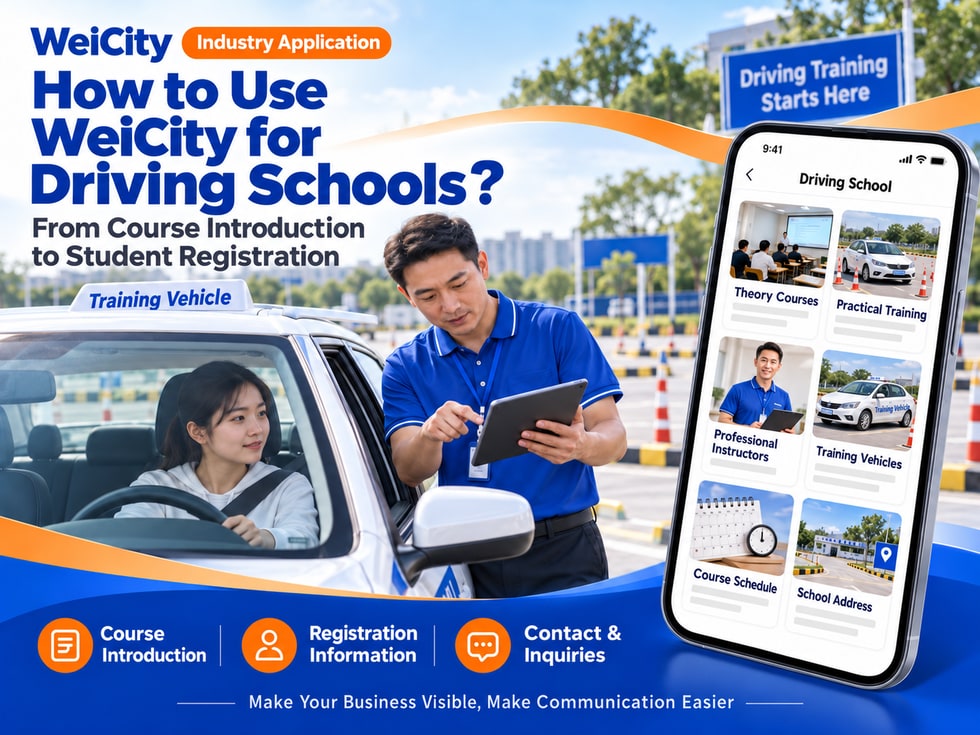
From Course Introductions to Student Registration
"What driving courses do you offer?"
"What materials do I need to prepare to register?"
"How are theory lessons and practical lessons arranged?"
"Can I choose my lesson times?"
"How can I ask about course fees?"
When looking for driving training, students usually first want to learn about course types, registration procedures, lesson locations, scheduling, and fees. Organizing this information clearly makes it easier for students to find a suitable point of contact.
💡 With WeiCity, you can set up your own driving school channel to display course materials, registration requirements, and contact information in one place, so students can learn about training arrangements first and then contact the school to confirm details.
✅ Driving Schools
Introduce the courses, registration methods, and lesson locations the school provides.
✅ Driving Training Centers
Showcase training programs, theory courses, and practice arrangements.
✅ Driving Instructor Teams
Explain actual teaching methods, service areas, and booking procedures.
✅ Corporate Driving Training Providers
If actually provided, introduce the target trainees for corporate training and how to request a quote.
✅ Advanced Driving Course Teams
Showcase the advanced training content and registration requirements actually provided.
📌 Course types, instructor qualifications, and training arrangements should be described accurately based on the school's actual situation.
Courses can be organized by training content:
🔹 New Student Courses
Introduce basic enquiry and course arrangements for first-time registration.
🔹 Theory Study
Explain the lesson format, location, and related teaching material arrangements.
🔹 Driving Practice
Introduce practice time slots, booking methods, and training vehicle arrangements.
🔹 Courses for Different Vehicle Classes
Introduce each category separately according to the courses the school actually offers.
🔹 Advanced or Specialized Training
If actually provided, explain the suitable participants, training content, and requirements.
🔹 Corporate or Group Courses
Introduce group registration and how to request a course quote.
💡 Course category names should match the names the school actually uses as closely as possible, to avoid students misunderstanding the scope of training.
Recommended to specify:
✅ Course name and training content
✅ Suitable types of students
✅ Teaching location and lesson format
✅ How theory and practical lessons are arranged
✅ Course duration and how to check timetables
✅ Registration materials and procedures
✅ Fee enquiries and payment methods
✅ Rescheduling, absences, and make-up lesson arrangements
✅ Materials students need to bring
✅ School contact details and opening hours
🔶 Example: Driving Practice Course Introduction
Course content: Fill in based on the school's actual training arrangements.
Booking method: Explain how students can check and book practice time slots.
Meeting point: List the training ground or school address.
Materials preparation: Prepare registration or course materials as required by the school.
Fee confirmation: Contact the school to check applicable courses and fees.
Lesson schedule: Subject to the time slots confirmed by the school.
📌 Lesson order, practice duration, and registration requirements may vary by course category, so the school's official information should prevail.
1️⃣ Courses they wish to join
State the training programs they would like to learn about or register for.
2️⃣ Convenient contact times
Helps the school reply with course and registration information.
3️⃣ Suitable lesson times
For example, weekdays, weekends, or specific dates.
4️⃣ Preferred lesson location
If the school has multiple training locations, students can state their preference first.
5️⃣ Contact details
Used to confirm courses, fees, and follow-up arrangements.
6️⃣ Registration materials required by the school
The school will inform students according to the course and applicable requirements.
📌 Students should confirm the current registration requirements and required documents with the school, and complete the process according to the official requirements.
You can organize:
🔹 School address and opening hours
🔹 Training ground location and meeting method
🔹 Public transport or parking directions
🔹 Whether theory and practical lessons take place at different locations
🔹 How early students should arrive for check-in
🔹 Contact details for each campus or course
🔹 How to get in touch if traffic or weather changes
💡 Photos of the school entrance, reception area, and surroundings of the training ground can help first-time students recognize the location more easily.
📌 If the actual training ground differs from the school address, clearly distinguish between them and remind students to rely on the information confirmed when booking.
If the school actually provides the following information, you can list:
✅ Instructor names and teaching languages
✅ Instructor qualifications or certifications (describe based on real information)
✅ Available lesson time slots
✅ Training vehicle classes
✅ Whether vehicles have teaching equipment
✅ How students can contact or book
✅ Who is responsible for confirming arrangements in the course
📌 Instructor qualifications, course eligibility, and teaching languages should be verified before publishing.
Recommended to specify:
✅ The course category the fee applies to
✅ Whether fees are charged by stage or by course package
✅ Whether registration, teaching materials, or other fees are charged separately
✅ Payment methods and timing
✅ Rescheduling or absence arrangements for courses
✅ Whether fees may vary depending on course content
✅ How to check the latest fees
✅ Refund or cancellation conditions (if applicable)
🔶 For example:
"Course fees are confirmed according to the course category and the student's needs. Please let us know which training programs you are interested in and your convenient lesson times, and we will provide course arrangements and fee information."
📌 Fees displayed on a public channel should state their scope of application. Before registering, please check the latest fees and course conditions with the school.
Suggested content:
🔹 Registration enquiry and material submission steps
🔹 How to confirm before the course starts
🔹 Materials students need to bring
🔹 Payment and receipt arrangements
🔹 How absences, late arrivals, or rescheduling are handled
🔹 Training ground check-in procedure
🔹 Classroom and site rules students must follow
🔹 Who to ask about course requirements
📌 For matters involving formal eligibility, examination arrangements, or other current requirements, the school should provide accurate information and remind students to verify with the relevant authorities.
🔹 About the School
Introduce the school, training locations, and opening hours.
🔹 Training Courses
Organize course content and enquiry methods by course category.
🔹 Registration Guide
Explains the registration steps and how to prepare the required documents.
🔹 Class and Practice Arrangements
Introduces how to check class times, the training ground location, and the check-in process.
🔹 Instructors and Training Vehicles
If the school provides relevant materials, you may introduce the team and vehicle arrangements.
🔹 FAQ
Organizes questions about fees, bookings, rescheduling, and course consultation.
🔹 Contact and Registration Enquiries
Provides phone numbers, messaging methods, and opening hours.
💡 To get started, you may first add the school's materials, course categories, registration process, and contact details, then gradually add introductions to instructors and training locations.
🔶 Student asks: “What driving courses do you offer?”
You can reply:
“Hello, here you can find our course categories and training introductions. Please tell me which courses you are interested in and which class times suit you, and I will confirm the registration process for you.”
🔶 Student asks: “What do I need to prepare for registration?”
You can reply:
“Registration documents are confirmed according to the course category and current requirements. Please tell me which course you would like to join, and we will provide the corresponding document checklist and application method.”
🔶 Student asks: “Can I book weekend practice sessions?”
You can reply:
“Please tell me the course you would like to join, the location, and the dates that suit you. We will check the training schedule and reply to you.”
1️⃣ Basic School Information
Name, address, opening hours, and contact details.
2️⃣ Course Categories
Organizes the training programmes the school actually offers.
3️⃣ Registration and Document Guide
Tells students how to enquire and prepare the documents required.
4️⃣ Class Locations and Arrangements
States theory lessons, training grounds, and meeting arrangements.
5️⃣ Fees and Course Policies
Explains how to check fees, rescheduling, and other arrangements.
✅ Are the course categories and scope of services accurate?
✅ Have the registration documents been checked against current requirements?
✅ Are the course locations, times, and booking methods clear?
✅ Are the instructors' qualifications true and accurate?
✅ Have fees and any other charges been explained?
✅ Are the course policies easy to understand?
✅ Are the contact details correct?
✅ Have you reminded students to confirm the latest arrangements with the school?
Once course introductions, registration documents, and class guidance are organized in the channel, they can be used for daily replies, course promotion, and student enquiries.
Students can browse courses and school information first, then share their course preferences and class times. The school can then continue to confirm registration requirements, fees, and training arrangements.
Want to know how to set up a driving school merchant channel?
Feel free to contact us through the WeiCity official channel, and we can work together to organize display content suited to your school or team.
WeiCity
Make your business visible and contact easier.