

5 Offers, Shop & Online Ordering Tabs: What Each Entry Point Shows
Find promotions, choose products, and browse dishes. Go to the right tab as needed to make browsing easier.
When browsing merchant content on WeiCity, the Offers, Shop, and Online Ordering tabs each serve a different purpose. Offers focus on promotions and terms of use, Shop focuses on products and purchasing information, and Online Ordering focuses on menus and dish selection. Understanding the differences between these entry points can help you find what you need more quickly, then view details or contact the merchant.
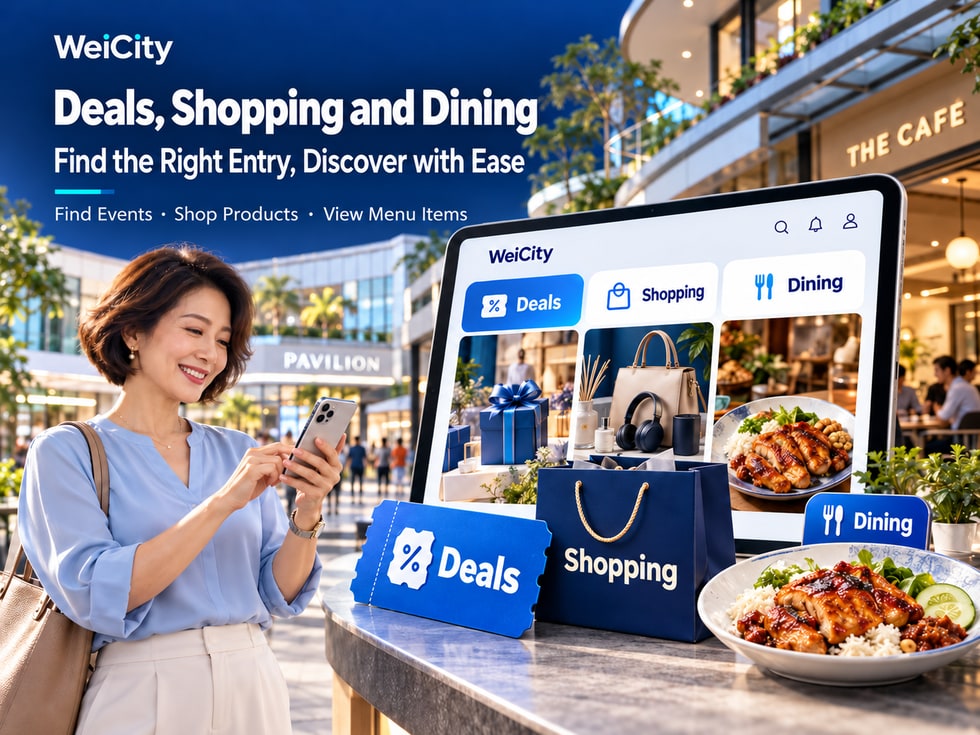
Want to see what nearby merchants are offering recently but don't know where to start?
Want to buy a product but find that the merchant has posted coupons, product introductions, and a food menu at the same time?
Or looking for a restaurant during lunchtime and only want to quickly check dishes, prices, and ordering options?
On WeiCity, different content entry points help users find different types of information.
🎟️ Deals: Learn what promotions a merchant is running and how to enjoy the offers.
🛍️ Shop: View products, specifications, prices, and purchase arrangements.
🍽️ Online Ordering: Browse dishes, menus, set meals, and ordering options.
🏪 Merchant Channel: Learn more about the merchant's introduction, address, products, services, and contact details.
Although these entry points serve different purposes, they can work together.
For example, you might first see a café's promotion on the Deals tab, then go to the Merchant Channel to view the menu, and finally decide whether to visit.
WeiCity aims to help users discover content they are interested in, learn more about products and services, and then choose the next step that suits them.
This article introduces the differences between the Deals, Shop, and Online Ordering tabs, when each is suitable, and what to keep in mind while browsing.
The focus of each of the three tabs can be understood in one sentence.
🎟️ Deals: What offers can I enjoy right now?
🛍️ Shop: What products can I buy at this store?
🍽️ Online Ordering: What dishes can I choose from this restaurant?
Although the three tabs may show content from the same merchant, customers have different purposes for using them.
Suitable for users looking for promotions.
For example:
🎁 Purchase gifts.
🏷️ Product discounts.
🎫 Free coupons.
💳 Paid redemption vouchers.
🍽️ Dining set offers.
Suitable for users who want to view products and purchase information.
For example:
👕 Apparel.
🎁 Gifts.
📱 Electronic products.
🏡 Home products.
📦 Other physical or digital products.
Suitable for users who want to browse dishes or plan a meal.
For example:
🍛 Rice meal sets.
🍜 Noodles.
🍔 Burger.
☕ Drinks.
🍰 Desserts.
🥡 Takeaway dishes.
Because different needs call for different information to be checked.
When looking for deals, the most important thing is the offer conditions.
When buying products, the most important things are specifications, prices, and delivery methods.
When ordering dishes, you need to pay attention to the menu, flavours, add-ons, and pickup arrangements.
📌 Confirming what you are looking for before choosing the corresponding tab can reduce the time spent browsing unrelated content.
When you want to know what promotions nearby merchants are running, you can start with the Deals tab.
Merchants may use deal content to introduce products, services, or promotions.
However, after seeing an appealing deal title, you still need to read the rules further.
First confirm what customers can actually get.
For example:
💰 Amount discount.
🏷️ Product discounts.
🎁 Free gift.
🍽️ Set meal redemption.
💆 Service experience.
View:
Campaign start date.
Campaign end date.
Coupon claiming period.
Coupon usage period.
Confirm which products or services are included in the promotion.
For example:
Designated products.
Designated sets.
Designated service items.
If the merchant has multiple branches, confirm which one accepts the offer.
For example:
Spend RM100 or more, get RM10 off.
For example:
Limit of one coupon per person.
Limit of one coupon per order.
Confirm whether other coupons or product discounts can be used at the same time.
For example:
Must be claimed first.
Must be purchased first.
Show the coupon before checkout.
Advance booking required.
Suppose a restaurant launches:
🎟️ Spend RM50 and get RM5 off.
Customers need to confirm the following:
🍽️ Which dishes are eligible?
📅 Can it be used on Saturdays?
🏪 Is it limited to specific branches?
💰 How is the minimum spend calculated?
🎫 Do I need to claim the voucher first?
The above is a fictional promotion example only and does not represent an actual WeiCity offer.
📌 The Deals section helps you discover promotions, while the full rules help you decide whether they suit you.
Promotions may take different forms.
Understanding these differences helps you avoid treating every offer as the same type.
Customers do not need to pay to get the voucher and may claim it according to the promotion rules.
For example:
Claim a RM10 discount voucher for free.
However, when using it, you may need to meet a minimum spend requirement.
Customers need to pay first to buy the specified benefit.
For example:
Pay RM39 to buy a specified two-person set meal voucher.
Before purchasing, confirm:
What is included.
Usage period.
Reservation requirements.
Additional charges.
Refund arrangements.
The merchant directly offers a discounted price on specified products.
For example:
Original product price RM100.
Promotional price RM80.
With a direct discount from the merchant, you do not necessarily need to claim a separate voucher.
🎫 Free vouchers: suitable for customers who want a discount under the promotion conditions.
💳 Paid vouchers: suitable for customers willing to buy a specified redemption benefit in advance.
🏷️ Product discounts: suitable for customers who want to directly compare the original and discounted product prices.
For example:
The product already has a 20% discount.
This does not mean you can also use a RM10 voucher on top of it.
Whether stacking is allowed depends on the promotion rules and actual checkout arrangements.
📌 Before choosing an offer, first understand its type and conditions of use.
If you already know what you want to buy, or want to browse products sold by a merchant, you can start with the Shop section.
Shop content usually focuses more on the products themselves.
For example:
🛍️ Product name.
📷 Product images.
📝 Product introduction.
📏 Product specifications.
💰 Product prices.
📦 Delivery arrangements.
Understand the product's appearance through images.
For example:
Color.
Style.
Packaging.
View details.
Understand the product's purpose, features and what is included.
For example:
Size.
Capacity.
Model.
Material.
Quantity.
Confirm the price for the selected product or specification.
Check whether the product is sold by piece, set, box or another unit.
If the merchant offers delivery, you can view the relevant details.
If in-store pickup is supported, you can check the pickup location and time.
Continue according to the purchase entry currently provided on the merchant's page.
📌 The key purpose of the Shop section is to help customers move from browsing products to a more specific purchasing process.
Product images can attract attention, but they do not necessarily include complete purchasing information.
For example:
You see a storage box.
The image looks suitable.
The price also fits your budget.
However, if you have not confirmed the size, you may find after purchase that it does not fit in the intended place.
Therefore, it is advisable to check the product details further before buying.
For example:
Length.
Width.
Height.
Confirm the color you are actually buying.
For example:
One piece.
One set.
Set of three pieces.
If the material affects how the product is used, read the description carefully.
Confirm whether different specifications have different prices.
For example:
Delivery.
Self-pickup.
Other arrangements provided by the merchant.
If you need to buy immediately, you may first contact the merchant to confirm.
Suppose you want to buy a storage rack.
You can first confirm:
📏 Whether the size is suitable.
🎨 Whether the color meets your needs.
📦 How many pieces are in the package.
💰 Whether the price includes any other fees.
🚚 Whether delivery is available to your area.
Actual stock may change with sales.
📌 When buying products, images help you understand the appearance, while specifications and delivery information help you decide whether the purchase is suitable.
If you want to find dishes, browse menus or plan a meal, you can start with the Online Ordering section.
Unlike general products, food usually involves flavors, add-ons, serving times and pickup methods.
Confirm which dish you are choosing.
Refer to the dish's appearance and presentation.
Understand the main ingredients, contents or highlights.
Confirm the price for a single dish or a set meal.
For example:
Not spicy.
Mildly spicy.
Medium spicy.
For example:
Add egg.
Add meat.
Add a drink.
Confirm which dishes and drinks are included in the set meal.
Some dishes may only be served at specified times.
For example:
Self-pickup in store.
Delivery method actually offered by the merchant.
If the merchant offers reservation services, you can view the relevant requirements.
📌 The key purpose of the Online Ordering section is to help customers understand dish choices and confirm the actual ordering and pickup arrangements.
Ordering for yourself and ordering for several people may involve different considerations.
For example:
You want to prepare lunch for four family members.
You can first confirm:
🍽️ What each person wants to eat.
🌶️ Whether there are different flavor requirements.
🍱 Whether the set meal suits the number of people.
💰 Whether the total amount fits your budget.
🕒 When the meals are needed.
🥡 Whether self-pickup is convenient.
For example:
Four people.
Confirm the dish contents and prices.
For example:
Add-ons.
Flavors.
Drinks.
Confirm add-on and other charges.
Avoid choosing dishes that are no longer being served.
For example:
Whether you need to order in advance.
When you can collect the food.
For example:
Food allergies.
Avoiding certain ingredients.
Needing special dietary arrangements.
If the page information is insufficient, contact the merchant directly to confirm.
📌 When ordering food, consider the number of people, flavors, serving times and pickup method in addition to the price.
The same merchant may sell products, food or run promotions at the same time.
Therefore, different content entries may show different information.
Take a bakery as an example.
The merchant publishes:
A promotion for specified breads.
Customers can view:
Promotion dates.
Offer details.
Eligible products.
Conditions of use.
The merchant displays:
🎂 Birthday cakes.
🎁 Gift boxes.
🍪 Packaged cookies.
Customers can view:
Product images.
Specifications.
Price.
Purchase arrangements.
The merchant displays:
🥐 Bread.
☕ Drinks.
🍰 Desserts.
🍱 Set meals.
Customers can see dish choices and the ordering methods actually offered.
Customers can also further view:
Merchant introduction.
Store environments.
Address.
Business hours.
Contact information.
For example:
Customers first see the promotion.
Then they enter the merchant channel.
Next they check the products or menu.
Finally, they contact the merchant or purchase following the prompts on the page.
📌 Different sections serve different needs, while the merchant channel helps customers learn more about the merchant's complete information.
After finding content you're interested in, you also need to confirm the merchant's location.
For example:
You are currently in Penang.
However, you had previously switched to browsing merchants in Kuala Lumpur.
If you don't pay attention to your current region, you may mistakenly assume the offers or products you see come from nearby merchants.
Check which city the page is currently showing.
Confirm which merchant provides the products, menu, or offers.
Determine whether it is convenient to go there.
Confirm whether the merchant delivers to your area.
Confirm whether the food or products can be provided at the time you need them.
Some offers may only apply to specific branches.
Suppose you see a dining voucher.
The promotional price is attractive.
However, the offer is only valid at one branch in Kuala Lumpur.
If you are currently in Penang, you need to consider whether you can actually go there to use it.
📌 After seeing an offer or product, first check the merchant's location and service area, so you don't mistake content from other regions for options you can use nearby.
The displayed product price and the final checkout amount may sometimes differ.
Reasons may include:
📦 Different specifications.
🔢 Different quantities.
➕ Add-on items.
🚚 Delivery charges.
💰 Discounts.
🧾 Other applicable fees.
Assumed:
Product price: RM50.
Quantity purchased: 2 pieces.
Delivery fee: RM8.
If there are no other fees or discounts:
RM50 × 2 + RM8 = RM108.
Final amount payable:
RM108.
Assumed:
Main meal: RM15.
Add egg: RM2.
Drink: RM5.
If there are no other fees or discounts:
RM15 + RM2 + RM5 = RM22.
Final amount payable:
RM22.
Assumed:
Item amount: RM100.
Voucher discount for eligible items: RM10.
If there are no other fees:
RM100 − RM10 = RM90.
Final amount payable:
RM90.
The above are hypothetical calculation examples and are not actual WeiCity product or offer prices.
🛍️ Product name.
📦 Specifications.
🔢 Quantity.
➕ Add-on items.
🎟️ Offers.
🚚 Delivery charges.
💰 Final amount payable.
📌 Product price, offer discount, and final payment amount should each be confirmed separately.
Not every merchant publishes the same level of detail for products, menus, or offers.
If something is unclear, you can ask using the contact methods the merchant actually provides.
For example:
“Hello, can I use this voucher on Saturday? Is it limited to specific products?”
For example:
“Hello, I'd like to buy this storage rack. Do you have it in white? What are the dimensions?”
For example:
“Hello, does this set meal include a drink? Is it available on Sunday afternoon?”
For example:
“Hello, can you deliver to George Town? How much is the delivery fee?”
For example:
“Hello, I'd like to book for Saturday afternoon. Is there still availability?”
Because the merchant can understand your needs more quickly.
For example:
📦 Which product you need.
📏 Which specifications you need.
📅 When you need it.
📍 Location.
💰 Budget range.
📌 If the page information is insufficient, contacting the merchant with clear questions can reduce back-and-forth communication.
Sometimes you are just browsing and not ready to buy right away.
For example:
🎁 You see a product that would make a good gift.
☕ You find a café you'd like to visit.
🍽️ You find a menu you're interested in.
🎟️ You see an offer you may use later.
If the WeiCity page currently offers a follow feature, you can follow merchants you're interested in by following the actual steps shown.
You can later return to the merchant channel to view related content.
Check whether the product is still available.
Check whether the menu has been updated.
Confirm whether the promotion is still valid.
Keep an eye on the operating or service arrangements the merchant publishes.
If you want to obtain a product, use an offer, or arrange a service, you still need to follow the actual process.
📌 Following merchants you're interested in can make it easier to find them again later.
From a merchant's perspective, the three tabs can each handle different content display tasks.
Suitable for posting:
Free vouchers.
Paid redemption vouchers.
Product discounts.
Specific set meal offers.
Gifts with purchase.
Key details to include:
Offer details.
Validity period.
Scope of application.
Conditions of use.
Suitable for organizing:
Product name.
Images.
Specifications.
Price.
Purchase instructions.
Delivery and handover arrangements.
Suitable for organizing:
Menu categories.
Food photos.
Price.
Set meals.
Flavors.
Add-ons.
Pickup arrangements.
Suitable for displaying:
Merchant introduction.
Products and services.
Article.
Gallery.
Address.
Contact information.
Because customers care about different information at different stages.
When viewing an offer, they want to know how much they can save.
When viewing a product, they want to know what they will get.
When browsing a menu, they want to know what to eat and how to order.
📌 Choosing the appropriate display entry based on each content's purpose can help customers find the information they need more easily.
When publishing content, merchants can use real, clear names for their products and services.
For example:
🎟️ Penang restaurant vouchers.
🛍️ Home storage products.
🍽️ George Town lunch set.
🎂 Birthday cake orders.
☕ Café drink menu.
🏷️ Product discount promotion.
For example:
“George Town Two-Person Lunch Set Introduction”
Compare:
“Great Surprises Are Here”
Makes it easier for users to understand the page topic.
Product images should show the actual product.
Food images should reflect the actual items offered as closely as possible.
If prices are displayed, they should be updated promptly.
For example:
George Town, Penang.
Avoid expired promotions still being mistaken as valid.
For example:
Size.
Capacity.
Model.
For example:
Main ingredients.
Portion sizes.
Optional items.
Whether Google crawls, indexes, and displays a page also depends on website technical settings, content quality, and search engine mechanisms.
📌 Specific titles, accurate product information, and complete promotion descriptions first help customers understand the content and also help make the page topic clear.
It is used to browse promotions published by merchants and related content.
It is used to view products and shopping information published by merchants.
It is used to browse dishes, menus, and related online ordering content published by merchants.
You can first check the Offers tab, then read the specific promotion rules.
You can first check the Shop tab, then confirm the product specifications, price, and delivery method.
You can first check the Online Ordering tab, or go to the relevant dining merchant channel.
This depends on the merchant's actual business, enabled features, and publishing arrangements.
Not necessarily; the promotion rules and actual features take precedence.
This depends on whether offers are allowed to be stacked.
Not necessarily; the purchasing method actually provided on the current product page takes precedence.
Not necessarily; it depends on the pickup or delivery arrangements the merchant actually provides.
Not necessarily; the optional items set by the merchant take precedence.
Not necessarily; contact the merchant to confirm when necessary.
If the current page supports region selection, you can browse according to the actual features.
If the merchant provides contact information, you can contact them through the entry on the page.
You cannot judge by the name of a tab. Actual product prices, additional fees, payment and transaction arrangements should follow the current page and the conditions published by the merchant.
📌 Different tabs suit different needs. The key is to first decide what you want to find, then check the full information.
When browsing merchant content, you don't necessarily need to start from the same place.
Because different users may have different goals.
Start with the Deals tab.
View:
🎁 Deal content.
📅 The validity period.
💰 Spending conditions.
📱 How to use.
Start with the Shop tab.
View:
📷 Product images.
📏 Specifications.
💰 Prices.
📦 Delivery arrangements.
Start with the Online Ordering tab.
View:
🍛 Menu.
🌶️ Flavor.
➕ Add-ons.
🥡 Pickup methods.
Go to the merchant channel.
View:
📝 Merchant introduction.
📍 Address.
🕒 Opening hours.
💬 Contact Information.
Browse merchants by location and region.
View deals, products, menus and activities.
Based on actual needs:
🎟️ Claim a deal.
🛍️ Buy a product.
🍽️ Choose a meal.
📞 Contact us for consultation.
📍 Navigate to the store.
WeiCity wants users to not only know what merchants are nearby, but also learn what those merchants currently offer and what steps they can take next.
For customers, choosing the right tab can reduce the time spent looking for unrelated content.
For merchants, organizing deals, products and menus separately can help customers understand the business more easily.
Whether you are looking for a deal, buying a product or arranging lunch, you can start with the entry that best fits your current needs.
Specific deals, Shop, Online Ordering, region filtering, purchasing, payment and contact features are subject to WeiCity's actual pages at the time and merchant settings.
👉 Open WeiCity: https://wei.city/