

4 How to Switch Cities? View Merchant Content in Other Areas
Learn about merchants, products, and offers at your destination before you go, so searching in another city is easier
To see which merchants are in other cities, start from the city or region selector on the WeiCity page. This article explains how to browse different areas, and how to combine industry categories, merchant addresses, and service areas to learn in advance about dining, shopping, and local services at your destination.
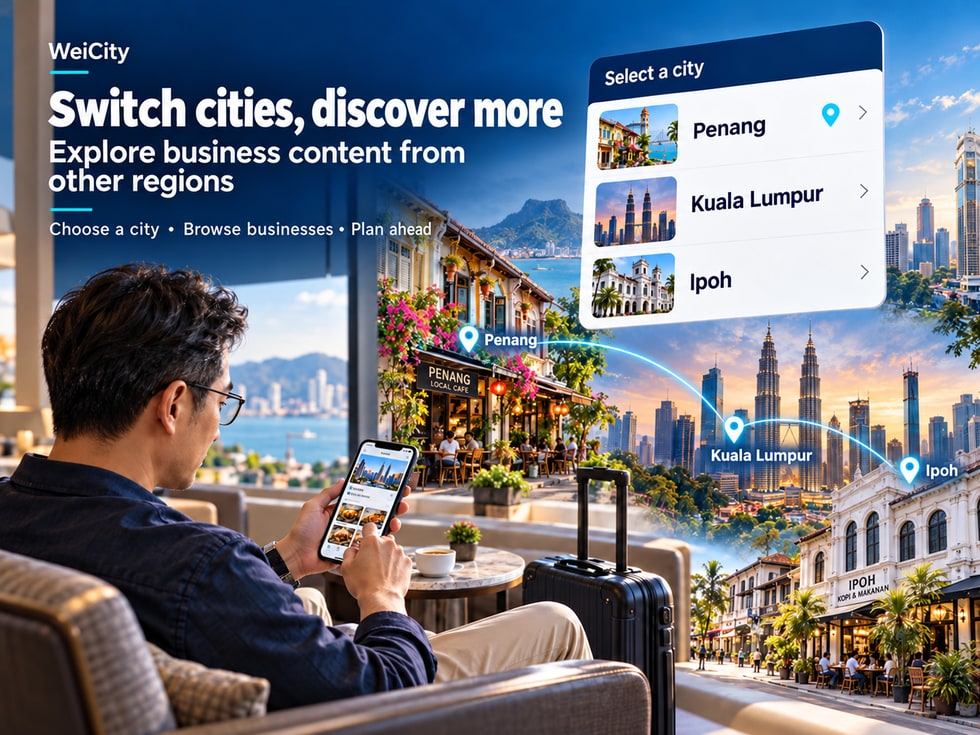
You plan to travel to another city on the weekend and want to look for local restaurants in advance; you are preparing for a business trip and want to know which merchants are near the meeting venue; or you want to buy products or arrange services for family members who live in another area.
In these situations, you may wonder:
🌏 Can I check local merchants before I arrive in that city?
🍽️ Which restaurants are near my destination?
🛍️ Do local shops have the products I need?
🛠️ Can I contact local service merchants in advance?
🎟️ Which offers in other cities are worth watching?
📍 How can I check how far a merchant is from my accommodation?
🚗 Can I plan my route and arrival time in advance?
Finding merchants does not have to wait until you arrive at your destination.
Using the city or region selection feature WeiCity currently offers, you can adjust your browsing scope to fit your needs and learn about merchants in different regions in advance.
From selecting a city and browsing industry categories to viewing merchant channels, products, menus, and offers, finding merchants across regions becomes easier to navigate.
Whether you are traveling, on a business trip, visiting friends and relatives, or finding products and services for family members in another city, you can first learn what options are available locally before deciding on your next step.
Many people are used to looking for restaurants, shops, or services only after arriving in a city.
But if your time there is limited, learning about local merchants in advance can be more convenient.
For example:
🍽️ When traveling, you want to choose where to eat in advance.
🏨 After booking accommodation, you want to know what is near the hotel.
🛍️ During a business trip, you need to buy work supplies.
🎁 You want to order a gift for family members in another city.
🛠️ You need to arrange local repair services in advance.
💇 If you hope to book beauty or wellness services during your trip.
Learn in advance which merchants are available at your destination so you can choose faster after arriving.
If you plan a family dinner, you can first check the restaurant's menu and location.
If you need to buy a specific product, you can first contact the merchant to confirm stock.
Some services may require a reservation. Asking in advance helps you plan your time.
You can check the promotions published by merchants, then confirm whether they apply to the dates you plan to visit.
Suppose you plan to travel from Penang to Kuala Lumpur over the weekend.
If you learn in advance about restaurants, shops and services near your destination, you can arrange these places together with your original itinerary.
📌 Finding local merchants in advance helps you understand your options before departure instead of deciding on the spot after arriving.
Before choosing a city, it is recommended that you first clarify the area you really want to view.
This is because a single city may include different commercial districts, residential areas and tourist locations.
For example:
📍 Penang.
📍 Kuala Lumpur.
📍 Ipoh.
📍 Cameron Highlands.
📍 Johor Bahru.
For example:
George Town.
Batu Ferringhi.
Tanjung Bungah.
Ayer Itam.
If you have already booked a hotel, you can use the accommodation location as a reference when comparing merchant locations later.
For example:
Meeting venue.
Client office.
Event venue.
Different dates may affect merchant opening hours, event deadlines and booking arrangements.
Suppose you plan to visit Penang.
But your actual accommodation is located in Batu Ferringhi.
If you only browse merchants in George Town, some shops may be far from your accommodation.
Therefore, identifying the specific area you will be active in is usually more helpful than knowing only the city name.
📌 The city is the starting point for your search, while the specific area is the key factor in judging whether a merchant is convenient to visit.
When using WeiCity, you can first check the city or area currently shown on the page.
If the current version provides a city or area selection entry, you can switch your browsing scope by following the actual steps on the page.
Go to:
First confirm which city or area the page is currently showing.
For example:
Penang.
Kuala Lumpur.
Based on the navigation provided on the current page, look for the city or area selection feature.
If the page provides a city list, you can select from the list.
If a search bar is provided, you can also try entering the city name.
Make sure you have selected your actual destination.
After switching, check whether the page now shows the target area.
Then browse merchants or industry categories as needed.
For example:
You are currently in Penang.
But you choose to browse Kuala Lumpur.
This only adjusts the merchant area you want to view and does not mean your phone's actual location has changed to Kuala Lumpur.
You can first check the area, location or discovery-related navigation on the current page.
The exact entry name, location, available areas and operating steps depend on the actual current version of WeiCity.
📌 The key to switching cities is letting users find merchants based on their destination, not only browse where they are currently located.
When traveling, finding restaurants is a common need.
This is especially true for:
Family trips.
Gatherings with friends.
Business meals.
Group dining.
For example:
Kuala Lumpur.
For example:
Near your hotel.
Near the meeting venue.
Around tourist attractions.
Check merchant introductions and dining types.
For example:
🍜 Noodles.
🍛 Rice meal sets.
🍔 Western dishes.
☕ Cafés.
🍰 Desserts.
If the merchant has published a menu, you can learn about:
Dish names.
Price.
Portion sizes.
Set meal contents.
Especially on weekends or public holidays.
For example:
Whether a reservation is required.
Whether the restaurant is suitable for large groups.
Whether specific dishes are available.
Suppose a family plans a weekend trip to Ipoh.
You can first browse local dining merchants, then choose based on accommodation location, menu and opening hours.
If you plan a dinner for eight people, it is recommended to contact the restaurant in advance to confirm whether it accepts reservations.
📌 Learning about restaurants before your trip helps your meal plans fit your actual itinerary.
Shopping across regions is sometimes done to buy local specialty products.
It may also be because a shop you need happens to be near your destination.
For example:
🎁 Local specialty gifts.
🛍️ Clothing and accessories.
📱 Electronic products.
🏡 Home products.
🍪 Local foods.
🛠️ Work tools.
Be clear about what you want to buy.
Search based on the categories provided on the page.
Understand the appearance of the product.
For example:
Size.
Color.
Model.
Quantity.
Confirm whether it fits your budget.
If the product has specific specifications, it is recommended to contact the merchant first.
If the merchant supports reservation or other pickup arrangements, you can confirm further details.
"Hello, I will be in Kuala Lumpur next Saturday and would like to buy this product. Is it in stock on that day? Can I reserve it in advance?"
Actual stock may change with sales.
📌 When shopping across cities, confirming products and stock in advance can reduce the chance of making a special trip only to find the item unavailable.
When traveling on business or handling matters, you sometimes need to look for local services on short notice.
For example:
🖨️ Document printing.
💻 Computer repair.
🚗 Auto services.
📦 Packaging and logistics.
📸 Photography services.
🏢 Business-related services.
For example:
Need to print 100 documents.
Try to choose an area that is convenient to reach.
Some services require a quote first.
For example:
Whether it can be completed the same day.
Explain your specific needs and timing.
Suppose you need to attend a meeting in Kuala Lumpur next week.
Promotional materials need to be printed before the meeting.
You can find local printing merchants in advance and explain:
🖨️ Printing content.
📏 Document size.
🔢 Quantity.
📅 Required date.
📍 Pickup location.
📌 Finding service merchants in advance can make your business trip or errands run more smoothly.
If local merchants have published offers on WeiCity, you can view them on the actual page.
For example:
🎟️ Free coupons.
💳 Paid redemption vouchers.
🏷️ Product discounts.
🍽️ Dining set offers.
🎁 Purchase gifts.
Confirm whether the promotion applies to the dates you plan to visit.
Different branches of the same brand do not necessarily take part in the same promotions.
Confirm which products or services are included.
Find out whether you need to reach a specified amount.
For example:
Find out whether you need to claim it in advance.
Find out whether you need to purchase a redemption voucher.
Find out whether you need to redeem it in store.
For example:
You plan to arrive at the store on Saturday.
But the promotion is only valid from Monday to Friday.
In that case, even an attractive offer may not fit your itinerary.
📌 When checking offers across regions, the dates, locations, and usage conditions are especially important.
Within the same city, different districts may be very far apart.
So switching cities is only the first step.
After you find a merchant, you should also check its actual address.
Avoid browsing areas with similar names.
Check the full address.
For example:
Shopping mall.
Commercial building.
Office building.
For example:
Floor.
Shop number.
Decide based on how you actually plan to travel.
Especially in cities with heavy traffic.
Suppose you are staying at a hotel in Kuala Lumpur.
You find a restaurant you are interested in.
Although both are in Kuala Lumpur, they may be more than ten kilometers apart.
So you should compare the restaurant's address with the location of your hotel.
If the page shows a merchant's distance, first check which location the distance is measured from.
Do not treat the distance figure as the actual travel distance from your accommodation.
📌 The city helps define the search area, while the full address and route help you judge whether the trip is practical.
Once you find a suitable merchant, you can plan your trip based on how you will travel.
Suitable for merchants that are relatively close.
But consider:
Sidewalks.
Pedestrian crossing locations.
Building entrances.
You may consider:
Road direction.
Traffic conditions.
Parking arrangements.
You may consider:
Transit stops.
Service frequency.
Walking distance after alighting.
You may consider:
Pick-up and drop-off locations.
Actual traffic conditions.
Check the following:
Name of the mall.
Floor.
Unit number.
Entrance location.
Because actual traffic conditions in a city can change depending on the time of day.
This is especially true for:
Rush hours.
Weekends.
Public holidays.
During large events.
📌 Understanding the route in advance can help you fit a visit to the merchant into your existing plans.
If you are only shopping near home and a merchant turns out to be unsuitable, it may be easy to switch to another one.
But traveling to another region usually takes more time.
So it is especially helpful to confirm important information in advance.
Confirm whether the merchant is open on the date you plan to visit.
Confirm whether the specified product is in stock.
Confirm whether the time you need is available.
Find out whether reservations or advance meal orders are accepted.
Confirm whether delivery is available to the specified address.
Find out about charges for products, delivery, or services.
"Hello, I will be in the area next Saturday and would like to buy this product. Will it be in stock that day? Can it be reserved in advance?"
"Hello, I will be in Kuala Lumpur next week and would like to book a care service on Wednesday afternoon. Is there still availability?"
📦 Reduce stock uncertainty.
📅 Confirm timing in advance.
💰 Understand the costs.
📍 Confirm the location.
📌 When spending in another region, contacting the merchant in advance can reduce the need to change your plans at the last minute.
Besides travel and business trips, switching cities can also help you find merchants in the areas where your family members living elsewhere are located.
For example:
🎁 Order a birthday gift for a family member.
🌷 Arrange flower delivery.
🏡 Look for household items.
🛠️ Ask about local repair services.
🍽️ Arrange meals for a family member.
For example:
Products.
Services.
Repairs.
Gifts.
First find out the city or neighborhood where your family member is located.
Browse by region and industry category.
A merchant being located in a city does not mean it covers the entire city.
For example:
Delivery date.
On-site service time.
For example:
Product prices.
Delivery fees.
On-site service fees.
If you want the merchant to contact your family member directly, first get your family member's consent.
Suppose your family member lives in Kuala Lumpur.
You want to order birthday flowers for them.
You can first browse local florists, then ask:
🌷 Bouquet style.
💰 Prices.
🚚 Delivery area.
📅 Delivery date.
If you need to provide a delivery address, phone number, or other contact details, first obtain consent from the people concerned.
📌 Switching cities is not only useful for travel; it can also help users understand the local products and services that family members living elsewhere may need.
You may browse many merchants before a trip.
But you may not be ready to buy or book right away.
For example:
🍽️ Want to keep a few restaurants as options.
☕ Want to remember a café.
🎁 Want to compare gift shops later.
💆 Want to wait until your itinerary is confirmed before booking a care service.
If the current WeiCity page offers a follow feature, you can follow merchants you are interested in, based on the actual options shown.
Return to the merchant channel later.
View:
🛍️ Product information.
🍽️ Menus.
🎟️ Offers.
📣 Announcements.
Because your plans may change.
Following merchants you like in advance can make it easier to find them again later.
Following a merchant only helps you find it again later.
If you need to make a reservation, buy something, or book an appointment, you should still follow the process provided by the merchant.
📌 Following interesting merchants in advance can make planning travel and cross-region shopping more convenient.
After finishing your search in another city, check which city the page is currently showing the next time you use WeiCity.
For example:
You live in Penang.
Yesterday you browsed merchants in Kuala Lumpur.
Today you want to find a restaurant near home.
If the page still shows Kuala Lumpur, you may see merchants that do not match your current needs.
Switch back to the area where your home or workplace is located, using the features available to you.
Reconfirm the area you are currently browsing.
Make sure the reference location meets your needs.
Confirm that the category you have selected is correct.
Continue searching based on the new area and your needs.
Selecting another city does not mean that the actual location of your device has changed.
📌 Before searching for nearby merchants, check the region you are currently browsing. This can help reduce mistakes in search direction.
Browsing by city and region not only helps local residents but may also help out-of-town users get to know merchants in advance.
If a merchant wants out-of-town customers to understand its business more easily, it can start by organizing complete information.
Enter the real business location.
Use a name that customers can easily recognize.
Explain the main products or services offered.
For example:
Name.
Images.
Specifications.
Price.
Food and beverage merchants can organize their dishes and set meal contents.
Especially arrangements for weekends and public holidays.
If delivery is offered, state the actual areas served.
This helps out-of-town customers plan ahead.
Explain the applicable dates, locations and conditions of use.
This helps customers confirm details before setting out.
Because they may not be familiar with the local environment.
For example:
They may not know where the shop is.
They may not understand nearby transport.
They may not know whether a booking is required.
Therefore, an accurate address, business hours and contact information are especially important.
📌 The more complete a merchant's information, the easier it is for out-of-town customers to judge whether it meets their needs before setting out.
When publishing content, merchants can use real and clear city and region names.
For example:
🍽️ Kuala Lumpur restaurant.
☕ George Town, Penang café.
🛍️ Specialty products from Ipoh.
🌷 Kuala Lumpur flower delivery.
🛠️ Repair services in Bukit Mertajam.
🎓 Penang education and training centre.
For example:
Kuala Lumpur.
George Town.
Ipoh.
For example:
Ayer Itam, Penang.
Do not only write:
"Providing quality service."
Instead, further explain the specific products or services.
Use real photos of products, shops or services.
Reduce outdated information.
For example:
Is booking accepted?
Do you offer delivery?
Is the business open on weekends?
Regional browsing within WeiCity and Google Search are different ways of discovery.
Whether Google crawls, indexes and displays a page depends on website technology, content quality and search engine mechanisms.
📌 Accurate city, region and business information can help customers understand the merchant and also make the page's topic clearer.
If the current WeiCity page supports city or region selection, you can browse other regions according to the actual features available.
No. Selecting a browsing region and the device's actual location are different concepts.
You can search based on the regions and merchant browsing options provided on the current page.
If a merchant has published product information, you can visit the channel to learn more.
If local merchants have published related activities, you can view them on the actual page.
If a merchant provides contact details, you can make an inquiry in advance.
This depends on whether the merchant accepts bookings and on the booking methods it actually offers.
You can first check whether local merchants offer relevant products, purchasing methods and delivery arrangements.
Not necessarily. Please check the specific addresses and routes.
Not necessarily. First confirm the location the distance is based on.
If the current page offers a follow feature, you can use it as shown in the actual operation.
This may relate to the merchants currently included on the platform, the scope of display, and how complete their information is.
Check the regions currently available and the search methods provided on the page.
If you later want to find merchants near your current location, it is recommended to first confirm that the browsing region is correct.
This cannot be guaranteed. The actual coverage and visible merchants are based on the current page.
This cannot be guaranteed. Actual display depends on the platform's current indexing and discovery mechanisms.
📌 The key of city switching is to let users explore merchants in advance based on their destination, and then arrange next steps according to actual needs.
Finding merchants does not have to wait until you arrive at your destination.
Whether you are travelling, on a business trip, visiting relatives and friends, or arranging products and services for family members in another place, you can first learn about the options available there.
Using the city or region browsing options currently provided by WeiCity, you can explore merchants in different regions according to your actual needs.
Confirm the city or region you want to view.
For example:
🍽️ Food and Beverage.
🛍️ Retail.
🛠️ Repairs.
💇 Beauty.
🎓 Education.
View:
Merchant introduction.
Products.
Menu.
Services.
Images.
For example:
Promotions.
New arrivals.
Set meals.
Activities.
For example:
📞 Contact in advance.
📅 Schedule an appointment.
🛍️ Confirm products.
🚚 Check delivery.
📍 Plan your route.
🏪 Arrange a visit to the store.
For customers, exploring other cities in advance can help them learn about more options before setting out.
For merchants, accurate regional information, complete product details and clear contact arrangements can help out-of-town customers understand the business more easily.
WeiCity hopes to help users move from "Where am I going?" to "What noteworthy merchants are there in that place?"
📍 Nearby | Learn what is around your destination.
🛍️ Now | See what local merchants are offering now.
💬 Action | Contact, buy, book or arrange a visit in advance.
From choosing a city, to discovering merchants, to taking real action, cross-regional searches for products and services become more convenient.
Specific city switching, region selection, distance display, merchant listings, promotions, following and contact features are based on WeiCity's current actual pages and merchant settings.
👉 Open WeiCity: https://wei.city/