

4 How do I arrange the WeiCity merchant channel homepage? Help customers quickly find key information
From the cover introduction to products, services, and inquiry options, organize the homepage content according to how customers browse.
The merchant channel homepage is an important entry point for customers to learn about your business. This article explains how to arrange the cover, business introduction, main content, and contact guidance, and uses examples from restaurants, retail stores, and service merchants to help you set up a clear browsing order so customers can find what they need more quickly.
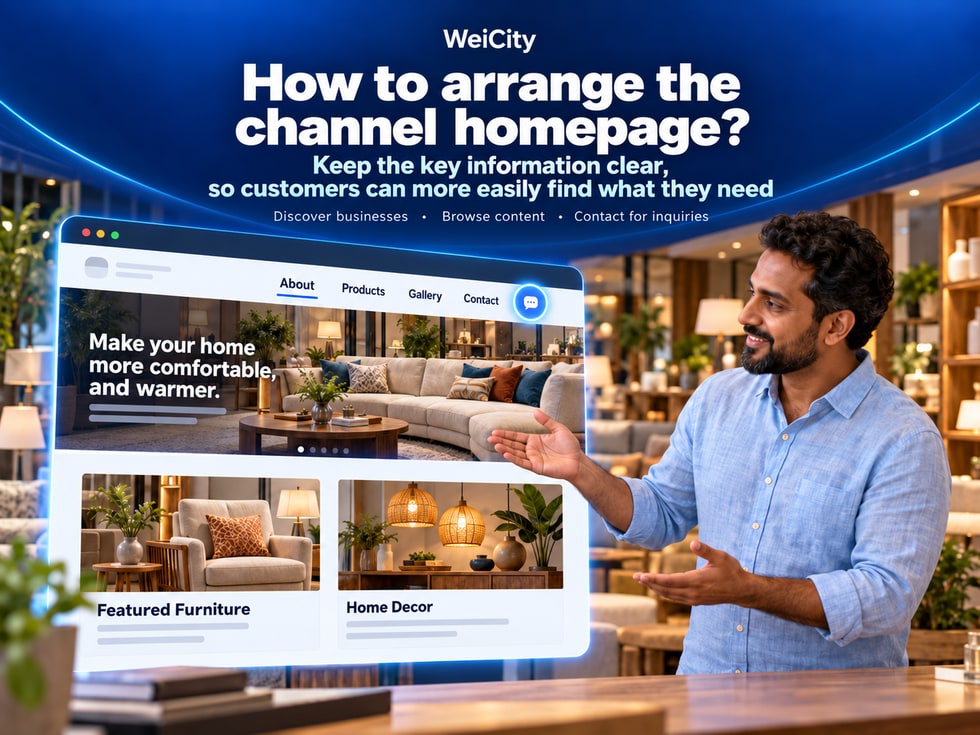
When customers first open a WeiCity merchant channel, they usually want to find the information they need in a short time.
🏪 What kind of merchant is this?
🛍️ What products or services are offered?
⭐ What special features are worth knowing?
📍 Where is the store located?
🕒 When are you open?
💬 How can customers contact you or ask for more information?
If the homepage lacks key content, or product and service introductions and contact information are scattered in different places, customers may need to search repeatedly to find the information they want.
The WeiCity Merchant Channel Homepage (Business Channel Homepage) can, according to your business needs, centrally present brand introductions, key content and related function entry points, helping customers understand your business more easily.
A clear merchant channel homepage should be arranged around three stages.
👀 Step 1: Get to know the merchant. Let customers quickly learn who you are and what you do.
🛍️ Step 2: View the content. Help customers find products, services, works or related introductions.
💬 Step 3: Take the next step. Let customers know how to inquire, make an appointment, view products or visit in person.
The homepage does not need to show everything at once.
What matters more is placing the information customers need most in an easy-to-find position.
Different types of merchants have different content that customers look for when entering the channel.
Therefore, before arranging the homepage, you can first understand the questions customers ask most often.
Customers may want to know:
🍜 What dishes are available?
💰 What are the menu prices?
🕒 Is it open today?
📍 Where is the restaurant?
📱 How can I order or make a reservation?
The homepage can prioritize the menu, signature dishes, business information and online ordering instructions.
Customers may want to know:
📦 What products are sold?
🎨 What styles are available?
📏 What are the product specifications?
💰 What is the price?
💬 How can I buy or ask questions?
The homepage can prioritize product categories and representative products.
Customers may want to know:
🔧 What services are offered?
📍 Which areas are served?
📋 How can I make an appointment?
💰 How can I request a quote?
📸 Are there any actual cases?
The homepage can prioritize core services, service areas and consultation methods.
Parents may want to know:
📚 What courses are offered?
👧 What age groups are suitable?
🏫 Where is the center?
📅 How are classes scheduled?
💬 How can I make an inquiry?
The homepage can prioritize courses, target students and contact entry points.
Customers may want to know:
🖼️ What works are available?
🎨 What design services are offered?
📋 What is the collaboration process?
💰 How can I request a quote?
The homepage can prioritize works, service content and collaboration methods.
First: What do customers most want to know?
Second: Which content should customers view first?
Third: How should customers continue after viewing?
For example, the answers for a repair merchant might be:
🔧 First, confirm whether the relevant repair services are offered.
📍 Then, check the service areas.
💬 Finally, contact the merchant to explain the problem.
📌 The homepage should be arranged around customers' actual needs, rather than simply placing all features in the most prominent positions.
The cover is usually the most prominent visual content in a merchant channel.
A good cover should help customers quickly understand the main business of the merchant.
Suitable for:
🍽️ Restaurants.
☕ Cafés.
🛍️ Retail stores.
🏫 Education centers.
For example, a restaurant can show its actual dining environment and signature dishes.
Suitable for:
📦 Retail products.
💐 Floral arrangements.
🍰 Baked goods.
🎨 Handmade works.
For example, a flower studio can showcase a set of representative bouquet works.
Suitable for:
🔧 Repair services.
🧹 Cleaning services.
🎨 Design studios.
💻 Technical services.
For example, a printing merchant can showcase finished printed products and the working environment.
If team photos relate to your business, they can also be used as cover material.
However, make sure the individuals in the photos agree to public use of the photo.
For example:
🏪 Creative Print Studio
Name Cards | Flyers | Signboard Printing
Or:
💐 Flower Design Studio
Bouquet Design | Festival Flower Gifts | Custom Works
✅ Use clear images.
✅ Keep the correct aspect ratio.
✅ Avoid stretching images.
✅ Do not include too much text.
✅ Leave margins around important content.
✅ Check how it displays on mobile after uploading.
Different devices may use different display ratios.
After uploading a cover, check how it actually appears.
For specific image dimensions, cropping methods, and supported formats, refer to the current channel editing page on WeiCity.
📌 The purpose of a cover is to help customers quickly get to know the merchant, not to display all products and promotional content at once.
For the homepage introduction, it is recommended to use a short paragraph summarizing your main business.
There is no need to place your full brand story on the homepage.
You may use the following structure.
We are [Merchant Name], mainly providing [Products or Services], serving [Customers or Area]. Welcome to view [Main Content]. For more details, please contact us via [Actual Contact Method].
"We provide residential plumbing and electrical repair and installation services, mainly serving designated areas in Penang. Welcome to view our service items, and contact us to confirm service coverage and appointment arrangements."
"We are a local restaurant located in Penang, offering everyday meals and beverages. Welcome to view our menu, opening hours, and outlet information."
"We offer household goods and daily-life products. Welcome to browse our product categories and learn about styles, specifications, and current availability."
"We offer primary school tuition and learning support courses. Parents are welcome to view course introductions and ask about suitable grade levels and class arrangements."
"We offer birthday bouquets, graduation flower gifts, and custom floral design. Welcome to browse our works, and contact us to learn about booking arrangements."
Homepage introduction: Use short text to explain your main business.
About: Introduce your brand background, products, services, and business features in more complete detail.
If the first paragraph of the homepage contains a large amount of text, customers may need to keep scrolling before they can see product or service entries.
📌 The homepage introduction should help customers quickly judge what you offer, while detailed content can be placed in "About".
When looking for information, customers usually decide where to click based on section names.
Therefore, entry names should be short, clear, and consistent with the actual content.
Suitable for displaying:
📦 Product names.
📸 Product photos.
💰 Prices.
📏 Specifications.
Suitable for displaying:
🔧 Service categories.
📋 Service descriptions.
📍 Service coverage.
💬 Contact methods.
Suitable for displaying:
🏪 Store environment.
🎨 Completed works.
🛠️ Service case studies.
📸 Product details.
Suitable for introducing:
💡 Usage tips.
📚 Related knowledge.
🛍️ Product selection.
📋 Service descriptions.
Suitable for organizing:
📅 Booking requirements.
💰 Pricing methods.
📦 Pickup arrangements.
📍 Service area.
Suitable for posting:
🎉 Event information.
🛍️ New product announcements.
🕒 Business hour changes.
📢 Important notices.
Recommendations:
✅ Use words familiar to customers.
✅ One section corresponds to one main topic.
✅ Keep names as short as possible.
✅ Use consistent terms for the same type of content.
For example, a merchant with only a small number of products does not necessarily need to create a dozen categories.
You may start with:
🛍️ Products.
📸 Works.
📝 About.
💬 Contact.
Then add other sections based on actual content.
If the current channel page supports navigation or module sorting, you may prioritize the entries customers use most often.
📌 More homepage sections is not always better; the goal is to help customers easily understand what each entry is for.
The homepage can first show representative content with complete information.
There is no need to place all products, articles, and images on the homepage at once.
It is recommended to prioritize:
🍜 Signature dishes.
📋 Menu categories.
💰 Price information.
📱 Ordering instructions.
It is recommended to prioritize:
📦 Main product categories.
🛍️ Representative products.
📏 Product specifications.
💬 Purchase consultation.
It is recommended to prioritize:
🔧 Core services.
📍 Service area.
📸 Real case studies.
📋 Service process.
It is recommended to prioritize:
📚 Main courses.
👧 Suitable ages.
📅 Class schedule.
💬 Parent inquiries.
It is recommended to prioritize:
🖼️ Representative works.
🎨 Creation types.
📋 Service content.
🤝 Collaboration methods.
✅ Is it related to your main business?
✅ Is it representative?
✅ Are the images clear?
✅ Is the description complete?
✅ After viewing it, do customers know what to do next?
The most recently published content is not necessarily what customers need most.
For example:
For example, the latest post from a repair merchant may be a holiday greeting.
However, customers visiting the channel for the first time may be more interested in repair items and service areas.
Therefore, if the current page supports recommendations, pinning, or sorting, you can highlight important content as needed.
📌 The homepage should prioritize content that is helpful to customers, not simply the most recently published content.
Latest news can help customers understand your recent business activities.
For example:
🎉 Event notices.
🛍️ New product introductions.
🕒 Business hour changes.
📅 Appointment arrangements.
📢 Important notices.
However, such content is usually time-sensitive.
For example:
"From October 20 to October 25, limited-time promotion on designated products."
Rather than simply writing:
"Promotion this week!"
This makes it easier for customers to judge whether the event is still valid.
For example:
"Temporarily closed on October 20; regular business resumes on October 21."
Compare:
"Closed for one day tomorrow."
The former is more suitable for future reference.
For example:
📦 Product names.
📅 Start date of availability.
💰 Current price.
📋 Ordering conditions.
For example:
🎉 Ended promotions.
📅 Expired events.
🕒 Temporary business notices for periods when regular hours have resumed.
If customers open the channel and first see events that ended months ago, they may assume the merchant's information has not been updated.
📌 Latest news should be accurate, dated, and maintained continuously according to actual circumstances.
After viewing products or service introductions, customers may already be interested.
However, if they cannot find a way to contact you, they will not know how to proceed.
Therefore, the homepage can provide clear calls to action based on your actual business.
For example:
"Welcome to view product details to learn about specifications, prices, and current availability."
For example:
"Welcome to view our menu. For group orders, please contact us in advance to confirm the date, number of people, and pickup arrangements."
For example:
"Need repair services? Please provide your service area, a description of the problem, and any necessary on-site photos so we can confirm further details."
For example:
"Parents are welcome to view course introductions and contact us to learn about suitable grade levels, subjects, and class arrangements."
For example:
"To order a bouquet, please provide the date of use, preferred colors, and budget range."
For example:
"Before visiting, please confirm the business hours and store location."
🎯 What customers can do.
📋 What materials are needed.
💬 How to get in touch.
For example, if the channel does not offer online booking, do not write:
"Click the booking button to complete your reservation."
Instead, you may write:
"Please contact us through the contact details provided on this channel to arrange an appointment."
📌 Action notes on the homepage should match the actual features, so customers know what to do next.
The following is a reference for the homepage content order for different types of merchants.
Actual display positions and sorting methods are subject to the current WeiCity channel editing page.
Part 1: Merchant Name and Restaurant Highlights
🏪 Restaurant name.
🍜 Main food and beverage type.
📸 Signature dishes or shop environment.
Part 2: Menu and Dishes
🍽️ Menu categories.
💰 Dish prices.
📸 Dish photos.
Part 3: Online Ordering Instructions
📱 Ordering methods currently available.
📋 Ordering requirements.
📦 Self-pickup or other actual arrangements.
Part 4: Business Information
🕒 Opening hours.
📍 Store address.
Part 5: Contact Entry Points
💬 Menu inquiries.
📞 Contact phone number.
Part 1: Brand Introduction
🏪 Brand name.
🛍️ Main product categories.
Part 2: Product Categories
📦 Product types.
🎨 Style options.
📏 Specification details.
Part 3: Featured Products
📸 Product images.
💰 Current price.
📝 Product introduction.
Part 4: Latest Updates
🛍️ New product introductions.
📣 Current promotions.
Part 5: Contact and Inquiries
💬 Product questions.
📦 Purchase and pickup arrangements.
Part 1: Core Services
🏪 Business name.
🔧 Main service items.
📍 Service area.
Part 2: Service Introduction
📋 Service categories.
🛠️ Service scope.
Part 3: Real Cases
📸 Completed project photos.
📝 Case descriptions.
Part 4: Frequently Asked Questions
❓ How do I make an appointment?
💰 How can I request a quote?
📍 Which areas are served?
Part 5: Contact and Quotations
💬 Contact entry point.
📋 Materials to prepare before making an inquiry.
Although the industries differ, they all follow the same browsing process.
👀 First, get to know the merchant.
🛍️ Then, review the main content.
💬 Finally, find the next step.
📌 Homepage arrangements should be adjusted according to industry characteristics, rather than every merchant using exactly the same order.
Many customers open merchant channels on their mobile phones.
Therefore, the homepage should not only be complete in content, but also easy to read on smaller screens.
For example:
Can customers quickly tell whether this is a restaurant, a retail store, or a service merchant?
Check:
📸 Are products not cropped out.
👥 Are people shown in full.
📝 Is important text clear.
For example:
🛍️ Products.
🛠️ Services.
📸 Gallery.
📝 Articles.
Check:
📝 Are paragraphs too long.
🏷️ Are headings clear.
📱 Does it display normally on mobile phones.
For example:
🎉 Events that have ended.
📅 Expired booking notices.
🕒 Old business hours.
For example:
📞 Phone numbers.
💬 WhatsApp.
📧 Email.
You may ask a person who is seeing the channel for the first time to try to find:
🍽️ Menus.
🛍️ Products.
📍 Address.
💬 Contact Information.
Observe which information is hard to find.
📌 Checking from the perspective of a first-time customer is more useful than judging only from the merchant's own point of view.
The homepage should first make it easy for real customers to understand.
On this basis, clear merchant names, business descriptions, and content categories can help readers understand the topic of the page.
For example:
“Creative Bakery | Creative Bakery”
For example:
"Located in Penang"
For example:
"handmade bread"
"birthday cakes"
"residential plumbing repair"
For example:
🛍️ Product introduction.
🛠️ Service items.
📚 Practical guides.
❓ Frequently asked questions.
For example:
Restaurant homepages should use photos of actual dishes and the environment.
Repair merchant homepages should use service photos related to the actual business.
For example:
📍 Address.
🕒 Opening hours.
📞 Contact information.
🛍️ Product information.
Whether search engines can discover, crawl, and index channel content also depends on the platform's technical settings, page accessibility, content quality, and other factors.
Homepage layout or keywords alone cannot guarantee a specific search ranking.
📌 A clear homepage structure first helps customers browse, and also helps build online business content with a clear theme.
The homepage does not necessarily need to be adjusted every day.
However, it should be checked promptly when important business information changes.
For example:
📦 New product launches.
💰 Price adjustments.
🛒 Discontinued products.
For example:
📋 New services.
📍 Changes to service areas.
📅 Changes to booking methods.
For example:
🏪 Store relocation.
🕒 Changes to business hours.
🎉 Public holiday arrangements.
For example:
🎟️ Limited-time offers.
🎉 Festival events.
📅 Special notices.
For example:
💐 New floral arrangement works.
🎨 New design cases.
🛠️ Newly completed projects.
First: Is the content shown on the homepage still accurate?
Second: Can customers easily find the information they need most?
Third: Are the contact and inquiry entry points still working?
📌 The key to homepage maintenance is keeping important information consistent with actual business operations.
It is recommended to prioritize the brand introduction, main products or services, important sections, business information, and contact entry points.
No.
You may first show featured products, then provide more choices through product categories.
Not necessarily.
The homepage may use a short introduction, with the full content placed under "About".
It is recommended to choose clear images related to the business, such as the actual storefront, featured products, service scenes, or other relevant visuals.
Not necessarily.
The key is to have clear categories that match what customers actually need.
Not necessarily.
This can be arranged according to the importance of the content and customer needs.
Whether sorting is supported, and how to do it, is subject to the current WeiCity channel editing page.
Yes, this can be arranged according to actual features, but the valid dates should be noted and the content kept up to date.
It is recommended to make contact entry points easy for customers to find.
Accurate prices can be displayed according to the current product module and actual business needs.
This is not recommended.
Priority should be given to showing the main business and the information customers need.
Ask someone who is seeing the merchant for the first time to try to find products, services, the address, and contact details.
A clear content structure helps organize the page's topics, but it does not guarantee search indexing or ranking.
It is recommended to check it promptly whenever products, services, promotions, or business information change.
📌 The key to a merchant channel homepage is not the amount of content, but whether customers can quickly find the right information.
✅ The merchant name is correct.
✅ The main business is clearly stated.
✅ The short introduction is easy to understand.
✅ Images are clear.
✅ The content reflects the actual business.
✅ Important text is not cropped.
✅ Mobile display looks normal.
✅ Section names are short.
✅ Product and service entrances are easy to identify.
✅ There are no large numbers of empty sections.
✅ Product information is complete.
✅ Service descriptions are accurate.
✅ Images and text are consistent.
✅ Promotion dates are correct.
✅ There are no expired notices.
✅ Business hour changes have been updated.
✅ Phone numbers are valid.
✅ Contact links work properly.
✅ Customers know how to make further inquiries.
✅ The homepage is easy to read.
✅ Key information is easy to find.
✅ Images and text display clearly.
✅ Information is reviewed regularly.
✅ Important content is kept up to date.
✅ Remove outdated information.
📌 Checking the page once before publishing, following the customer's browsing journey, can make your homepage clearer and more useful.
When customers enter a merchant channel, they usually do not want to spend a long time looking for information.
They may simply want to know:
🏪 What do you do?
🛍️ What products or services are available?
📍 Where is it?
🕒 When are you open?
💬 How can I get in touch?
A clear WeiCity merchant channel homepage can arrange its content around these questions.
🏪 Brand Introduction: Let customers know who you are.
🖼️ Channel Cover: Quickly showcase your business highlights.
🛍️ Products and Services: Help customers find what they need.
📂 Section Entrances: Make different topics easy to browse.
⭐ Featured Content: Showcase main products, services, and works.
📣 Latest News: Provide accurate and valid business updates.
💬 Contact Entrance: Let customers know what to do next.
📱 Mobile Optimization: Make the page easier to read.
🔄 Ongoing Maintenance: Keep important information accurate.
The value of a WeiCity merchant channel homepage lies not in how much content it displays, but in helping customers quickly understand your business and find the right next step.
First, let customers get to know the merchant.
Then, let customers find products, services, and related information.
Finally, provide clear ways to inquire and get in touch.
As business content grows, keep adjusting the homepage according to actual needs.
🏠 A clear homepage lets customers quickly understand your business.
🛍️ Organized content makes it easier for customers to find the information they need.
💬 Convenient contact options let customers know how to make further inquiries.
Specific homepage modules, display positions, sorting functions, and editing methods are subject to WeiCity's current merchant channel plan and management interface.
👉 Open WeiCity: https://wei.city/