

1 WeiCity Digital Business Card: Making It Easier for Others to Get to Know and Contact You
Organize your personal introduction, work identity and contact details in one place, so every connection has easy-to-review information
When meeting clients, attending events or introducing your services, clear personal information helps others understand you. This article explains the value of WeiCity digital business cards and how to organize your name, work identity, business introduction and contact details, making everyday sharing easier and helping others find you again later.
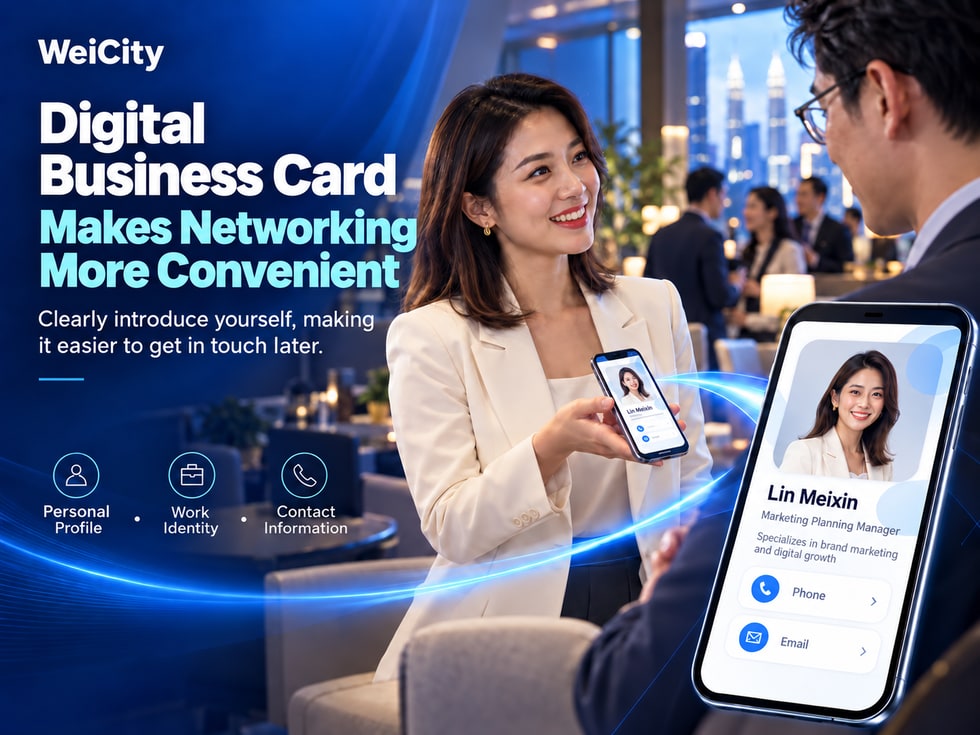
When you meet new customers, attend business events, or introduce your professional services to others, do you often have to repeat who you are and how to reach you?
For example:
👤 What is your name?
💼 What kind of work do you do?
🏢 Which company do you represent?
🛠️ What services do you mainly provide?
📍 In which area do you provide services?
📞 How should people contact you afterward?
After a first conversation, the other person may remember your name but not necessarily the services you provide.
A few days later, when they actually need your help, they may have to search through chat history again, look for your phone number, or ask mutual friends.
A WeiCity digital business card can serve as an online entry point that presents your personal introduction and contact details. It helps individuals, salespeople, freelancers and merchants organize important information in one place, making it easier for others to get to know you and to contact you again later.
A practical digital business card does not require a large amount of complicated information.
What matters most is helping the other person quickly understand:
Who you are.
What services you provide.
Under what circumstances they can contact you.
How they can find you.
This article explains how to organize a WeiCity digital business card, including your profile photo, name, professional identity, company information, personal introduction, contact details, privacy protection and everyday sharing methods.
A digital business card is a way to display personal identity and contact information through an online page.
Compared with a traditional paper business card, a digital business card can bring together a personal introduction, work information and related contact entry points, depending on the features the page actually supports.
📷 Personal photo.
👤 Name or commonly used name.
💼 Job title.
🏢 Company or brand name.
🛠️ Main business introduction.
📍 Service area.
📞 Contact phone number.
📧 Email address.
🔗 Other related links.
The items you can fill in depend on the features provided on the current WeiCity digital business card page.
Suppose you are a photographer.
When you first meet a customer, you may need to explain:
Your name.
The main types of projects you shoot.
Service area.
How to book a consultation.
If this information is already organized in your digital business card, you can share it with customers at a suitable time.
When a customer needs photography services later, they can reopen the business card information they received to review your introduction and contact details.
Helping people who meet you for the first time quickly understand your identity and business, and know how to contact you later.
The personal photo is one of the information items on a digital business card that is most likely to be noticed.
For professionals who want to build a personal professional image, a clear and natural photo helps others recognize you.
Recommended choices:
Clear face.
Appropriate lighting.
Natural composition.
No obvious blur.
You may consider:
A simple background.
An office setting.
A work setting that suits your professional identity.
For example:
A real estate consultant may use a clear personal image photo.
A photographer may use a natural professional photo.
A designer may choose a photo that fits their personal style.
After uploading, check:
Whether the face is cropped.
Whether the photo is blurry.
Whether the subject is too small.
If the photo no longer looks much like you, consider updating it.
As long as the photo is clear, natural and suitable for public display, it can be used as the personal photo on your digital business card.
📌 The key purpose of a personal photo is to help others recognize you, not to pursue excessive retouching.
The name and professional identity on your digital business card should, as far as possible, be consistent with how you present yourself in everyday business communication.
For example:
Chinese name.
English name.
A professional name commonly used in daily life.
For example:
Property consultant.
Photographer.
Interior designer.
Education consultant.
Insurance agent.
Sales Consultant.
If you represent a company, confirm that the company name is correct.
For example:
Freelance Photographer.
Graphic Designer.
Website Designer.
Handicraft Creator.
Not clear enough:
John | Professional Consultant
Clearer:
John | Penang Property Consultant
Not clear enough:
Amy | Creative Professional
Clearer:
Amy | Brand & Graphic Designer
If you use professional qualifications, job titles or company affiliations, make sure the information is genuine.
📌 Your name helps people remember you, while your work identity helps them understand what services you can provide.
A bio does not need to be very long.
Use language that customers can easily understand, and state your main business directly.
You may use the following structure:
Work identity + main services + target customers or area + purpose of contact
“Providing family photography, personal portrait and small event photography services in Penang. Feel free to contact us to check photoshoot availability and arrangements.”
“Providing residential sales and rental consultation in Penang, helping clients understand property information, viewing arrangements and transaction processes.”
“Providing brand visual, promotional image and social media design services, helping businesses organise a clear brand image.”
“Selling hand tools, building materials and daily repair supplies. Feel free to ask about product specifications, stock and purchase arrangements.”
“Providing consultation on educational courses and learning resources, helping parents understand course content and suitable learning arrangements.”
“Providing corporate website, business page and online content planning services, helping small businesses organise their business introductions and customer contact channels.”
🛠️ What main services do I provide?
👥 Which customers are my services suitable for?
📍 In which area do I mainly provide my services?
For example:
“The most professional service.”
“Quality first.”
“Feel free to enquire.”
These phrases do not clearly explain the actual business.
Introduce specific services directly, so customers can easily judge whether they suit their needs.
📌 A good digital business card bio should let someone who is meeting you for the first time quickly understand your work.
A digital business card is not just for displaying information.
It should also help the other person remember you in the future.
Let people know who you are.
For example:
Family photography.
Property rental.
Interior renovation.
Commercial design.
Do not list a large number of unrelated services at once.
This is especially important for local services.
Let customers know how to contact you next.
Business cards of two photographers.
The first one reads:
“Professional photography services.”
The second one reads:
“Providing family photography, personal portrait and small event photography in Penang.”
The second introduction usually makes it easier for customers to understand the scope of the business.
Because customers may not remember the full content of your business card later, but instead remember:
“I once met a photographer in Penang who takes family photos.”
📌 The way to help people remember you is not to add more information, but to state your most important identity and services clearly.
Digital business cards can be used in various personal and business communication scenarios.
When a new customer asks about your business, you can share your digital business card.
Let them first learn about your work identity and main services.
After meetings or when getting to know potential partners, you can share your personal information after the conversation.
At trade shows, business events or industry gatherings, you can let people save your contact channels.
Freelance photographers, designers and consultants can introduce their areas of expertise through a digital business card.
Business owners or sales staff can provide customers with their work identity and contact details.
In suitable communication settings, you can share your personal profile link.
If you have obtained an actual personal link, you may consider including it in your business email signature.
You attend a business event and meet a potential customer.
After the conversation, you can send:
“Nice to meet you today. This is my digital business card, which includes my service introduction and contact details. Feel free to reach out to me if you need anything later.”
Digital business cards are suitable for relevant communication and should not become spam-like promotion.
📌 Sharing a digital business card at the right time is more natural than repeatedly sending information.
WhatsApp is a communication tool that many Malaysian businesses and individuals use daily.
If WeiCity currently provides a public personal link, you can share the actual link with your contacts.
A correct personal link.
A clear personal bio.
Valid contact details.
Information that is suitable for public sharing.
“Hello, nice to meet you. I mainly provide interior design and space planning services in Penang. This is my digital business card, which contains my work introduction and contact details for you to check later.”
“Hello, we met at the event today. Nice to meet you. This is my digital business card. Feel free to contact me if there is a future opportunity to work together.”
“Hello, I provide family photography and small event photography services. This is my digital business card, so you can learn more about my work and contact details.”
It can be placed after the introductory text.
Confirm that the link is correct.
Avoid sending overly long promotional content.
Adjust the explanation according to the specific conversation.
Do not repeatedly send marketing messages without consent.
📌 Pairing the digital business card with a short, natural introduction makes it easier for the other person to understand the purpose of sharing.
Contact details are one of the most important parts of a digital business card.
If the information is incorrect, even a well-designed card may affect future communication.
Check:
Whether the number is correct.
Whether the country code is complete.
Whether it is suitable to be made public.
If the page supports relevant contact fields or links, you may enter the work number you use daily.
Recommended:
An email address you check regularly.
An email address that can receive messages normally.
An email address suitable for business communication.
If the page supports it, you may add public links related to your business.
If you represent a company, you may also provide suitable public business contact details as needed.
For example:
+60 12-345 6789
This is only a format example and not a real contact number.
If customers may be from different countries, using the full international number format is usually easier to recognise.
If you have a dedicated work number or email address, you may give it priority.
This helps keep business enquiries separate from private communication.
📌 Contact details should be accurate, valid, and channels you are willing to use for external communication.
A digital business card can serve as an online information display entry point.
A personal link helps people open this entry point.
If your WeiCity account currently provides a corresponding public personal link, you can use it according to the actual page.
WhatsApp.
Email.
Social media.
Business introduction.
Promotional materials.
A property consultant posts property introductions on social media.
If you want customers to learn more about your professional role, you can provide a personal profile link based on the features actually supported.
Because they can reduce the need to re-enter information repeatedly.
Users can view the information you have actually made public through the link.
Is the link correct?
Whether the page can be accessed.
Whether the public information is complete.
Whether it contains information that is not suitable for public display.
📌 The digital business card displays information, while the personal link makes it easier to share.
QR codes are suitable for face-to-face communication.
For example:
Business meetings.
Exhibitions and events.
Client visits.
Store reception.
You are attending a business networking event.
When the other person wants to get your contact information.
If the current WeiCity business card feature provides a QR code, you can display the QR code actually generated.
After the other person scans it with a phone, the corresponding page can be opened.
The QR code is clear.
The image is not distorted.
The link is correct.
The background has sufficient contrast.
Phones can scan it normally.
Scanning a QR code usually opens the related content.
Whether a contact can be saved directly depends on the QR code type, page features, and phone support.
📌 QR codes make exchanging information face to face more convenient, but you should still make sure the other person can find your actual contact details.
The value of a digital business card is not only in the first share.
More importantly, it allows the other person to find your information again when they need it later.
Avoid using completely different names across different channels.
Let customers know what services you provide.
Avoid using phone numbers that are no longer in service.
Share the correct personal profile entry based on current features.
If the page supports contact saving, use it in the way it is actually offered.
For example:
When the other person proactively makes an inquiry.
When both parties agree to contact again.
When further information needs to be provided.
Even after sharing a digital business card, there is no guarantee the other person will save it or open it again.
📌 To make it easy for others to find you again, you need a clear identity, valid contact details, and appropriate follow-up communication.
A digital business card mainly introduces an individual.
A merchant channel mainly showcases a business or brand.
It can be used to explain:
Who you are.
What kind of work you do.
Which company you represent.
How to contact you.
Based on the features actually enabled, it can display:
Brand introduction.
Products and services.
Business information.
Related content.
Business contact entries.
An interior designer who runs their own studio.
A digital business card can introduce:
The designer's name.
Professional identity.
Contact information.
The Merchant Channel can introduce:
The studio brand.
Design services.
Portfolio case studies.
Business information.
If the digital business card page supports related links, you can provide a merchant channel entry based on the features actually available.
Because customers sometimes want to get to know the person in charge.
Other times they want to learn more about the whole company.
📌 The digital business card helps customers get to know an individual, while the merchant channel helps them understand the business; the two complement each other.
A digital business card is information shared externally.
Once spread through a link or QR code, it may be viewed or forwarded by more people.
Therefore, before filling it in, consider the scope of public visibility first.
Only fill in information that needs to be public.
Preferably use a number suitable for business communication.
Avoid unnecessarily publicizing personal email addresses.
Unless truly necessary, it is not recommended to make it public.
Do not include sensitive materials such as ID cards or passports in a public business card.
Do not make bank account numbers, payment passwords, or similar information public.
Use photos you have the right to make public.
Confirm that no private pages have been made public by accident.
Make public only the information needed for others to recognize and contact you; this does not mean you need to make all personal information public.
A digital business card needs to be maintained in line with actual circumstances.
For example:
Changing your job title.
Joining a new company.
Adjusting your business.
Changing your phone number.
Changing your email address.
Updating your personal photo.
Check your job title and company name.
Edit your business introduction.
Confirm the new number is correct.
Check that you can receive emails normally.
Use a recent photo that is easy to recognize.
Confirm they are still valid.
Check the information from the customer's perspective.
For example:
A phone number a customer saved earlier may not change automatically just because you edited your digital business card.
It depends on how contacts are saved and synchronized.
📌 A digital business card should be updated along with your work information, so customers do not end up unable to reach you through outdated details.
Many users open digital business cards on their phones.
Therefore, the information should be easy to browse.
Do not only check on your own editing page.
You can ask a friend or colleague to open the actual business card.
Ask:
Do you know what work I do?
Can you find my contact details?
Do you know when you can contact me?
Because creators are familiar with their own information.
But people meeting you for the first time may not understand your industry or work content.
📌 A digital business card should let strangers understand it quickly, rather than only letting you know what each item means.
Is it correct?
Is it clear?
Is it accurate?
Is it correct?
Does it explain your main services?
If provided, is it accurate?
Is it valid?
Can it be used normally?
If provided, are they correct?
Does it open the correct page?
Does it contain information that is not suitable for public display?
Is it easy to view?
After finishing editing, recheck once from the actual public page.
📌 Before publishing a digital business card, the most important thing is to confirm the information is accurate, the introduction is clear, and others can contact you normally.
A digital business card is an online information entry point used to display personal identity, work introduction, and contact details.
Salespeople, freelancers, professionals, merchant owners, and anyone who needs to introduce themselves publicly.
No. It is recommended to prioritize the information people need to recognize and contact you.
Not necessarily. It only needs to be clear, natural, and suitable for public display.
The guiding principle is to be long enough to clearly explain your professional role, main services, and purpose of contact.
You may use it based on your actual account features and personal needs; it does not necessarily have to represent a company.
Yes, it can be used to introduce your professional field and contact methods.
If the current page provides a shareable public link, you may use the actual link in appropriate chat conversations.
If the current feature provides a QR code, you may follow the actual steps on the page.
This depends on whether the current page provides a contact-saving feature and on your phone's support.
This depends on the link fields and setup methods currently supported.
It is recommended to update it promptly so customers do not contact an old number.
Not necessarily; this depends on the actual saving and syncing mechanism.
It can serve as another way to share your information; whether it fully replaces paper cards depends on the actual usage scenario.
No guarantee can be made, but clear information and contact details can help people who need your services understand and reach you more easily.
📌 The value of a digital business card is making your personal introduction and contact details easier to view, understand, and save.
If you have not yet organized a digital business card, you can start with basic information.
Use the name you commonly use in your daily work.
Choose a clear personal photo that is suitable for public display.
Describe your occupation, job title, or main business.
If you have a related role, enter the accurate name.
Use brief text to describe your main services.
Confirm that your phone number and email address are valid.
Based on WeiCity's current features, obtain your actual personal link or other sharing method.
Check the public page on your phone, then share it with suitable contacts.
Depending on your actual needs, you can use your digital business card for:
Customer inquiries.
Business activities.
Work introduction.
WhatsApp communication.
Email signatures.
Related promotional materials.
📌 Your first card does not need to be complicated; start by organizing your most important identity and contact information clearly.
Every time you meet a new friend or customer, it may become the start of future contact.
However, whether someone remembers you often depends on whether they understand your identity and business during the first conversation.
Let others know who you are.
Helps others recognize you.
Lets others know what work you do.
Explains what help you can provide.
Lets customers know your main service area.
Lets others know how to find you again.
Makes your personal information easier to pass on.
Keeps your card information accurate.
The value of a WeiCity digital business card is helping individuals, salespeople, freelancers, and merchants organize important personal introductions and contact information into an online entry point that is easy to share.
For someone meeting you for the first time, a clear digital business card can help them understand your work more quickly.
For existing customers, a digital business card can also serve as an entry point for finding information again.
For people who often introduce their business, a digital business card can reduce the need to repeatedly send basic information.
A practical digital business card does not need a large amount of text or a complicated design.
The key is to:
👤 Let people know who you are.
💼 Help others understand your work.
🛠️ Let people know what services you offer.
📞 Make it easy for people to find your contact details.
🔗 Make your personal information easy to share.
🤝 Give a first meeting the chance to lead to a next conversation.
Start with a digital business card that has clear information and an accurate introduction, so people remember not only your name but also when they can contact you again.
Specific personal information fields, digital business card editing, personal links, QR codes, contact saving, and sharing methods are subject to WeiCity's current actual pages and the features available in your account.
👉 Open WeiCity: https://wei.city/