

How Lighting Merchants Can Use WeiCity: From Product Showcase to Customer Selection
Bring together lighting styles, product specifications, space examples, and purchase requirements so customers can more easily understand options, communicate their needs, and confirm supply.
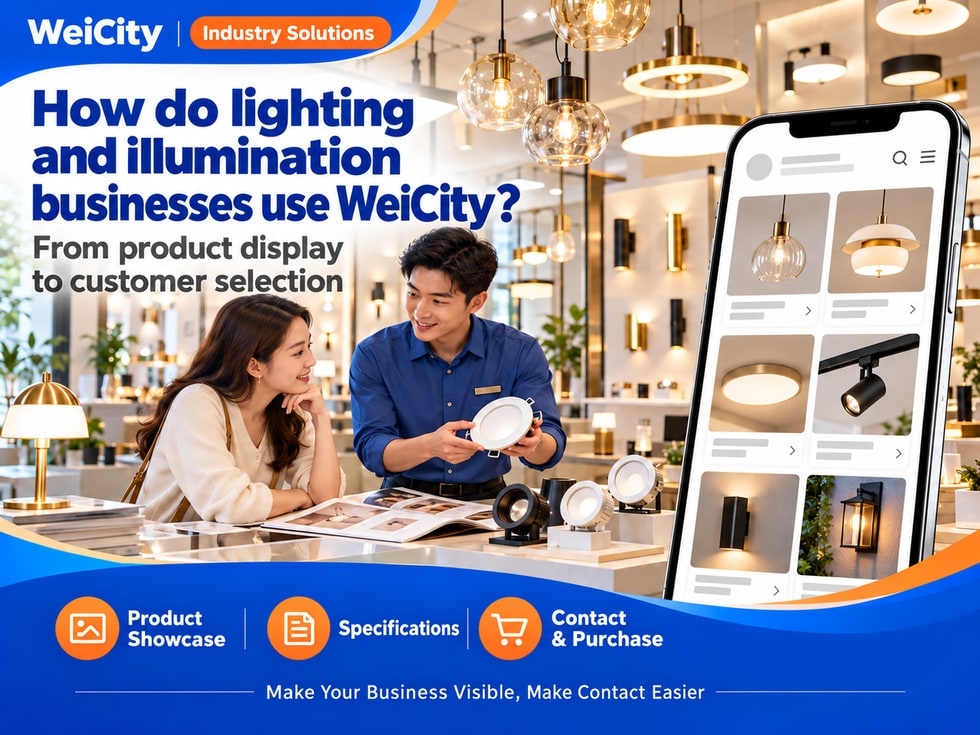
How Lighting Stores, Lighting Product Suppliers, and Commercial Lighting & Smart Fixture Merchants Can Use WeiCity: Build a merchant channel that makes it easy for customers to browse products, compare options, and get in touch, using product categories, specification details, real-world project examples, and buying guides.
“What lights are suitable for a living room?”
“Does this light have warm light and white light?”
“My original light broke. Can I replace it with the same model?”
“Does the price of the light fixture include installation?”“My store renovation needs a batch of lights. Can I get a quote?”
When choosing light fixtures, customers usually look at the style first, then confirm the size, brightness, light color, installation conditions, and costs.
💡 With WeiCity, you can set up your own merchant channel and organize your products, specifications, and contact methods, so customers can first learn about the available styles and then contact you to confirm the plan that suits their space.
✅ Lighting Retail StoreDisplay pendant lights, ceiling lights, wall lights, and products actually for sale.
✅ Lighting Product SupplierOrganize luminaires by model, specification, and use.
✅ Commercial Lighting MerchantIntroduce lighting products for stores, offices, and other spaces.
✅ Outdoor Lighting MerchantDisplay garden lights, outdoor wall lights, and related products actually supplied.
✅ Smart Lighting MerchantExplain control methods, compatibility requirements, and services actually provided.
✅ Lighting Accessories MerchantIntroduce bulbs, drivers, tracks, and other accessories.
📌 Product sales, lighting solutions, installation, and repair are separate services. State clearly which scope you actually provide.
You may organize content by luminaire type:
🔹 Pendant and Decorative LightsDisplay by style, size, and material.
🔹 Ceiling Lights and Panel LightsIntroduce specifications and suitable conditions.
🔹 Downlights and SpotlightsNote installation method, dimensions, and main parameters.
🔹 LED Strips and Linear LightingExplain product specifications and required accessories.
🔹 Outdoor LuminairesClassify by use and product information.
🔹 Bulbs, Accessories, and Control ProductsDisplay models actually supplied and compatibility conditions.
💡 You may also organize cases for living rooms, bedrooms, kitchens, stores, and offices to help customers find references by space.
Recommended to specify:
✅ Brand and model
✅ Overall dimensions
✅ Power
✅ Luminous flux, if provided in product information
✅ Color temperature or available light colors
✅ Power supply and voltage requirements
✅ Installation method
✅ Whether related accessories are included
🔶 Example: Ceiling Light Introduction
Product model: state the exact name or number.Size: provide actual diameter, length, or height.Light color: state available color temperatures according to product information.Specifications: provide actual power and related parameters.Accessories: state whether remote controls, drivers, and similar items are included.Inquiries: contact us to confirm stock, price, and installation arrangements.
📌 Parameters should follow the corresponding product information. Luminaires with similar appearances may have different specifications and usage conditions.
For each product, consider preparing:
🔹 Overall PhotoShow shape, color, and material.
🔹 Lit and Unlit StatusHelp customers understand how the appearance changes.
🔹 Size DiagramInclude accurate labels.
🔹 Installation and Interface DetailsShow locations that need to be checked.
🔹 Space ReferenceWhere applicable, show the actual installation effect.
💡 You may match product numbers with photos so customers can accurately identify items when making inquiries.
📌 Camera exposure, white balance, and screen display can affect how light color looks. Photos should not replace actual parameters or on-site experience.
You can ask customers to provide:
1️⃣ Space TypeLiving room, bedroom, kitchen, office, or store.
2️⃣ Space Size and HeightDescribe approximate area, ceiling height, and unit of measurement.
3️⃣ On-Site PhotosShow the ceiling, furniture, and existing light positions.
4️⃣ Main UseGeneral lighting, reading, display, decoration, or other needs.
5️⃣ Preferred StyleProvide reference images or a description.
6️⃣ Existing Installation ConditionsDescribe light positions, switches, and other known conditions.
7️⃣ Budget and TimelineHelps confirm product and delivery arrangements.
🔶 For example:
“Please share photos of the space, dimensions, intended use, and preferred style. We will first recommend suitable reference products, then confirm specifications and installation conditions.”
📌 Lighting layout should be judged based on the space, layout, and product parameters. Do not promise results based only on area or a single photo.
You may explain the following separately:
🔹 Color TemperatureExplain light color options according to product information.
🔹 Luminous FluxIf information is available, state the output parameters for the corresponding model.
🔹 Light Distribution and Beam RangeIntroduce product design and use.
🔹 Color Rendering Related ParametersIf provided in product information, explain accordingly.
🔹 Dimming FunctionState whether it is supported and what compatible conditions are required.
💡 Introduce "appearance style" and "lighting parameters" separately so customers can consider both decorative and functional needs.
📌 Wattage alone does not indicate actual brightness. Compare lighting performance based on the corresponding parameters and usage conditions.
We recommend providing:
✅ Overall photo of the existing light
✅ Brand, model, and specification label
✅ Overall dimensions
✅ Cutout or installation dimensions
✅ Related accessory information
✅ Reason for replacement
✅ Installation position and height
🔶 For example:
“Please provide photos of the old light, model, and dimension information. We will first check which products we can supply. Whether direct replacement is possible requires further confirmation of installation and compatibility conditions.”
📌 If information requires removing the luminaire to view, it should be handled by a qualified person. Do not ask customers to handle wiring themselves.
If related accessories are actually sold, you may note:
🔹 Bulb Base and Specifications
🔹 Driver Model and Output Parameters
🔹 Compatibility Conditions for Tracks and Luminaires
🔹 Matching Requirements for LED Strips and Power Supplies
🔹 Compatible Range of Dimmers and Control Devices
🔹 Whether other attachments are required
💡 You may display matching products from the same series together to reduce the chance of customers choosing the wrong model.
📌 Similar interfaces or appearances do not mean products are interchangeable. Related electrical parameters and system compatibility should be checked first.
Suggested content:
✅ Control Method
✅ Whether a gateway or other device is required
✅ Apps or systems used
✅ Network and connection requirements
✅ Whether specified platforms are supported
✅ Arrangements for controlling multiple lights
✅ Whether installation and setup are included
🔶 For example:
“If you need smart control, please describe your existing system and the functions you want. We will first check product compatibility and then confirm the available solution.”
📌 Different models, versions, and control systems may vary. Confirm the supported scope based on the actual product.
Recommended to specify:
🔹 Models and specifications corresponding to the price
🔹 Sales unit, such as piece, set, or other unit
🔹 Whether light sources and accessories are included
🔹 Whether ordering is required
🔹 How to request a quote for bulk purchases
🔹 Whether shipping and installation are charged separately
🔹 Deposit and payment arrangements
🔶 For example:
“Displayed prices correspond to the models and specifications described. Please confirm accessories, bulk purchase terms, shipping, and installation fees before placing an order.”
📌 Product display does not equal real-time stock. Confirm colors, quantities, and delivery dates when the order is confirmed.
If the merchant actually provides installation, you may ask customers to state:
✅ Installation Location
✅ Number of luminaires
✅ Light positions and on-site photos
✅ Ceiling or wall conditions
✅ Installation height
✅ Whether removal of old lights is needed
✅ Times when construction is permitted at the site
💡 For large pendant lights or special luminaires, first confirm on-site fixing conditions and access arrangements.
📌 Installation involves fixing, load-bearing, and electrical conditions and should be verified by qualified personnel. Additional wiring, repairs, or renovation work should be described separately.
You can ask customers to provide:
🔹 Project Location and Use
🔹 Product name, model, or reference requirements
🔹 Quantity required for each item
🔹 Dimensions and main parameters
🔹 Whether substitute products are acceptable
🔹 Desired supply dates
🔹 Whether delivery and installation are needed
🔶 For example:
“Please provide your luminaire list, specifications, quantities, and project requirements. We will confirm a quote based on actual supply availability. If a substitute model is needed, we will check with you first.”
📌 Substitute products should be checked for parameters, dimensions, and compatibility requirements. Do not replace items based only on similar appearance.
🔹 About UsIntroduce the store, business scope and service areas.
🔹 Product CategoriesOrganized by lighting type, series and use.
🔹 Real Installation CasesShow authorized installation results and product combinations.
🔹 Specifications & Buying GuideCovers color temperature, dimensions and accessory inquiries.
🔹 Project & Bulk QuotesExplains the procurement information needed.
🔹 Delivery, Installation & After-SalesIntroduces the services actually provided and the scope of coverage.
💡 To begin, you may include the main categories, representative products, and a buying guide, then add detailed models later.
🔶 Customer asks: “What lights can I choose for the living room?”
Suggested reply:“Hello, here are our styles and space examples. Please share a photo of your living room, its dimensions, ceiling height and the style you like, and we will help you narrow down your options.”
🔶 Customer asks: “Can this light replace my existing one?”
Suggested reply:“Please send the model number of your current light, its dimensions and a photo of the installation location. We will first check the product and accessory requirements, then confirm whether it is suitable as a replacement.”
🔶 Customer asks: “I need a batch of lights for a shop renovation. Can you give a quote?”
Suggested reply:“Please send your lighting list, quantities, specifications and the date you need them. We will confirm a quote based on actual stock availability, and we can also go over delivery and installation requirements with you.”
1️⃣ Basic Business InformationName, address, business hours, and contact details.
2️⃣ Main Lighting CategoriesOrganized by the styles and series we actually supply.
3️⃣ Featured Product ImagesInclude model number, dimensions and key specifications.
4️⃣ Buying & Inquiry GuideTells customers what information to provide.
5️⃣ Supply & Service InformationOutlines delivery, installation and after-sales arrangements.
✅ Do product models match the images?
✅ Are the dimensions, wattage and color temperature accurate?
✅ Are light sources and accessories included?
✅ How is compatibility confirmed?
✅ Do stock levels and delivery times need to be checked?
✅ Are installation and warranty coverage clearly explained?
✅ Are contact details correct?
Once your products, specifications and inquiry guide are organized in your channel, you can use them for everyday promotion, customer replies and project procurement discussions.
Customers can learn about your products first, then share their space, model and quantity needs. Merchants can use this information to confirm selection, quotes and supply arrangements.
Want to learn how to set up a lighting merchant channel?
Feel free to contact us through the official WeiCity channel contact details, and we can organize display content suitable for your store together.
WeiCityMake your business visible and your contact easier.