

4 One-Tap Phone Contact Saving and NFC Business Cards: Connecting Online and Offline Communication
From opening a digital business card by tapping to saving phone contacts, make it easier to stay in touch after meeting someone
After meeting a client or potential partner, how can you make contact details easier to keep? This article explains the purpose of saving phone contacts and NFC business cards, describes the process from opening a digital business card by tapping to checking information and confirming the save, and summarizes key points for device recognition, information updates and everyday use.
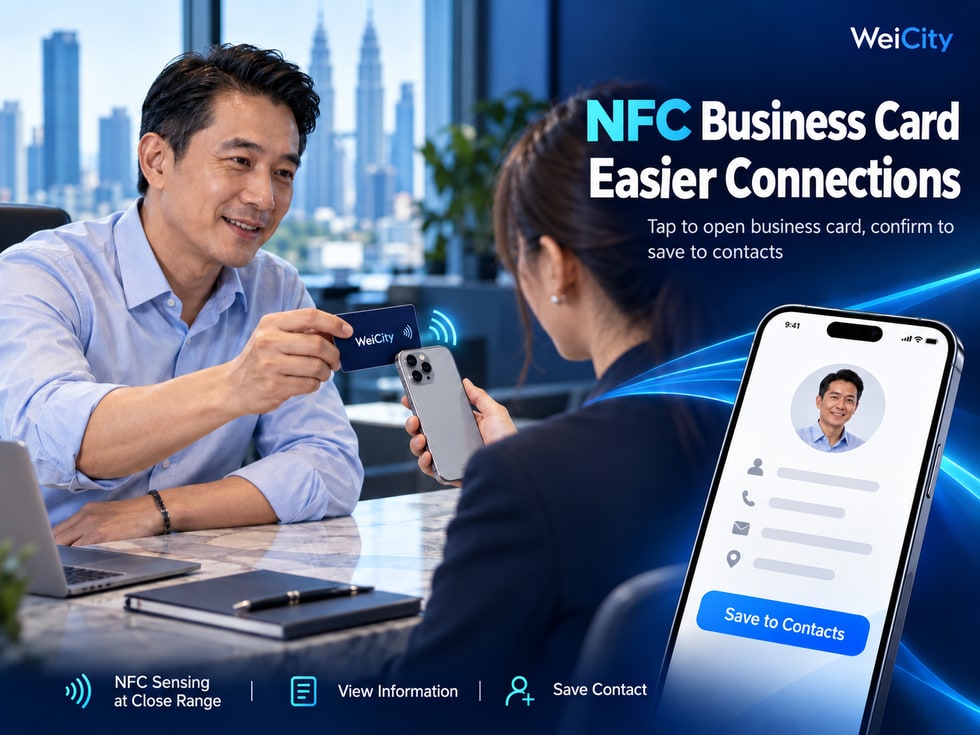
When attending business events, visiting clients or meeting new people for the first time, we often exchange contact details.
👤 What is their name?
💼 What kind of work do they do?
🏢 Which company do they represent?
📞 How can you find their phone number?
📧 Is there an email address you can use to contact them?
🤝 If you want to work together in the future, how should you get in touch again?
A traditional paper business card can record basic information, but after receiving one, you usually still need to manually enter the name, phone number and email address before saving it to your phone contacts.
If you do not save it in time, you may forget where the card is after a while.
A WeiCity digital business card can be used together with phone contact saving and NFC business cards, so that personal information flows from on-site sharing and online viewing to future contact in a more convenient process.
Two features need to be understood separately.
📇 Save to contacts: Save the contact information provided by the digital business card to your phone contacts for easy searching in the future.
📲 NFC business card: Uses near-field wireless communication technology to allow a compatible phone to read information or links on the business card.
NFC tapping, opening the digital business card and saving to phone contacts are not the same operation.
This article introduces how to save a WeiCity digital business card, how to use an NFC business card, precautions for different phones, and how to make contact easier after exchanging business cards.
Saving to contacts means saving the contact information in a digital business card to the contacts app on your phone.
If the current WeiCity digital business card page provides a save-to-contacts or contact file download function, you may follow the actual page and phone prompts.
Depending on the information provided by the digital business card and the device's support, this may include:
👤 Name.
☎️ Phone number.
📧 Email address.
🏢 Company name.
💼 Job title.
🌐 Related websites.
📝 Other applicable contact information.
You attend a business networking event in Penang.
You meet an interior designer.
They share their WeiCity digital business card with you.
If the page provides a save-to-contacts function, you can view the information and save the relevant details to your contacts by following your phone's prompts.
When you need interior design services in the future, you can search for them directly in your phone contacts.
Because you may not need the other person's services right away when you first meet.
You may need to get in touch again after a few days, several weeks or even several months.
📌 The value of saving to contacts is that exchanged contact details are easier to find later.
After exchanging business cards, many people only complete the step of viewing the information.
But viewing and saving are two different things.
You can learn who the person is.
However, you may later need to search again for the previous link or chat record.
You can use your phone contacts to find the saved name, phone number and other information.
👤 No need to retype the full name.
☎️ Less manual copying of phone numbers.
📧 If an email address is provided, it can be checked and saved together.
🏢 Keeps the company or job identity for easier recognition later.
🔎 When you need to get in touch, you can search for the contact in the contacts app.
A hardware supplier met a restaurant manager at an exhibition.
The two parties did not cooperate immediately.
A few months later, the restaurant needed to purchase repair materials.
If the supplier's contact details had already been saved, the restaurant could find them directly on their phone.
The contacts list only stores contact information.
Actual business cooperation still requires further communication between both parties.
📌 Digital business cards make information easy to view, while phone contacts make it easy to find people later.
If the current WeiCity digital business card provides a save-to-contacts entry point, you may follow the page and device prompts.
You can access it through a supported method, such as:
A personal link.
Business card QR code.
An NFC business card link.
Other page entry points.
Check:
Name.
A personal photo.
Work role.
Company name.
Check whether the page provides:
Save contact.
Save to contacts.
Download contact.
Other relevant actions.
Please pay special attention to:
Phone number.
Country code.
Email address.
Company name.
Some devices may offer:
Create a new contact.
Add to an existing contact.
Open the contact file.
Open your phone's contacts and confirm that the information has been saved successfully.
Some contact sharing methods may use a vCard contact file, with the common extension .vcf.
If the device has downloaded such a file, you may open and import it by following the system prompts.
However, whether WeiCity currently provides this file format should be confirmed based on the actual feature.
📌 When saving to contacts, we recommend checking the information first, then completing the save by following your phone's prompts.
If you use an iPhone, you may follow the contact saving method currently provided by WeiCity.
The interface may vary slightly between different iOS versions and browsers.
Open the business card page using Safari or another applicable method.
If the page provides a save-to-contacts function, follow the actual prompts.
If a compatible contact file is opened, the iPhone may display the corresponding contact information.
Based on the options provided by the system, create a new contact or add to an existing contact.
Check:
Name.
Phone number.
Email.
Other fields.
Confirm that the contact has been saved.
If the contact is a work contact, consider keeping appropriate work information in the name or company field.
For example:
John Tan
ABC Hardware
This makes them easier to recognize later.
Opening a digital business card does not mean the contact has been automatically saved on the iPhone.
Only after completing the corresponding save action can you confirm that the details have entered your contacts.
📌 iPhone users should follow the actual system prompts, and check the contact details after saving.
Android phones can also import the details according to the contact-saving method actually provided.
Operations may vary between brands.
For example:
Samsung.
Xiaomi.
OPPO.
vivo.
Google Pixel.
Confirm that you have entered the correct personal page.
If the page provides the corresponding function, follow the prompts.
Some devices may first require you to open the downloaded contact file.
Check the name, phone number and email address.
Depending on the options your phone offers, you may need to choose:
Device contacts.
Google Account.
Other supported contact storage locations.
Open the Contacts app to check.
Some Android phones may use different contacts apps.
Menu names, storage locations and import steps may differ.
📌 Android users should complete the import according to the actual phone interface, and should not assume the contact has been saved just because the file downloaded successfully.
NFC stands for Near Field Communication.
In Chinese, it is usually called:
Near Field Communication.
NFC technology allows compatible devices to read information from corresponding tags at close range.
An NFC business card usually contains an NFC tag that can be read by compatible phones.
Depending on its type and configuration, the tag can store the corresponding information or link.
If it has been configured correctly, it can be used to provide:
A link to a personal page.
Digital business card link.
Other suitable public web addresses.
A real estate consultant has an NFC business card with a WeiCity personal page link already written to it.
When meeting a client, they can let a compatible phone read the card.
After the phone recognizes it, it may prompt the user to open the corresponding personal page.
A regular paper business card mainly relies on printed text to display information.
An NFC business card, by contrast, allows compatible devices to read preconfigured information or links.
This depends on the products and services WeiCity actually offers at the time.
📌 The value of an NFC business card is that, when exchanging details face to face, a close-range tap can open the corresponding information entry point.
If the NFC business card has been correctly written with a WeiCity digital business card or personal page link, it can be read in the way supported by the compatible device.
Confirm that the card has been configured.
Support may differ between devices.
Bring the NFC business card close to the appropriate area of the phone.
If it is recognized successfully, the phone may show a corresponding prompt.
Follow the device prompts.
Confirm:
The name is correct.
The photo is correct.
The professional identity is correct.
The contact details are correct.
If the digital business card page provides related functions, you can continue with saving.
“This is my NFC business card. You can tap it with a compatible phone to open my WeiCity digital business card. If you need to contact me later, you can also view my contact details there.”
A successful NFC tap does not mean the phone contact has been saved.
It may only help the phone open the corresponding link.
📌 NFC handles the entry point, the digital business card displays the details, and saving to contacts is a separate step afterward.
Some iPhones that support NFC tag reading can read compatible NFC business cards in the corresponding way.
However, different models, system versions and tag types may affect the actual operation.
First check whether the current iPhone supports the corresponding NFC tag reading.
Confirm that the tag has been written with usable content.
Sensing performance may vary between models.
You can slowly adjust the position of the card.
If the reading succeeds, the phone may show a corresponding notification.
Enter the corresponding digital business card page.
Confirm that the page belongs to the correct person.
You can check:
Check whether the phone model supports it.
Check whether the tag is compatible.
Check whether the sensing position is correct.
Check whether metal accessories are causing interference.
Check whether the tag has been written correctly.
📌 The specific way an iPhone reads an NFC business card depends on the device model, system support and tag configuration.
Many Android phones support NFC, but not all models have the same reading capability.
Check the phone specifications or system settings.
If the device requires NFC to be turned on manually, first confirm that the feature is enabled.
Confirm that the card has been configured correctly.
The NFC antenna position may differ between brands.
If it is recognized successfully, the device may show the corresponding information or link.
Enter the digital business card as prompted by the phone.
If the page supports related actions, you can continue with saving.
Setting names, NFC sensing positions and reading methods may differ between Android brands.
📌 Android users can first confirm the device's NFC function, then read the business card according to the actual prompts.
If the phone does not respond when brought close to an NFC business card, the card is not necessarily damaged.
You can check the following items one by one.
Some devices do not support the related function.
Check according to the device settings.
You can slowly move the position of the card.
Thick phone cases, metal accessories or other cards may affect reading.
Confirm that applicable content has been written to the tag.
If the card is read successfully but the page cannot open, check the web address.
If an online page needs to be accessed, confirm the network connection.
You can test with another compatible device.
You can switch to:
📲 Business card QR code.
🔗 Personal username link.
📞 Provide contact details directly.
Because NFC support and usage conditions may differ between phones.
📌 NFC business cards can make face-to-face sharing more convenient, but they should not be the only way to exchange contact details.
Both NFC and QR codes can be used to share the entry point to a digital business card.
However, they are used differently.
| Comparison Item | 📲 QR Code | 💳 NFC Card |
|---|---|---|
| Technology used | Image recognition | Near Field Communication |
| How It Is Used | Phone scans a pattern | Phone tap-compatible tag |
| Common carriers | Phone screen, images, paper | NFC card or tag |
| Device requirements | Supports QR code recognition | Supports relevant NFC reading |
| Is an internet connection required? | Opening online pages usually requires one | Opening online pages usually requires one |
| Are contacts saved automatically? | Not necessarily | Not necessarily |
| Main Purpose | Open a specified page | Read specified information or a link |
You can prepare:
A business card printed with a QR code.
An NFC card with your personal link written to it.
Depending on how they are set up, both methods can guide the other person to open your WeiCity personal page.
📲 QR code: Suitable for situations where you want to share materials by scanning a code.
💳 NFC: Suitable for situations where you want to use a compatible device for close-range tapping.
Whether you use a QR code or NFC, you should confirm that the corresponding link is correct.
📌 QR codes and NFC can complement each other, giving users of different devices more options.
This is an important part of understanding NFC digital business cards.
The process can be divided into four stages.
Use a compatible phone to read the NFC tag.
Enter the corresponding WeiCity personal page.
Confirm the name, photo and work role.
If the page provides related functions, you can save the contact information by following your device's prompts.
Later, as needed, use the saved phone number, email or other contact channels.
An insurance agent meets a client.
The client uses a phone to read the agent's NFC card.
Opens your personal page.
The client views the agent's work introduction.
If the client wants to keep the contact details, they can save the contact depending on the page's functions.
Reading an NFC card does not mean automatically adding a friend.
Opening a page does not mean saving a phone number.
Saving a contact does not mean the other person has agreed to receive marketing messages.
📌 NFC, digital business cards and contact saving can form a continuous process, but each step has its own purpose.
NFC business cards and contact saving suit people who often need to exchange contact details.
Share work identity and contact information.
Makes it easy for clients to consult about property later.
Provide sales staff information.
Makes it easy for clients to ask about car models and purchase arrangements later.
Introduce work identity.
Makes it easy for clients to get back in touch when needed.
Share a personal introduction.
Helps clients learn about photography services and how to book.
Display professional identity.
Makes it easy for clients to discuss design needs later.
Provide business contact information.
Makes it easy for clients to ask about products and stock later.
Share the manager's identity and business contact details.
Helps parents learn about the contact's identity and consultation channels.
Exchange personal information at meetings or networking events.
Because they often need to:
Introduce themselves.
Exchange contact details.
Stay in touch with clients.
Carry out follow-up business communication.
📌 As long as the work often involves meeting new clients or partners, you can consider an NFC business card based on your actual devices and conditions of use.
For merchants, digital business cards can help clients get to know the specific people in charge.
Mainly introduces:
Names of responsible persons.
Work role.
Contact information.
Mainly showcases:
Brand information.
Products and services.
Merchant introduction.
Related business content.
A renovation company has several project managers.
Depending on the account features available, each manager can use their own personal digital business card.
When a client needs to contact a specific project manager, they can find the information through the corresponding card.
If the client wants to learn more about the company's services, they can view the relevant merchant channel.
If the page supports related links, personal information can be appropriately connected with the merchant channel.
Because clients may need to:
Contact a particular manager.
Learn about the company's services as a whole.
These two needs are not entirely the same.
📌 Digital business cards help clients get to know the people in charge; merchant channels help clients learn about the business.
This is a very important question when using digital business cards.
Do not assume that contact information already saved on other people's phones will change automatically after the online digital business card is updated.
Three parts need to be understood separately.
If you change your public information, reopen the page to confirm the content.
Information others saved earlier may still contain the old content.
If the NFC tag stores a personal link and that link remains valid, you can usually continue to access the corresponding page through it.
However, if the link changes, you need to test it again.
Your original work number is:
+60 XX-XXX XXXX
Later changed the number.
You updated your WeiCity digital business card.
But the client had already saved the old number on their phone.
Without an automatic sync mechanism, the client's phone may still show the old number.
Update the digital business card.
Check the current link.
Notify important clients you need to stay in touch with.
Remind them to check the contact information in their phone.
Recheck:
A personal link.
Business card QR code.
NFC tags.
Email signatures.
Other information that has already been shared.
📌 An online business card can be updated, but this does not mean information already saved on other devices will necessarily sync.
Digital business cards are used for external communication.
However, this does not mean that all personal information is suitable for public display.
Use a name that is suitable for public display.
Make sure it is accurate.
Preferably use a work number.
Use an email address suitable for business contact.
Avoid making unnecessary address information public.
Do not make public sensitive information such as ID card numbers or passport numbers.
Do not make bank passwords or other sensitive information public in a digital business card.
Confirm that it points to the correct and secure page.
Obtaining contact details does not mean you may send marketing messages without restriction.
Only make public the information that people need to recognize you and contact you.
📌 Ease of sharing and protecting privacy should be considered together.
Is it correct?
Is it clear?
Is it accurate?
Is it easy to understand?
Is it valid?
Is it correct?
Can it be opened?
Was it written correctly?
Can it be read normally?
Is it working normally?
If there is a related feature, can it be completed?
Is it suitable for public display?
Use another compatible phone to complete the whole process, starting from the NFC tap.
Check:
Can the tag be read?
Does the correct page open?
Can the personal information be viewed?
Whether they can find your contact details.
If there is a contact-saving feature, can the contact be saved?
📌 Before formally using an NFC card, it is best to test the complete process from tapping to viewing the information.
Saving the contact information provided by a digital business card to the phone's contacts.
If the current page provides this feature, you can follow the actual prompts.
Not necessarily; you usually still need to confirm based on your device's prompts.
vCard is a file format used to exchange contact information. The common file extension is .vcf.
When the relevant format and function are supported, you can follow the system prompts.
When the relevant format and function are supported, you can follow the device prompts.
A business card that contains an NFC tag that compatible devices can read at close range.
Reading the tag itself does not necessarily require an internet connection, but opening the online personal page usually does.
Not necessarily. Tapping and adding a contact are different actions.
A successful tap alone cannot confirm that a phone number has been saved.
Some models that support the relevant NFC reading method can, depending on the device and the tag.
Devices that support the relevant NFC function can read them according to their actual settings.
You can check device support, the tap position, the tag configuration, and external interference.
You can provide a QR code or personal link separately, as needed.
Not necessarily. It depends on the actual sync mechanism.
If the original link is no longer valid, you may need to configure the tag again.
Please refer to the products and services WeiCity currently actually provides.
No guarantee can be made, but it can reduce some steps when exchanging information in person.
📌 Saving a contact makes it easy to find later, while an NFC business card makes on-the-spot reading convenient. Each serves a different purpose.
If you plan to use a WeiCity digital business card together with an NFC business card, you can start with the following steps.
Fill in a clear name, professional role, and personal introduction.
Confirm that your phone number and email address are valid.
Confirm that the link opens normally.
If you use a compatible NFC tag, make sure the target link has been written correctly.
Read it with a compatible device.
Confirm that the correct page opens.
If the page provides a related function, you can check the import process.
For example:
Business activities.
Client visits.
Business reception.
Partnership exchanges.
Professional service consultations.
Besides NFC, you can also prepare the following, depending on the actual features:
Business card QR code.
Personal username link.
Other work contact methods.
📌 First make sure your digital business card information is accurate, then test the NFC and contact-saving process so actual use runs more smoothly.
Exchanging business cards is not just about handing over a name and phone number.
More importantly, it lets the other person find the correct contact information again when they need it in the future.
Let people know who you are.
Let others learn about your business.
Read business card information or a link through a compatible device.
Show a personal introduction and publicly shared contact details.
Keep contact information in the phone's contacts.
Makes it easy to call or use other contact channels later.
Provide an online access entry point.
Keep contact information accurate.
WeiCity digital business cards, saved contacts, and NFC business cards can each help users share information, introduce themselves, and save contacts.
For people who frequently attend business events, an NFC business card offers a convenient way to share on the spot.
For customers, a digital business card helps them understand the other person's role and work.
For people who want to stay in touch later, saving contacts can reduce the steps needed to look up information again.
However, these features need to work together correctly.
📲 An NFC tap does not mean a contact has already been added.
👤 Opening a digital business card does not mean a phone number has been saved.
📇 Saving to contacts requires confirmation according to your phone's prompts.
🔄 Updating online information does not mean saved contacts will definitely sync.
🤝 Real follow-up contact still depends on both parties continuing to communicate as needed.
Start by organizing a clear WeiCity digital business card, and combine it with a suitable sharing method so people can more easily get to know you, view your contact details, and find you again when needed.
Specific details such as saving to contacts, contact files, NFC tag configuration, personal links, QR codes, and platform contact features depend on WeiCity's current pages, the features available to your account, and device support.
👉 Open WeiCity: https://wei.city/