

6 How Should WeiCity Articles, Updates, Galleries, and Videos Be Prepared? A Channel Content Planning Guide
Plan the topics, materials, and publishing order for these four content types in advance so the channel is complete at launch and gives customers a reason to keep browsing.
When setting up a WeiCity merchant channel, beyond basic information, you also need to use articles, updates, galleries, and videos to show your professional capabilities and real business operations. This article explains the purpose of each of the four content types, how to prepare materials, recommended quantities, publishing order, and key review points, helping merchants build channel content that is clear, consistent, and easy to keep updating.
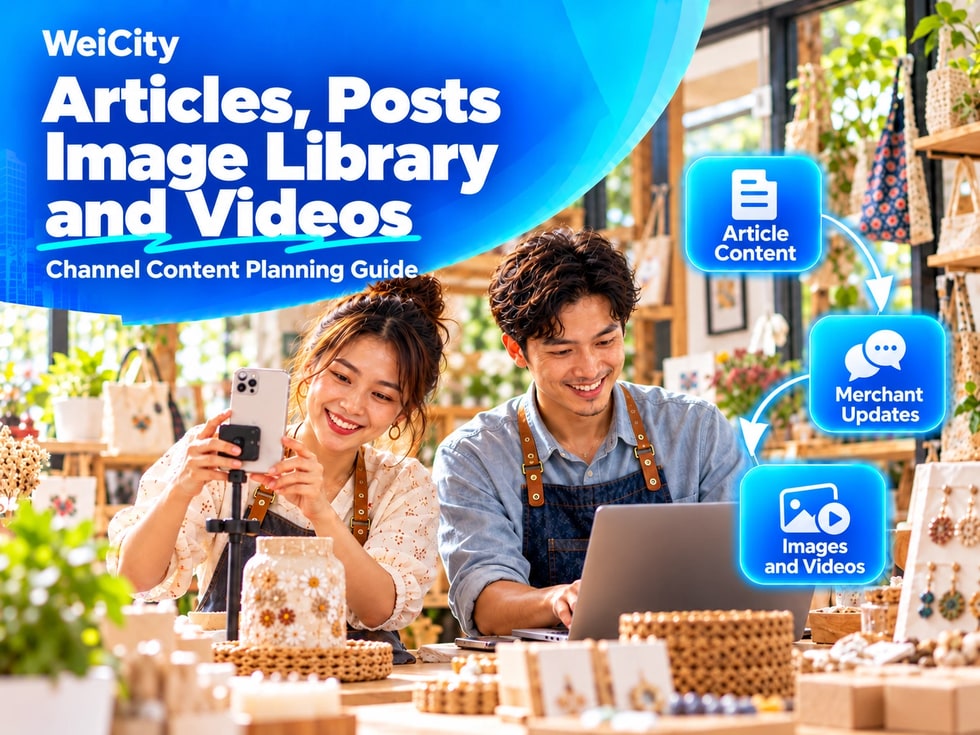
Therefore, before the channel officially goes live, it is recommended to prepare a set of basic content first. This not only makes the channel look more complete, but also reduces the pressure of searching for materials at the last minute after launch.
Articles, updates, Gallery posts and videos in the WeiCity channel each serve a different purpose. Merchants do not need to publish the same content in every location. Instead, choose the format that suits the content.
📄 Articles
Articles are suitable for content that requires detailed explanation and can be kept for a long time, such as:
✅ Merchant or brand introductions
✅ Product and service descriptions
✅ Usage instructions and purchasing guides
✅ Frequently asked questions
✅ Industry knowledge sharing
✅ Customer cases and service processes
The focus of an article is complete content and a clear structure, so customers can easily refer back to it later.
📢 Updates
Updates are suitable for short, timely messages related to current business operations, such as:
✅ New product arrivals
✅ Today's menu or special recommendations
✅ Temporary changes to business hours
✅ Promotions and special offers
✅ Holiday greetings
✅ Event highlights and daily business records
Updates do not need to be long, but they must explain what happened, the period they apply to, and how customers should contact you or take part next.
🖼️ Gallery
The Gallery is suitable for presenting a merchant's visual materials in one place, such as:
✅ Storefront environment
✅ Actual product photos
✅ Service processes
✅ Menus and price lists
✅ Work team
✅ Completed projects
✅ Event photos
The Gallery helps customers quickly understand a merchant's style and actual situation, so images should be as authentic and clear as possible and kept consistent.
🎥 Videos
Videos are suitable for showing content that is difficult to explain with text and images alone, such as:
✅ Storefront tours
✅ Product usage demonstrations
✅ Service Process
✅ Production processes
✅ Customer cases
✅ Introduction to the merchant's head
✅ Event highlights
Videos do not have to be long. As long as the footage is steady, the sound is clear and the theme is clear, a short video can effectively help customers get to know the merchant.
When first setting up a channel, you do not need to prepare a large amount of content at once, but it is not recommended to leave the channel completely empty.
We suggest preparing:
✅ 2 to 3 basic articles
✅ 3 to 5 merchant updates
✅ 8 to 15 selected images
✅ 1 to 3 short videos
This set of content is enough to give customers an initial understanding of your business. After the channel goes live, gradually add new content based on your business operations.
Before preparing content, list the questions customers ask most often, such as:
❓ What products or services do you offer?
❓ Roughly how much does it cost?
❓ How should I make a booking or purchase?
❓ Which areas does your service cover?
❓ What are your business hours?
❓ What are the features of your products?
❓ How should a new customer make their first choice?
Once these questions are organized, convert them separately into articles, updates, images or videos. Content prepared this way will be more practical and make it easier for customers to make decisions.
To avoid images, copy and videos being scattered across different devices, we recommend creating a unified materials folder before uploading.
📁 You can organize folders as follows:
✅ 01 Merchant introduction
✅ 02 Products and services
✅ 03 Storefront and environment
✅ 04 Work team
✅ 05 Customer cases
✅ 06 Promotions and events
✅ 07 Video materials
✅ 08 Published content
File names should also be as clear as possible, for example:
• Storefront front entrance - daytime.jpg• Signature product - front view.jpg• Service process - step one.jpg• Merchant introduction video.mp4
⚠️ Do not use hard-to-identify names such as "Image 1," "Latest photo" or "Video final version."
An article suitable for the merchant channel should include:
✅ A clear title
✅ A short subtitle
✅ A summary that captures the key points
✅ A body text with clearly separated paragraphs
✅ Images relevant to the content
✅ Appropriate tags
✅ A clear contact or call to action
Article content should mainly use language customers can easily understand and avoid a lot of internal jargon. Keep each paragraph from being too long, and use subheadings to help customers quickly find key points.
⚠️ Before publishing, also check that phone numbers, prices, dates, addresses and service conditions are correct.
Updates are usually related to current business operations, so timing information is very important.
For example, when publishing a promotion, state:
✅ The start and end dates of the promotion
✅ The products or services it applies to
✅ The terms of use
✅ Whether a booking is required
✅ Whether the quantity is limited
✅ How customers should contact the merchant
After the promotion ends, update it promptly, mark it as ended or stop displaying it, so customers do not mistakenly believe the offer is still valid.
Merchant images do not necessarily require professional photography equipment, but they should try to achieve the following:
✅ Sufficient lighting
✅ Clear subject
✅ Tidy composition
✅ Natural colors
✅ No excessive filters
✅ No stretching or compression distortion
✅ No unrelated private information
Product images should show different angles whenever possible. Storefront images are best when they include the signboard, entrance and interior, so customers can recognize the actual location.
🔒 If images show private information of customers, staff or other people, obtain consent or handle it appropriately before publishing.
Before filming, decide that the video will explain only one key point.
For example:
🎬 30-second merchant introduction🎬 1-minute storefront environment tour🎬 1-minute explanation of the service process🎬 30-second product usage demonstration
When filming, pay attention to:
✅ Keep the phone steady
✅ Avoid backlighting
✅ Make sure the sound is clear
✅ Clear clutter from the frame
✅ Do not use unlicensed music
✅ Check before publishing for customer information or sensitive details
If the video is long, you can first cut out waiting time, repetition and parts unrelated to the topic.
Channel content does not need to be published all on the same day. You can arrange it in the order customers would want to learn about your business:
① Publish the merchant and brand introduction
② Introduce the main products or services
③ Explain how to buy, book or make inquiries
④ Upload images of the storefront, products and services
⑤ Publish a short merchant introduction video
⑥ Gradually add updates, cases and event content
This order gives channel content more structure and helps customers move from getting to know the merchant to inquiring or purchasing.
When preparing multiple types of content, merchants can easily end up with inconsistent information, such as:
⚠️ Business hours in an article differ from the channel information
⚠️ Prices in an update differ from the product page
⚠️ An old phone number in a video has been discontinued
⚠️ The old address shown in the image does not match the current address
⚠️ Expired promotions still appear in pinned content
For this reason, all content should be checked against the channel's basic information before it is uploaded.
✅ Basic articles, posts, images and videos are ready
✅ All titles clearly describe their content
✅ Images are clear and there are no obvious duplicates
✅ Video footage is stable and the audio plays normally
✅ Phone numbers, WhatsApp and other contact entry points are correct
✅ Address, business hours and pricing information are consistent
✅ Event dates and conditions of use have been stated
✅ No unauthorized images, music or personal information
✅ Old information and test content have been deleted
✅ After reading the content, customers know how to contact the merchant next
Articles, posts, Gallery and videos are not meant to fill up the channel. Their purpose is to help customers learn about the merchant more quickly and build trust.
When you first start, you can prepare a small amount of content that is genuine, clear and practical. After launch, keep updating it based on the questions customers often ask and the merchant's actual operations, and the channel will gradually become a stable entry point for display, communication and customer acquisition.