

9 How Does a Restaurant Handle Online Orders? Order Verification, Food Preparation, and Pickup Arrangements
Establish a clear online ordering workflow, from reviewing order details to preparing food.
After customers submit online food orders, how should a restaurant verify dishes, confirm pickup or delivery arrangements, and prepare food in advance? This article outlines practical steps for handling online orders, helping merchants reduce missed orders, incorrect orders, and timing misunderstandings, and letting customers know how their orders will be processed next.
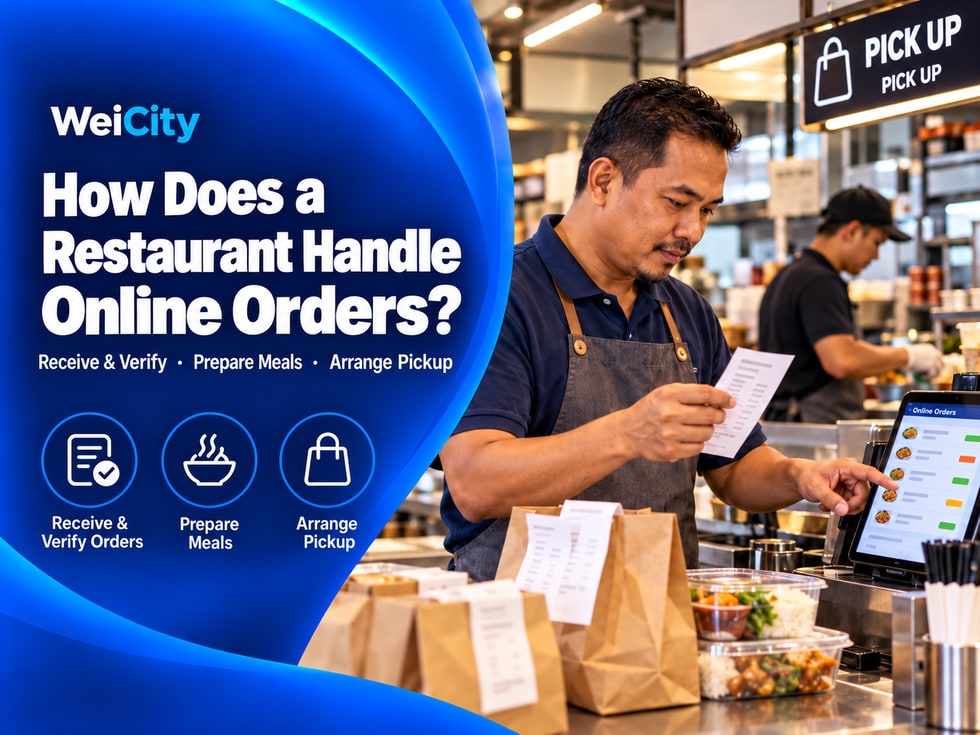
After a customer submits an online order, the merchant still needs to check the food items, preparation time, and fulfillment method.
If order information is not reviewed promptly, or food requests are not checked carefully, items may be missed, prepared incorrectly, or not ready when the customer arrives.
🍽️ Restaurants can set up a simple online order handling process so that every order is checked and prepared using the same steps.
After receiving an order, first review the order details and the information the customer entered, and confirm that you can process it as requested.
✅ Food items and quantities: Confirm which dishes the customer selected and the quantity of each.
✅ Flavors, add-ons, and notes: Check for any flavor choices, extra ingredients, or other requests.
✅ Order amount: Check the price of the dishes, add-on fees, and any related charges.
✅ Pickup method: Confirm whether the customer chose self pickup or delivery.
✅ Date and address: Check the pickup date and time or the delivery address.
If information is incomplete, notes are unclear, or the order requests cannot be arranged, contact the customer as early as possible to confirm.
📌 Checking information when accepting an order can reduce the chance of discovering order problems during food preparation.
Before starting food preparation, check the dishes against the order once more.
🍱 Check dishes: Prepare according to the dish names and quantities on the order.
🥚 Check add-ons: Pay attention to extra choices such as added egg, added rice, or added cheese.
🌶️ Confirm flavors: Check spice level, sauce, or other flavor requests.
📝 Review notes: Pay attention to any special instructions the customer wrote.
📦 Separate orders: Organize different customers' orders separately to avoid mixing up dishes.
For example:
A customer orders one chicken chop rice and selects:
🍗 Chicken chop rice × 1.
🥚 Added egg × 1.
🌶️ Black pepper sauce.
📝 Note: No onions.
Before preparing the meal, the merchant should check these selections to confirm the dish can be made as requested.
Special requests should be handled within the range the restaurant can actually provide.
If a request cannot be met, inform the customer as early as possible and discuss next steps.
An online order may be for pickup as soon as possible, or for a scheduled pickup later.
Merchants should schedule food preparation progress according to the time on the order.
🕒 Scheduled orders: Record the pickup time the customer selected and allow enough preparation time.
🍳 Immediate orders: Arrange preparation based on the kitchen's current order volume.
🎉 Large or group orders: Check the quantity of dishes and preparation time in advance.
🗓️ Orders for a specific date: Check the date again to avoid scheduling a reserved order for the wrong day.
For example:
If a customer schedules pickup at 6:30 PM, the merchant can plan preparation based on the time the dishes need.
For dishes that take longer to prepare, plan ahead to avoid customers waiting too long after arriving.
If the order cannot be prepared at the originally scheduled time, contact the customer as early as possible to explain the situation.
Once the food is ready, arrange handover according to the method the customer chose.
When the customer comes to the store to collect the food, the merchant can:
✅ Verify the customer's name or order number.
✅ Confirm the dish names and quantities.
✅ Check that the packaging is complete.
✅ Place the food in a convenient location for collection.
If the merchant provides delivery service, check:
✅ Whether the delivery address is complete.
✅ Whether the customer's contact information is correct.
✅ Whether the quantity and packaging of the food match the order.
✅ Whether the delivery time and handover arrangements are clear.
When packing, also make sure the food is suitable for carrying or delivery.
🥡 Package food: Choose a suitable packaging method based on the type of food.
🥤 Beverage packaging: Check lids and seals to reduce the risk of spills during transport.
🍴 Utensil check: Confirm that any utensils or accessories the merchant has promised to provide are not missing.
🔖 Order labels: You may label orders with the customer's name, order number, or pickup time according to your restaurant's own process.
If delivery is handled by the merchant or a third-party courier, confirm the handover method and contact arrangements in advance.
After submitting an order, customers usually want to know whether it has been received, when they can pick it up, and who to contact if anything changes.
Merchants can clearly explain how orders are handled after submission on the Online Ordering page.
📨 Order Confirmation: Explains how the merchant confirms that an order has been received.
⏰ Pickup Time: Explains when customers can expect to pick up their food or receive their order.
📱 Contact Method: Tells customers how to contact the merchant if there is a problem with their order.
🔄 Order Changes: Explains how customers should request changes to the time or the food items.
For example:
💬 After submitting an order, please watch for the merchant's confirmation notice. If you need to change your food items or pickup time, please contact the restaurant as early as possible.
These instructions help customers understand what happens next.
However, the confirmation method and timing should match the merchant's actual operating process, and merchants should avoid promising reply times they cannot keep.
During order processing, you may encounter situations such as sold-out items, errors in customer-provided information, or longer preparation times.
If an item the customer ordered is no longer available:
✅ Contact the customer as early as possible to explain the situation.
✅ Tell them which items are temporarily unavailable.
✅ Confirm with the customer whether the related items need to be adjusted or cancelled.
If the kitchen is busy and the order cannot be completed by the original time:
✅ Notify the customer as early as possible.
✅ Explain how much additional time is expected.
✅ Confirm the new pickup or delivery arrangement with the customer.
If the delivery address, item quantities, or notes are unclear:
✅ First contact the customer to verify the information.
✅ Confirm the changes to be made.
✅ Then handle the order according to the arrangement both parties have agreed on.
📌 Before changing food items or order contents, obtain the customer's confirmation first, to avoid replacing items or adding charges without their consent.
Timely communication helps customers understand the situation and makes it easier for both sides to adjust the arrangements.
Restaurants can prepare a simple checklist based on their own workflow.
☑️ New Order Check: Whether new orders have been reviewed.
☑️ Item Verification: Whether item names, quantities, and add-ons are correct.
☑️ Time Confirmation: Whether the reservation time and delivery information are accurate.
☑️ Preparation Arrangement: Whether the order has been assigned for preparation.
☑️ Packaging Check: Whether the food packaging and handover method are correct.
☑️ Special Situations: Whether the customer has been contacted about any order issues.
☑️ Menu Updates: Whether the sales status needs to be adjusted.
For example, a restaurant can handle orders in the following sequence:
📥 Review Order → 🔍 Verify Details → 🍳 Arrange Preparation → 📦 Check Packaging → 🥡 Hand Over Food
Handling orders in a fixed sequence helps staff hand over work and helps merchants reduce omissions during busy periods.
A clear process for accepting orders and preparing food makes online orders easier to manage.
After receiving the food selections customers submit through WeiCity Online Ordering, merchants can verify the order details, prepare the food, and arrange pickup or delivery according to their own process.
For food and beverage merchants, accepting online orders is not just about receiving customers' orders. More importantly, every step should have a clear way of being handled.
From verifying items and arranging preparation to packaging and handover, a consistent workflow helps reduce omissions and communication problems.
🧾 Start by reviewing orders and checking items and times one by one, so every order is handled more clearly.
🌐 WeiCity | Making it easier for customers to order food, and helping merchants accept orders and prepare food in an organized way.