

3 Product Multi-Image Display: Helping Customers See Appearance and Details
Include overall views, details, dimensions, and usage scenarios on product pages to help customers understand the product more fully
When shopping online, customers cannot examine products in person, so multiple photos can help them understand appearance, materials, internal structure, and package contents. This article introduces the purpose of multi-image product displays in the WeiCity Shop, along with key points for image preparation, arrangement, and review, so that each photo answers a different question and reduces doubts before purchase.
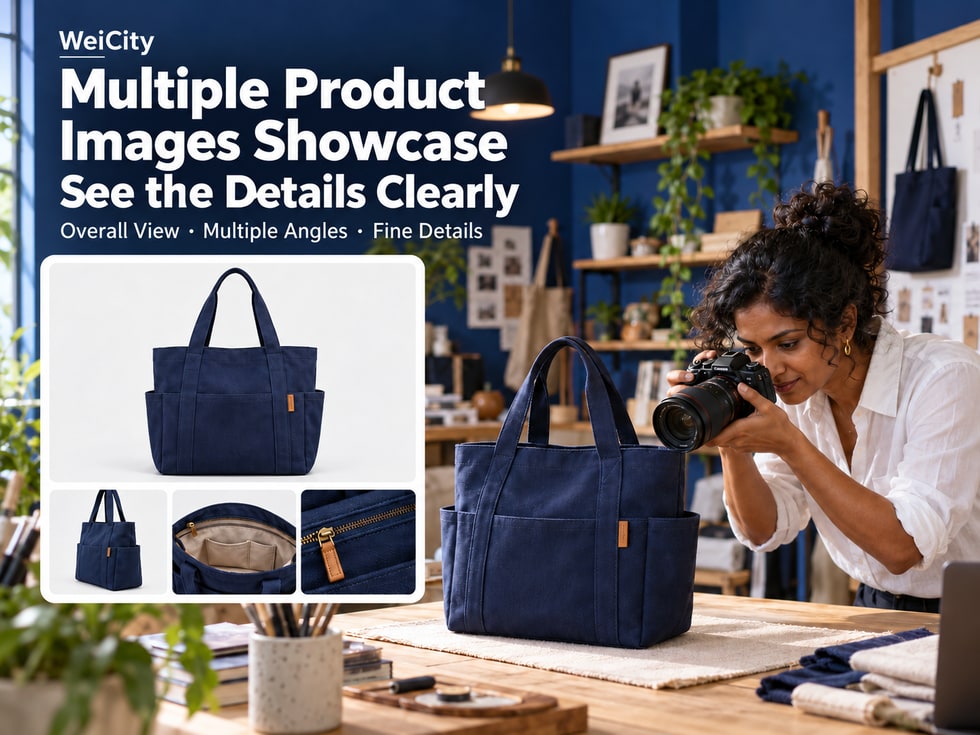
How many questions can one product photo answer?
When a customer sees a handbag they like, they may first be attracted by its appearance.
But next, they may also want to know:
👜 What does the back of the handbag look like?
🔍 Is there a zipper or separate pockets inside?
📏 How big is it in actual size?
🎨 Are there other colors?
🤲 What does it look like in hand?
📦 What items will be included after purchase?
If the product page shows only one front-facing photo, customers may need to contact the merchant separately to request more images and descriptions.
Multi-image product display on WeiCity Shop can, depending on the features supported on the current product page, bring together photos from different angles, details and usage scenarios to help customers understand the product more fully.
Product images are not only for making the page look attractive. More importantly, they answer the questions customers care about before buying.
📷 Main product image: Lets customers see clearly what is being sold.
🔄 Different angles: Show the front, side and back of the product.
🔍 Detail photos: Explain materials, structure and important parts.
📏 Size images: Help customers understand the actual size.
🏠 Usage scenarios: Show how the product looks in everyday life.
🎨 Specification images: Distinguish different colors and styles.
🎁 Packaging images: Explain what is actually included after purchase.
By arranging product images sensibly, you can reduce repeated questions and make it easier for customers to compare and choose.
Multi-image product display means using multiple photos with different purposes around the same product to supplement product information.
For example, a canvas handbag can show:
👜 The overall front appearance.
🔄 The back and sides.
🔍 The zipper and internal pockets.
📏 The actual size.
🤲 The effect when held by a person.
🎁 The packaging contents.
Although these photos show the same product, each image answers a different question.
For example, the customer only sees the front of the handbag.
They may not be able to tell:
❓ Is there a zipper?
❓ Is there any division inside?
❓ Is the bottom flat?
❓ How large an item can it hold?
❓ What are the proportions when actually held?
If these questions are not answered on the product page, customers will need to ask further.
For customers:
✅ It is easier to understand the product's appearance.
✅ Important details can be viewed.
✅ It is easier to compare colors and styles.
✅ It is easier to judge whether the size is suitable.
For merchants:
✅ Fewer repeated photo requests.
✅ More complete product introductions.
✅ Different styles are easier to tell apart.
✅ Product images are easier to manage in a unified way.
Not necessarily.
If ten photos all show almost the same front angle, customers still cannot understand the inside of the product or its size.
📌 The key to multi-image product display is not the number of photos, but whether each photo adds useful information.
The main product image is usually the first photo customers see.
Therefore, the main image should prioritize showing the product being sold, rather than complicated decorative effects.
✅ The complete product is shown.
✅ Important parts are not cropped.
✅ Lighting is sufficient.
✅ Product colors are as close to the real item as possible.
✅ The background does not draw attention away from the product.
✅ The image matches the product name.
Product name:
“500ml Stainless Steel Thermos”
Suggested main image:
☕ Show the complete cup body.
🔍 The lid is clearly visible.
🎨 The color matches the actual product.
📸 Avoid unrelated items blocking the cup.
Product name:
“Canvas Zipper Handbag”
Suggested main image:
👜 Show the complete bag body.
🔒 The zipper position is clearly visible.
🎨 The product color looks natural.
📏 Do not crop the handles or bottom.
For example:
One photo shows three storage boxes at the same time.
Customers may think:
“RM29 is the price for three storage boxes.”
But the actual product may include only one of them.
Therefore, merchants need to clearly state in the product name or description:
📦 Sold as a single item.
📦 Two-piece set.
📦 Three-piece set.
📦 Some items in the image are for display only.
❌ The product is covered by large blocks of text.
❌ Accessories that are not part of the product appear in the image without explanation.
❌ Using photos of a style different from the one actually sold.
❌ Over-editing that causes color distortion.
❌ Important parts are cropped.
📌 A good main product image should let customers know what product they are viewing without having to guess.
The main image is responsible for showing the overall product.
Detail photos are responsible for answering the questions customers want to confirm further.
Different products require showing different details.
Suggested shots:
🔒 Zipper.
🧵 Handle attachment points.
📦 Interior space.
🔍 Inner pockets and dividers.
📸 Bottom structure.
For example:
If customers often ask "Are there pockets inside?", prepare a clear interior photo.
Suggested shots:
🧵 Fabric texture.
👕 Collar.
🔍 Cuffs.
🪡 Stitching.
🏷️ Care labels.
These details help customers understand the actual design of the clothing.
Suggested shots:
🛠️ Connection points.
🪵 Surface material.
🚪 Drawer interior.
🔩 Hardware fittings.
📐 Corner design.
Suggested shots:
☕ Cup mouth.
🔒 Cup lid.
🧵 Sealing structure.
🔍 Inner cup wall.
📦 Included accessories.
Suggested shots:
📦 Internal compartments.
🔄 Opening and closing method.
🔍 Corners.
🛠️ Connection structure.
📏 Actual storage space.
You can refer to questions customers often ask.
For example:
“Does this bag have a zipper?”
“What fabric is this garment made of?”
“How many shelves are inside this cabinet?”
“Can the cup lid be taken apart for cleaning?”
“Can the storage box be stacked?”
Turning these questions into photo themes can make your images more practically useful.
📌 Detail photos should help customers see important structures, rather than repeating the same appearance.
Product photos may be affected by shooting distance, camera angle, and background.
Therefore, a product that looks large in a photo may not actually be large.
For products where size affects the purchase decision, it is recommended to provide accurate size information.
For example:
📏 Length.
📏 Width.
📏 Height.
☕ Capacity.
👕 Clothing size.
Product: Canvas Zipper Tote Bag
📏 Width: 35cm.
📏 Height: 30cm.
📏 Base thickness: 10cm.
The above figures are examples only. Actual listings should use real measurement data.
📐 Length: 30cm.
📐 Width: 20cm.
📐 Height: 15cm.
You can use arrows in size images to indicate the corresponding positions.
For example:
cm: centimeters.
mm: millimeters.
m: meters.
Do not mix different units in the same image without explanation.
For example:
Does the height of the tote bag include the handles?
Does the width of the furniture include protruding parts?
Is the storage box size external or internal?
All of these may affect customers' judgment.
For example:
👜 A person holding the tote bag.
☕ Holding the insulated cup in hand.
🛋️ Sofa placed in the living room.
📦 Storage box placed on a bookshelf.
Scale reference can help customers understand the product's size.
However, accurate dimensions should still be based on actual measurement data.
❌ Do not estimate size based on photos.
❌ Do not use incorrect size charts.
❌ Do not mix sizes of different specifications.
❌ Do not omit important measurement conditions.
📌 Size images should combine accurate data with visual references, so customers can more easily judge whether the product suits their space or purpose.
Customers want to know not only what a product looks like, but also how it is used in daily life.
Therefore, appropriate usage scenario photos can be added based on the product's features.
For example:
🧺 Storage basket placed on a bookshelf.
📦 Storage box placed on a desk.
🧸 Toy storage box placed in a children's room.
These photos can help customers understand how the product pairs with a space.
For example:
🤲 Held by a person.
🚶 Carried during daily outings.
🛍️ Shopping use scenario.
Showing the bag with a person can help customers understand the carrying proportions of the tote bag.
For example:
💡 Desk lamp placed on a study desk.
📚 Reading space.
🖥️ Office desktop.
However, avoid using images to imply unverified brightness, eye protection, or other product performance claims.
For example:
🪴 Placed by the window.
🏠 Living room decoration.
🌿 Balcony display.
For example:
🛋️ Sofa placed in the living room.
🪑 Chair paired with a dining table.
📚 Bookcase placed in a reading space.
For example, a photo of a storage shelf includes:
📚 Books.
🪴 Potted plants.
🖼️ Decorative items.
However, only the storage shelf is actually sold.
You may note:
“The books, plants, and decorative items shown in the picture are for scene display only and are not included in the product price.”
For example:
❌ Making a small product look like a large one.
❌ Using scenarios that do not match the actual use.
❌ Making customers think accessories shown are included in the price.
❌ Using a version that differs from the actual product.
📌 Usage scenario photos should help customers understand the product, rather than create an impression inconsistent with the actual product.
The same product may come in multiple colors, sizes, or styles.
If images do not clearly correspond to specifications, customers may choose incorrectly.
Product: Stainless Steel Insulated Cup
🎨 Black.
🎨 White.
🎨 Blue.
If different colors have corresponding images, make sure the photos match the specification names.
For example:
🔵 Blue product → blue photo.
⚪ White product → white photo.
⚫ Black product → black photo.
The same tote bag may come in:
🟤 Beige.
⚫ Black.
🔵 Navy blue.
If every color has an image, it is recommended to keep the shooting angle and background as consistent as possible.
This makes it easier for customers to compare color differences.
For example:
📦 Single piece.
📦 Two-piece set.
📦 Three-piece set.
Different sets should be clearly distinguished.
For example:
A tote bag design comes in:
👜 Standard open-top style.
🔒 Zipper style.
📦 Multi-pocket style.
Key differences can be shown separately.
You can set corresponding images for different specifications based on actual features.
If specification images are not supported, you can also explain in the product description which color or style each photo corresponds to.
Especially:
👕 Apparel.
👜 Leather goods.
🎨 Home goods.
💐 Floral works.
Excessive color adjustment may cause significant differences between photos and the actual item.
📌 Images of different colors and styles should be easy to distinguish and consistent with the product specification information.
After the images are ready, you also need to decide the display order.
A logical order helps customers learn about the product step by step.
First let customers know what they are looking at.
For example:
📸 Side.
📸 Back.
📸 Interior.
For example:
🔒 Zipper.
🧵 Material.
🛠️ Connection points.
For example:
📐 Length, width, height.
📏 Size chart.
☕ Capacity.
For example:
🤲 Held by a person.
🏠 Home display.
🛍️ Daily use.
For example:
📦 Main product.
🔌 Accessories.
📋 Manual.
🎁 Packaging box.
Image 1: Front of the tote bag.
Image 2: Back and side.
Image 3: Zipper and internal pockets.
Image 4: Size markings.
Image 5: Held by a person.
Image 6: Actual package contents.
Not necessarily.
The number of images should be determined based on the product's features and actual needs.
For example:
Simple products may only need a few clear photos.
Products with complex structures may need more detailed photos.
For the number of uploads, sorting methods, and file requirements, please refer to the current WeiCity product publishing page.
📌 The order of images should help customers first understand the product as a whole, then gradually explore its details and practical uses.
Many customers view products on their phones.
Therefore, besides being clear, images should also consider how they appear on a mobile screen.
If the background takes up most of the photo, the product may be hard to see.
It is recommended to make the product the focal point of the image.
For example:
🔒 Zipper.
🏷️ Product labels.
📏 Size markings.
🧵 Material textures.
Do not let important content become hard to recognize on a phone.
For example:
"Width 35cm"
It should be clearly readable on a phone.
Avoid overusing filters.
Different pages may display images in different ways.
Therefore, important parts of the product should not be too close to the edges.
Product images can include necessary notes, but it is not recommended to cram all product descriptions into one image.
Detailed information should be placed in the product description.
It is recommended to open the product page on your phone and check:
📸 Whether the main image is complete.
🔍 Whether the details are clear.
📏 Whether the size text is readable.
🎨 Whether the colors look natural.
📦 Whether the packaging information is easy to understand.
📌 Images looking clear on a computer does not mean they will look suitable on a phone, so check after publishing.
Different products have different characteristics, so the photos suitable for display also differ.
It is recommended to prepare:
📸 Front view photos.
🔄 Back view photos.
🧵 Fabric details.
📏 Size chart.
🎨 Different colors.
👤 Model wearing effect.
It is recommended to prepare:
👜 Overall appearance.
🔍 Zipper details.
📦 Interior space.
📏 Size chart.
🤲 The effect when held by a person.
🎨 Different colors.
It is recommended to prepare:
☕ Overall photos.
🔒 Lid details.
🔍 Rim and inner wall.
📏 Capacity information.
🎨 Different colors.
📦 Package contents.
It is recommended to prepare:
🛋️ Overall appearance.
🔍 Material details.
📐 Size diagram.
🏠 Actual placement.
🛠️ Structure and connection points.
📦 Packaging and accessories.
It is recommended to prepare:
🔧 Overall product.
🏷️ Model labels.
🔍 Port details.
📏 Specification dimensions.
📦 Packaging and accessories.
🛠️ Reasonable usage scenarios.
It is recommended to prepare:
💐 Overall bouquet.
🌹 Flower details.
🎨 Different styles.
🤲 Hand-held scale.
🎁 Packaging effect.
📦 Actual delivery format.
It is recommended to prepare:
🎁 Overall product.
📦 Set contents.
🔍 Detailed design.
🎨 Style differences.
🎁 Packaging effect.
📏 Size reference.
📌 Product images should be planned around the information customers most need to confirm before buying, rather than using the same shooting approach for every industry.
After a product is listed, its images may not stay the same over time.
In actual operations, products may change in the following ways.
For example:
Originally available in blue.
Later changed to dark blue.
Check whether the old photos are still accurate.
For example:
Originally included two accessories.
Later adjusted to one accessory.
Related images and descriptions need to be updated.
For example:
Zipper position changed.
Product ports updated.
Exterior structure adjusted.
Use photos that match the current version being sold.
For example:
The new model's size differs from the old one.
The size chart needs to be updated.
If an old product has been discontinued, avoid continuing to use photos that could mislead customers.
For example:
The product specification selected is "White."
But the main image shows black.
Check whether adjustments are needed.
For example:
Images that are cropped.
Size text is too small.
Details are hard to see.
Images can be reorganized as needed.
📌 Product images should match the products currently being sold, so customers do not make choices based on outdated photos.
Product images should first help customers understand the product.
On this basis, clear, relevant, and accurate image materials can also help improve page content quality.
For example:
Product name:
“Canvas Zipper Handbag”
Images should show the corresponding product.
For example:
📏 Accurate dimensions.
🧵 Material.
📦 Package contents.
🎨 Specifications.
Try to avoid:
❌ Images unrelated to the product.
❌ Blurry images.
❌ Style photos that may mislead.
For example:
"How should you choose the size and material before buying a tote bag?"
If the current editor supports it, you can provide links to the corresponding product pages in related articles.
Whether search engines can crawl and index images also depends on platform technical settings, image accessibility, page content, and other factors.
Clear product images do not guarantee a search ranking.
📌 For product SEO, images should truthfully reflect the product and work together with the product name and text descriptions.
A product multi-image display uses multiple photos to show the overall appearance, different angles, details, and usage scenarios of the same product.
Not necessarily.
It is recommended to decide based on the product's characteristics and customers' needs.
It should prioritize clearly showing the main subject of the product actually being sold.
Depending on the product type, you can show materials, ports, zippers, internal structure, or other important parts.
If size affects customers' choices, it is recommended to provide accurate size information.
You may use them as needed, but make sure you have appropriate portrait and image usage authorization.
They can be used for scene display, but avoid making customers think the decorative items are included in the selling price.
If color differences would affect customers' choices, it is recommended to provide corresponding photos as much as possible.
Whether specification images are supported and how to set them depends on the current product editing page.
It is recommended to show the overall view first, then add different angles, details, dimensions, and usage scenarios.
For specific image dimensions, aspect ratios, formats, and file size requirements, please refer to the current WeiCity product publishing page.
You can add accurate size markings as needed, and make sure they are easy to read when viewed on a phone.
If the change affects customers' understanding of what they are buying, it is recommended to update promptly.
First confirm that you have appropriate usage rights, and make sure the photos match the products actually being sold.
Clear product photos can help customers understand items and reduce questions, but actual sales results still depend on the product, price, demand, and other factors.
📌 The value of multiple product photos is that they give customers more complete and accurate product information.
✅ The complete product is shown.
✅ Images are clear.
✅ Appropriate background.
✅ Colors are close to the actual item.
✅ Product name matches the image.
✅ Front view is clear.
✅ Side view is complete.
✅ Back view matches the actual product.
✅ Show the internal structure when necessary.
✅ Important parts are clear.
✅ Material is easy to identify.
✅ Avoid uploading many similar photos repeatedly.
✅ Dimensions are accurate.
✅ Units are consistent.
✅ Measurement positions are clearly shown.
✅ Easy to read on a phone.
✅ The setting matches the actual use.
✅ Product proportions are reasonable.
✅ Decorative items will not cause misunderstanding.
✅ Images match the specifications.
✅ Different colors are easy to tell apart.
✅ Set contents are clear.
✅ The items actually included are correct.
✅ Accessory descriptions are complete.
✅ No misleading displays.
✅ Main image displays properly.
✅ Image order is correct.
✅ No important parts are cropped out.
✅ Clear when browsed on a phone.
✅ Images match the text descriptions.
✅ Check old photos in a timely manner.
✅ Update promptly when packaging changes.
✅ Keep product colors and specifications accurate.
📌 Once product images are ready, it is recommended to review them one by one from the customer's perspective to confirm that each photo provides useful information.
Displaying multiple product photos is not only about making the product page look richer.
Truly useful images should help customers step by step answer their questions before purchase.
📷 Main product image: Lets customers see clearly what is being sold.
🔄 Different angles: Show the front, side, and back.
🔍 Detail photos: Help customers understand materials and structure.
📏 Size images: Let customers judge the actual size.
🏠 Usage scenarios: Show how the product looks in everyday life.
🎨 Specification images: Distinguish different colors and styles.
🎁 Package images: Explain what items are actually included.
📱 Phone check: Make sure customers can browse clearly.
The value of multiple product photos on WeiCity is to make product information more complete and reduce repeated inquiries from customers who cannot see clearly.
For merchants, preparing complete product images in advance also makes listing and ongoing management more organized.
For customers, clear photos help them compare styles, understand sizes, and judge whether a product suits their needs.
🖼️ Clear images help customers understand the product.
🔍 Complete details help customers ask fewer questions.
📏 Accurate sizes make it easier for customers to judge.
🎨 Distinct styles make it easier for customers to choose.
From the overall product to important details, and from actual sizes to usage scenarios, every photo should have a clear explanatory purpose.
Specific product image quantities, file formats, image ordering, specification images, and other operations are subject to WeiCity's current Shop page, product editing features, and the services you have activated.
👉 Open WeiCity: https://wei.city/