

5 How Can Education Centres Use Video Courses to Expand Teaching Services? From Physical Classrooms to Online Learning
Take teaching beyond the classroom. Through video previews, after-class review and online course introductions, help tuition centres, language schools, skills training institutions and special education centres extend their teaching services.
How can education centres in Malaysia deliver online teaching? This article introduces how tuition centres, language schools, vocational training institutions and special education centres can expand their teaching services through teaching videos, online previews, after-class review, parent education content and blended learning. It also explores how to use the WeiCity merchant channel to present courses, teaching staff and teaching features, so that more prospective learners and parents can learn about the education institution.
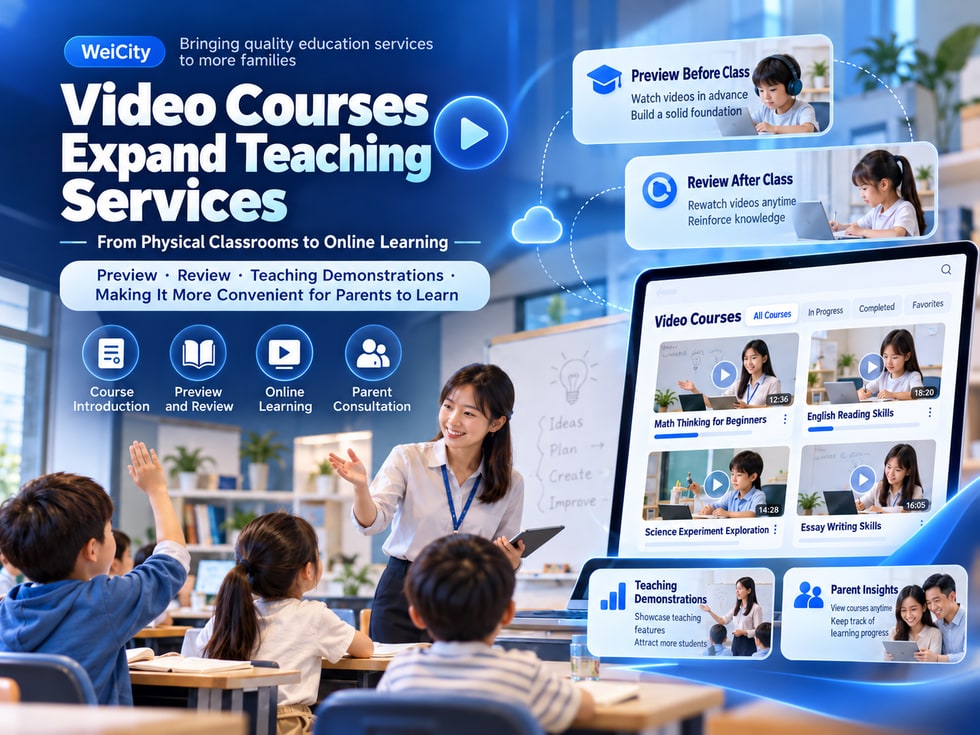
For tuition centres, language schools, skills training institutes and special education centres in Malaysia, classroom teaching has long been an important mode of instruction.
Teachers can explain knowledge face to face, observe students' performance, and provide guidance based on their learning progress.
However, in-person teaching also has some practical limitations.
🔸 After a student misses a class, they need to catch up on the lesson content.
🔸 Parents want their children to revise at home but lack suitable learning materials.
🔸 Teachers often need to repeatedly explain the same basic knowledge.
🔸 New parents want to understand the teaching approach but do not know whether a course suits their child.
🔸 Education centres want to reach potential students in other areas but are restricted by location.
🔸 Centres have rich teaching experience but have not organised it into learning resources that can be used on an ongoing basis.
These problems do not necessarily need to be solved by hiring more teachers or expanding classrooms.
Education centres may consider turning suitable teaching content into videos as a supplement to classroom lessons, and gradually developing online learning services.
Online Video Courses allow some teaching content to no longer be restricted by fixed class times.
For example, a maths teacher can record basic calculation methods as teaching videos.
Students can understand basic concepts before formal lessons begin.
If they do not understand something after class, they can also watch the relevant explanation again.
For education centres, video courses may bring the following benefits.
✅ Helping students preview lessons before class.
✅ Providing after-class revision materials that can be easily watched repeatedly.
✅ Reducing the need to repeatedly explain some basic knowledge.
✅ Helping parents understand course content and teaching methods.
✅ Organising existing teaching experience into long-term resources.
✅ Exploring the possibility of serving students in different areas.
However, video courses may not necessarily replace face-to-face teaching.
Especially for courses that require real-time interaction, hands-on practice, individual guidance or professional assessment, appropriate teaching support is still needed.
Tuition centres usually provide teaching services in maths, English, science and other school subjects.
In these courses, some knowledge is suitable for explanation through pre-recorded videos.
For example:
📘 Basic primary school calculations.
📗 Methods for solving maths word problems.
📙 Basic science concepts.
📕 English grammar exercises.
📝 Exam preparation and analysis of common mistakes.
A maths tuition centre may consider the following arrangement.
🎬 Before class: Provide basic knowledge videos.
🏫 In class: Teachers explain difficult problems and guide practice.
📚 After class: Students watch related revision videos.
📝 Practice: Assign homework according to the teaching progress.
💬 Feedback: Teachers further explain what students do not understand.
This approach can help students continue learning outside the classroom.
However, teachers still need to judge whether the videos are suitable based on students' levels, and must not assume that all students can learn independently.
Language courses usually involve different learning activities such as listening, speaking, reading and writing.
Some of this content can be practised repeatedly through videos.
For example:
🔤 Basic letters and pronunciation.
🗣️ Common English conversations.
📖 Reading skills.
📝 Basic grammar.
🎧 Listening practice.
💼 Workplace English communication.
For example, an English training centre can divide its course into three parts.
📘 Basic Video Learning
Let learners recognise vocabulary, grammar and common sentence patterns through pre-recorded videos.
🗣️ In-Class Speaking Practice
Teachers lead learners in real conversations and pronunciation guidance.
🎬 After-Class Revision
Let learners watch the key content again to deepen their understanding.
This arrangement can combine some knowledge explanation with real interaction.
Note that language communication skills usually require real practice and feedback, and simply watching videos may not meet all learning objectives.
For training institutes that teach computing, design, business skills or other operational knowledge, video courses have many applications.
For example:
💻 Microsoft Excel basic operations.
📊 PowerPoint presentation creation.
🎨 Photoshop image editing.
🌐 Website back-end management.
📱 Digital marketing tool applications.
📷 Photography and video editing techniques.
These courses can be produced through screen recording or live operation demonstrations.
For example, an Excel training course can be divided into:
📘 Lesson 1: Getting to know the Excel interface.
📗 Lesson 2: Creating spreadsheets.
📙 Lesson 3: Using basic formulas.
📕 Lesson 4: Sorting and filtering data.
📊 Lesson 5: Creating simple charts.
📚 Lesson 6: Completing practical exercises.
Learners can study in the order of the course and rewatch the operation steps as needed.
For skills that require hands-on practice, training institutes should also consider arranging practice, assignments or appropriate teacher feedback, rather than only providing videos to watch.
Special education centres and child development institutions may also consider using videos as resources for parent education and teaching support.
However, the way they are applied needs to be more careful.
This is because children's abilities, developmental conditions and support needs may differ significantly.
Video topics worth considering include:
👨👩👧 How parents can build daily home learning habits.
🧩 Introduction to age-appropriate games and learning activities.
📚 Shared parent-child reading and storytelling activities.
🗣️ Daily communication and interaction tips.
🎨 Simple art and craft activities.
🏫 Introduction to the teaching environment and services of the education centre.
For example, a special education centre can produce basic knowledge videos for parents, introducing how to arrange activities at home that suit their child.
However, it must be made clear that:
⚠️ General teaching videos cannot replace individualised professional assessment.
⚠️ Children's training activities should match their actual abilities and safety needs.
⚠️ Where occupational therapy, speech therapy, physiotherapy or other professional interventions are involved, they should be assessed and guided by suitably qualified professionals.
⚠️ Do not promise parents that watching videos will improve specific developmental or health conditions.
For special education institutions, videos are more suitable as a supplement to educational information, parental understanding and professional guidance, rather than as a replacement for necessary individualised services.
Blended Learning generally refers to an approach that combines online learning with face-to-face teaching.
Education centres can decide, based on their actual courses, which content is suitable for pre-recorded videos and which requires teachers' direct guidance.
For example:
📱 Online Pre-Class Preview
Learners first watch basic knowledge content.
🏫 In-Person Classroom Teaching
Teachers explain key points and arrange interactive activities.
📝 Classroom Practice
Learners complete hands-on operations, discussions or exercises.
🎬 After-Class Video Revision
Learners review knowledge they are not yet familiar with.
💬 Teacher Feedback
Guidance and explanations are provided according to the course arrangement.
This teaching approach allows different learning activities to complement one another.
However, not every course needs to adopt blended learning.
Merchants should choose the appropriate approach based on course topic, student age, learning ability and teaching objectives.
In in-person education centres, students may miss classes due to illness, family arrangements or other reasons.
If every absence requires a teacher to repeat the entire lesson, this may increase teaching workload.
For some courses, videos that have already been produced can be used to provide revision of basic content.
For example:
📚 Course topic: Primary school maths fractions.
🎬 Teaching video: Introduces the basic concepts of fractions.
📝 Practice materials: Provides related practice questions.
👨🏫 Follow-up guidance: Teachers check whether students understand.
However, note that pre-recorded videos may not cover all classroom activities from the day of the absence.
If a course involves hands-on operation, exams, assessments or important interaction, the education centre should still provide appropriate make-up lessons or guidance arrangements.
Video revision can be an auxiliary learning method and should not automatically be regarded as a complete replacement for make-up lessons.
When choosing an education centre, many parents care about more than just tuition fees.
They also want to know:
❓ How do teachers teach?
❓ What age is the course suitable for?
❓ What teaching content does the education centre provide?
❓ What foundation does a child need?
❓ Are there any actual teaching demonstrations?
❓ How can parents learn about their child's study arrangements?
Education centres may consider using videos and related introductions to help parents understand teaching methods.
For example:
🎬 Teachers introduce course topics.
📚 Showcase appropriate teaching materials and tools.
🏫 Introduce the teaching environment.
👨🏫 Share teachers' teaching experience.
📝 Explain course objectives and learning processes.
📱 Provide course consultation methods.
If real student learning activities are shown, appropriate authorisation should be obtained, and special attention should be paid to the privacy and personal data protection of minors.
For some education institutions, online video courses, in addition to supporting teaching, may also develop into standalone learning products.
Common business models include:
🎁 Free basic teaching
Provide some knowledge sharing so potential learners can get to know the course.
💳 Individual video courses
Sell specific teaching topics according to actual arrangements.
📦 Series course packages
Combine multiple related teaching topics into a complete course.
🏫 Supplements to in-person classes
Include some video revision materials within existing course services.
🔄 Regularly updated learning resources
Continuously provide new content according to teaching needs, and consider appropriate fee arrangements.
However, merchants need to clearly distinguish:
🔹 Which content is already included in the existing tuition fees.
🔹 Which video courses need to be purchased separately.
🔹 What viewing access learners receive after purchase.
🔹 Whether teacher guidance and Q&A are included.
🔹 How long the course is available.
If the education centre operates in Malaysia, it should also ensure that course content and business activities comply with the actual registered category, licence scope and other applicable requirements.
For education centres, producing teaching content is only the first step.
More importantly, potential learners and parents should be able to clearly understand what services the institution offers.
Education centres can use the WeiCity Merchant Channel to centrally introduce their teaching business.
🏪 Showcase the education institution
Introduce the centre's name, business background, teaching features and contact information.
📚 Introduce course categories
Organise tutoring, language, skills and other courses that are actually offered.
👨🏫 Showcase teaching staff backgrounds
Introduce teachers' genuine professional qualifications and teaching experience.
🎬 Share teaching-related content
Introduce teaching videos and learning resources according to the publishing methods actually supported by WeiCity.
📝 Publish education knowledge articles
Share helpful educational content around common questions from parents and learners.
📱 Provide consultation entry points
Let potential learners know how to contact the centre.
🔗 Share a unified channel URL
Use the Merchant Channel link on Facebook, WhatsApp and other promotional channels.
For example, an education centre in Penang can introduce the following in its channel:
📘 Primary school maths tutoring.
📗 English reading and writing.
📙 After-school revision videos.
🎨 Interest learning activities.
👨🏫 Introduction to teachers and courses.
📞 Parent consultation methods.
This helps potential customers understand different services in one place.
Note that displaying content on the Merchant Channel does not mean WeiCity already supports a complete online classroom, automated course payments, viewing permissions or learning progress management.
If these features are needed, first confirm the service capabilities actually supported by the platform.
Many parents and learners search directly on Google when looking for courses.
For example:
🔍 Online Tuition Malaysia
🔍 Online English Classes Malaysia
🔍 Penang Tuition Centre
🔍 Excel Training Malaysia
🔍 Online tutoring courses in Malaysia
🔍 Penang English tuition centre
🔍 Online Learning for Kids
Therefore, when introducing courses, education institutions should clearly state the teaching topics, suitable audiences and service methods.
For example:
❌ Course name: Our teaching courses.
✅ Course name: Primary School Maths Online Revision Course | Basic Operations and Word Problem Teaching.
❌ Course name: English training.
✅ Course name: Adult English Speaking Course | Daily Communication Training for Beginners.
❌ Course name: Computer course.
✅ Course name: Excel Basics Course | Suitable for Office Beginners in Malaysia.
Recommended course descriptions include:
📚 Main course content.
🎯 Learning objectives.
👨🎓 Suitable learner profile.
👨🏫 Teacher and institution information.
🗣️ Language of instruction.
🏫 Online or in-person teaching format.
📍 Actual service areas.
📞 Course consultation methods.
This information helps users understand the course and helps search engines identify the page topic.
However, whether a web page is indexed by Google and ranks depends on factors such as public accessibility of the page, website technical settings, content quality and market competition.
Whether a video course helps an education institution should not be judged solely by view counts.
Different practical situations can be observed.
📚 Are learners more likely to complete pre-class preparation?
🎬 Are any students using videos for revision?
💬 Are parents finding it easier to understand the teaching content?
👨🏫 Are teachers repeating some explanations less often?
📝 Do students still need additional guidance?
📱 Do video courses generate consultations that are genuinely needed?
💰 Does course income reasonably support production and maintenance costs?
📈 Which video content is most worth updating on an ongoing basis?
For example, a set of maths revision videos may not have many public views, but if it helps existing students revise more conveniently, it may still have real teaching value.
Conversely, a teaching video that receives a large number of views does not necessarily mean students have truly mastered the knowledge.
Therefore, education centres should consider learning outcomes, service quality, parent feedback and business costs together.
If the centre mainly operates in-person classes at present, it can first choose a teaching topic suitable for recording.
It is recommended to start with the following steps.
✅ Step 1: Choose knowledge that students often need to revise.
✅ Step 2: Determine the age and learning level the course suits.
✅ Step 3: Organize a simple teaching outline.
✅ Step 4: Decide which content is suitable to explain through video.
✅ Step 5: Prepare a phone, computer or basic recording equipment.
✅ Step 6: Record a clear teaching video.
✅ Step 7: Check the sound, picture and teaching content.
✅ Step 8: Prepare suitable practice or revision materials.
✅ Step 9: Have suitable students trial it and collect feedback.
✅ Step 10: Improve the teaching content based on feedback.
✅ Step 11: Organise course introductions and teacher information.
✅ Step 12: Introduce related course services through the WeiCity Merchant Channel.
✅ Step 13: Gradually add teaching resources based on actual needs.
At the beginning, it is not necessary to produce dozens of courses.
You can start with one clear topic and then evaluate whether it is worth expanding.
For tutoring centres, language schools, skills training institutions and special education centres, online video courses can be a teaching support method worth exploring.
They can help some students preview and revise, and also make it easier for parents to understand the education centre's teaching content.
However, the value of video courses does not lie simply in recording classes.
More importantly, arrange clear, suitable and responsible teaching resources based on learners' needs and teaching objectives.
📚 Make it easier for students to revise knowledge.
👨🏫 Let teachers' teaching experience keep adding value.
🏫 Allow in-person courses and online learning to complement each other appropriately.
👨👩👧 Help parents understand teaching services more clearly.
🎬 Allow some teaching resources to be reused.
🌐 Help more potential learners get to know education institutions.
For education centres that wish to develop over the long term, they can start with existing courses and gradually organise suitable teaching videos and learning materials.
🌐 WeiCity | Making the professional teaching of education institutions visible, and making it easier for students and parents in need to find suitable educational services.
🎓 From classroom teaching to online learning, so knowledge does not stay only in the classroom but can continue to add value in suitable learning settings.