

3 How to Organise Teaching Videos into a Complete Course Series? From Course Categories to Chapter Planning
Learn how to plan a video course catalogue, teaching chapters and learning sequence, turning scattered teaching videos into systematic learning content that helps learners understand the course and makes long-term operation easier for education institutions.
You have already recorded several teaching videos but are not sure how to organise them into an online course? This article introduces video course planning methods, including course categories, chapter arrangement, learning goals, course catalogues and content updates. It also explains how education centres, training institutions and professional instructors can use the WeiCity merchant channel to present course series, so that prospective learners can more easily understand the course content and enquire about or sign up for courses.
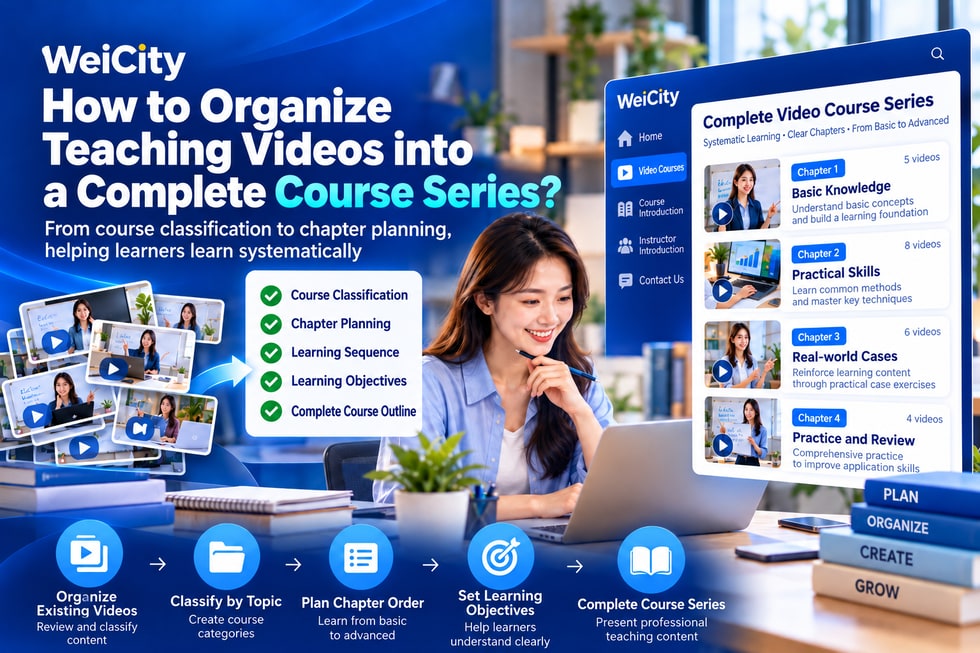
Many teachers, training institutions, and content creators already have a large number of instructional videos.
Some are published on YouTube.
Some are shared on Facebook.
Some are stored on computers or phones.
But when learners want to systematically study a topic, they may not know which video to start with.
🔸 There are many videos, but no clear categories.
🔸 Beginner and advanced content are mixed together.
🔸 Learners do not know the learning objectives of each video.
🔸 The course lacks a clear learning sequence.
🔸 Prospective learners see the videos but do not understand what the complete course includes.
These problems do not necessarily need to be solved by recording more videos.
More importantly, reorganize existing teaching content so that each video has a clear learning purpose.
A video course series (Video Course Series) organizes related teaching topics into multiple chapters based on learning objectives, difficulty, and sequence.
For example, an English teacher has 20 instructional videos.
If all the videos are simply placed on one page, learners may not know which one to watch first.
But if they are categorized by learning level, the course becomes much clearer.
📘 Stage 1: Basic English vocabulary.
📗 Stage 2: Common English sentences.
📙 Stage 3: Basic pronunciation and dialogue.
📕 Stage 4: Everyday English application.
📚 Stage 5: Review and practice.
Through this kind of course planning, learners can understand the learning path and more easily judge whether the course suits their level.
The purpose of course categories is to help learners quickly find learning content that suits them.
For educational institutions that run multiple courses, categorization is especially important.
For example, a training institution offers:
💻 Excel computer courses.
🎨 Graphic design courses.
📱 Social media marketing courses.
📊 Business data analysis courses.
🗣️ English communication courses.
If instructional videos on different topics are all mixed together, prospective learners will need to spend more time searching for materials.
It is recommended to categorize according to actual teaching needs.
✅ Categorize by course topic
For example, language, computers, arts, business, and academic subjects.
✅ Categorize by learning level
For example, beginner, intermediate, and advanced courses.
✅ Categorize by target learners
For example, children, students, adults, and corporate employees.
✅ Categorize by learning goal
For example, exam preparation, professional skills, interest-based learning, and specialized training.
More categories are not necessarily better.
The most suitable categorization is one that learners encountering the course for the first time can also understand.
Before creating a course series, it is recommended to first determine three questions.
🎯 First: Who is this course suitable for?
📚 Second: What do learners hope to learn?
⏱️ Third: What teaching steps are needed to achieve the goal?
For example, an Excel beginner course can be arranged as follows.
📗 Course name: Introduction to Basic Excel Operations
👨🎓 Suitable for: Beginners with no Excel experience.
🎯 Learning objectives: Understand basic spreadsheet operations, simple formulas, and methods for organizing data.
📘 Lesson 1: Getting to know the Excel interface.
📘 Lesson 2: Creating and editing spreadsheets.
📘 Lesson 3: Learning common mathematical formulas.
📘 Lesson 4: Sorting and filtering data.
📘 Lesson 5: Creating simple charts.
📘 Lesson 6: Completing basic exercises.
A course outline like this allows learners to understand the learning content before they begin.
Merchants can also add, merge, or adjust chapters based on their actual teaching experience.
A course is not just a collection of different videos arranged together.
Each instructional video should ideally have a clear topic.
It is recommended to include the following.
📝 1. Lesson topic
Let learners clearly know what this lesson mainly covers.
🎯 2. Learning objectives
Explain what learners are expected to understand or be able to do after completing this lesson.
📖 3. Teaching explanation
Explain the main knowledge in a suitable order.
💻 4. Practical demonstration
Show key learning points through examples, visuals, or operations.
✅ 5. Lesson summary
Help learners organize what they have just learned.
📚 6. Practice suggestions
Where appropriate, provide exercises so learners can reinforce what they have learned.
For example, in an instructional video about the Excel SUM function, there is no need to introduce dozens of different formulas at the same time.
Letting learners first understand the purpose and operation of the SUM function before moving on to other content is usually easier to learn.
There is no fixed standard video length that suits all courses.
It mainly depends on the target learners, the difficulty of the topic, and the teaching content.
For example:
📱 3 to 5 minutes: Suitable for a single tip or simple operation instructions.
🎬 5 to 15 minutes: Suitable for focused explanation of one basic concept.
💻 15 to 30 minutes: Suitable for courses that require more practical demonstration.
📚 Over 30 minutes: Can be used for a complete topic, but consider whether it should be divided into several chapters.
These are only reference suggestions for course planning, not mandatory rules.
For content that needs repeated practice, consider splitting longer videos into several smaller units.
The goal is not to make videos as short as possible, but to make sure each segment helps learners reach a clear learning objective.
Many physical education centres already have teaching resources.
For example:
📖 Tutors' problem-solving demonstrations.
🗣️ Language teachers' pronunciation practice.
🎨 Art teachers' painting lessons.
👶 Early childhood educators' learning activities.
💻 Computer trainers' software operation recordings.
These materials can first be organised by topic.
It is recommended to follow three steps.
✅ Step 1: Review existing content
Understand which topics have already been recorded and which videos need updating.
✅ Step 2: Build a course directory
Arrange related videos into different courses and chapters.
✅ Step 3: Fill in missing content
If important knowledge points are missing from a course, record suitable supplementary videos.
This makes full use of existing resources without having to re-record the entire course from the start.
Once an education centre or training institution has organised its course structure, the next step is to make it easy for prospective learners to understand the courses.
Through the WeiCity merchant channel, you can centrally display materials about your institution and teaching services.
🏪 Introduce the education institution
Let customers learn about the teaching centre, training institution and professional background.
📚 Explain course categories
Introduce the topics and suitable audiences of different courses.
📘 Display the series course directory
Explain which chapters each course contains, using the content publishing methods the platform actually supports.
👨🏫 Introduce the instructors
Show relevant teaching experience, areas of expertise and teaching style.
📝 Share course descriptions
Explain learning objectives, course format, suitable level and other important information.
📱 Provide enquiry methods
Make it easy for interested parents or learners to contact the merchant for more information.
For example, a computer training institution could introduce the following in its merchant channel:
💻 Excel Basics Course.
🎨 Photoshop Beginner Course.
📊 Business data analysis courses.
Each course separately provides its name, introduction, teaching topics and contact information.
If you need features such as automatic playback of the next chapter, learning progress tracking, quiz completion or viewing permission restrictions, first confirm whether WeiCity supports those features.
Displaying course information and a complete online learning management system should not be treated as the same function.
For merchants who want to attract online learners, clear course names and teaching content descriptions also help search engines understand what a page is about.
For example:
❌ Course name: Computer Course 01.
✅ Course name: Excel Basics Video Course | Spreadsheet Teaching for Complete Beginners.
❌ Course name: English Teaching.
✅ Course name: Beginner English Speaking Course | Daily Conversation and Pronunciation Practice.
❌ Course name: Design Course.
✅ Course name: Photoshop Beginner Course | Basic Image Editing Instruction.
It is recommended that course introductions include the following materials.
🔍 Main course names.
📚 Teaching topics and chapters.
🎯 Course learning goals.
👨🎓 Suitable learner profile.
🗣️ Language of instruction.
👨🏫 Introduction to the instructor or training institution.
📞 Enrolment or enquiry methods.
The clearer the course content, the easier it is for searchers to judge whether a course meets their needs.
However, whether a course page is indexed by Google and ranks depends also on website technical settings, content quality, page access permissions and search competition.
Once course content has been systematised, merchants can further consider their business model.
🎁 Free introductory course
Provide some basic teaching content so learners can get to know the teaching style.
💳 Individual courses
Plan standalone courses and pricing methods based on teaching topics.
📦 Series course bundles
Organise related learning content into complete course bundles.
🏫 Combining physical and online
Use teaching videos for pre-class preview or after-class review.
🔄 Continuously updated courses
Add new content and teaching topics according to learners' needs.
Different business models need to consider pricing, course delivery, viewing permissions and follow-up learner services.
Before formal sales, make sure the platform and service arrangements you use can meet your actual needs.
If you already have teaching videos, you can start with the following steps.
✅ Step 1: List all existing teaching videos.
✅ Step 2: Classify them by main teaching topic.
✅ Step 3: Determine the suitable audience for each course.
✅ Step 4: Create a clear chapter directory for each course.
✅ Step 5: Check that the video content is complete and accurate.
✅ Step 6: Add necessary teaching notes and exercises.
✅ Step 7: Prepare course names, introductions and related images.
✅ Step 8: Introduce the course materials through the WeiCity merchant channel.
✅ Step 9: Share the course introduction link so prospective learners can learn more.
✅ Step 10: Keep improving the content based on learner feedback.
For merchants just starting to run video courses, it is possible to first complete one small, well-structured course before gradually expanding.
Creating online video courses does not necessarily mean constantly adding more videos.
More importantly, teaching content should have clear topics, sequence and learning objectives.
When course materials are well organised, learners can more easily understand the content and judge whether it suits them.
For education centres, training institutions and professional instructors, a systematic course introduction also helps showcase teaching experience and professional capability.
🌐 WeiCity | Make course content clearer and help prospective learners find suitable teaching services more easily.
🎓 From scattered videos to series courses, making professional knowledge easier to learn, understand and share.