

2 How do I display WeiCity merchant basic information? Let customers know who you are
Organize your business name, brand images, business hours, address, and contact details so customers can more easily get to know you and find you.
Basic business information is where customers start to understand your business. This article explains how to prepare your name, logo, cover, business introduction, business hours, address, and contact details in a WeiCity merchant channel, and includes a pre-publication checklist to make your information clearer and more accurate, so customers can browse, inquire, and visit more easily.
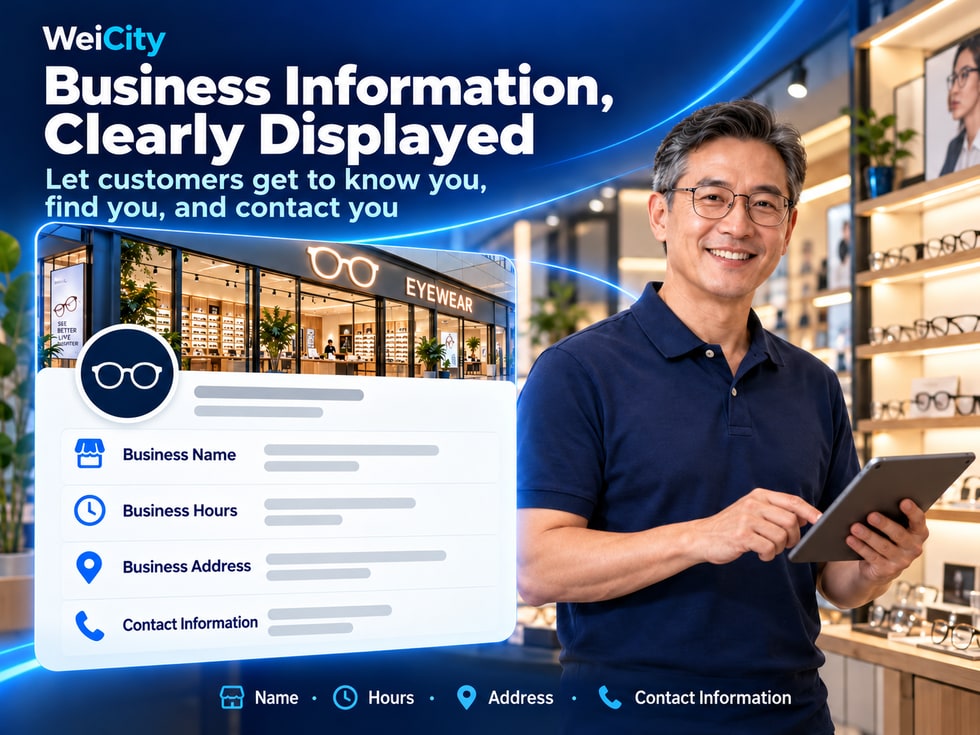
When customers first enter a merchant's online page, they usually do not read every article or view all products right away.
They often first confirm a few basic questions.
🏪 What kind of shop is this?
🛍️ What products or services are offered?
📍 Where is the store located?
🕒 Is it open today?
📞 How can I contact the merchant?
💬 If I have a question, how can I ask?
These seemingly simple details affect whether customers can easily understand your business.
If the merchant name is unclear, business hours are not updated, the address is incomplete, or the contact number no longer works, customers may need to ask repeatedly or may be unable to find the correct merchant.
The WeiCity merchant channel can help merchants present basic business information in one place, so customers can learn about the brand, operating arrangements, location and contact details through a single channel entry.
🏷️ Merchant name: Helps customers recognize your brand.
🖼️ Brand logo: Establishes a clear brand identity.
📝 Business introduction: Explains your main products and services.
🕒 Business hours: Helps customers plan a visit or inquiry.
📍 Merchant address: Helps customers find your actual location.
📞 Contact details: Lets customers know how to communicate further.
🔄 Information updates: Ensure public information matches actual business operations.
When setting up a merchant channel, it is recommended to first complete these basic details, then gradually add products, articles, Gallery content and other material.
The merchant name is an important detail that helps customers identify your shop.
It is recommended to use the name you commonly use in actual business, and keep the spelling consistent across different platforms.
For example:
Creative Bakery
Creative Bakery
Creative Bakery | Creative Bakery
If the brand uses both Chinese and English, you may arrange them according to how the business actually operates.
For example:
🏪 Creative Bakery | Penang Branch
🏪 Creative Bakery | Penang Branch
🏪 Creative Bakery | Kuala Lumpur Branch
This helps customers tell different outlets apart.
For example:
Chinese: Creative Bakery
English: Creative Bakery
If the merchant uses the same name on other platforms, it is recommended to keep it as consistent as possible.
For example, the following is not recommended:
"Penang's best-tasting, cheapest, number-one bakery in the whole city, limited-time offer, welcome to buy"
A name like this is too long and hard to recognize.
Promotional content can be placed in event articles or product introductions instead.
Customers may enter your merchant channel through:
🔗 Channel link.
📱 Social media.
💬 Friends' recommendations.
📚 Article content.
Entering your merchant channel.
A clear name helps customers confirm whether they have entered the correct merchant page.
📌 The merchant name does not need to be complicated. The key is that it is accurate, easy to recognize and consistent with the brand you actually operate.
The brand logo and channel cover are both images, but they serve different purposes.
The logo is usually used to identify the merchant.
Recommendations:
✅ Use a clear brand logo.
✅ Keep the original design proportions.
✅ Avoid text that is too small.
✅ Do not stretch the image arbitrarily.
✅ Check the display after uploading.
The cover can use content suited to your industry.
For example:
🍜 Signature dishes.
☕ Coffee and drinks.
🏪 Actual dining environment.
👨🍳 Food preparation scenes.
For example:
📦 Main products.
🎨 Product arrangements.
🏪 Shop displays.
For example:
🔧 Actual work scenes.
🛠️ Service equipment.
👥 Service team.
For example:
🏫 Actual teaching environment.
📚 Learning space.
🎨 Teaching materials.
For example:
💐 Featured bouquet.
🌸 Floral arrangement works.
🎨 Design process.
Recommendations:
🖼️ Use clear original images.
📏 Prepare images according to the recommended ratio for the page.
🔍 Keep a safe margin around important content.
📱 Check how it displays on mobile.
🎯 One cover should highlight one main theme.
For example, the left and right sides or the top and bottom edges of a cover may be cropped depending on the display ratio.
Preview the image after uploading.
Image dimensions, cropping methods and supported formats follow the current WeiCity upload page.
📌 A logo helps customers recognize your brand, while the cover helps customers quickly understand the features of your business.
A merchant introduction does not necessarily need to be long.
The key is to help customers who are meeting you for the first time quickly understand your main business.
You may organize it in the following order.
📌 What kind of business you run.
📌 What products or services you provide.
📌 Which customers you are suited for.
📌 Where your services are provided.
📌 How to make further inquiries.
"We offer handmade bread, birthday cakes and party desserts. Contact us to learn about current styles, prices and ordering arrangements."
"We provide residential plumbing and electrical repair and installation services. Service areas and specific projects are subject to the scope confirmed during inquiry."
"We provide primary school tutoring and study support courses. Parents are welcome to inquire about suitable grade levels, subjects and class times."
"We offer birthday bouquets, graduation floral gifts and customized floral design. Contact us to learn about flower selection and booking arrangements."
"We offer household goods and everyday lifestyle products. Browse product introductions to learn about specifications, prices and current availability."
Short introduction: Lets customers quickly know what you do.
About: Provides a more complete explanation of your brand background, main business, service features and contact methods.
For example:
"Quality first, best service, welcome."
Text like this does not clearly explain your actual business.
Instead, you may write:
"We provide residential air conditioner cleaning and general maintenance services. Contact us to confirm service areas and appointment arrangements."
📌 The more specific your merchant introduction is, the easier it is for customers to judge whether your products or services meet their needs.
Business hours are essential basic information for physical merchants.
Without clear information, customers may visit the store during closing times.
It is recommended to organize the following information.
📅 Business days each week.
🕒 Daily opening hours.
🚪 Regular closing days.
📞 Times when inquiries can be answered.
📋 Whether an appointment is required in advance.
Monday to Saturday: 9:00 a.m. to 6:00 p.m.
Sunday: Closed.
Monday to Saturday:
10:00 a.m. to 2:00 p.m.
5:00 p.m. to 10:00 p.m.
Sunday: Closed.
"This center operates by appointment. Please contact us in advance to confirm available time slots before your visit."
Business hours:
10:00 a.m. to 8:00 p.m.
Phone inquiries:
9:00 a.m. to 6:00 p.m.
For example:
📅 Hari Raya.
🧧 Chinese New Year.
🪔 Deepavali.
🎄 Christmas.
If business hours change, update your channel information or publish a notice according to the actual arrangement.
For example:
The merchant has changed to closing on Sundays, but the channel still shows open every day.
Customers may make a wasted trip as a result.
📌 Accurate business hours help customers plan visits, appointments and inquiries properly.
For physical merchants, the address is important information that helps customers judge location.
It is recommended to provide a complete and accurate business address as far as possible.
For example:
No. 12
Lot 5
Unit 3A
For example:
Jalan ...
Lebuh ...
Persiaran ...
For example:
George Town, Penang
Butterworth, Penang
Kuala Lumpur
Enter the correct postal code based on the actual address.
For example:
🏢 Located on the second floor.
🚪 The entrance is on the side of the building.
🅿️ The parking lot is at the rear.
📍 Near an easily recognizable landmark.
After setting it, it is recommended to check:
📍 Whether the marker is at the correct location.
🏪 Whether it corresponds to the actual store.
🛣️ Whether navigation points to a suitable entrance.
For example:
Plumbing and electrical repair, cleaning services or other home visit services.
You can clearly explain:
📍 Service area.
🛠️ The services provided.
📞 How to book.
You do not necessarily need to publicly display a private home address that is unsuitable for public display.
If you do not receive customers directly at your home, you can explain:
"This business operates by appointment or online inquiry. Please contact us in advance for pickup and service arrangements."
If the merchant has no physical store, do not use an address that may lead customers to believe they can visit in person.
📌 The key purpose of the address is to help customers find the correct business location or clearly understand the actual service area.
The key to contact information is not to provide as much as possible.
Rather, it is to enable customers to reach the person who is actually responsible for handling inquiries.
Recommendations:
✅ Double-check the number.
✅ Use a valid number.
✅ Include the country code when necessary.
✅ State the times when it is suitable to call.
For example:
Malaysia: +60
If your business uses WhatsApp to handle inquiries, you may provide the related entry point in the ways supported by the current page.
Suitable for:
💼 Business partnerships.
📋 Formal price inquiries.
📄 Document exchanges.
📝 Service consultations.
If your business is larger, you may separate contacts as needed:
🛍️ Sales inquiries.
🛠️ After-sales service.
📦 Order issues.
🤝 Business cooperation.
For example:
💐 Bouquet inquiries
Please state:
🎨 Preferred colors.
📅 Required date.
💰 Budget range.
🛠️ Repair Inquiries
Please state:
📍 Service area.
🔧 The problem encountered.
📸 Necessary on-site photos.
🎓 Course Inquiries
Please state:
📚 The course you would like to learn about.
👧 Student's grade level.
📅 Preferred class time slot.
When personal sensitive information is involved, communicate through an appropriate private channel.
For example:
📞 Phone numbers that are no longer in service.
📧 Email addresses you no longer use.
💬 Chat entry points that no one is handling.
📌 Contact information should be accurate and valid, and should let customers know how to raise their questions.
Different business models may have different requirements for basic information.
It is recommended to highlight:
🏪 Restaurant name.
🍜 Main food and beverage type.
📍 Store address.
🕒 Opening hours.
📞 Contact information.
🍽️ Menu entry point.
It is recommended to highlight:
🏪 Store name.
📦 Main products.
📍 Store location.
🕒 Opening hours.
💬 How to inquire about products.
It is recommended to highlight:
🔧 Service items.
📍 Service area.
📋 How to make an appointment.
📞 Contact phone number.
🕒 Times when inquiries can be answered.
It is recommended to highlight:
🏫 Center name.
📚 Course Areas.
👧 Suitable Ages or Grades.
📍 Center location.
📅 How to inquire about courses.
It is recommended to highlight:
🎨 Studio name.
🖼️ Types of Work.
🛠️ Service content.
📍 Service area.
💬 How to inquire about cooperation.
It is recommended to highlight:
💐 Floral brand.
🎁 Bouquet types.
📸 Representative works.
📅 Booking arrangements.
📞 Contact information.
📌 Basic merchant information does not need to be exactly the same for everyone; highlight the most important information according to your actual business model.
Many merchants use multiple online platforms at the same time.
For example:
🌐 WeiCity.
📱 Facebook.
📸 Instagram.
📍 Google Maps.
💬 WhatsApp Business.
If different platforms show different information, customers may not know which version is correct.
For example:
Do not use an old name on one platform and a new name on another without explanation.
After relocating, check all commonly used pages.
For example:
Whether you are open on Sundays.
Whether you are closed on public holidays.
After changing your phone number, update it promptly.
For example:
If a service has been discontinued, update the related description.
These may include:
🏪 Business name.
📍 Address.
🕒 Opening hours.
📞 Contact phone number.
📧 Email.
📝 Short introduction.
For example:
🏪 Change the brand name.
📍 Store relocation.
🕒 Adjust business hours.
📞 Change the phone number.
🛠️ Add or discontinue services.
📌 Consistent and accurate basic information can reduce cases where customers see conflicting information on different platforms.
For merchants who want more people to find their business through search, accurate basic information has practical value.
For example:
🏪 Business name.
📍 Location.
🛍️ Main Products.
🛠️ Service items.
🕒 Opening hours.
For example:
“Creative Bakery | Creative Bakery”
For example:
Penang.
George Town.
Butterworth.
For example:
"Provides handmade bread, birthday cakes and party desserts."
This is clearer than simply writing "high-quality service."
For example:
"What should I prepare before booking a birthday cake?"
"When choosing a home appliance repair service, what information can I confirm first?"
For example:
📞 Phone numbers.
📍 Address.
🕒 Opening hours.
🛍️ Main services.
Whether search engines can discover, crawl and index channel pages also depends on platform technical settings, page accessibility, content quality and other factors.
Filling in the merchant name and address alone cannot guarantee a specific search ranking.
📌 Clear basic information helps users understand your business and provides a foundation for organizing your online business content.
Specific field names and where to find them may vary with WeiCity's current channel management interface.
You can prepare and check in the following order.
Open the merchant channel you want to manage.
Confirm that your current account has the appropriate management permissions.
Confirm:
🏪 The name is correct.
🌐 Chinese and English spellings are consistent.
📍 Branch names are clear.
For example:
🎨 Logo.
🖼️ Channel cover.
📸 Other brand images.
It is recommended to first describe your main business, then add service highlights.
Confirm:
📅 Business days.
🕒 Business hours.
🚪 Closed days.
Confirm the address matches your actual business location.
If the page provides map settings, check the location pin.
For example:
📞 Phone.
💬 WhatsApp.
📧 Email.
Check:
🖼️ Image display.
📝 Text layout.
📍 Address information.
📞 Contact entry points.
If a piece of information has no dedicated field, you can add it in the introduction area or another suitable location the page actually provides.
📌 Specific fields, saving methods and display locations are subject to WeiCity's current merchant channel management page.
It typically covers the merchant name, brand images, business introduction, business hours, address and contact information.
The actual fields are subject to the current page.
You can arrange this according to the current fields and your actual business needs, and try to keep the spelling consistent.
It is recommended to clearly indicate the branch area in the name or related information.
A short introduction should prioritize describing your main business.
A fuller description of your brand and services can be placed in a suitable area such as "About."
A logo mainly helps customers recognize your brand.
A cover image mainly showcases your business highlights, products or service scenes.
You can explain your service area and contact arrangements according to how you actually operate.
Do not enter a visiting address that could mislead customers.
It is recommended to update the information promptly and publish relevant notices when needed.
You may specify:
"Please contact us in advance to confirm your appointment time before visiting."
You can set it up according to the contact options currently supported by the WeiCity page.
Because customers may plan a visit or navigation based on the address.
Recommended checks:
📍 Address.
🗺️ Map location.
📞 Contact information.
🕒 Opening hours.
📱 Other commonly used platforms.
Not necessarily.
The key is to be accurate, clear and aligned with what customers actually need.
Clear and accurate information helps explain page content, but it does not guarantee search engine indexing or ranking.
It is recommended to review it regularly and update it whenever your business situation changes.
📌 The focus of merchant basic information is not writing a lot of text, but helping customers quickly find the right information.
✅ The name is correct.
✅ Matches the actual brand.
✅ Branch names are clear.
✅ Logo is clear.
✅ Cover matches actual business.
✅ Images are not noticeably distorted.
✅ Key content is complete when viewed on mobile.
✅ Main business is described.
✅ Products and services are clear.
✅ No exaggerated promotion.
✅ Business days are correct.
✅ Opening and closing times are clear.
✅ Regular closed days are specified.
✅ Booking requirements are explained.
✅ The address is accurate.
✅ Postal code is correct.
✅ Map location has no errors.
✅ There is a clear note if visits are not accepted.
✅ Phone numbers are valid.
✅ Email address is correct.
✅ Contact links work.
✅ Inquiry channels are monitored.
✅ WeiCity information is correct.
✅ Social media information is consistent.
✅ Map information is not outdated.
✅ Merchant name is easy to recognize.
✅ Images display clearly.
✅ Text is easy to read.
✅ Contact information is easy to find.
📌 Reviewing before publishing from the customer's perspective can reduce information errors and unnecessary inquiries.
When customers first enter a merchant channel, they may not necessarily buy a product or book a service right away.
They may simply want to confirm:
🏪 Is this the merchant I'm looking for?
🛍️ Does it have the product I need?
📍 Where is the store located?
🕒 Is it open today?
📞 How can I get in touch?
WeiCity merchant basic information helps you present this important information in one place.
🏷️ Merchant name: Helps customers recognize your brand.
🖼️ Brand logo and cover: Show a clear brand image.
📝 Business introduction: Lets customers know what you do.
🕒 Business hours: Helps customers plan visits or inquiries.
📍 Merchant address: Helps customers find the right location.
📞 Contact information: Makes it easy for customers to communicate further.
🔄 Information updates: Keep public information in line with actual operations.
📱 Mobile preview: Ensures customers can read clearly while browsing.
The value of WeiCity merchant basic information lies not in how complex it is, but in helping customers quickly find accurate and useful information.
First, organize your name, business, hours, location and contact information clearly.
Then gradually improve products, services, articles, the Gallery and other content.
This makes it easier for customers meeting you for the first time to understand your business, and easier for existing customers to find information again.
🏪 A clear name helps customers recognize you.
📝 A clear business focus helps customers understand you.
📍 Accurate hours and location help customers find you.
💬 Valid contact details make it easy for customers to reach you.
For specific profile fields, image requirements, editing locations, and display methods, please refer to the current merchant channel management interface on WeiCity.
👉 Open WeiCity: https://wei.city/