

4 How to Use WeiCity Gallery Features? From Environment Displays to Work Categories
Organise photos of your shopfront, products, services, and work by theme so customers can browse more easily and find what interests them.
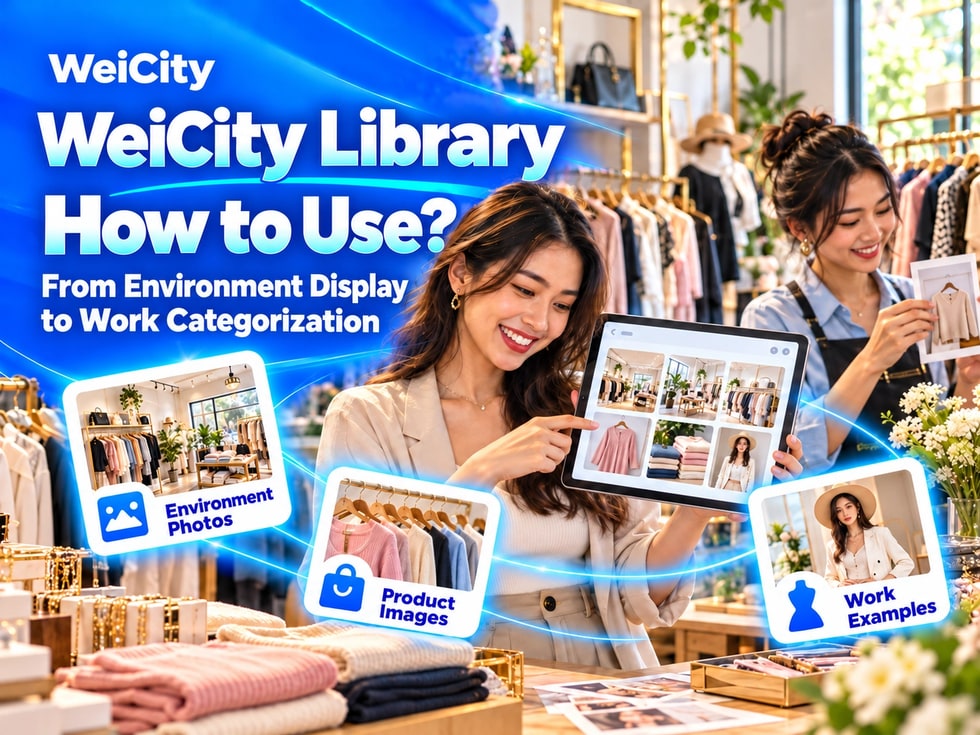
Which images should merchants display in the WeiCity Gallery? From product photography, environment introductions, and work categories, to photo captions, publishing permissions, and update checks, this guide helps you build a channel gallery that is clear, authentic, and easy to browse.
“Where should customers look to see the shop environment?”
“There are many products and works; how can they be organized without looking messy?”
“Is it okay to upload only images without written descriptions?”
“Which photos are suitable for public display?”
When customers first learn about a merchant, images often attract attention more easily than lengthy text.
Shop environments, product details, service processes, and completed work can all help customers understand more directly what the merchant actually provides.
💡 With the WeiCity Gallery feature, images on different topics can be organized in one place, making it easier for customers to browse the environment, products, services, and representative work after entering the channel.
The Gallery feature is suitable for centrally displaying image-focused content.
For example:
✅ Shop and environment
✅ Products and merchandise
✅ Service items
✅ Works and Case Studies
✅ Courses and Events
✅ Facilities and equipment
✅ Visit and directions
✅ Team and work scenes
Images can be used alongside merchant introductions, articles, and updates to make channel content more complete.
📌 The actual number of images that can be uploaded, supported formats, and management features should follow what is currently shown in the channel backend.
Different merchants can prepare different types of images depending on their industry.
✅ Merchant environment
Show the storefront entrance, reception area, service area, classroom, studio, or other spaces customers will use.
Product images
Show the overall product, different styles, packaging, specification labels, and important details.
✅ Service process
Introduce the general environment and actual process customers experience when receiving a service.
✅ Work cases
Show completed designs, styling, projects, repairs, or other results the merchant has produced.
✅ Event records
Show courses, open days, exhibitions, workshops, or community activities.
✅ Team image
Introduce the team members who actually serve customers and their work scenes.
✅ Visit guide
Help customers find the merchant through building entrances, floors, parking locations, or nearby landmarks.
💡 The Gallery is not just for “displaying nice photos”; its more important role is helping customers understand the actual situation.
If all images are placed together, customers may find it difficult to locate the content they are interested in.
You can organize them by topic:
🔹 Shop environment
🔹 Product Series
🔹 Service Items
🔹 Portfolio Cases
🔹 Event Records
🔹 Team Introduction
🔹 Visitor Directions
You can also organize by business category:
🔹 Children's Courses
🔹 Adult Courses
🔹 Hairstyling Works
🔹 Nail Art Works
🔹 Kitchen Renovation
🔹 Bathroom Projects
🔹 Room Types
🔹 Travel Activities
💡 For each topic, first select the most representative images. You do not need to upload all photos at once.
📌 Section names should be simple and clear, so customers do not need to guess what is inside.
When browsing products, customers usually want to see the appearance, specifications, and details clearly.
It is recommended to prepare:
✅ Overall productShow the complete appearance and basic shape.
✅ Front and side viewsHelp customers understand the product from different angles.
✅ Important detailsFor example, ports, materials, patterns, zippers, or control positions.
✅ Model and specification labelsMake it easy for customers to check the actual product information.
✅ Packaging and accessoriesExplain what is actually included when purchased.
✅ Usage scenariosWhere applicable, show how the product is used in a real environment.
📌 Images should correspond to the actual model. Different colors, sizes, or packaging versions should be labeled separately.
If stock, prices, or styles may change, customers can be asked to contact you for confirmation before purchase.
Before visiting, registering, or booking, customers may want to learn about the on-site environment first.
You may show:
🔹 Building Exterior and Shop Signage
🔹 Entrance and Reception Area
🔹 Service or Work Areas
🔹 Seating, Classrooms, or Activity Spaces
🔹 Equipment and Facilities
🔹 Restrooms and Public Areas
🔹 Parking Locations
🔹 Accessible Entrance Information, if applicable
Each photo can describe where it was taken and its purpose.
🔶 For example:
“Reception area: After arriving, customers can confirm their appointment and service details here.”
“Second-floor classroom: Please check in at the first-floor counter before class begins.”
“Parking entrance: Enter from the driveway on the left side of the building.”
💡 Clear environment images can reduce customers' uncertainty during their first visit.
📌 Environment photos should be recent. Update them promptly after renovations or changes to entrances or facilities.
Work images help customers understand the merchant's style, experience, and actual work.
For each set of works, it is recommended to explain:
✅ Project or service type
✅ The customer's original needs
✅ The work the merchant was responsible for
✅ Materials or treatment methods used, if applicable
✅ Key points after completion
✅ Time or stage of the photos, if needed
🔶 Example: Kitchen storage cabinet case
“The customer wanted more storage space. We were responsible for on-site measurement, cabinet fabrication, and installation. The images show the overall layout and interior storage design after completion.”
📌 If the merchant was only responsible for part of a project, state this honestly. Do not let customers mistakenly believe the merchant completed the entire project.
Before-and-after comparisons are suitable for showing:
• Renovation and repair• Cleaning services• Car detailing• Beauty and hairdressing• Storage and organization• Product restoration
Recommendations:
🔹 Use the same or similar shooting angles
🔹 Keep lighting similar
🔹 Clearly label "Before" and "After"
🔹 Explain what work was actually performed
🔹 Avoid excessive retouching or altering the real results
📌 Before-and-after comparisons only represent that specific actual case and should not imply that all customers will achieve exactly the same results.
Customers may not know what the location, product, or service in an image is.
A short caption can help customers understand:
✅ Where the image was taken
✅ Product name and model
✅ Service items
✅ Key points of the work
✅ Event name and date
✅ Applicable conditions
✅ How to make further inquiries
🔶 Caption examples:
“Family room: one double bed and two single beds. Please contact the merchant to confirm the actual number of guests and prices.”
“Children's painting class: shows the group course environment. Please check the course introduction for class ages and enrollment limits.”
“New handbag: the image shows the dark blue version. Please contact the store for other colors and current stock.”
💡 A clear caption adds more value than an image alone.
Customers usually view channels on their phones, so images should remain clear and easy to recognize.
Recommendations:
🔹 Use well-lit photos
🔹 Do not place the subject too far away
🔹 Avoid cluttered compositions
🔹 Place important content near the center of the image
🔹 Use consistent shooting directions for the same topic whenever possible
🔹 Do not add too much small text to images
🔹 Recheck the display after uploading
📌 Text, prices, and detailed conditions can be placed in image captions or related introductions, so they do not all need to be squeezed into the image.
The Gallery is suitable for browsing images in one place, while articles and updates provide text descriptions.
✅ Gallery + Article
The Gallery displays environments or works, while articles fully explain services, processes, and cases.
✅ Gallery + Update
The Gallery keeps representative images, while updates announce recent new products, events, or new works.
✅ Gallery + Product or Service Introduction
The Gallery shows product details, while related content explains specifications, uses, price conditions, and how to inquire.
🔶 For example:
Renovation merchants can display different projects by category in the Gallery, then use articles to explain each project's needs and scope of work.
Education centers can use the Gallery to show environments and activities, then use articles to introduce courses and how to register.
💡 Images attract customers to browse, while text helps customers understand and make decisions.
✅ Dining and food
• Signature dishes• Menu categories• In-store environment• Dining spaces• Events and set meals
✅ Retail stores
• Product categories• New arrivals and styles• Product details• Packaging and accessories• Store displays
✅ Education and training
• Classrooms and facilities• Course environment• Learning activities• Materials and works• Open day records
✅ Beauty and hair
• Hairstyle works• Nail art styles• Service spaces• Tools and equipment• Authorized cases
✅ Renovation and repair
• Construction projects• Construction process• Completed results• Before and after• Materials and details
✅ Travel and accommodation
• Room types• Public areas• Facilities• Scenery• Visitor directions
💡 Show what customers care about most first, then gradually add more based on their questions.
Before uploading images, confirm that:
✅ The images are owned by the merchant or properly licensed for use
✅ Customers, students, and employees have agreed to public display
✅ Guardian consent has been obtained for photos of children
✅ License plates, house numbers, and personal documents have been properly handled
✅ Images do not show phone numbers, ID documents, or payment information
✅ Project names, logos, and works may be made public
✅ Products and environments accurately reflect the actual situation
📌 Even if photos were taken at the merchant's premises, this does not mean that all people and information may be published automatically.
Many photos but no categories
Customers have to keep searching and find it hard to locate content of interest.
Only wide-angle photos
Customers cannot see the details of products, equipment or works clearly.
Photos have no descriptions
Customers do not know what the photos show or how they are actually used.
Using outdated environment photos
Customers find that the actual location differs from the photos when they arrive.
Over-editing
Product colors, space sizes or service results may not match the actual situation.
Publishing private information
Photos show customers' names, license plates, documents or other sensitive information.
💡 Regularly organizing your gallery is more important than continuously adding photos without descriptions.
1️⃣ Storefront or environment photosEntrance, reception area and main service spaces.
2️⃣ Main products or servicesChoose the items customers ask about most often.
3️⃣ Representative worksShow a few cases that best illustrate your business style.
4️⃣ Team or work scenesHelp customers understand who provides the services.
5️⃣ Visit informationPrepare photos of the entrance, floors, parking or nearby landmarks.
For each topic, first add a small number of clear, labeled images, then gradually add more.
✅ Are the images clear and matched to the correct topic?
✅ Are the category names easy to understand?
✅ Are the product models and colors accurate?
✅ Do the environment photos still reflect the current situation?
✅ Does each group of images have the necessary descriptions?
✅ Have you obtained publication permission for people and works?
✅ Have you covered personal information, license plates and documents?
✅ Are the images easy to view on a mobile phone?
✅ Do customers know how to make further inquiries?
A clear gallery helps customers view products, environments, works and the actual services provided.
Select representative images by topic, add brief descriptions, and work together with articles, updates and product and service information.
After viewing the images, customers should not only think "it looks nice," but also understand what the merchant offers and how to continue contacting them.
Want to learn how to use the WeiCity Gallery feature?
Feel free to contact us through the contact details on the official WeiCity channel, and start organizing your first set of images based on your industry and display needs.
WeiCityMake your business visible and your contact easier.