

71 How Children's Playgrounds Can Use WeiCity: From Venue Showcase to Family Bookings
Showcase play areas, activity content, visitor guidelines, and booking methods in one place, helping parents learn more about the venue and plan their visit more easily.
How can indoor playgrounds, parent-child activity spaces, and children's party venues use WeiCity? Build a channel that makes it easy for parents to browse facilities, understand rules, and contact you through area categories, venue photos, activity introductions, and visitor guidance.
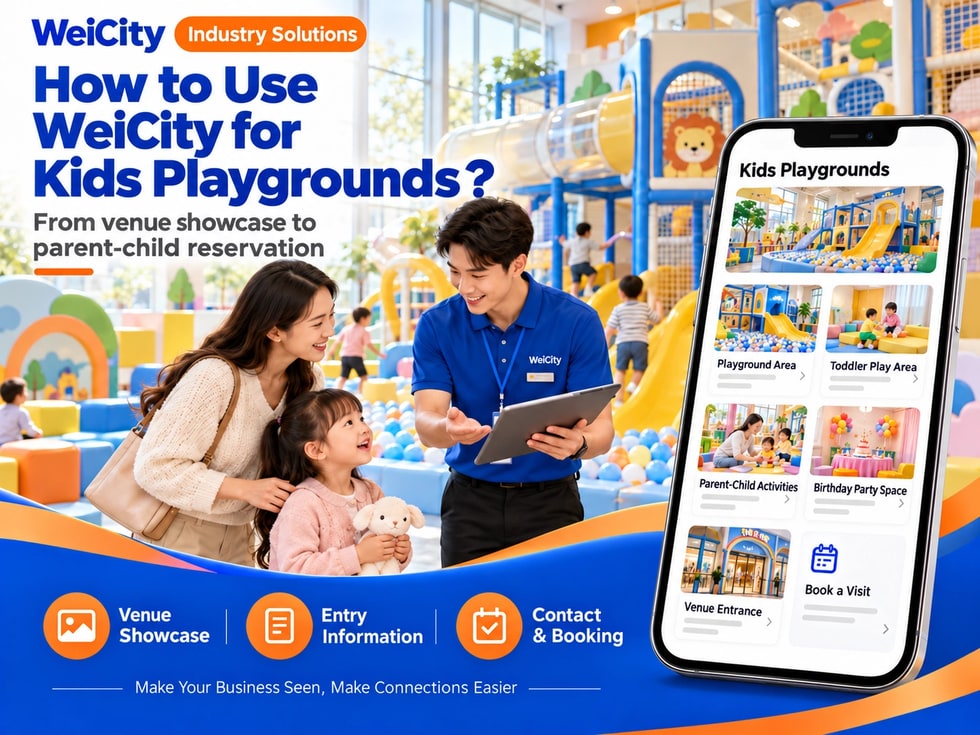
From venue display to family booking
“What age range is the venue suitable for?”
“Do I need to book on weekends?”
“Can parents go in with their children?”
“Can we hold a birthday party here?”
“How are entry times and fees calculated?”
When parents look for family activity spaces, they usually first want to know the play areas, suitable ages, entry rules, opening hours and booking methods. Clear information helps parents judge whether the venue suits the day's plans.
💡 With WeiCity, you can create your own family space channel and organize venue introductions, activities and visitor notes, so parents can learn about the environment first and then contact you to confirm dates and spots.
✅ Indoor children's playground
Display play areas, facilities and entry methods.
✅ Family activity space
Introduce family classes, themed activities and sign-up arrangements.
✅ Children's party venue
Explain private hire, decorations and party packages.
✅ Family crafts and experience studio
Display activity themes, suitable ages and sign-up methods.
✅ Children's sports and play space
Introduce venue facilities, classes or activity arrangements.
✅ Community children's activity center
Organize opening hours, activity information and notes for parents.
📌 Introduce the venue and activities according to your actual business scope, and clearly distinguish free play, classes and private hire services.
You can organize the content by space use:
🔹 Play Equipment Area
Show the climbing, slide, or play equipment that is actually open.
🔹 Toddler Activity Area
Explain the area setup and suitable age reference.
🔹 Parent-Child Interaction Area
Introduce games or activities that parents can join.
🔹 Craft and Theme Activities
List the activity content, duration, and how to sign up.
🔹 Birthday Party Space
Explain the venue format, decoration, and package options.
🔹 Group Activities and Venue Booking
Introduce group size, time slots, and how to request a quote.
💡 Parents usually look at the equipment and suitable ages first, then check whether a reservation is needed.
Recommended to specify:
✅ Venue address and opening hours
✅ Play areas and actual equipment
✅ Recommended age range or participation requirements
✅ Entry times and pricing method
✅ Parent accompaniment requirements
✅ Whether advance booking is required
✅ Whether party or group activities are offered
✅ Venue rules and reminders
✅ Parking and arrival directions
✅ How to contact us and reschedule
🔶 Example: Indoor Playground Introduction
Venue location: Include the address and floor.
Opening hours: List business hours and closed days.
Area description: Introduce the play areas that are actually open.
Visit arrangements: Explain whether entry requires a reservation.
Parent notes: List accompaniment requirements and venue rules.
Inquiries: Ask visitors to provide the date, number of people, and children's ages so we can confirm.
📌 Equipment availability and activity times may change. Please reconfirm before you set out.
It is recommended to prepare:
🔹 Overall Venue Photos
Show the layout of the space and the main areas.
🔹 Equipment Detail Photos
Show the play equipment that is actually open.
🔹 Entrance and Reception Photos
Help parents find the entry point.
🔹 Rest Area and Parent Waiting Area
Introduce arrangements for parent accompaniment and rest.
🔹 Party Decoration Examples
Show the themes and space setups that are actually offered.
🔹 Parking and Surroundings Photos
Help parents plan their route to the venue.
📌 Photos should match the actual venue. Obtain guardian consent before taking or publishing photos of children and families.
1️⃣ Visit date and time slot
Helps check venue arrangements and activity availability.
2️⃣ Number of adults and children
Helps confirm entry and venue capacity.
3️⃣ Children's ages
If the venue arranges areas or activities by age, please explain this in advance.
4️⃣ Activities or services they want to join
Explain needs for free play, classes, parties, or venue booking.
5️⃣ Special arrangements
If there are questions about mobility access or food, please contact us in advance to confirm.
6️⃣ Contact information
Helps the merchant reply with reservation and visit information.
📌 Whether a booking is confirmed depends on the merchant's confirmation. Parents must accompany children according to on-site rules.
Suggested content:
🔹 Available venues and time slots
🔹 Suitable group sizes and decoration options
🔹 What is included in party packages
🔹 Whether food, decorations, or activity hosts are provided
🔹 Arrangements for bring-your-own items or outside suppliers
🔹 Setup and clean-up times
🔹 How extra guests or extended time are charged
🔹 Booking, deposit, and cancellation terms
🔶 For example:
“Please share your party date, expected number of guests, children's ages, and preferred theme. We will confirm venue availability, package details, and costs.”
📌 Package displays should clearly list what is actually included, so parents do not assume that every decoration or item shown in the pictures is included in the price.
You can explain the following in your channel:
✅ Whether socks or specified clothing are required
✅ Whether parents must accompany children throughout the visit
✅ How to check in and check out
✅ Rules for food, drinks, and bring-your-own items
✅ How children's belongings are kept
✅ How to contact us about late arrivals, rescheduling, or cancellations
✅ Equipment use and queuing rules
✅ How to notify staff about equipment problems
📌 Follow the venue's actual rules, and remind parents to check them before the activity or booking.
You may specify:
🔹 Daily venue cleaning arrangements
🔹 Opening and closing times of play areas
🔹 How notices are given during equipment maintenance
🔹 How to look up lost items
🔹 How parents can contact on-site staff
💡 Simply describe the actual management process. Do not make safety or hygiene guarantees that cannot be verified.
📌 While children are playing, parents should accompany them according to venue rules and keep an eye on their activities.
🔹 About Us
Introduce the venue, address, and opening hours.
🔹 Play Areas
Display by equipment, age reference, or activity type.
🔹 Parent-Child Activities
Introduce classes, crafts, and theme activities.
🔹 Birthday Parties and Venue Booking
Explain packages, group sizes, and how to request a quote.
🔹 Entry Notes
Organize reservation, accompaniment, and venue rules.
🔹 Venue Photos and Visit Route
Provide entrance, parking, and nearby directions.
🔹 Contact and appointments
List visit dates, group size, and how to make inquiries.
💡 To start, you can add venue photos, opening hours, entry rules, and booking methods first, then gradually add activities and party examples.
🔶 Parent asks: “What age children is the venue suitable for?”
You can reply:
“Hello, here is our introduction to the play areas and activities. Please tell us your child's age and planned visit date, and we will help confirm suitable areas and arrangements.”
🔶 Parent asks: “Can we just come over on the weekend?”
You can reply:
“Weekend crowds and activity schedules may differ. Please tell us the visit date, number of people, and time slot first, and we will help confirm whether a reservation is needed.”
🔶 Parent asks: “Can you host a birthday party?”
You can reply:
“Please tell us the date, expected number of guests, children's ages, and preferred theme first. We will confirm venue availability, package details, and costs.”
1️⃣ Basic venue information
Name, address, opening hours, and contact details.
2️⃣ Introduction to play areas and equipment
Organize the spaces and activities that are actually open.
3️⃣ Visit and entry notes
Explain accompaniment, clothing, reservations, and venue rules.
4️⃣ Party and group packages
List what packages include and information for price inquiries.
5️⃣ Clear venue photos
Prepare photos of the entrance, equipment, rest area, and parking guidance.
✅ Are the venue opening hours accurate?
✅ Do the equipment photos match the actual environment?
✅ Are suitable ages and parent accompaniment requirements clear?
✅ Are booking, pricing, and rescheduling methods listed?
✅ Is the content included in party packages complete?
✅ Has guardian consent been obtained for photos of children?
✅ Are the route and parking instructions correct?
✅ Are the contact details valid?
Once play areas, activity information, and entry guides are organized in your channel, they can be used for daily replies, activity promotion, and family booking communication.
Parents can browse the venue and activities first, then provide the date, number of people, and children's ages. Merchants can use this to continue confirming availability, costs, and visit arrangements.
Want to learn how to set up a children's playground and parent-child activity channel?
Feel free to contact us through the WeiCity official channel, and we can organize display content that suits your venue.
WeiCity
Make your business visible and contact easier.