

3 How Education & Training Centers Can Use WeiCity: From Course Display to Parent Inquiries
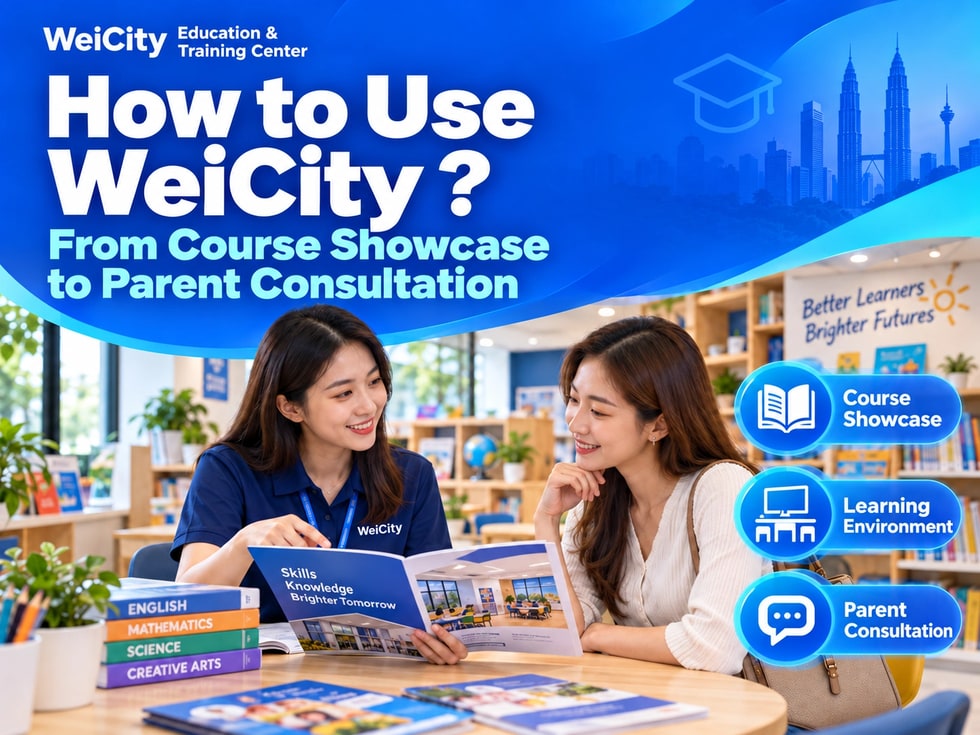
Bring together courses, teaching staff, learning environment, and enrollment information in one place, so parents can more easily learn about your center.
How Kindergartens, Tutoring Centers, Language Schools, and Interest Training Institutions Can Use WeiCity: Organize the information parents ask about most into a merchant channel that is easy to browse and share, using course introductions, teaching photos, enrollment updates, and contact details.
“What courses do you offer?”
“What ages are suitable?”
“How are class times arranged?”
“Where is the center located?
Can I visit first?”
These are questions parents often ask when learning about education and training centers.
After receiving the channel, parents can browse according to their needs. When replying to inquiries, the center can also share relevant introductions for easy reference.
✅ Kindergartens and Preschool Centers Introduce educational philosophy, age range, daily activities, and campus environment.
✅ Tutoring and Academic Support Centers Show subjects, grade levels, course schedules, and learning support methods.
✅ Language and Skills Training Institutions Introduce language courses, learning levels, target students, and class formats.
✅ Music, Art, and Interest Training Centers Show course content, instructor introductions, learning environments, and works.
📌 Different institutions can choose suitable sections and presentation methods based on their own teaching content.
Beyond the course name, parents usually also need to know whether the course suits their child.
It is recommended to clearly state for each course:
🔹 Course name and learning content
🔹 Suitable age, grade level, or learning level
🔹 Class format and location
🔹 Sessions per week and length of each session
🔹 Whether a foundation or entrance assessment is required
🔹 Inquiry and registration methods
🔶 Example: Primary School English Reading Course
Target students: Lower primary school students. Course content: Vocabulary comprehension, short passage reading, and expression practice.
Class format: Small-group in-person classes. Please contact the center to confirm specific class schedules, fees, and availability.
📌 Introduce the teaching content and arrangements actually offered so parents can judge suitability. Avoid promises such as “guaranteed improvement” or “definitely high scores.”
Beyond courses, parents also want to know who is responsible for teaching.
✅ Instructor names and courses they lead
✅ Relevant academic qualifications, certifications, or training background
✅ Actual teaching experience
✅ Teaching methods and areas of focus
You can add instructor photos and brief introductions so parents can more easily get to know the team.
📌 Academic qualifications, certifications, and experience should be stated accurately. For professional certifications, state the certification name and scope of applicability clearly.
Photos can help parents understand the center's space and daily arrangements.
Recommended to display:
🔹 Center entrance and signboard
🔹 Classrooms, desks, and teaching equipment
🔹 Reading area, activity area, and waiting area
🔹 Textbooks and teaching aids actually in use
🔹 Classroom activities or works published with authorization
💡 Add one sentence to each photo, for example: “Reading area: For students to practice reading and take part in small-group activities.”
📌 Obtain appropriate authorization before publishing student photos or works. Watch for personal information in images, such as names, report cards, and contact details.
Add recent arrangements to the channel so parents can easily view and share them.
✅ New Class Enrollment State the course name, target students, start date, and inquiry method.
✅ Trial Classes State the trial content, dates, fees, and whether advance registration is required.
✅ Open Days and Visits State the location, time slots, eligible participants, and booking method.
✅ Holiday Courses State the activity content, age range, course dates, and related fees.
📌 If class schedules, places, or activity arrangements change, update them promptly. For activities that have ended, mark them as ended or move them out of the main display.
🔹 About the Center Introduce educational philosophy, target students, and center features.
🔹 Course Introductions Organize by age, grade level, subject, or course type.
🔹 Teaching Team Introduce instructor backgrounds and the courses they lead.
🔹 Learning Environment Show classrooms, equipment, and activity spaces.
🔹 Enrollment and Activities Publish new classes, trial classes, open days, and holiday courses.
🔹 FAQ Organize questions about fees, leave, make-up classes, textbooks, and registration procedures.
💡 To start, you can create several of the most commonly used sections first, then gradually add content based on parents' inquiries.
🔶 Parent asks: “What courses do you have?”
Suggested reply: “Hello, here is our course introduction. You can first look at the courses suitable for your child's age. You are also welcome to tell us your child's age or grade, and we will explain the relevant arrangements.”
🔶 Parent asks: “Can I see the environment?”
Suggested reply: “Yes, here are photos of our center environment and classrooms. If you would like to arrange a visit, please contact us to confirm a suitable time.”
🔶 Parent asks: “How do I register?”
Suggested reply: “You can first browse the course introductions, then contact us to confirm class schedules, fees, and availability. We will explain the registration steps.”
📌 After sharing the channel, continue communicating based on the parent's specific questions to help them understand the actual arrangements.
1️⃣ Basic Center Information Name, introduction, address, phone number, and WhatsApp.
2️⃣ Main Course Introductions First organize the courses parents ask about most often.
3️⃣ Instructor and Environment Photos Use clear, recent, and authorized materials.
4️⃣ Enrollment and Inquiry Information Clearly state current arrangements and how to contact the center.
5️⃣ FAQ Organize frequently repeated questions so parents can review them easily.
✅ Are course age requirements and levels clear?
✅ Are class times and locations correct?
✅ Are the fee inclusions stated?
✅ Are enrollment dates and activity information still valid?
✅ Is the instructor information accurate?
✅ Are the images suitable for public display?
✅ Can the phone number and WhatsApp be contacted normally?
Once course introductions, environment photos, and enrollment information are organized, you can use the channel for daily inquiries, social media introductions, and event promotion.
Parents can learn about the center first and then ask more specific questions; the center can also continue explaining suitable courses and arrangements based on the existing materials.
Want to learn how to set up an education and training channel?
Feel free to contact us through the official WeiCity channel to organize content that suits your center.
WeiCity Make your business visible, and make contact easier.